jcLee95
已入驻阿里云博客
邮箱 :291148484@163.com
本文地址:
- https://developer.aliyun.com/article/
- https://blog.csdn.net/qq_28550263/article/details/129100636
1. 在 docker 中安装 gitlab-ce
拉个 gitlab 镜像:
sudo docker pull gitlab/gitlab-ce:latest
跑起来:
sudo docker run -itd -p 80:80 -p 22:22 -p 25:25 -p 9943:443 -p 8000:8000 -v /usr/local/gitlab-test/etc:/etc/gitla -v /usr/local/gitlab-test/log:/var/log/gitlab -v /usr/local/gitlab-test/opt:/var/opt/gitlab --restart always --privileged=true --name gitlab gitlab/gitlab-ce
Note: 如果你的宿主机有其他应用你也可知指定自己的端口,比如我下面的页面用了9680替代80
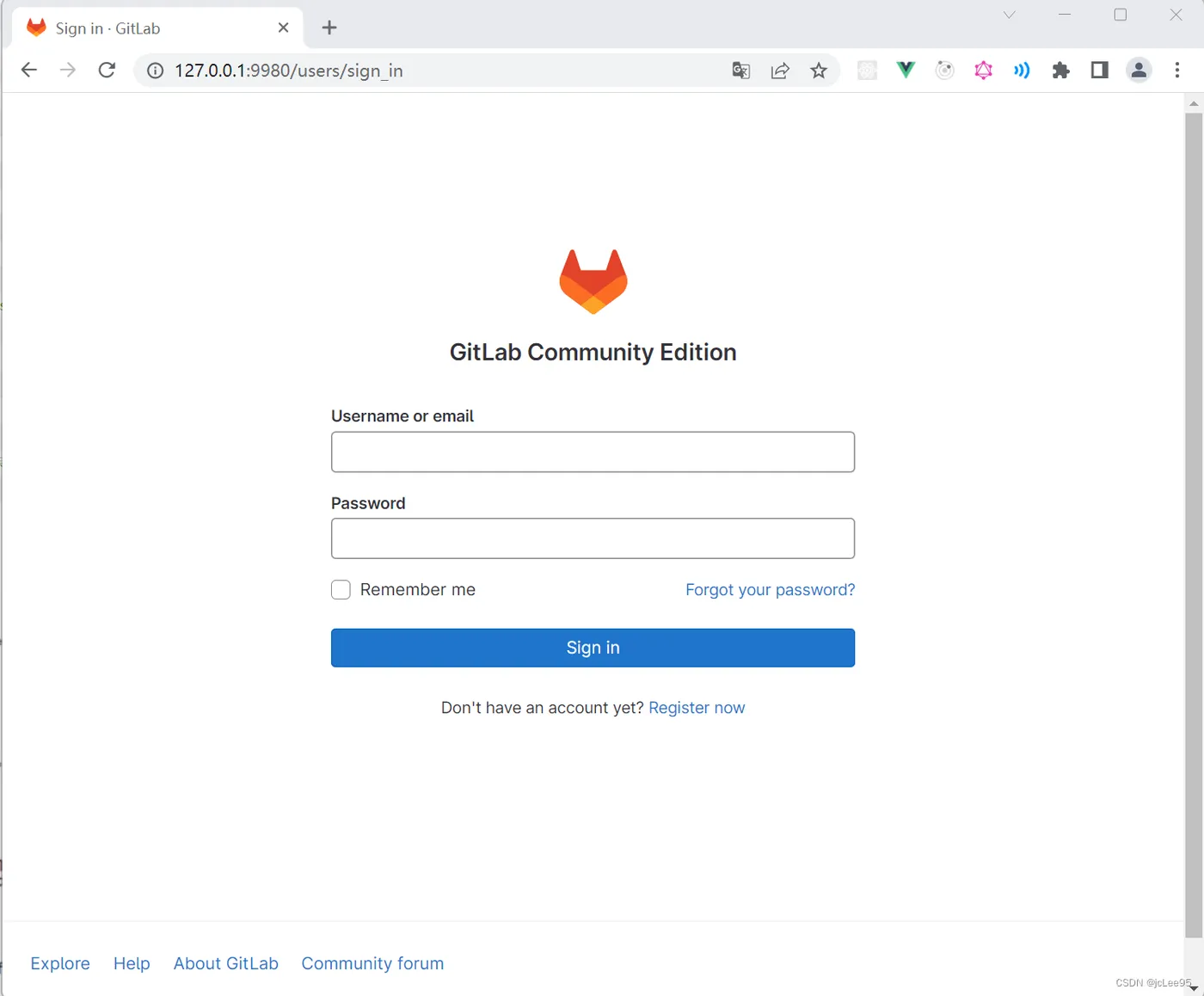
现在你可以在宿主机访问你的 gitlab 页面了:
2. gitlab 的配置文件 gitlab.rb 解析
进容器:
docker exec -it gitlab /bin/bash
安装一个 vim
apt update
apt upgrade
apt install vim
vim 打开配置文件 /etc/gitlab/gitlab.rb:
vim /etc/gitlab/gitlab.rb
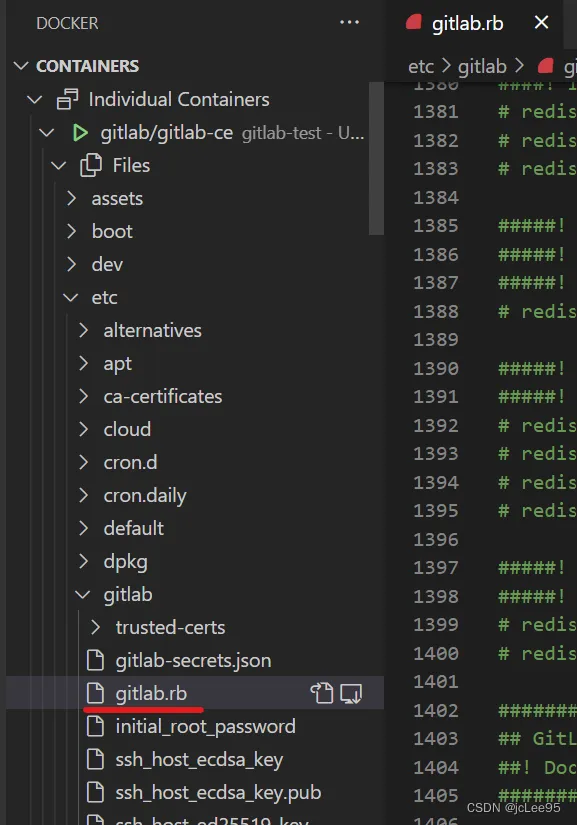
当然你也可以使用 桌面端的 VSCode 链接dockeer 打开,显示效果比 vim 更好:
然后今天主要记录以下这些配置项的注释都说了什么,下次好直接配置:
# GitLab配置设置
#! 该文件在初始安装过程中生成,在升级过程中 **不会** 被修改。
#! 请查看该文件的最新版本,了解可以配置的不同设置,它们是何时引入的以及为什么引入:
#! https://gitlab.com/gitlab-org/omnibus-gitlab/blame/master/files/gitlab-config-template/gitlab.rb.template
#! 在本地,对应于已安装版本的完整模板可以在以下位置找到:
#! /opt/gitlab/etc/gitlab.rb.template
#! 您可以运行 `gitlab-ctl diff-config` ,将当前gitlab.rb的内容与当前运行版本的 gitlab.rb.template 进行比较。
#! 您可以运行 `gitlab-ctl show-config` 来显示将通过运行 `gitlab-ctl reconfigure`生成的配置
#! 通常,这里指定的值应该反映属性的默认值。
#! 在某些情况下,这种行为是不可能的或不可取的。例如,在提供密码或连接到第三方服务时。
#! 在这些情况下,我们尽力提供一个配置示例。
# GitLab URL
#! 可以访问GitLab的URL。
#! 有关配置外部url的更多详细信息,请参见:
#! https://docs.gitlab.com/omnibus/settings/configuration.html#configuring-the-external-url-for-gitlab
#!
#! 注意:在安装/升级期间,环境变量的值
#! EXTERNAL_URL 将用于填充/替换该值。
#! 在AWS EC2实例上,我们还尝试从AWS获取公共主机名/IP地址。有关更多详细信息,请参见:
#! https://docs.aws.amazon.com/AWSEC2/latest/UserGuide/instancedata-data-retrieval.html
external_url 'GENERATED_EXTERNAL_URL'
# 多实例GitLab的角色
#! 默认情况下不启用任何角色,这导致GitLab作为一体化实例运行。
#! 选项:
#!   redis_sentinel_role redis_master_role redis_replica_role geo_primary_role geo_secondary_role
#!   postgres_role consul_role application_role monitoring_role
#! 有关每个角色的更多详细信息,请参见:
#! https://docs.gitlab.com/omnibus/roles/index.html#roles
#!
roles ['redis_sentinel_role', 'redis_master_role']
# Legend
#! 每行开头的下列符号可用于区分该文件的组件,并使用正则表达式轻松选择它们。
#! ## Titles, subtitles etc
#! ##! 更多信息-描述,文档,链接,问题等。
#! 配置设置的开头有一个 # 后跟一个空格;移除它们以启用设置。
#! **以下配置设置是可选的。**
###############################################################################
###############################################################################
#                GitLab CE 和 EE的配置设置                 ##
###############################################################################
###############################################################################
###############################################################################
# gitlab.yml 配置
#! 文档: https://gitlab.com/gitlab-org/omnibus-gitlab/blob/master/doc/settings/gitlab.yml.md
###############################################################################
gitlab_rails['gitlab_ssh_host'] = 'ssh.host_example.com'
gitlab_rails['gitlab_ssh_user'] = ''
gitlab_rails['time_zone'] = 'UTC'
## Rails asset / CDN host
##! 定义用于Rails资产的主机/cdn的url
##! 文档:https://docs.gitlab.com/omnibus/settings/configuration.html#set-a-content-delivery-network-url
gitlab_rails['cdn_host'] = 'https://mycdnsubdomain.fictional-cdn.com'
## 请求持续时间
##! 告诉rails应用程序完成一个请求需要多长时间
##! 该值需要低于puma中设置的工作超时。
##! 默认情况下,我们将允许95%的工作超时
gitlab_rails['max_request_duration_seconds'] = 57
## GitLab电子邮件服务器设置
##! 文档:https://docs.gitlab.com/omnibus/settings/smtp.html
##! **使用smtp而不是sendmail/postfix。**
gitlab_rails['smtp_enable'] = true
gitlab_rails['smtp_address'] = "smtp.server"
gitlab_rails['smtp_port'] = 465
gitlab_rails['smtp_user_name'] = "smtp user"
gitlab_rails['smtp_password'] = "smtp password"
gitlab_rails['smtp_domain'] = "example.com"
gitlab_rails['smtp_authentication'] = "login"
gitlab_rails['smtp_enable_starttls_auto'] = true
gitlab_rails['smtp_tls'] = false
gitlab_rails['smtp_pool'] = false
##! **可以是: 'none', 'peer', 'client_once', 'fail_if_no_peer_cert'**
##! 文档:http://api.rubyonrails.org/classes/ActionMailer/Base.html
gitlab_rails['smtp_openssl_verify_mode'] = 'none'
gitlab_rails['smtp_ca_path'] = "/etc/ssl/certs"
gitlab_rails['smtp_ca_file'] = "/etc/ssl/certs/ca-certificates.crt"
## Email 设置
gitlab_rails['gitlab_email_enabled'] = true
#! 如果您的SMTP服务器不喜欢默认设置'From: gitlab@gitlab.example.com'
#! 可以用此设置更改 'From' 。
gitlab_rails['gitlab_email_from'] = 'example@example.com'
gitlab_rails['gitlab_email_display_name'] = 'Example'
gitlab_rails['gitlab_email_reply_to'] = 'noreply@example.com'
gitlab_rails['gitlab_email_subject_suffix'] = ''
gitlab_rails['gitlab_email_smime_enabled'] = false
gitlab_rails['gitlab_email_smime_key_file'] = '/etc/gitlab/ssl/gitlab_smime.key'
gitlab_rails['gitlab_email_smime_cert_file'] = '/etc/gitlab/ssl/gitlab_smime.crt'
gitlab_rails['gitlab_email_smime_ca_certs_file'] = '/etc/gitlab/ssl/gitlab_smime_cas.crt'
## GitLab 用户权限
gitlab_rails['gitlab_default_can_create_group'] = true
gitlab_rails['gitlab_username_changing_enabled'] = true
## 默认主题
## 可用值:
#! `1`  for Indigo
#! `2`  for Dark
#! `3`  for Light
#! `4`  for Blue
#! `5`  for Green
#! `6`  for Light Indigo
#! `7`  for Light Blue
#! `8`  for Light Green
#! `9`  for Red
#! `10` for Light Red
gitlab_rails['gitlab_default_theme'] = 2
## 默认项目功能设置
gitlab_rails['gitlab_default_projects_features_issues'] = true
gitlab_rails['gitlab_default_projects_features_merge_requests'] = true
gitlab_rails['gitlab_default_projects_features_wiki'] = true
gitlab_rails['gitlab_default_projects_features_snippets'] = true
gitlab_rails['gitlab_default_projects_features_builds'] = true
gitlab_rails['gitlab_default_projects_features_container_registry'] = true
## 自动关闭发行
##! 参见 https://docs.gitlab.com/ee/customization/issue_closing.html 获得有关此模式的更多信息。
gitlab_rails['gitlab_issue_closing_pattern'] = "\b((?:[Cc]los(?:e[sd]?|ing)|\b[Ff]ix(?:e[sd]|ing)?|\b[Rr]esolv(?:e[sd]?|ing)|\b[Ii]mplement(?:s|ed|ing)?)(:?) +(?:(?:issues? +)?%{issue_ref}(?:(?:, *| +and +)?)|([A-Z][A-Z0-9_]+-\d+))+)"
## 下载位置
##! 例如,当用户点击项目上的 'Download zip' 时,会在以下目录中创建一个临时zip文件。
##! 不应是相同的路径,也不应是任何 `git_data_dirs` 的子目录
gitlab_rails['gitlab_repository_downloads_path'] = 'tmp/repositories'
## Gravatar Settings
gitlab_rails['gravatar_plain_url'] = 'http://www.gravatar.com/avatar/%{hash}?s=%{size}&d=identicon'
gitlab_rails['gravatar_ssl_url'] = 'https://secure.gravatar.com/avatar/%{hash}?s=%{size}&d=identicon'
## 辅助工作
##! 定期执行的作业,以自我修复Gitlab,进行外部同步等。
##! 文档:https://github.com/ondrejbartas/sidekiq-cron#adding-cron-job
##!       https://docs.gitlab.com/ee/ci/yaml/index.html#artifactsexpire_in
gitlab_rails['stuck_ci_jobs_worker_cron'] = "0 0 * * *"
gitlab_rails['expire_build_artifacts_worker_cron'] = "*/7 * * * *"
gitlab_rails['environments_auto_stop_cron_worker_cron'] = "24 * * * *"
gitlab_rails['pipeline_schedule_worker_cron'] = "19 * * * *"
gitlab_rails['ci_archive_traces_cron_worker_cron'] = "17 * * * *"
gitlab_rails['repository_check_worker_cron'] = "20 * * * *"
gitlab_rails['admin_email_worker_cron'] = "0 0 * * 0"
gitlab_rails['personal_access_tokens_expiring_worker_cron'] = "0 1 * * *"
gitlab_rails['personal_access_tokens_expired_notification_worker_cron'] = "0 2 * * *"
gitlab_rails['repository_archive_cache_worker_cron'] = "0 * * * *"
gitlab_rails['pages_domain_verification_cron_worker'] = "*/15 * * * *"
gitlab_rails['pages_domain_ssl_renewal_cron_worker'] = "*/10 * * * *"
gitlab_rails['pages_domain_removal_cron_worker'] = "47 0 * * *"
gitlab_rails['remove_unaccepted_member_invites_cron_worker'] = "10 15 * * *"
gitlab_rails['schedule_migrate_external_diffs_worker_cron'] = "15 * * * *"
gitlab_rails['ci_platform_metrics_update_cron_worker'] = '47 9 * * *'
gitlab_rails['analytics_usage_trends_count_job_trigger_worker_cron'] = "50 23 */1 * *"
gitlab_rails['member_invitation_reminder_emails_worker_cron'] = "0 0 * * *"
gitlab_rails['user_status_cleanup_batch_worker_cron'] = "* * * * *"
gitlab_rails['namespaces_in_product_marketing_emails_worker_cron'] = "0 9 * * *"
gitlab_rails['ssh_keys_expired_notification_worker_cron'] = "0 2 * * *"
gitlab_rails['ssh_keys_expiring_soon_notification_worker_cron'] = "0 1 * * *"
gitlab_rails['loose_foreign_keys_cleanup_worker_cron'] = "*/5 * * * *"
gitlab_rails['ci_runner_versions_reconciliation_worker_cron'] = "20 * * * *"
## Webhook 设置
##! 发送webhook HTTP POST后等待HTTP响应的秒数
##! request (default: 10)
gitlab_rails['webhook_timeout'] = 10
## GraphQL 设置
##! Tells the rails application how long it has to complete a GraphQL request.
##! We suggest this value to be higher than the database timeout value
##! and lower than the worker timeout set in puma. (default: 30)
gitlab_rails['graphql_timeout'] = 30
## 可信代理
##! Customize if you have GitLab behind a reverse proxy which is running on a
##! different machine.
##! **Add the IP address for your reverse proxy to the list, otherwise users
##!   will appear signed in from that address.**
gitlab_rails['trusted_proxies'] = []
## 内容安全政策
###! 如果要启用内容安全策略头,请进行自定义,这有助于阻止JavaScript跨站点脚本(XSS)攻击。
###! 参见:https://developer.mozilla.org/en-US/docs/Web/HTTP/CSP
gitlab_rails['content_security_policy'] = {
 'enabled' => false,
 'report_only' => false,
 # Each directive is a String (e.g. "'self'").
 'directives' => {
   'base_uri' => nil,
   'child_src' => nil,
   'connect_src' => nil,
   'default_src' => nil,
   'font_src' => nil,
   'form_action' => nil,
   'frame_ancestors' => nil,
   'frame_src' => nil,
   'img_src' => nil,
   'manifest_src' => nil,
   'media_src' => nil,
   'object_src' => nil,
   'script_src' => nil,
   'style_src' => nil,
   'worker_src' => nil,
   'report_uri' => nil,
 }
}
## 允许的主机
##! 定制应该由Rails应用程序提供的 `host` 头。默认情况下,一切都是允许的。
gitlab_rails['allowed_hosts'] = []
## Monitoring settings
##! 控制对监控端点的访问的IP白名单
gitlab_rails['monitoring_whitelist'] = ['127.0.0.0/8', '::1/128']
## Shutdown settings
##! 定义阻止运行状况检查的时间间隔,但继续接受应用程序请求。
gitlab_rails['shutdown_blackout_seconds'] = 10
## Microsoft Graph Mailer
##! 允许使用带有OAuth 2.0客户端凭据流的Microsoft Graph API发送电子邮件。
##! 文档:https://docs.gitlab.com/omnibus/settings/microsoft_graph_mailer.html
gitlab_rails['microsoft_graph_mailer_enabled'] = false
gitlab_rails['microsoft_graph_mailer_user_id'] = "YOUR-USER-ID"
gitlab_rails['microsoft_graph_mailer_tenant'] = "YOUR-TENANT-ID"
gitlab_rails['microsoft_graph_mailer_client_id'] = "YOUR-CLIENT-ID"
gitlab_rails['microsoft_graph_mailer_client_secret'] = "YOUR-CLIENT-SECRET-ID"
gitlab_rails['microsoft_graph_mailer_azure_ad_endpoint'] = "https://login.microsoftonline.com"
gitlab_rails['microsoft_graph_mailer_graph_endpoint'] = "https://graph.microsoft.com"
## Reply by email
##! 允许用户通过回复通知电子邮件来评论问题和合并请求。
##! 文档:https://docs.gitlab.com/ee/administration/reply_by_email.html
gitlab_rails['incoming_email_enabled'] = true
### Incoming Email Address
###! 包含“%{key}”占位符的电子邮件地址,该占位符将被替换以引用回复的项目。
###! **占位符可以省略,但如果存在,它必须出现在地址的“用户”部分(在`@ '之前)。**
gitlab_rails['incoming_email_address'] = "gitlab-incoming+%{key}@gmail.com"
### Email account username
###! **对于第三方提供商,这通常是完整的电子邮件地址。**
###! **With self-hosted email servers, this is usually the user part of the
###!   email address.**
gitlab_rails['incoming_email_email'] = "gitlab-incoming@gmail.com"
### Email 账户密码
gitlab_rails['incoming_email_password'] = "[REDACTED]"
### IMAP Settings
gitlab_rails['incoming_email_host'] = "imap.gmail.com"
gitlab_rails['incoming_email_port'] = 993
gitlab_rails['incoming_email_ssl'] = true
gitlab_rails['incoming_email_start_tls'] = false
### Incoming Mailbox Settings (via `mail_room`)
###! The mailbox where incoming mail will end up. Usually "inbox".
gitlab_rails['incoming_email_mailbox_name'] = "inbox"
###! 空闲命令超时。
gitlab_rails['incoming_email_idle_timeout'] = 60
###! The file name for internal `mail_room` JSON logfile
gitlab_rails['incoming_email_log_file'] = "/var/log/gitlab/mailroom/mail_room_json.log"
###! Permanently remove messages from the mailbox when they are marked as deleted after delivery
gitlab_rails['incoming_email_expunge_deleted'] = false
### Inbox options (for Microsoft Graph)
gitlab_rails['incoming_email_inbox_method'] = 'microsoft_graph'
gitlab_rails['incoming_email_inbox_options'] = {
   'tenant_id': 'YOUR-TENANT-ID',
   'client_id': 'YOUR-CLIENT-ID',
   'client_secret': 'YOUR-CLIENT-SECRET',
   'poll_interval': 60  # Optional
}
### How incoming emails are delivered to Rails process. Accept either sidekiq
### or webhook. The default config is webhook.
gitlab_rails['incoming_email_delivery_method'] = "webhook"
### Token to authenticate webhook requests. The token must be exactly 32 bytes,
### encoded with base64
gitlab_rails['incoming_email_auth_token'] = nil
###! The format of mail_room crash logs
mailroom['exit_log_format'] = "plain"
## Consolidated (simplified) object storage configuration
##! This uses a single credential for object storage with multiple buckets.
##! It also enables Workhorse to upload files directly with its own S3 client
##! instead of using pre-signed URLs.
##!
##! This configuration will only take effect if the object_store
##! sections are not defined within the types. For example, enabling
##! gitlab_rails['artifacts_object_store_enabled'] or
##! gitlab_rails['lfs_object_store_enabled'] will prevent the
##! consolidated settings from being used.
##!
##! Be sure to use different buckets for each type of object.
##! 文档:https://docs.gitlab.com/ee/administration/object_storage.html
gitlab_rails['object_store']['enabled'] = false
gitlab_rails['object_store']['connection'] = {}
gitlab_rails['object_store']['storage_options'] = {}
gitlab_rails['object_store']['proxy_download'] = false
gitlab_rails['object_store']['objects']['artifacts']['bucket'] = nil
gitlab_rails['object_store']['objects']['external_diffs']['bucket'] = nil
gitlab_rails['object_store']['objects']['lfs']['bucket'] = nil
gitlab_rails['object_store']['objects']['uploads']['bucket'] = nil
gitlab_rails['object_store']['objects']['packages']['bucket'] = nil
gitlab_rails['object_store']['objects']['dependency_proxy']['bucket'] = nil
gitlab_rails['object_store']['objects']['terraform_state']['bucket'] = nil
gitlab_rails['object_store']['objects']['ci_secure_files']['bucket'] = nil
## Job Artifacts
gitlab_rails['artifacts_enabled'] = true
gitlab_rails['artifacts_path'] = "/var/opt/gitlab/gitlab-rails/shared/artifacts"
###! Job artifacts Object Store
###! 文档:https://docs.gitlab.com/ee/administration/job_artifacts.html#using-object-storage
gitlab_rails['artifacts_object_store_enabled'] = false
gitlab_rails['artifacts_object_store_proxy_download'] = false
gitlab_rails['artifacts_object_store_remote_directory'] = "artifacts"
gitlab_rails['artifacts_object_store_connection'] = {
  'provider' => 'AWS',
  'region' => 'eu-west-1',
  'aws_access_key_id' => 'AWS_ACCESS_KEY_ID',
  'aws_secret_access_key' => 'AWS_SECRET_ACCESS_KEY',
  # # 以下选项配置S3兼容主机,而不是AWS
  # 'aws_signature_version' => 4, # 用于创建签名的URL。如果提供程序不支持v4,则设置为2。
  # 'endpoint' => 'https://s3.amazonaws.com', # 默认:nil -适用于S3标准服务,如数字海洋空间
  # 'host' => 's3.amazonaws.com',
  # 'path_style' => false # Use 'host/bucket_name/object' instead of 'bucket_name.host/object'
}
## External merge request diffs
gitlab_rails['external_diffs_enabled'] = false
gitlab_rails['external_diffs_when'] = nil
gitlab_rails['external_diffs_storage_path'] = "/var/opt/gitlab/gitlab-rails/shared/external-diffs"
gitlab_rails['external_diffs_object_store_enabled'] = false
gitlab_rails['external_diffs_object_store_proxy_download'] = false
gitlab_rails['external_diffs_object_store_remote_directory'] = "external-diffs"
gitlab_rails['external_diffs_object_store_connection'] = {
  'provider' => 'AWS',
  'region' => 'eu-west-1',
  'aws_access_key_id' => 'AWS_ACCESS_KEY_ID',
  'aws_secret_access_key' => 'AWS_SECRET_ACCESS_KEY',
  # # 以下选项配置S3兼容主机,而不是AWS
  # 'aws_signature_version' => 4, # 用于创建签名的URL。如果提供程序不支持v4,则设置为2。
  # 'endpoint' => 'https://s3.amazonaws.com', # 默认:nil -适用于S3标准服务,如数字海洋空间
  # 'host' => 's3.amazonaws.com',
  # 'path_style' => false # Use 'host/bucket_name/object' instead of 'bucket_name.host/object'
}
## Git LFS
gitlab_rails['lfs_enabled'] = true
gitlab_rails['lfs_storage_path'] = "/var/opt/gitlab/gitlab-rails/shared/lfs-objects"
gitlab_rails['lfs_object_store_enabled'] = false
gitlab_rails['lfs_object_store_proxy_download'] = false
gitlab_rails['lfs_object_store_remote_directory'] = "lfs-objects"
gitlab_rails['lfs_object_store_connection'] = {
  'provider' => 'AWS',
  'region' => 'eu-west-1',
  'aws_access_key_id' => 'AWS_ACCESS_KEY_ID',
  'aws_secret_access_key' => 'AWS_SECRET_ACCESS_KEY',
  # # 以下选项配置S3兼容主机,而不是AWS
  # 'aws_signature_version' => 4, # 用于创建签名的URL。如果提供程序不支持v4,则设置为2。
  # 'endpoint' => 'https://s3.amazonaws.com', # 默认:nil -适用于S3标准服务,如数字海洋空间
  # 'host' => 's3.amazonaws.com',
  # 'path_style' => false # Use 'host/bucket_name/object' instead of 'bucket_name.host/object'
}
## GitLab uploads
##! 文档:https://docs.gitlab.com/ee/administration/uploads.html
gitlab_rails['uploads_directory'] = "/var/opt/gitlab/gitlab-rails/uploads"
gitlab_rails['uploads_storage_path'] = "/opt/gitlab/embedded/service/gitlab-rails/public"
gitlab_rails['uploads_base_dir'] = "uploads/-/system"
gitlab_rails['uploads_object_store_enabled'] = false
gitlab_rails['uploads_object_store_proxy_download'] = false
gitlab_rails['uploads_object_store_remote_directory'] = "uploads"
gitlab_rails['uploads_object_store_connection'] = {
  'provider' => 'AWS',
  'region' => 'eu-west-1',
  'aws_access_key_id' => 'AWS_ACCESS_KEY_ID',
  'aws_secret_access_key' => 'AWS_SECRET_ACCESS_KEY',
  # # 以下选项配置S3兼容主机,而不是AWS
  # 'host' => 's3.amazonaws.com',
  # 'aws_signature_version' => 4, # 用于创建签名的URL。如果提供程序不支持v4,则设置为2。
  # 'endpoint' => 'https://s3.amazonaws.com', # 默认:nil -适用于S3标准服务,如数字海洋空间
  # 'path_style' => false # Use 'host/bucket_name/object' instead of 'bucket_name.host/object'
}
## Terraform state
##! 文档:https://docs.gitlab.com/ee/administration/terraform_state
gitlab_rails['terraform_state_enabled'] = true
gitlab_rails['terraform_state_storage_path'] = "/var/opt/gitlab/gitlab-rails/shared/terraform_state"
gitlab_rails['terraform_state_object_store_enabled'] = false
gitlab_rails['terraform_state_object_store_remote_directory'] = "terraform"
gitlab_rails['terraform_state_object_store_connection'] = {
  'provider' => 'AWS',
  'region' => 'eu-west-1',
  'aws_access_key_id' => 'AWS_ACCESS_KEY_ID',
  'aws_secret_access_key' => 'AWS_SECRET_ACCESS_KEY',
  # # 以下选项配置S3兼容主机,而不是AWS
  # 'host' => 's3.amazonaws.com',
  # 'aws_signature_version' => 4, # 用于创建签名的URL。如果提供程序不支持v4,则设置为2。
  # 'endpoint' => 'https://s3.amazonaws.com', # 默认:nil -适用于S3标准服务,如数字海洋空间
  # 'path_style' => false # Use 'host/bucket_name/object' instead of 'bucket_name.host/object'
}
## CI Secure Files
gitlab_rails['ci_secure_files_enabled'] = false
gitlab_rails['ci_secure_files_storage_path'] = "/var/opt/gitlab/gitlab-rails/shared/ci_secure_files"
gitlab_rails['ci_secure_files_object_store_enabled'] = false
gitlab_rails['ci_secure_files_object_store_remote_directory'] = "ci-secure-files"
gitlab_rails['ci_secure_files_object_store_connection'] = {
  'provider' => 'AWS',
  'region' => 'eu-west-1',
  'aws_access_key_id' => 'AWS_ACCESS_KEY_ID',
  'aws_secret_access_key' => 'AWS_SECRET_ACCESS_KEY',
  # # 以下选项配置S3兼容主机,而不是AWS
  # 'host' => 's3.amazonaws.com',
  # 'aws_signature_version' => 4, # 用于创建签名的URL。如果提供程序不支持v4,则设置为2。
  # 'endpoint' => 'https://s3.amazonaws.com', # 默认:nil -适用于S3标准服务,如数字海洋空间
  # 'path_style' => false # Use 'host/bucket_name/object' instead of 'bucket_name.host/object'
}
## GitLab Pages
gitlab_rails['pages_object_store_enabled'] = false
gitlab_rails['pages_object_store_remote_directory'] = "pages"
gitlab_rails['pages_object_store_connection'] = {
  'provider' => 'AWS',
  'region' => 'eu-west-1',
  'aws_access_key_id' => 'AWS_ACCESS_KEY_ID',
  'aws_secret_access_key' => 'AWS_SECRET_ACCESS_KEY',
  # # 以下选项配置S3兼容主机,而不是AWS
  # 'host' => 's3.amazonaws.com',
  # 'aws_signature_version' => 4, # 用于创建签名的URL。如果提供程序不支持v4,则设置为2。
  # 'endpoint' => 'https://s3.amazonaws.com', # 默认:nil -适用于S3标准服务,如数字海洋空间
  # 'path_style' => false # Use 'host/bucket_name/object' instead of 'bucket_name.host/object'
}
gitlab_rails['pages_local_store_enabled'] = true
gitlab_rails['pages_local_store_path'] = "/var/opt/gitlab/gitlab-rails/shared/pages"
## Impersonation settings
gitlab_rails['impersonation_enabled'] = true
## Disable jQuery and CSS animations
gitlab_rails['disable_animations'] = false
## Application settings cache expiry in seconds. (default: 60)
gitlab_rails['application_settings_cache_seconds'] = 60
## Usage Statistics
gitlab_rails['usage_ping_enabled'] = true
## GitLab Mattermost
##! These settings are void if Mattermost is installed on the same omnibus
##! install
gitlab_rails['mattermost_host'] = "https://mattermost.example.com"
## LDAP Settings
##! 文档:https://docs.gitlab.com/omnibus/settings/ldap.html
##! **Be careful not to break the indentation in the ldap_servers block. It is
##!   in yaml format and the spaces must be retained. Using tabs will not work.**
gitlab_rails['ldap_enabled'] = false
gitlab_rails['prevent_ldap_sign_in'] = false
##! **remember to close this block with 'EOS' below**
gitlab_rails['ldap_servers'] = YAML.load <<-'EOS'
  main: # 'main' is the GitLab 'provider ID' of this LDAP server
    label: 'LDAP'
    host: '_your_ldap_server'
    port: 389
    uid: 'sAMAccountName'
    bind_dn: '_the_full_dn_of_the_user_you_will_bind_with'
    password: '_the_password_of_the_bind_user'
    encryption: 'plain' # "start_tls" or "simple_tls" or "plain"
    verify_certificates: true
    smartcard_auth: false
    active_directory: true
    allow_username_or_email_login: false
    lowercase_usernames: false
    block_auto_created_users: false
    base: ''
    user_filter: ''
    ## EE only
    group_base: ''
    admin_group: ''
    sync_ssh_keys: false
  secondary: # 'secondary' is the GitLab 'provider ID' of second LDAP server
    label: 'LDAP'
    host: '_your_ldap_server'
    port: 389
    uid: 'sAMAccountName'
    bind_dn: '_the_full_dn_of_the_user_you_will_bind_with'
    password: '_the_password_of_the_bind_user'
    encryption: 'plain' # "start_tls" or "simple_tls" or "plain"
    verify_certificates: true
    smartcard_auth: false
    active_directory: true
    allow_username_or_email_login: false
    lowercase_usernames: false
    block_auto_created_users: false
    base: ''
    user_filter: ''
    ## EE only
    group_base: ''
    admin_group: ''
    sync_ssh_keys: false
EOS
## Smartcard authentication settings
##! 文档:https://docs.gitlab.com/ee/administration/auth/smartcard.html
gitlab_rails['smartcard_enabled'] = false
gitlab_rails['smartcard_ca_file'] = "/etc/gitlab/ssl/CA.pem"
gitlab_rails['smartcard_client_certificate_required_host'] = 'smartcard.gitlab.example.com'
gitlab_rails['smartcard_client_certificate_required_port'] = 3444
gitlab_rails['smartcard_required_for_git_access'] = false
gitlab_rails['smartcard_san_extensions'] = false
## OmniAuth 设置
##! 文档:https://docs.gitlab.com/ee/integration/omniauth.html
gitlab_rails['omniauth_enabled'] = nil
gitlab_rails['omniauth_allow_single_sign_on'] = ['saml']
gitlab_rails['omniauth_sync_email_from_provider'] = 'saml'
gitlab_rails['omniauth_sync_profile_from_provider'] = ['saml']
gitlab_rails['omniauth_sync_profile_attributes'] = ['email']
gitlab_rails['omniauth_auto_sign_in_with_provider'] = 'saml'
gitlab_rails['omniauth_block_auto_created_users'] = true
gitlab_rails['omniauth_auto_link_ldap_user'] = false
gitlab_rails['omniauth_auto_link_saml_user'] = false
gitlab_rails['omniauth_auto_link_user'] = ['twitter']
gitlab_rails['omniauth_external_providers'] = ['twitter', 'google_oauth2']
gitlab_rails['omniauth_allow_bypass_two_factor'] = ['google_oauth2']
gitlab_rails['omniauth_providers'] = [
  {
    "name" => "google_oauth2",
    "app_id" => "YOUR APP ID",
    "app_secret" => "YOUR APP SECRET",
    "args" => { "access_type" => "offline", "approval_prompt" => "" }
  }
]
gitlab_rails['omniauth_cas3_session_duration'] = 28800
gitlab_rails['omniauth_saml_message_max_byte_size'] = 250000
## FortiAuthenticator authentication settings
gitlab_rails['forti_authenticator_enabled'] = false
gitlab_rails['forti_authenticator_host'] = 'forti_authenticator.example.com'
gitlab_rails['forti_authenticator_port'] = 443
gitlab_rails['forti_authenticator_username'] = 'admin'
gitlab_rails['forti_authenticator_access_token'] = 's3cr3t'
## FortiToken Cloud authentication settings
gitlab_rails['forti_token_cloud_enabled'] = false
gitlab_rails['forti_token_cloud_client_id'] = 'forti_token_cloud_client_id'
gitlab_rails['forti_token_cloud_client_secret'] = 's3cr3t'
## 备份设置
##! 文档:https://docs.gitlab.com/omnibus/settings/backups.html
gitlab_rails['manage_backup_path'] = true
gitlab_rails['backup_path'] = "/var/opt/gitlab/backups"
gitlab_rails['backup_gitaly_backup_path'] = "/opt/gitlab/embedded/bin/gitaly-backup"
##! 文档:https://docs.gitlab.com/ee/raketasks/backup_restore.html#backup-archive-permissions
gitlab_rails['backup_archive_permissions'] = 0644
gitlab_rails['backup_pg_schema'] = 'public'
##! 允许删除备份之前保留备份的持续时间(秒)
gitlab_rails['backup_keep_time'] = 604800
gitlab_rails['backup_upload_connection'] = {
  'provider' => 'AWS',
  'region' => 'eu-west-1',
  'aws_access_key_id' => 'AKIAKIAKI',
  'aws_secret_access_key' => 'secret123',
  # # 如果启用了 IAM 配置文件使用,请删除 aws_access_key_id 和 aws_secret_access_key
  'use_iam_profile' => false
}
gitlab_rails['backup_upload_remote_directory'] = 'my.s3.bucket'
gitlab_rails['backup_multipart_chunk_size'] = 104857600
##! **使用 亚马逊S3管理的密钥 为备份打开AWS服务器端加密**
gitlab_rails['backup_encryption'] = 'AES256'
##! 用于AWS服务器端加密的加密密钥。
##! 设置此值将使用客户提供的密钥启用服务器端加密;否则,使用S3管理的密钥。
gitlab_rails['backup_encryption_key'] = '<base64-encoded encryption key>'
##! **使用亚马逊SSE-KMS打开AWS服务器端加密(AWS管理但客户主密钥)
gitlab_rails['backup_upload_storage_options'] = {
 'server_side_encryption' => 'aws:kms',
 'server_side_encryption_kms_key_id' => 'arn:aws:kms:YOUR-KEY-ID-HERE'
}
##! **指定用于备份的亚马逊S3存储类别。有效值包括'STANDARD', 'STANDARD_IA', and 'REDUCED_REDUNDANCY'**
gitlab_rails['backup_storage_class'] = 'STANDARD'
##! 跳过部分备份。逗号分隔。
##! 文档:https://docs.gitlab.com/ee/raketasks/backup_restore.html#excluding-specific-directories-from-the-backup
gitlab_rails['env'] = {
   "SKIP" => "db,uploads,repositories,builds,artifacts,lfs,registry,pages"
}
## 用于设置不同的数据存储目录
##! 文档:https://docs.gitlab.com/omnibus/settings/configuration.html#store-git-data-in-an-alternative-directory
##! **如果您想使用一个非默认目录来存储git数据,请使用一个不包含符号链接的路径。**
git_data_dirs({
  "default" => {
    "path" => "/mnt/nfs-01/git-data"
   }
})
## Gitaly 设置
gitlab_rails['gitaly_token'] = 'secret token'
## 用于存储GitLab应用程序上传,如LFS对象,构建工件
##! 文档:https://docs.gitlab.com/ee/development/shared_files.html
gitlab_rails['shared_path'] = '/var/opt/gitlab/gitlab-rails/shared'
## 用于存储加密的配置文件
##! 文档:https://docs.gitlab.com/ee/administration/encrypted_configuration.html
gitlab_rails['encrypted_settings_path'] = '/var/opt/gitlab/gitlab-rails/shared/encrypted_settings'
## 等待安装文件系统
##! 文档:https://docs.gitlab.com/omnibus/settings/configuration.html#only-start-omnibus-gitlab-services-after-a-given-file-system-is-mounted
high_availability['mountpoint'] = ["/var/opt/gitlab/git-data", "/var/opt/gitlab/gitlab-rails/shared"]
## 用于 GitLab 的 GitLab Shell 设置
gitlab_rails['gitlab_shell_ssh_port'] = 22
gitlab_rails['gitlab_shell_git_timeout'] = 800
## Extra 用户化
gitlab_rails['extra_google_analytics_id'] = '_your_tracking_id'
gitlab_rails['extra_google_tag_manager_id'] = '_your_tracking_id'
gitlab_rails['extra_one_trust_id'] = '_your_one_trust_id'
gitlab_rails['extra_google_tag_manager_nonce_id'] = '_your_google_tag_manager_id'
gitlab_rails['extra_bizible'] = false
gitlab_rails['extra_matomo_url'] = '_your_matomo_url'
gitlab_rails['extra_matomo_site_id'] = '_your_matomo_site_id'
gitlab_rails['extra_matomo_disable_cookies'] = false
gitlab_rails['extra_maximum_text_highlight_size_kilobytes'] = 512
#! 文档:https://docs.gitlab.com/omnibus/settings/environment-variables.html
gitlab_rails['env'] = {
  'BUNDLE_GEMFILE' => "/opt/gitlab/embedded/service/gitlab-rails/Gemfile",
  'PATH' => "/opt/gitlab/bin:/opt/gitlab/embedded/bin:/bin:/usr/bin"
}
gitlab_rails['rack_attack_git_basic_auth'] = {
  'enabled' => false,
  'ip_whitelist' => ["127.0.0.1"],
  'maxretry' => 10,
  'findtime' => 60,
  'bantime' => 3600
}
gitlab_rails['dir'] = "/var/opt/gitlab/gitlab-rails"
gitlab_rails['log_directory'] = "/var/log/gitlab/gitlab-rails"
### 更改初始默认管理员密码和共享跑步者注册令牌。
###! **仅适用于初始设置,在创建和植入数据库后更改这些设置不会产生任何变化。**
gitlab_rails['initial_root_password'] = "password"
gitlab_rails['initial_shared_runners_registration_token'] = "token"
### 切换是否应该在初始化期间将超级用户密码输出到标准输出
gitlab_rails['display_initial_root_password'] = false
### 切换初始根密码是否应写入/etc/gitlab/initial_root_password
gitlab_rails['store_initial_root_password'] = true
### 设置引导GitLab时要使用的初始许可证的路径。
###! **仅适用于初始设置,未来的许可证更新需要通过用户界面完成。
###! 在第一次重新配置运行后,更新此路径中指定的文件不会产生任何更改。
gitlab_rails['initial_license_file'] = '/etc/gitlab/company.gitlab-license'
### 启用或禁用自动数据库迁移
gitlab_rails['auto_migrate'] = true
### 这是大型gitlab部署使用的高级功能
### 整个RAILS env要花很多时间。
gitlab_rails['rake_cache_clear'] = true
## GitLab数据库设置
##! 文档:https://docs.gitlab.com/omnibus/settings/database.html
##! **只有在使用外部数据库时才需要。**
gitlab_rails['db_adapter'] = "postgresql"
gitlab_rails['db_encoding'] = "unicode"
gitlab_rails['db_collation'] = nil
gitlab_rails['db_database'] = "gitlabhq_production"
gitlab_rails['db_username'] = "gitlab"
gitlab_rails['db_password'] = nil
gitlab_rails['db_host'] = nil
gitlab_rails['db_port'] = 5432
gitlab_rails['db_socket'] = nil
gitlab_rails['db_sslmode'] = nil
gitlab_rails['db_sslcompression'] = 0
gitlab_rails['db_sslrootcert'] = nil
gitlab_rails['db_sslcert'] = nil
gitlab_rails['db_sslkey'] = nil
gitlab_rails['db_prepared_statements'] = false
gitlab_rails['db_statements_limit'] = 1000
gitlab_rails['db_connect_timeout'] = nil
gitlab_rails['db_keepalives'] = nil
gitlab_rails['db_keepalives_idle'] = nil
gitlab_rails['db_keepalives_interval'] = nil
gitlab_rails['db_keepalives_count'] = nil
gitlab_rails['db_tcp_user_timeout'] = nil
gitlab_rails['db_application_name'] = nil
gitlab_rails['db_database_tasks'] = true
## GitLab Redis 设置
##! 连接到您自己的Redis实例
##! 文档:https://docs.gitlab.com/omnibus/settings/redis.html
### Redis TCP 连接
gitlab_rails['redis_host'] = "127.0.0.1"
gitlab_rails['redis_port'] = 6379
gitlab_rails['redis_ssl'] = false
gitlab_rails['redis_password'] = nil
gitlab_rails['redis_database'] = 0
gitlab_rails['redis_enable_client'] = true
### Redis local UNIX socket (will be disabled if TCP method is used)
gitlab_rails['redis_socket'] = "/var/opt/gitlab/redis/redis.socket"
### Sentinel 支持
###! 要让Sentinel工作,您必须启用上面的Redis TCP连接支持,并在下面定义一些Sentinel主机(要获得至少3台主机的可靠设置)。
###! **您不需要列出每个sentinel主机,但是没有列出的主机不会在故障转移情况下用于查询新的主主机。**
gitlab_rails['redis_sentinels'] = [
  {'host' => '127.0.0.1', 'port' => 26379},
]
### 独立实例支持
##! 文档:https://docs.gitlab.com/omnibus/settings/redis.html#running-with-multiple-redis-instances
gitlab_rails['redis_cache_instance'] = nil
gitlab_rails['redis_cache_sentinels'] = nil
gitlab_rails['redis_queues_instance'] = nil
gitlab_rails['redis_queues_sentinels'] = nil
gitlab_rails['redis_shared_state_instance'] = nil
gitlab_rails['redis_shared_state_sentinels'] = nil
gitlab_rails['redis_trace_chunks_instance'] = nil
gitlab_rails['redis_trace_chunks_sentinels'] = nil
gitlab_rails['redis_actioncable_instance'] = nil
gitlab_rails['redis_actioncable_sentinels'] = nil
gitlab_rails['redis_rate_limiting_instance'] = nil
gitlab_rails['redis_rate_limiting_sentinels'] = nil
gitlab_rails['redis_sessions_instance'] = nil
gitlab_rails['redis_sessions_sentinels'] = nil
###############################################################################
# 容器注册表设置
#! 文档:https://docs.gitlab.com/ee/administration/packages/container_registry.html
###############################################################################
registry_external_url 'https://registry.example.com'
## GitLab应用程序使用的设置
gitlab_rails['registry_enabled'] = true
gitlab_rails['registry_host'] = "registry.gitlab.example.com"
gitlab_rails['registry_port'] = "5005"
gitlab_rails['registry_path'] = "/var/opt/gitlab/gitlab-rails/shared/registry"
通知密码,用于验证GitLab应用程序的通知请求
您只需要在使用外部注册表服务时更改它,否则它将直接来自您的注册表的通知设置
gitlab_rails['registry_notification_secret'] = nil
##! **除非你知道你在做什么,否则不要改变以下3个设置**
gitlab_rails['registry_api_url'] = "http://127.0.0.1:5000"
gitlab_rails['registry_key_path'] = "/var/opt/gitlab/gitlab-rails/certificate.key"
gitlab_rails['registry_issuer'] = "omnibus-gitlab-issuer"
## 注册表应用程序使用的设置
registry['enable'] = true
registry['username'] = "registry"
registry['group'] = "registry"
registry['uid'] = nil
registry['gid'] = nil
registry['dir'] = "/var/opt/gitlab/registry"
registry['registry_http_addr'] = "127.0.0.1:5000"
registry['debug_addr'] = "localhost:5001"
registry['log_directory'] = "/var/log/gitlab/registry"
registry['env_directory'] = "/opt/gitlab/etc/registry/env"
registry['env'] = {
  'SSL_CERT_DIR' => "/opt/gitlab/embedded/ssl/certs/"
}
registry['log_level'] = "info"
registry['log_formatter'] = "text"
registry['rootcertbundle'] = "/var/opt/gitlab/registry/certificate.crt"
registry['health_storagedriver_enabled'] = true
registry['middleware'] = nil
registry['storage_delete_enabled'] = true
registry['validation_enabled'] = false
registry['autoredirect'] = false
registry['compatibility_schema1_enabled'] = false
## 注册表后端存储
##! 文档:https://docs.gitlab.com/ee/administration/packages/container_registry.html#configure-storage-for-the-container-registry
registry['storage'] = {
  's3' => {
    'accesskey' => 's3-access-key',
    'secretkey' => 's3-secret-key-for-access-key',
    'bucket' => 'your-s3-bucket',
    'region' => 'your-s3-region',
    'regionendpoint' => 'your-s3-regionendpoint'
  },
  'redirect' => {
    'disable' => false
  }
}
## 注册表通知端点
registry['notifications'] = [
  {
    'name' => 'test_endpoint',
    'url' => 'https://gitlab.example.com/notify2',
    'timeout' => '500ms',
    'threshold' => 5,
    'backoff' => '1s',
    'headers' => {
      "Authorization" => ["AUTHORIZATION_EXAMPLE_TOKEN"]
    }
  }
]
## 默认注册表通知
registry['default_notifications_timeout'] = "500ms"
registry['default_notifications_threshold'] = 5
registry['default_notifications_backoff'] = "1s"
registry['default_notifications_headers'] = {}
###############################################################################
# 使用Sentry报告和记录错误
###############################################################################
gitlab_rails['sentry_enabled'] = false
gitlab_rails['sentry_dsn'] = 'https://<key>@sentry.io/<project>'
gitlab_rails['sentry_clientside_dsn'] = 'https://<key>@sentry.io/<project>'
gitlab_rails['sentry_environment'] = 'production'
###############################################################################
# CI_JOB_JWT
###############################################################################
#! RSA private key used to sign CI_JOB_JWT
gitlab_rails['ci_jwt_signing_key'] = nil # Will be generated if not set.
###############################################################################
# GitLab Workhorse
#! 文档:https://gitlab.com/gitlab-org/gitlab/-/blob/master/workhorse/README.md
###############################################################################
gitlab_workhorse['enable'] = true
gitlab_workhorse['ha'] = false
gitlab_workhorse['alt_document_root'] = nil
#! Duration to wait for all requests to finish (e.g. "10s" for 10
#! seconds). By default this is disabled to preserve the existing
#! behavior of fast shutdown. This should not be set higher than 30
#! seconds, since gitlab-ctl will wait up to 30 seconds (as defined by
#! the SVWAIT variable) and report a timeout error if the process has
#! not shut down.
gitlab_workhorse['shutdown_timeout'] = nil
gitlab_workhorse['listen_network'] = "unix"
gitlab_workhorse['listen_umask'] = 000
gitlab_workhorse['listen_addr'] = "/var/opt/gitlab/gitlab-workhorse/sockets/socket"
gitlab_workhorse['auth_backend'] = "http://localhost:8080"
#! 启用Redis keywatcher,如果该设置不存在,则默认为 true
gitlab_workhorse['workhorse_keywatcher'] = true
#! 空字符串是gitlab-workhorse选项解析器中的缺省值
gitlab_workhorse['auth_socket'] = "''"
#! 在命令行上放一个空字符串
gitlab_workhorse['pprof_listen_addr'] = "''"
gitlab_workhorse['prometheus_listen_addr'] = "localhost:9229"
gitlab_workhorse['dir'] = "/var/opt/gitlab/gitlab-workhorse"
gitlab_workhorse['log_directory'] = "/var/log/gitlab/gitlab-workhorse"
gitlab_workhorse['proxy_headers_timeout'] = "1m0s"
#! limit number of concurrent API requests, defaults to 0 which is unlimited
gitlab_workhorse['api_limit'] = 0
#! 限制允许排队的API请求数,默认值为0,表示禁用排队
gitlab_workhorse['api_queue_limit'] = 0
#! 如果请求在队列中停留的时间太长,我们将在该时间后超时请求
gitlab_workhorse['api_queue_duration'] = "30s"
#! Long polling duration for job requesting for runners
gitlab_workhorse['api_ci_long_polling_duration'] = "60s"
#! Propagate X-Request-Id if available. Workhorse will generate a random value otherwise.
gitlab_workhorse['propagate_correlation_id'] = false
#! A list of CIDR blocks to allow for propagation of correlation ID.
#! propagate_correlation_id should also be set to true.
#! For example: %w(127.0.0.1/32 192.168.0.1/32)
gitlab_workhorse['trusted_cidrs_for_propagation'] = nil
#! A list of CIDR blocks that must match remote IP addresses to use
#! X-Forwarded-For HTTP header for the actual client IP. Used in
#! conjuction with propagate_correlation_id and
#! trusted_cidrs_for_propagation.
#! For example: %w(127.0.0.1/32 192.168.0.1/32)
gitlab_workhorse['trusted_cidrs_for_x_forwarded_for'] = nil
#! Log format: default is json, can also be text or none.
gitlab_workhorse['log_format'] = "json"
gitlab_workhorse['env_directory'] = "/opt/gitlab/etc/gitlab-workhorse/env"
gitlab_workhorse['env'] = {
  'PATH' => "/opt/gitlab/bin:/opt/gitlab/embedded/bin:/bin:/usr/bin",
  'SSL_CERT_DIR' => "/opt/gitlab/embedded/ssl/certs/"
}
#! Resource limitations for the dynamic image scaler.
#! Exceeding these thresholds will cause Workhorse to serve images in their original size.
#!
#! Maximum number of scaler processes that are allowed to execute concurrently.
#! It is recommended for this not to exceed the number of CPUs available.
gitlab_workhorse['image_scaler_max_procs'] = 4
#!
#! Maximum file size in bytes for an image to be considered eligible for rescaling
gitlab_workhorse['image_scaler_max_filesize'] = 250000
#! Service name used to register GitLab Workhorse as a Consul service
gitlab_workhorse['consul_service_name'] = 'workhorse'
#! Semantic metadata used when registering GitLab Workhorse as a Consul service
gitlab_workhorse['consul_service_meta'] = {}
###############################################################################
# GitLab User Settings
#! Modify default git user.
#! 文档:https://docs.gitlab.com/omnibus/settings/configuration.html#change-the-name-of-the-git-user-or-group
###############################################################################
user['username'] = "git"
user['group'] = "git"
user['uid'] = nil
user['gid'] = nil
#! The shell for the git user
user['shell'] = "/bin/sh"
#! The home directory for the git user
user['home'] = "/var/opt/gitlab"
user['git_user_name'] = "GitLab"
user['git_user_email'] = "gitlab@#{node['fqdn']}"
###############################################################################
# GitLab Puma
#! Tweak puma settings.
#! 文档:https://docs.gitlab.com/ee/administration/operations/puma.html
###############################################################################
puma['enable'] = true
puma['ha'] = false
puma['worker_timeout'] = 60
puma['worker_processes'] = 2
puma['min_threads'] = 4
puma['max_threads'] = 4
## 高级设置
puma['listen'] = '127.0.0.1'
puma['port'] = 8080
puma['socket'] = '/var/opt/gitlab/gitlab-rails/sockets/gitlab.socket'
puma['somaxconn'] = 1024
## SSL settings
puma['ssl_listen'] = nil
puma['ssl_port'] = nil
puma['ssl_certificate'] = nil
puma['ssl_certificate_key'] = nil
puma['ssl_client_certificate'] = nil
puma['ssl_cipher_filter'] = nil
puma['ssl_verify_mode'] = 'none'
puma['pidfile'] = '/opt/gitlab/var/puma/puma.pid'
puma['state_path'] = '/opt/gitlab/var/puma/puma.state'
##! **We do not recommend changing this setting**
puma['log_directory'] = "/var/log/gitlab/puma"
## **Only change these settings if you understand well what they mean**
##! 文档:https://github.com/schneems/puma_worker_killer
puma['per_worker_max_memory_mb'] = 1024
puma['exporter_enabled'] = false
puma['exporter_address'] = "127.0.0.1"
puma['exporter_port'] = 8083
puma['exporter_tls_enabled'] = false
puma['exporter_tls_cert_path'] = ""
puma['exporter_tls_key_path'] = ""
puma['prometheus_scrape_scheme'] = 'http'
puma['prometheus_scrape_tls_server_name'] = 'localhost'
puma['prometheus_scrape_tls_skip_verification'] = false
#! Service name used to register Puma as a Consul service
puma['consul_service_name'] = 'rails'
#! Semantic metadata used when registering Puma as a Consul service
puma['consul_service_meta'] = {}
###############################################################################
# GitLab Sidekiq
###############################################################################
#! GitLab允许启动多个sidekiq进程。这些进程可用于消耗一组专用的队列。
#! 这可用于确保某些队列能够处理额外的工作负载。
#! https://docs.gitlab.com/ee/administration/operations/extra_sidekiq_processes.html
sidekiq['log_directory'] = "/var/log/gitlab/sidekiq"
sidekiq['log_format'] = "json"
sidekiq['shutdown_timeout'] = 4
sidekiq['queue_selector'] = false
sidekiq['interval'] = nil
sidekiq['max_concurrency'] = 20
sidekiq['min_concurrency'] = nil
#! GitLab允许将作业路由到由 ##!路由规则。
#! 每个路由规则都是队列选择器查询和相应队列的元组。默认情况下,不配置路由规则(空数组)
sidekiq['routing_rules'] = []
#! queue_groups 数组中的每个条目表示一组必须由Sidekiq 进程处理的队列。多个队列可以由同一个进程处理,
#! 方法是在组条目中用逗号分隔它们,一个 `*` 将处理所有队列。
sidekiq['queue_groups'] = ['*']
#! 如果启用了求反,那么Sidekiq将处理所有与queue_groups中的队列不匹配的队列。
sidekiq['negate'] = false
#! 指定Prometheus metrics端点可用于Sidekiq流程的位置。
sidekiq['metrics_enabled'] = true
sidekiq['exporter_log_enabled'] = false
sidekiq['exporter_tls_enabled'] = false
sidekiq['exporter_tls_cert_path'] = ""
sidekiq['exporter_tls_key_path'] = ""
sidekiq['listen_address'] = "localhost"
sidekiq['listen_port'] = 8082
#! 指定运行状况检查端点在何处可用于 Sidekiq 进程。
#! 默认为与 Prometheus  度量相同的设置(见上文)。
sidekiq['health_checks_enabled'] = true
sidekiq['health_checks_listen_address'] = "localhost"
sidekiq['health_checks_listen_port'] = 8092
#! 用于将Sidekiq注册为 Consul  服务的服务名称
sidekiq['consul_service_name'] = 'sidekiq'
#! Semantic metadata used when registering Sidekiq as a Consul service
sidekiq['consul_service_meta'] = {}
###############################################################################
# gitlab-shell
###############################################################################
gitlab_shell['audit_usernames'] = false
gitlab_shell['log_level'] = 'INFO'
gitlab_shell['log_format'] = 'json'
gitlab_shell['http_settings'] = { user: 'username', password: 'password', ca_file: '/etc/ssl/cert.pem', ca_path: '/etc/pki/tls/certs'}
gitlab_shell['log_directory'] = "/var/log/gitlab/gitlab-shell/"
gitlab_shell['auth_file'] = "/var/opt/gitlab/.ssh/authorized_keys"
## Migration to Go feature flags
##! 文档:https://gitlab.com/gitlab-org/gitlab-shell#migration-to-go-feature-flags
gitlab_shell['migration'] = { enabled: true, features: [] }
## Git跟踪日志文件。
##! If set, git commands receive GIT_TRACE* environment variables
##! 文档:https://git-scm.com/book/es/v2/Git-Internals-Environment-Variables#Debugging
##! An absolute path starting with / – the trace output will be appended to
##! that file. It needs to exist so we can check permissions and avoid
##! throwing warnings to the users.
gitlab_shell['git_trace_log_file'] = "/var/log/gitlab/gitlab-shell/gitlab-shell-git-trace.log"
#! **我们不建议更改此目录。**
gitlab_shell['dir'] = "/var/opt/gitlab/gitlab-shell"
###############################################################
# GitLab PostgreSQL
###############################################################
##! 更改这些设置需要重新启动postgresql。
##! 默认情况下,如果postgresql正在运行,reconfigure会重新加载它。
##! 如果您更改这些设置中的任何一项,
##! 请确保在重新配置后运行 `gitlab-ctl restart postgresql` ,以使更改生效。
postgresql['enable'] = true
postgresql['listen_address'] = nil
postgresql['port'] = 5432
# 仅在启用Patroni时使用。这是PostgreSQL响应其他集群成员的端口。
# Patroni使用此端口向集群通告PostgreSQL连接端点。
# 默认情况下,它与 postgresql['port'] 相同。
postgresql['connect_port'] = 5432
#! **建议值为总RAM的1/4,最高14GB。**
postgresql['shared_buffers'] = "256MB"
## 高级设置
postgresql['ha'] = false
postgresql['dir'] = "/var/opt/gitlab/postgresql"
postgresql['log_directory'] = "/var/log/gitlab/postgresql"
postgresql['log_destination'] = nil
postgresql['logging_collector'] = nil
postgresql['log_truncate_on_rotation'] = nil
postgresql['log_rotation_age'] = nil
postgresql['log_rotation_size'] = nil
#! 'username' affects the system and PostgreSQL user accounts created during installation and cannot be changed
#! on an existing installation. See https://gitlab.com/gitlab-org/omnibus-gitlab/-/issues/3606 for more details.
postgresql['username'] = "gitlab-psql"
postgresql['group'] = "gitlab-psql"
#! `SQL_USER_PASSWORD_HASH` can be generated using the command `gitlab-ctl pg-password-md5 gitlab`
postgresql['sql_user_password'] = 'SQL_USER_PASSWORD_HASH'
postgresql['uid'] = nil
postgresql['gid'] = nil
postgresql['shell'] = "/bin/sh"
postgresql['home'] = "/var/opt/gitlab/postgresql"
postgresql['user_path'] = "/opt/gitlab/embedded/bin:/opt/gitlab/bin:$PATH"
postgresql['sql_user'] = "gitlab"
postgresql['max_connections'] = 400
postgresql['md5_auth_cidr_addresses'] = []
postgresql['trust_auth_cidr_addresses'] = []
postgresql['wal_buffers'] = "-1"
postgresql['autovacuum_max_workers'] = "3"
postgresql['autovacuum_freeze_max_age'] = "200000000"
postgresql['log_statement'] = nil
postgresql['track_activity_query_size'] = "1024"
postgresql['shared_preload_libraries'] = nil
postgresql['dynamic_shared_memory_type'] = nil
postgresql['hot_standby'] = "off"
## SSL 设置
See https://www.postgresql.org/docs/12/static/runtime-config-connection.html#GUC-SSL-CERT-FILE for more details
postgresql['ssl'] = 'on'
postgresql['hostssl'] = false
postgresql['ssl_ciphers'] = 'HIGH:MEDIUM:+3DES:!aNULL:!SSLv3:!TLSv1'
postgresql['ssl_cert_file'] = 'server.crt'
postgresql['ssl_key_file'] = 'server.key'
postgresql['ssl_ca_file'] = '/opt/gitlab/embedded/ssl/certs/cacert.pem'
postgresql['ssl_crl_file'] = nil
postgresql['cert_auth_addresses'] = {
  'ADDRESS' => {
    database: 'gitlabhq_production',
    user: 'gitlab'
  }
}
## 复制设置
##! 注意,有些复制设置不需要完全重启。它们记录如下。
postgresql['wal_level'] = "hot_standby"
postgresql['wal_log_hints'] = 'off'
postgresql['max_wal_senders'] = 5
postgresql['max_replication_slots'] = 0
postgresql['max_locks_per_transaction'] = 128
Backup/Archive settings
postgresql['archive_mode'] = "off"
##! 更改这些设置只需要重新加载postgresql。如果您更改其中任何一项并运行 reconfigure,则不需要重新启动 postgresql。
postgresql['work_mem'] = "16MB"
postgresql['maintenance_work_mem'] = "16MB"
postgresql['checkpoint_timeout'] = "5min"
postgresql['checkpoint_completion_target'] = 0.9
postgresql['effective_io_concurrency'] = 1
postgresql['checkpoint_warning'] = "30s"
postgresql['effective_cache_size'] = "1MB"
postgresql['shmmax'] =  17179869184 # or 4294967295
postgresql['shmall'] =  4194304 # or 1048575
postgresql['autovacuum'] = "on"
postgresql['log_autovacuum_min_duration'] = "-1"
postgresql['autovacuum_naptime'] = "1min"
postgresql['autovacuum_vacuum_threshold'] = "50"
postgresql['autovacuum_analyze_threshold'] = "50"
postgresql['autovacuum_vacuum_scale_factor'] = "0.02"
postgresql['autovacuum_analyze_scale_factor'] = "0.01"
postgresql['autovacuum_vacuum_cost_delay'] = "20ms"
postgresql['autovacuum_vacuum_cost_limit'] = "-1"
postgresql['statement_timeout'] = "60000"
postgresql['idle_in_transaction_session_timeout'] = "60000"
postgresql['log_line_prefix'] = "%a"
postgresql['max_worker_processes'] = 8
postgresql['max_parallel_workers_per_gather'] = 0
postgresql['log_lock_waits'] = 1
postgresql['deadlock_timeout'] = '5s'
postgresql['track_io_timing'] = 0
postgresql['default_statistics_target'] = 1000
## 在PostgreSQL 9.6和更高版本中可用
postgresql['min_wal_size'] = "80MB"
postgresql['max_wal_size'] = "1GB"
Backup/Archive settings
postgresql['archive_command'] = nil
postgresql['archive_timeout'] = "0"
## 复制设置
postgresql['sql_replication_user'] = "gitlab_replicator"
postgresql['sql_replication_password'] = "md5 hash of postgresql password" # You can generate with `gitlab-ctl pg-password-md5 <dbuser>`
postgresql['wal_keep_segments'] = 10
postgresql['max_standby_archive_delay'] = "30s"
postgresql['max_standby_streaming_delay'] = "30s"
postgresql['synchronous_commit'] = on
postgresql['synchronous_standby_names'] = ''
postgresql['hot_standby_feedback'] = 'off'
postgresql['random_page_cost'] = 2.0
postgresql['log_temp_files'] = -1
postgresql['log_checkpoints'] = 'off'
To add custom entries to pg_hba.conf use the following
postgresql['custom_pg_hba_entries'] = {
  APPLICATION: [ # APPLICATION should identify what the settings are used for
    {
      type: example,
      database: example,
      user: example,
      cidr: example,
      method: example,
      option: example
    }
  ]
}
See https://www.postgresql.org/docs/12/static/auth-pg-hba-conf.html for an explanation
of the values
## Version settings
Set this if you have disabled the bundled PostgreSQL but still want to use the backup rake tasks
postgresql['version'] = 10
#! Automatically restart PostgreSQL service when version changes.
postgresql['auto_restart_on_version_change'] = true
###############################################################################
# GitLab Redis
#! **如果您使用自己的Redis实例,则可以禁用。**
#! 文档:https://docs.gitlab.com/omnibus/settings/redis.html
###############################################################################
redis['enable'] = true
redis['ha'] = false
redis['hz'] = 10
redis['dir'] = "/var/opt/gitlab/redis"
redis['log_directory'] = "/var/log/gitlab/redis"
redis['username'] = "gitlab-redis"
redis['group'] = "gitlab-redis"
redis['maxclients'] = "10000"
redis['maxmemory'] = "0"
redis['maxmemory_policy'] = "noeviction"
redis['maxmemory_samples'] = "5"
redis['stop_writes_on_bgsave_error'] = true
redis['tcp_backlog'] = 511
redis['tcp_timeout'] = "60"
redis['tcp_keepalive'] = "300"
redis['uid'] = nil
redis['gid'] = nil
## Redis TLS settings
##! To run Redis over TLS, specify values for the following settings
redis['tls_port'] = nil
redis['tls_cert_file'] = nil
redis['tls_key_file'] = nil
##! 其他与TLS相关的可选设置
redis['tls_dh_params_file'] = nil
redis['tls_ca_cert_dir'] = '/opt/gitlab/embedded/ssl/certs/'
redis['tls_ca_cert_file'] = '/opt/gitlab/embedded/ssl/certs/cacert.pem'
redis['tls_auth_clients'] = 'optional'
redis['tls_replication'] = nil
redis['tls_cluster'] = nil
redis['tls_protocols'] = nil
redis['tls_ciphers'] = nil
redis['tls_ciphersuites'] = nil
redis['tls_prefer_server_ciphers'] = nil
redis['tls_session_caching'] = nil
redis['tls_session_cache_size'] = nil
redis['tls_session_cache_timeout'] = nil
## 禁用或模糊不必要的redis命令名称,取消注释并编辑此块以添加或删除条目。
## See https://docs.gitlab.com/omnibus/settings/redis.html#renamed-commands
## 详细用法
##
redis['rename_commands'] = {
  'KEYS': ''
}
##! **要在此计算机上仅启用Redis服务,请取消下面一行的注释(选择主或副本实例类型)。**
##! 文档:https://docs.gitlab.com/omnibus/settings/redis.html
##!       https://docs.gitlab.com/ee/administration/high_availability/redis.html
redis_master_role['enable'] = true
redis_replica_role['enable'] = true
## Redis TCP support (will disable UNIX socket transport)
redis['bind'] = '0.0.0.0' # or specify an IP to bind to a single one
redis['port'] = 6379
redis['password'] = 'redis-password-goes-here'
## Redis Sentinel support
##! **You need a master replica Redis replication to be able to do failover**
##! **Please read the documentation before enabling it to understand the
##!   caveats:**
##! 文档:https://docs.gitlab.com/ee/administration/high_availability/redis.html
## Replication support
### Replica Redis instance
redis['master'] = false # by default this is true
### Replica and Sentinel shared configuration
###! **Both need to point to the master Redis instance to get replication and
###!   heartbeat monitoring**
redis['master_name'] = 'gitlab-redis'
redis['master_ip'] = nil
redis['master_port'] = 6379
### Support to run redis replicas in a Docker or NAT environment
###! 文档:https://redis.io/topics/replication#configuring-replication-in-docker-and-nat
redis['announce_ip'] = nil
redis['announce_port'] = nil
redis['announce_ip_from_hostname'] = false
###! **Master password should have the same value defined in
###!   redis['password'] to enable the instance to transition to/from
###!   master/replica in a failover event.**
redis['master_password'] = 'redis-password-goes-here'
###! Increase these values when your replicas can't catch up with master
redis['client_output_buffer_limit_normal'] = '0 0 0'
redis['client_output_buffer_limit_replica'] = '256mb 64mb 60'
redis['client_output_buffer_limit_pubsub'] = '32mb 8mb 60'
####! Redis snapshotting frequency
####! Set to [] to disable
####! Set to [''] to clear previously set values
redis['save'] = [ '900 1', '300 10', '60 10000' ]
####! Redis lazy freeing
####! Defaults to false
redis['lazyfree_lazy_eviction'] = true
redis['lazyfree_lazy_expire'] = true
redis['lazyfree_lazy_server_del'] = true
redis['replica_lazy_flush'] = true
####! Redis threaded I/O
####! Defaults to disabled
redis['io_threads'] = 4
redis['io_threads_do_reads'] = true
###############################################################################
# GitLab Web server
#! 文档:https://docs.gitlab.com/omnibus/settings/nginx.html#using-a-non-bundled-web-server
###############################################################################
#! When bundled nginx is disabled we need to add the external webserver user to
#! the GitLab webserver group.
web_server['external_users'] = []
web_server['username'] = 'gitlab-www'
web_server['group'] = 'gitlab-www'
web_server['uid'] = nil
web_server['gid'] = nil
web_server['shell'] = '/bin/false'
web_server['home'] = '/var/opt/gitlab/nginx'
###############################################################################
# GitLab NGINX
#! 文档:https://docs.gitlab.com/omnibus/settings/nginx.html
###############################################################################
nginx['enable'] = true
nginx['client_max_body_size'] = '250m'
nginx['redirect_http_to_https'] = false
nginx['redirect_http_to_https_port'] = 80
#! Most root CA's are included by default
nginx['ssl_client_certificate'] = "/etc/gitlab/ssl/ca.crt"
#! enable/disable 2-way SSL client authentication
nginx['ssl_verify_client'] = "off"
#! if ssl_verify_client on, verification depth in the client certificates chain
nginx['ssl_verify_depth'] = "1"
nginx['ssl_certificate'] = "/etc/gitlab/ssl/#{node['fqdn']}.crt"
nginx['ssl_certificate_key'] = "/etc/gitlab/ssl/#{node['fqdn']}.key"
nginx['ssl_ciphers'] = "ECDHE-ECDSA-AES128-GCM-SHA256:ECDHE-RSA-AES128-GCM-SHA256:ECDHE-ECDSA-AES256-GCM-SHA384:ECDHE-RSA-AES256-GCM-SHA384:ECDHE-ECDSA-CHACHA20-POLY1305:ECDHE-RSA-CHACHA20-POLY1305:DHE-RSA-AES128-GCM-SHA256:DHE-RSA-AES256-GCM-SHA384"
nginx['ssl_prefer_server_ciphers'] = "off"
#! **Recommended by: https://raymii.org/s/tutorials/Strong_SSL_Security_On_nginx.html
#!                   https://cipherli.st/**
nginx['ssl_protocols'] = "TLSv1.2 TLSv1.3"
#! **Recommended in: https://nginx.org/en/docs/http/ngx_http_ssl_module.html**
nginx['ssl_session_cache'] = "shared:SSL:10m"
#! **Recommended in: https://ssl-config.mozilla.org/#server=nginx&version=1.17.7&config=intermediate&openssl=1.1.1d&ocsp=false&guideline=5.6**
nginx['ssl_session_tickets'] = "off"
#! **Default according to https://nginx.org/en/docs/http/ngx_http_ssl_module.html**
nginx['ssl_session_timeout'] = "1d"
nginx['ssl_dhparam'] = nil # Path to dhparams.pem, eg. /etc/gitlab/ssl/dhparams.pem
nginx['ssl_password_file'] = nil # Path to file with passphrases for ssl certificate secret keys
nginx['listen_addresses'] = ['*', '[::]']
#! **Defaults to forcing web browsers to always communicate using only HTTPS**
#! 文档:https://docs.gitlab.com/omnibus/settings/nginx.html#setting-http-strict-transport-security
nginx['hsts_max_age'] = 63072000
nginx['hsts_include_subdomains'] = false
#! Defaults to stripping path information when making cross-origin requests
nginx['referrer_policy'] = 'strict-origin-when-cross-origin'
#! **文档:http://nginx.org/en/docs/http/ngx_http_gzip_module.html**
nginx['gzip_enabled'] = true
#! **Override only if you use a reverse proxy**
#! 文档:https://docs.gitlab.com/omnibus/settings/nginx.html#setting-the-nginx-listen-port
nginx['listen_port'] = nil
#! **Override only if your reverse proxy internally communicates over HTTP**
#! 文档:https://docs.gitlab.com/omnibus/settings/nginx.html#supporting-proxied-ssl
nginx['listen_https'] = nil
#! **Override only if you use a reverse proxy with proxy protocol enabled**
#! 文档:https://docs.gitlab.com/omnibus/settings/nginx.html#configuring-proxy-protocol
nginx['proxy_protocol'] = false
nginx['custom_gitlab_server_config'] = "location ^~ /foo-namespace/bar-project/raw/ {\n deny all;\n}\n"
nginx['custom_nginx_config'] = "include /etc/nginx/conf.d/example.conf;"
nginx['proxy_read_timeout'] = 3600
nginx['proxy_connect_timeout'] = 300
nginx['proxy_set_headers'] = {
 "Host" => "$http_host_with_default",
 "X-Real-IP" => "$remote_addr",
 "X-Forwarded-For" => "$proxy_add_x_forwarded_for",
 "X-Forwarded-Proto" => "https",
 "X-Forwarded-Ssl" => "on",
 "Upgrade" => "$http_upgrade",
 "Connection" => "$connection_upgrade"
}
nginx['proxy_cache_path'] = 'proxy_cache keys_zone=gitlab:10m max_size=1g levels=1:2'
nginx['proxy_cache'] = 'gitlab'
nginx['proxy_custom_buffer_size'] = '4k'
nginx['http2_enabled'] = true
nginx['real_ip_trusted_addresses'] = []
nginx['real_ip_header'] = nil
nginx['real_ip_recursive'] = nil
nginx['custom_error_pages'] = {
  '404' => {
    'title' => 'Example title',
    'header' => 'Example header',
    'message' => 'Example message'
  }
}
## 高级设置
nginx['dir'] = "/var/opt/gitlab/nginx"
nginx['log_directory'] = "/var/log/gitlab/nginx"
nginx['error_log_level'] = "error"
nginx['worker_processes'] = 4
nginx['worker_connections'] = 10240
nginx['log_format'] = '$remote_addr - $remote_user [$time_local] "$request_method $filtered_request_uri $server_protocol" $status $body_bytes_sent "$filtered_http_referer" "$http_user_agent" $gzip_ratio'
nginx['sendfile'] = 'on'
nginx['tcp_nopush'] = 'on'
nginx['tcp_nodelay'] = 'on'
nginx['hide_server_tokens'] = 'off'
nginx['gzip_http_version'] = "1.0"
nginx['gzip_comp_level'] = "2"
nginx['gzip_proxied'] = "any"
nginx['gzip_types'] = [ "text/plain", "text/css", "application/x-javascript", "text/xml", "application/xml", "application/xml+rss", "text/javascript", "application/json" ]
nginx['keepalive_timeout'] = 65
nginx['keepalive_time'] = '1h'
nginx['cache_max_size'] = '5000m'
nginx['server_names_hash_bucket_size'] = 64
#! These paths have proxy_request_buffering disabled
nginx['request_buffering_off_path_regex'] = "/api/v\\d/jobs/\\d+/artifacts$|/import/gitlab_project$|\\.git/git-receive-pack$|\\.git/gitlab-lfs/objects|\\.git/info/lfs/objects/batch$"
## Nginx status
nginx['status'] = {
 "enable" => true,
 "listen_addresses" => ["127.0.0.1"],
 "fqdn" => "dev.example.com",
 "port" => 9999,
 "vts_enable" => true,
 "options" => {
   "server_tokens" => "off", # Don't show the version of NGINX
   "access_log" => "off", # Disable logs for stats
   "allow" => "127.0.0.1", # Only allow access from localhost
   "deny" => "all" # Deny access to anyone else
 }
}
#! Service name used to register Nginx as a Consul service
nginx['consul_service_name'] = 'nginx'
#! Semantic metadata used when registering NGINX as a Consul service
nginx['consul_service_meta'] = {}
###############################################################################
# GitLab Logging
#! 文档:https://docs.gitlab.com/omnibus/settings/logs.html
###############################################################################
logging['svlogd_size'] = 200 * 1024 * 1024 # rotate after 200 MB of log data
logging['svlogd_num'] = 30 # keep 30 rotated log files
logging['svlogd_timeout'] = 24 * 60 * 60 # rotate after 24 hours
logging['svlogd_filter'] = "gzip" # compress logs with gzip
logging['svlogd_udp'] = nil # transmit log messages via UDP
logging['svlogd_prefix'] = nil # custom prefix for log messages
logging['logrotate_frequency'] = "daily" # rotate logs daily
logging['logrotate_maxsize'] = nil # rotate logs when they grow bigger than size bytes even before the specified time interval (daily, weekly, monthly, or yearly)
logging['logrotate_size'] = nil # do not rotate by size by default
logging['logrotate_rotate'] = 30 # keep 30 rotated logs
logging['logrotate_compress'] = "compress" # see 'man logrotate'
logging['logrotate_method'] = "copytruncate" # see 'man logrotate'
logging['logrotate_postrotate'] = nil # no postrotate command by default
logging['logrotate_dateformat'] = nil # use date extensions for rotated files rather than numbers e.g. a value of "-%Y-%m-%d" would give rotated files like production.log-2016-03-09.gz
## UDP log forwarding
#! 文档:http://docs.gitlab.com/omnibus/settings/logs.html#udp-log-forwarding
#! remote host to ship log messages to via UDP
logging['udp_log_shipping_host'] = nil
#! override the hostname used when logs are shipped via UDP,
#  by default the system hostname will be used.
logging['udp_log_shipping_hostname'] = nil
#! remote port to ship log messages to via UDP
logging['udp_log_shipping_port'] = 514
###############################################################################
# Logrotate
#! 文档:https://docs.gitlab.com/omnibus/settings/logs.html#logrotate
#! You can disable built in logrotate feature.
###############################################################################
logrotate['enable'] = true
logrotate['log_directory'] = "/var/log/gitlab/logrotate"
###############################################################################
# Users and groups accounts
#! Disable management of users and groups accounts.
#! **Set only if creating accounts manually**
#! 文档:https://docs.gitlab.com/omnibus/settings/configuration.html#disable-user-and-group-account-management
###############################################################################
manage_accounts['enable'] = true
###############################################################################
# Storage directories
#! Disable managing storage directories
#! 文档:https://docs.gitlab.com/omnibus/settings/configuration.html#disable-storage-directories-management
###############################################################################
#! **Set only if the select directories are created manually**
manage_storage_directories['enable'] = false
manage_storage_directories['manage_etc'] = false
###############################################################################
# Runtime directory
#! 文档:https://docs.gitlab.com//omnibus/settings/configuration.html#configuring-runtime-directory
###############################################################################
runtime_dir '/run'
###############################################################################
# Git
#! Advanced setting for configuring git system settings for omnibus-gitlab
#! internal git
###############################################################################
#! The format of the Omnibus gitconfig is:
#! { "section" => ["subsection = value"] }
#! For example:
#! { "pack" => ["threads = 1"] }
#! For multiple options under one header use array of comma separated values,
#! eg.:
#! { "receive" => ["fsckObjects = true"], "alias" => ["st = status", "co = checkout"] }
omnibus_gitconfig['system'] = {}
###############################################################################
# GitLab Pages
#! 文档:https://docs.gitlab.com/ee/administration/pages/
###############################################################################
#! Define to enable GitLab Pages
pages_external_url "http://pages.example.com/"
gitlab_pages['enable'] = false
#! Configure to expose GitLab Pages on external IP address, serving the HTTP
gitlab_pages['external_http'] = []
#! Configure to expose GitLab Pages on external IP address, serving the HTTPS
gitlab_pages['external_https'] = []
#! Configure to expose GitLab Pages on external IP address, serving the HTTPS over PROXYv2
gitlab_pages['external_https_proxyv2'] = []
#! Configure cert when using external IP address
gitlab_pages['cert'] = "/etc/gitlab/ssl/#{Gitlab['gitlab_pages']['domain']}.crt"
gitlab_pages['cert_key'] = "/etc/gitlab/ssl/#{Gitlab['gitlab_pages']['domain']}.key"
#! Configure to use the default list of cipher suites
gitlab_pages['insecure_ciphers'] = false
#! Configure to enable health check endpoint on GitLab Pages
gitlab_pages['status_uri'] = "/@status"
#! Tune the maximum number of concurrent connections GitLab Pages will handle.
#! Default to 0 for unlimited connections.
gitlab_pages['max_connections'] = 0
#! Configure the maximum length of URIs accepted by GitLab Pages
#! By default is limited for security reasons. Set 0 for unlimited
gitlab_pages['max_uri_length'] = 1024
#! Setting the propagate_correlation_id to true allows installations behind a reverse proxy
#! generate and set a correlation ID to requests sent to GitLab Pages. If a reverse proxy
#! sets the header value X-Request-ID, the value will be propagated in the request chain.
gitlab_pages['propagate_correlation_id'] = false
#! Configure to use JSON structured logging in GitLab Pages
gitlab_pages['log_format'] = "json"
#! Configure verbose logging for GitLab Pages
gitlab_pages['log_verbose'] = false
#! 使用Sentry报告和记录错误
gitlab_pages['sentry_enabled'] = false
gitlab_pages['sentry_dsn'] = 'https://<key>@sentry.io/<project>'
gitlab_pages['sentry_environment'] = 'production'
#! Listen for requests forwarded by reverse proxy
gitlab_pages['listen_proxy'] = "localhost:8090"
gitlab_pages['redirect_http'] = true
gitlab_pages['use_http2'] = true
gitlab_pages['dir'] = "/var/opt/gitlab/gitlab-pages"
gitlab_pages['log_directory'] = "/var/log/gitlab/gitlab-pages"
gitlab_pages['artifacts_server'] = true
gitlab_pages['artifacts_server_url'] = nil # Defaults to external_url + '/api/v4'
gitlab_pages['artifacts_server_timeout'] = 10
#! Prometheus metrics for Pages 文档:https://gitlab.com/gitlab-org/gitlab-pages/#enable-prometheus-metrics
gitlab_pages['metrics_address'] = ":9235"
#! Specifies the minimum TLS version ("tls1.2" or "tls1.3")
gitlab_pages['tls_min_version'] = "tls1.2"
#! Specifies the maximum TLS version ("tls1.2" or "tls1.3")
gitlab_pages['tls_max_version'] = "tls1.3"
#! Pages access control
gitlab_pages['access_control'] = false
gitlab_pages['gitlab_id'] = nil # Automatically generated if not present
gitlab_pages['gitlab_secret'] = nil # Generated if not present
gitlab_pages['auth_redirect_uri'] = nil # Defaults to projects subdomain of pages_external_url and + '/auth'
gitlab_pages['gitlab_server'] = nil # Defaults to external_url
gitlab_pages['internal_gitlab_server'] = nil # Defaults to gitlab_server, can be changed to internal load balancer
gitlab_pages['auth_secret'] = nil # Generated if not present
gitlab_pages['auth_scope'] = nil # Defaults to api, can be changed to read_api to increase security
gitlab_pages['auth_cookie_session_timeout'] = "10m" # Authentication cookie session timeout (truncated to seconds). A zero value means the cookie will be deleted after the browser session ends
#! GitLab Pages Server Shutdown Timeout
#! Duration ("30s" for 30 seconds)
gitlab_pages['server_shutdown_timeout'] = "30s"
#! GitLab API HTTP client connection timeout
gitlab_pages['gitlab_client_http_timeout'] = "10s"
#! GitLab API JWT Token expiry time
gitlab_pages['gitlab_client_jwt_expiry'] = "30s"
#! 高级设置 for API-based configuration for GitLab Pages.
#! The recommended default values are set inside GitLab Pages.
#! Should be changed only if absolutely needed.
#! The maximum time a domain's configuration is stored in the cache.
gitlab_pages['gitlab_cache_expiry'] = "600s"
#! The interval at which a domain's configuration is set to be due to refresh (default: 60s).
gitlab_pages['gitlab_cache_refresh'] = "60s"
#! The interval at which expired items are removed from the cache (default: 60s).
gitlab_pages['gitlab_cache_cleanup'] = "60s"
#! The maximum time to wait for a response from the GitLab API per request.
gitlab_pages['gitlab_retrieval_timeout'] = "30s"
#! The interval to wait before retrying to resolve a domain's configuration via the GitLab API.
gitlab_pages['gitlab_retrieval_interval'] = "1s"
#! The maximum number of times to retry to resolve a domain's configuration via the API
gitlab_pages['gitlab_retrieval_retries'] = 3
#! Define custom gitlab-pages HTTP headers for the whole instance
gitlab_pages['headers'] = []
#! Shared secret used for authentication between Pages and GitLab
gitlab_pages['api_secret_key'] = nil # Will be generated if not set. Base64 encoded and exactly 32 bytes long.
#! 高级设置 for serving GitLab Pages from zip archives.
#! The recommended default values are set inside GitLab Pages.
#! Should be changed only if absolutely needed.
#! The maximum time an archive will be cached in memory.
gitlab_pages['zip_cache_expiration'] = "60s"
#! Zip archive cache cleaning interval.
gitlab_pages['zip_cache_cleanup'] = "30s"
#! The interval to refresh a cache archive if accessed before expiring.
gitlab_pages['zip_cache_refresh'] = "30s"
#! The maximum amount of time it takes to open a zip archive from the file system or object storage.
gitlab_pages['zip_open_timeout'] = "30s"
#! Zip HTTP Client timeout
gitlab_pages['zip_http_client_timeout'] = "30m"
#! ReadTimeout is the maximum duration for reading the entire request, including the body. A zero or negative value means there will be no timeout.
gitlab_pages['server_read_timeout'] = "5s"
#! ReadHeaderTimeout is the amount of time allowed to read request headers. A zero or negative value means there will be no timeout.
gitlab_pages['server_read_header_timeout'] = "1s"
#! WriteTimeout is the maximum duration before timing out writes of the response. A zero or negative value means there will be no timeout.
gitlab_pages['server_write_timeout'] = "5m"
#! KeepAlive specifies the keep-alive period for network connections accepted by this listener. If zero, keep-alives are enabled if supported by the protocol and operating system. If negative, keep-alives are disabled.
gitlab_pages['server_keep_alive'] = "15s"
#! Enable serving content from disk instead of Object Storage
gitlab_pages['enable_disk'] = nil
#! Rate-limiting options below work in report-only mode:
#! they only count rejected requests, but don't reject them
#! enable `FF_ENABLE_RATE_LIMITER=true` environment variable to
#! reject requests.
#! Rate limits as described in https://docs.gitlab.com/ee/administration/pages/#rate-limits
#! Rate limit HTTP requests per second from a single IP, 0 means is disabled
gitlab_pages['rate_limit_source_ip'] = 50.0
#! Rate limit HTTP requests from a single IP, maximum burst allowed per second
gitlab_pages['rate_limit_source_ip_burst'] = 600
#! Rate limit HTTP requests per second to a single domain, 0 means is disabled
gitlab_pages['rate_limit_domain'] = 0
#! Rate limit HTTP requests to a single domain, maximum burst allowed per second
gitlab_pages['rate_limit_domain_burst'] = 10000
#! Rate limit new TLS connections per second from a single IP, 0 means is disabled
gitlab_pages['rate_limit_tls_source_ip'] = 50.0
#! Rate limit new TLS connections from a single IP, maximum burst allowed per second
gitlab_pages['rate_limit_tls_source_ip_burst'] = 600
#!Rate limit new TLS connections per second from to a single domain, 0 means is disabled
gitlab_pages['rate_limit_tls_domain'] = 0
#! Rate limit new TLS connections to a single domain, maximum burst allowed per second
gitlab_pages['rate_limit_tls_domain_burst'] = 10000
#! The maximum size of the _redirects file, in bytes
gitlab_pages['redirects_max_config_size'] = 65536
#! The maximum number of path segments allowed in _redirects rules URLs
gitlab_pages['redirects_max_path_segments'] = 25
#! The maximum number of rules allowed in _redirects
gitlab_pages['redirects_max_rule_count'] = 1000
gitlab_pages['env_directory'] = "/opt/gitlab/etc/gitlab-pages/env"
gitlab_pages['env'] = {
  'SSL_CERT_DIR' => "#{node['package']['install-dir']}/embedded/ssl/certs/"
}
###############################################################################
# GitLab Pages NGINX
###############################################################################
All the settings defined in the "GitLab Nginx" section are also available in
this "GitLab Pages NGINX" section, using the key `pages_nginx`.  However,
those settings should be explicitly set. That is, settings given as
`nginx['some_setting']` WILL NOT be automatically replicated as
`pages_nginx['some_setting']` and should be set separately.
Below you can find settings that are exclusive to "GitLab Pages NGINX"
pages_nginx['enable'] = true
gitlab_rails['pages_path'] = "/var/opt/gitlab/gitlab-rails/shared/pages"
###############################################################################
# GitLab CI
#! 文档:https://docs.gitlab.com/ee/ci/quick_start/
###############################################################################
gitlab_ci['gitlab_ci_all_broken_builds'] = true
gitlab_ci['gitlab_ci_add_pusher'] = true
gitlab_ci['builds_directory'] = '/var/opt/gitlab/gitlab-ci/builds'
###############################################################################
# GitLab Kubernetes Agent Server
#! 文档:https://gitlab.com/gitlab-org/cluster-integration/gitlab-agent/blob/master/README.md
###############################################################################
#! Settings used by the GitLab application
gitlab_rails['gitlab_kas_enabled'] = true
gitlab_rails['gitlab_kas_external_url'] = 'ws://gitlab.example.com/-/kubernetes-agent/'
gitlab_rails['gitlab_kas_internal_url'] = 'grpc://localhost:8153'
gitlab_rails['gitlab_kas_external_k8s_proxy_url'] = 'https://gitlab.example.com/-/kubernetes-agent/'
#! Enable GitLab KAS
gitlab_kas['enable'] = true
#! Agent configuration for GitLab KAS
gitlab_kas['agent_configuration_poll_period'] = 20
gitlab_kas['agent_gitops_poll_period'] = 20
gitlab_kas['agent_gitops_project_info_cache_ttl'] = 300
gitlab_kas['agent_gitops_project_info_cache_error_ttl'] = 60
gitlab_kas['agent_info_cache_ttl'] = 300
gitlab_kas['agent_info_cache_error_ttl'] = 60
#! Shared secret used for authentication between KAS and GitLab
gitlab_kas['api_secret_key'] = nil # Will be generated if not set. Base64 encoded and exactly 32 bytes long.
#! Shared secret used for authentication between different KAS instances in a multi-node setup
gitlab_kas['private_api_secret_key'] = nil # Will be generated if not set. Base64 encoded and exactly 32 bytes long.
#! Listen configuration for GitLab KAS
gitlab_kas['listen_address'] = 'localhost:8150'
gitlab_kas['listen_network'] = 'tcp'
gitlab_kas['listen_websocket'] = true
gitlab_kas['certificate_file'] = "/path/to/certificate.pem"
gitlab_kas['key_file'] = "/path/to/key.pem"
gitlab_kas['observability_listen_network'] = 'tcp'
gitlab_kas['observability_listen_address'] = 'localhost:8151'
gitlab_kas['internal_api_listen_network'] = 'tcp'
gitlab_kas['internal_api_listen_address'] = 'localhost:8153'
gitlab_kas['internal_api_certificate_file'] = "/path/to/certificate.pem"
gitlab_kas['internal_api_key_file'] = "/path/to/key.pem"
gitlab_kas['kubernetes_api_listen_address'] = 'localhost:8154'
gitlab_kas['kubernetes_api_certificate_file'] = "/path/to/certificate.pem"
gitlab_kas['kubernetes_api_key_file'] = "/path/to/key.pem"
gitlab_kas['private_api_listen_network'] = 'tcp'
gitlab_kas['private_api_listen_address'] = 'localhost:8155'
gitlab_kas['private_api_certificate_file'] = "/path/to/certificate.pem"
gitlab_kas['private_api_key_file'] = "/path/to/key.pem"
#! Metrics configuration for GitLab KAS
gitlab_kas['metrics_usage_reporting_period'] = 60
#! Log configuration for GitLab KAS
gitlab_kas['log_level'] = 'info'
#! Environment variables for GitLab KAS
gitlab_kas['env'] = {
  'SSL_CERT_DIR' => "/opt/gitlab/embedded/ssl/certs/",
  # In a multi-node setup, this address MUST be reachable from other KAS instances. In a single-node setup, it can be on localhost for simplicity
  'OWN_PRIVATE_API_URL' => 'grpc://localhost:8155'
}
#! 使用Sentry报告和记录错误
gitlab_kas['sentry_dsn'] = 'https://<key>@sentry.io/<project>'
gitlab_kas['sentry_environment'] = 'production'
#! Directories for GitLab KAS
gitlab_kas['dir'] = '/var/opt/gitlab/gitlab-kas'
gitlab_kas['log_directory'] = '/var/log/gitlab/gitlab-kas'
gitlab_kas['env_directory'] = '/opt/gitlab/etc/gitlab-kas/env'
###############################################################################
# GitLab Suggested Reviewers (仅限EE)
#! 文档:https://docs.gitlab.com/ee/user/project/merge_requests/reviews/#suggested-reviewers
###############################################################################
#! Shared secret used for authentication between Suggested Reviewers and GitLab
suggested_reviewers['api_secret_key'] = nil # Will be generated if not set. Base64 encoded and exactly 32 bytes long.
###############################################################################
# GitLab Mattermost
#! 文档:https://docs.gitlab.com/omnibus/gitlab-mattermost
###############################################################################
mattermost_external_url 'http://mattermost.example.com'
mattermost['enable'] = false
mattermost['username'] = 'mattermost'
mattermost['group'] = 'mattermost'
mattermost['uid'] = nil
mattermost['gid'] = nil
mattermost['home'] = '/var/opt/gitlab/mattermost'
mattermost['database_name'] = 'mattermost_production'
mattermost['env'] = {
  'SSL_CERT_DIR' => "/opt/gitlab/embedded/ssl/certs/"
}
mattermost['service_address'] = "127.0.0.1"
mattermost['service_port'] = "8065"
mattermost['service_site_url'] = nil
mattermost['service_allowed_untrusted_internal_connections'] = ""
mattermost['service_enable_api_team_deletion'] = true
mattermost['team_site_name'] = "GitLab Mattermost"
mattermost['sql_driver_name'] = 'mysql'
mattermost['sql_data_source'] = "mmuser:mostest@tcp(dockerhost:3306)/mattermost_test?charset=utf8mb4,utf8"
mattermost['log_file_directory'] = '/var/log/gitlab/mattermost/'
mattermost['gitlab_enable'] = false
mattermost['gitlab_id'] = "12345656"
mattermost['gitlab_secret'] = "123456789"
mattermost['gitlab_scope'] = ""
mattermost['gitlab_auth_endpoint'] = "http://gitlab.example.com/oauth/authorize"
mattermost['gitlab_token_endpoint'] = "http://gitlab.example.com/oauth/token"
mattermost['gitlab_user_api_endpoint'] = "http://gitlab.example.com/api/v4/user"
mattermost['file_directory'] = "/var/opt/gitlab/mattermost/data"
mattermost['plugin_directory'] = "/var/opt/gitlab/mattermost/plugins"
mattermost['plugin_client_directory'] = "/var/opt/gitlab/mattermost/client-plugins"
###############################################################################
# Mattermost NGINX
###############################################################################
All the settings defined in the "GitLab Nginx" section are also available in
this "Mattermost NGINX" section, using the key `mattermost_nginx`.  However,
those settings should be explicitly set. That is, settings given as
`nginx['some_setting']` WILL NOT be automatically replicated as
`mattermost_nginx['some_setting']` and should be set separately.
Below you can find settings that are exclusive to "Mattermost NGINX"
mattermost_nginx['enable'] = false
mattermost_nginx['custom_gitlab_mattermost_server_config'] = "location ^~ /foo-namespace/bar-project/raw/ {\n deny all;\n}\n"
mattermost_nginx['proxy_set_headers'] = {
  "Host" => "$http_host",
  "X-Real-IP" => "$remote_addr",
  "X-Forwarded-For" => "$proxy_add_x_forwarded_for",
  "X-Frame-Options" => "SAMEORIGIN",
  "X-Forwarded-Proto" => "https",
  "X-Forwarded-Ssl" => "on",
  "Upgrade" => "$http_upgrade",
  "Connection" => "$connection_upgrade"
}
###############################################################################
# Registry NGINX
###############################################################################
All the settings defined in the "GitLab Nginx" section are also available in
this "Registry NGINX" section, using the key `registry_nginx`.  However, those
settings should be explicitly set. That is, settings given as
`nginx['some_setting']` WILL NOT be automatically replicated as
`registry_nginx['some_setting']` and should be set separately.
Below you can find settings that are exclusive to "Registry NGINX"
registry_nginx['enable'] = false
registry_nginx['proxy_set_headers'] = {
 "Host" => "$http_host",
 "X-Real-IP" => "$remote_addr",
 "X-Forwarded-For" => "$proxy_add_x_forwarded_for",
 "X-Forwarded-Proto" => "https",
 "X-Forwarded-Ssl" => "on"
}
When the registry is automatically enabled using the same domain as `external_url`,
it listens on this port
registry_nginx['listen_port'] = 5050
###############################################################################
# Prometheus
#! 文档:https://docs.gitlab.com/ee/administration/monitoring/prometheus/
###############################################################################
##! **To enable only Monitoring service in this machine, uncomment
##!   the line below.**
##! 文档:https://docs.gitlab.com/ee/administration/high_availability
monitoring_role['enable'] = true
prometheus['enable'] = true
prometheus['monitor_kubernetes'] = true
prometheus['username'] = 'gitlab-prometheus'
prometheus['group'] = 'gitlab-prometheus'
prometheus['uid'] = nil
prometheus['gid'] = nil
prometheus['shell'] = '/bin/sh'
prometheus['home'] = '/var/opt/gitlab/prometheus'
prometheus['log_directory'] = '/var/log/gitlab/prometheus'
prometheus['rules_files'] = ['/var/opt/gitlab/prometheus/rules/*.rules']
prometheus['scrape_interval'] = 15
prometheus['scrape_timeout'] = 15
prometheus['external_labels'] = { }
prometheus['env_directory'] = '/opt/gitlab/etc/prometheus/env'
prometheus['env'] = {
  'SSL_CERT_DIR' => "/opt/gitlab/embedded/ssl/certs/"
}
## Custom scrape configs
Prometheus 可以通过 scrape_configs 抓取额外的作业。默认情况下,自动包含omnibus配置支持的所有导出器。
参见: https://prometheus.io/docs/operating/configuration/#<scrape_config>
Example:
prometheus['scrape_configs'] = [
  {
    'job_name': 'example',
    'static_configs' => [
      'targets' => ['hostname:port'],
    ],
  },
]
## 自定义警报管理器配置
要配置外部警报管理器,请创建一个警报管理器配置。
参见: https://prometheus.io/docs/prometheus/latest/configuration/configuration/#alertmanager_config
prometheus['alertmanagers'] = [
  {
    'static_configs' => [
      {
        'targets' => [
          'hostname:port'
        ]
      }
    ]
  }
]
## 自定义 Prometheus 标志
prometheus['flags'] = {
  'storage.tsdb.path' => "/var/opt/gitlab/prometheus/data",
  'storage.tsdb.retention.time' => "15d",
  'config.file' => "/var/opt/gitlab/prometheus/prometheus.yml"
}
#! 高级设置。只有在绝对必要的情况下才应该更改。
prometheus['listen_address'] = 'localhost:9090'
#! Service name used to register Prometheus as a Consul service
prometheus['consul_service_name'] = 'prometheus'
#! Semantic metadata used when registering Prometheus as a Consul service
prometheus['consul_service_meta'] = {}
###############################################################################
##! **Only needed if Prometheus and Rails are not on the same server.**
## For example, in a multi-node architecture, Prometheus will be installed on the monitoring node, while Rails will be on the Rails node.
## https://docs.gitlab.com/ee/administration/monitoring/prometheus/index.html#using-an-external-prometheus-server
## This value should be the address at which Prometheus is available to a GitLab Rails(Puma, Sidekiq) node.
###############################################################################
gitlab_rails['prometheus_address'] = 'your.prom:9090'
###############################################################################
# Prometheus 警报管理器
###############################################################################
alertmanager['enable'] = true
alertmanager['home'] = '/var/opt/gitlab/alertmanager'
alertmanager['log_directory'] = '/var/log/gitlab/alertmanager'
alertmanager['admin_email'] = 'admin@example.com'
alertmanager['flags'] = {
  'web.listen-address' => "localhost:9093",
  'storage.path' => "/var/opt/gitlab/alertmanager/data",
  'config.file' => "/var/opt/gitlab/alertmanager/alertmanager.yml"
}
alertmanager['env_directory'] = '/opt/gitlab/etc/alertmanager/env'
alertmanager['env'] = {
  'SSL_CERT_DIR' => "/opt/gitlab/embedded/ssl/certs/"
}
#! 高级设置。只有在绝对必要的情况下才应该更改。
alertmanager['listen_address'] = 'localhost:9093'
alertmanager['global'] = {}
###############################################################################
# Prometheus Node Exporter
#! 文档: https://docs.gitlab.com/ee/administration/monitoring/prometheus/node_exporter.html
###############################################################################
node_exporter['enable'] = true
node_exporter['home'] = '/var/opt/gitlab/node-exporter'
node_exporter['log_directory'] = '/var/log/gitlab/node-exporter'
node_exporter['flags'] = {
  'collector.textfile.directory' => "/var/opt/gitlab/node-exporter/textfile_collector"
}
node_exporter['env_directory'] = '/opt/gitlab/etc/node-exporter/env'
node_exporter['env'] = {
  'SSL_CERT_DIR' => "/opt/gitlab/embedded/ssl/certs/"
}
#! 高级设置。只有在绝对必要的情况下才应该更改。
node_exporter['listen_address'] = 'localhost:9100'
#! Service name used to register Node Exporter as a Consul service
node_exporter['consul_service_name'] = 'node-exporter'
#! Semantic metadata used when registering Node Exporter as a Consul service
node_exporter['consul_service_meta'] = {}
###############################################################################
# Prometheus Redis exporter
#! 文档:https://docs.gitlab.com/ee/administration/monitoring/prometheus/redis_exporter.html
###############################################################################
redis_exporter['enable'] = true
redis_exporter['log_directory'] = '/var/log/gitlab/redis-exporter'
redis_exporter['flags'] = {
  'redis.addr' => "unix:///var/opt/gitlab/redis/redis.socket",
}
redis_exporter['env_directory'] = '/opt/gitlab/etc/redis-exporter/env'
redis_exporter['env'] = {
  'SSL_CERT_DIR' => "/opt/gitlab/embedded/ssl/certs/"
}
#! 高级设置。只有在绝对必要的情况下才应该更改。
redis_exporter['listen_address'] = 'localhost:9121'
#! Service name used to register Redis Exporter as a Consul service
redis_exporter['consul_service_name'] = 'redis-exporter'
#! Semantic metadata used when registering Redis Exporter as a Consul service
redis_exporter['consul_service_meta'] = {}
###############################################################################
# Prometheus Postgres exporter
#! 文档:https://docs.gitlab.com/ee/administration/monitoring/prometheus/postgres_exporter.html
###############################################################################
postgres_exporter['enable'] = true
postgres_exporter['home'] = '/var/opt/gitlab/postgres-exporter'
postgres_exporter['log_directory'] = '/var/log/gitlab/postgres-exporter'
postgres_exporter['flags'] = {}
postgres_exporter['listen_address'] = 'localhost:9187'
postgres_exporter['env_directory'] = '/opt/gitlab/etc/postgres-exporter/env'
postgres_exporter['env'] = {
  'SSL_CERT_DIR' => "/opt/gitlab/embedded/ssl/certs/"
}
postgres_exporter['sslmode'] = nil
postgres_exporter['per_table_stats'] = false
#! Service name used to register Postgres Exporter as a Consul service
postgres_exporter['consul_service_name'] = 'postgres-exporter'
#! Semantic metadata used when registering Postgres Exporter as a Consul service
postgres_exporter['consul_service_meta'] = {}
###############################################################################
# Prometheus PgBouncer exporter (仅限EE)
#! 文档: https://docs.gitlab.com/ee/administration/monitoring/prometheus/pgbouncer_exporter.html
###############################################################################
pgbouncer_exporter['enable'] = false
pgbouncer_exporter['log_directory'] = "/var/log/gitlab/pgbouncer-exporter"
pgbouncer_exporter['listen_address'] = 'localhost:9188'
pgbouncer_exporter['env_directory'] = '/opt/gitlab/etc/pgbouncer-exporter/env'
pgbouncer_exporter['env'] = {
  'SSL_CERT_DIR' => "/opt/gitlab/embedded/ssl/certs/"
}
###############################################################################
# Prometheus Gitlab exporter
#! 文档: https://docs.gitlab.com/ee/administration/monitoring/prometheus/gitlab_exporter.html
###############################################################################
gitlab_exporter['enable'] = true
gitlab_exporter['log_directory'] = "/var/log/gitlab/gitlab-exporter"
gitlab_exporter['home'] = "/var/opt/gitlab/gitlab-exporter"
#! 高级设置。只有在绝对必要的情况下才应该更改。
gitlab_exporter['server_name'] = 'webrick'
gitlab_exporter['listen_address'] = 'localhost'
gitlab_exporter['listen_port'] = '9168'
#! TLS settings.
gitlab_exporter['tls_enabled'] = false
gitlab_exporter['tls_cert_path'] = '/etc/gitlab/ssl/gitlab-exporter.crt'
gitlab_exporter['tls_key_path'] = '/etc/gitlab/ssl/gitlab-exporter.key'
#! Prometheus scrape related configs
gitlab_exporter['prometheus_scrape_scheme'] = 'http'
gitlab_exporter['prometheus_scrape_tls_server_name'] = 'localhost'
gitlab_exporter['prometheus_scrape_tls_skip_verification'] = false
#! Manage gitlab-exporter sidekiq probes. false by default when Sentinels are
#! found.
gitlab_exporter['probe_sidekiq'] = true
#! Manage gitlab-exporter elasticsearch probes. Add authorization header if security
#! is enabled.
gitlab_exporter['probe_elasticsearch'] = false
gitlab_exporter['elasticsearch_url'] = 'http://localhost:9200'
gitlab_exporter['elasticsearch_authorization'] = 'Basic <yourbase64encodedcredentials>'
#! Service name used to register GitLab Exporter as a Consul service
gitlab_exporter['consul_service_name'] = 'gitlab-exporter'
#! Semantic metadata used when registering GitLab Exporter as a Consul service
gitlab_exporter['consul_service_meta'] = {}
# To completely disable prometheus, and all of it's exporters, set to false
prometheus_monitoring['enable'] = true
###############################################################################
# Grafana Dashboards
#! 文档:https://docs.gitlab.com/ee/administration/monitoring/prometheus/#prometheus-as-a-grafana-data-source
###############################################################################
grafana['enable'] = false
grafana['log_directory'] = '/var/log/gitlab/grafana'
grafana['home'] = '/var/opt/gitlab/grafana'
grafana['admin_password'] = 'admin'
grafana['allow_user_sign_up'] = false
grafana['basic_auth_enabled'] = false
grafana['disable_login_form'] = true
grafana['gitlab_application_id'] = 'GITLAB_APPLICATION_ID'
grafana['gitlab_secret'] = 'GITLAB_SECRET'
grafana['env_directory'] = '/opt/gitlab/etc/grafana/env'
grafana['allowed_groups'] = []
grafana['gitlab_auth_sign_up'] = true
grafana['env'] = {
  'SSL_CERT_DIR' => "#{node['package']['install-dir']}/embedded/ssl/certs/"
}
grafana['metrics_enabled'] = false
grafana['metrics_basic_auth_username'] = 'grafana_metrics' # default: nil
grafana['metrics_basic_auth_password'] = 'please_set_a_unique_password' # default: nil
grafana['alerting_enabled'] = false
## SMTP Configuration
#
# 参见: http://docs.grafana.org/administration/configuration/#smtp
grafana['smtp'] = {
  'enabled' => true,
  'host' => 'localhost:25',
  'user' => nil,
  'password' => nil,
  'cert_file' => nil,
  'key_file' => nil,
  'skip_verify' => false,
  'from_address' => 'admin@grafana.localhost',
  'from_name' => 'Grafana',
  'ehlo_identity' => 'dashboard.example.com',
  'startTLS_policy' => nil
}
# Grafana使用报告默认为 gitlab_rails['usage_ping_enabled']
grafana['reporting_enabled'] = true
## Dashboards
#
# 参见: http://docs.grafana.org/administration/provisioning/#dashboards
#
# 注意:设置此项将覆盖默认值。
grafana['dashboards'] = [
  {
    'name' => 'GitLab Omnibus',
    'orgId' => 1,
    'folder' => 'GitLab Omnibus',
    'type' => 'file',
    'disableDeletion' => true,
    'updateIntervalSeconds' => 600,
    'options' => {
      'path' => '/opt/gitlab/embedded/service/grafana-dashboards',
    }
  }
]
## 数据源
#
# 参见:http://docs.grafana.org/administration/provisioning/#example-datasource-config-file
#
# 注意:设置此项将覆盖默认值。
grafana['datasources'] = [
  {
    'name' => 'GitLab Omnibus',
    'type' => 'prometheus',
    'access' => 'proxy',
    'url' => 'http://localhost:9090'
  }
]
#! 高级设置。只有在绝对必要的情况下才应该更改。
grafana['http_addr'] = 'localhost'
grafana['http_port'] = 3000
###############################################################################
# Gitaly
#! 文档:
###############################################################################
#
# gitaly['enable'] 选项用于集群部署,
# 参见 https://docs.gitlab.com/ee/administration/gitaly/index.html .
gitaly['enable'] = true
gitaly['dir'] = "/var/opt/gitlab/gitaly"
gitaly['log_directory'] = "/var/log/gitlab/gitaly"
gitaly['bin_path'] = "/opt/gitlab/embedded/bin/gitaly"
gitaly['env_directory'] = "/opt/gitlab/etc/gitaly/env"
gitaly['env'] = {
 'PATH' => "/opt/gitlab/bin:/opt/gitlab/embedded/bin:/bin:/usr/bin",
 'HOME' => '/var/opt/gitlab',
 'TZ' => ':/etc/localtime',
 'PYTHONPATH' => "/opt/gitlab/embedded/lib/python3.9/site-packages",
 'ICU_DATA' => "/opt/gitlab/embedded/share/icu/current",
 'SSL_CERT_DIR' => "/opt/gitlab/embedded/ssl/certs/",
 'WRAPPER_JSON_LOGGING' => true
}
gitaly['runtime_dir'] = "/var/opt/gitlab/gitaly/run"
gitaly['socket_path'] = "/var/opt/gitlab/gitaly/gitaly.socket"
gitaly['listen_addr'] = "localhost:8075"
gitaly['tls_listen_addr'] = "localhost:9075"
gitaly['certificate_path'] = "/var/opt/gitlab/gitaly/certificate.pem"
gitaly['key_path'] = "/var/opt/gitlab/gitaly/key.pem"
gitaly['gpg_signing_key_path'] = "/var/opt/gitlab/gitaly/signing_key.gpg"
gitaly['prometheus_listen_addr'] = "localhost:9236"
gitaly['logging_level'] = "warn"
gitaly['logging_format'] = "json"
gitaly['logging_sentry_dsn'] = "https://<key>:<secret>@sentry.io/<project>"
gitaly['logging_ruby_sentry_dsn'] = "https://<key>:<secret>@sentry.io/<project>"
gitaly['logging_sentry_environment'] = "production"
gitaly['prometheus_grpc_latency_buckets'] = "[0.001, 0.005, 0.025, 0.1, 0.5, 1.0, 10.0, 30.0, 60.0, 300.0, 1500.0]"
gitaly['auth_token'] = '<secret>'
gitaly['auth_transitioning'] = false # When true, auth is logged to Prometheus but NOT enforced
gitaly['graceful_restart_timeout'] = '1m' # Grace time for a gitaly process to finish ongoing requests
gitaly['git_catfile_cache_size'] = 100 # Number of 'git cat-file' processes kept around for re-use
gitaly['git_bin_path'] = "/opt/gitlab/embedded/bin/git" # A custom path for the 'git' executable
gitaly['use_bundled_git'] = true # Whether to use bundled Git.
gitaly['open_files_ulimit'] = 15000 # Maximum number of open files allowed for the gitaly process
gitaly['ruby_max_rss'] = 300000000 # RSS threshold in bytes for triggering a gitaly-ruby restart
gitaly['ruby_graceful_restart_timeout'] = '10m' # Grace time for a gitaly-ruby process to finish ongoing requests
gitaly['ruby_restart_delay'] = '5m' # Period of sustained high RSS that needs to be observed before restarting gitaly-ruby
gitaly['ruby_num_workers'] = 3 # Number of gitaly-ruby worker processes. Minimum 2, default 2.
gitaly['concurrency'] = [
  {
    'rpc' => "/gitaly.SmartHTTPService/PostReceivePack",
    'max_per_repo' => 20
  }, {
    'rpc' => "/gitaly.SSHService/SSHUploadPack",
    'max_per_repo' => 5
  }
]
gitaly['rate_limiting'] = [
  {
    'rpc' => "/gitaly.SmartHTTPService/PostReceivePack",
    'interval' => '1m',
    'burst' => 10
  }, {
    'rpc' => "/gitaly.SSHService/SSHUploadPack",
    'interval' => '1m',
    'burst' => 5
  }
]
# Gitaly知道为生成的Git命令自动设置所需的默认配置。因此,这里不需要配置任何东西,除非在非常特殊的情况下,例如,您必须调整特定的性能相关设置或启用调试工具。一般来说,设置Git配置是不安全的,它可能会以Gitaly无法预料的方式改变Git输出。
gitaly['gitconfig'] = [
  { 'section': 'pack', 'key': 'threads', 'value': '4' }
  { 'section': 'http', 'subsection': 'http://example.com', 'key': 'proxy', 'value': 'http://example.proxy.com' }
]
gitaly['daily_maintenance_start_hour'] = 22
gitaly['daily_maintenance_start_minute'] = 30
gitaly['daily_maintenance_duration'] = '30m'
gitaly['daily_maintenance_storages'] = ["default"]
gitaly['daily_maintenance_disabled'] = false
gitaly['cgroups_mountpoint'] = '/sys/fs/cgroup'
gitaly['cgroups_hierarchy_root'] = 'gitaly'
gitaly['cgroups_memory_bytes'] = 1048576
gitaly['cgroups_cpu_shares'] = 512
gitaly['cgroups_repositories_count'] = 1000
gitaly['cgroups_repositories_memory_bytes'] = 12884901888
gitaly['cgroups_repositories_cpu_shares'] = 128
gitaly['pack_objects_cache_enabled'] = true
gitaly['pack_objects_cache_dir'] = '/var/opt/gitlab/git-data/repositories/+gitaly/PackObjectsCache'
gitaly['pack_objects_cache_max_age'] = '5m'
gitaly['custom_hooks_dir'] = "/var/opt/gitlab/gitaly/custom_hooks"
#! Service name used to register Gitaly as a Consul service
gitaly['consul_service_name'] = 'gitaly'
#! Semantic metadata used when registering Gitaly as a Consul service
gitaly['consul_service_meta'] = {}
###############################################################################
# Praefect
#! 文档:https://gitlab.com/gitlab-org/gitaly/blob/master/doc/design_ha.md
###############################################################################
praefect['enable'] = false
praefect['dir'] = "/var/opt/gitlab/praefect"
praefect['log_directory'] = "/var/log/gitlab/praefect"
praefect['env_directory'] = "/opt/gitlab/etc/praefect/env"
praefect['env'] = {
 'SSL_CERT_DIR' => "/opt/gitlab/embedded/ssl/certs/",
 'GITALY_PID_FILE' => "/var/opt/gitlab/praefect/praefect.pid",
 'WRAPPER_JSON_LOGGING' => true
}
praefect['wrapper_path'] = "/opt/gitlab/embedded/bin/gitaly-wrapper"
praefect['failover_enabled'] = true
praefect['failover_timeout'] = "10s"
praefect['auth_token'] = ""
praefect['auth_transitioning'] = false
praefect['listen_addr'] = "localhost:2305"
praefect['tls_listen_addr'] = "localhost:3305"
praefect['certificate_path'] = "/var/opt/gitlab/prafect/certificate.pem"
praefect['key_path'] = "/var/opt/gitlab/prafect/key.pem"
praefect['prometheus_listen_addr'] = "localhost:9652"
praefect['prometheus_grpc_latency_buckets'] = "[0.001, 0.005, 0.025, 0.1, 0.5, 1.0, 10.0, 30.0, 60.0, 300.0, 1500.0]"
praefect['logging_level'] = "warn"
praefect['logging_format'] = "json"
praefect['virtual_storages'] = {
  'default' => {
    'default_replication_factor' => 3,
    'nodes' => {
      'praefect-internal-0' => {
        'address' => 'tcp://10.23.56.78:8075',
        'token' => 'abc123'
      },
      'praefect-internal-1' => {
        'address' => 'tcp://10.76.23.31:8075',
        'token' => 'xyz456'
      }
    }
  },
  'alternative' => {
    'nodes' => {
      'praefect-internal-2' => {
        'address' => 'tcp://10.34.1.16:8075',
        'token' => 'abc321'
      },
      'praefect-internal-3' => {
        'address' => 'tcp://10.23.18.6:8075',
        'token' => 'xyz890'
      }
    }
  }
}
praefect['background_verification_verification_interval'] = "72h"
praefect['background_verification_delete_invalid_records'] = false
praefect['sentry_dsn'] = "https://<key>:<secret>@sentry.io/<project>"
praefect['sentry_environment'] = "production"
praefect['auto_migrate'] = true
praefect['database_host'] = 'postgres.external'
praefect['database_port'] = 6432
praefect['database_user'] = 'praefect'
praefect['database_password'] = 'secret'
praefect['database_dbname'] = 'praefect_production'
praefect['database_sslmode'] = 'disable'
praefect['database_sslcert'] = '/path/to/client-cert'
praefect['database_sslkey'] = '/path/to/client-key'
praefect['database_sslrootcert'] = '/path/to/rootcert'
praefect['reconciliation_scheduling_interval'] = '5m'
praefect['reconciliation_histogram_buckets'] = '[0.001, 0.005, 0.025, 0.1, 0.5, 1.0, 10.0]'
praefect['database_direct_host'] = 'postgres.internal'
praefect['database_direct_port'] = 5432
praefect['database_direct_user'] = 'praefect'
praefect['database_direct_password'] = 'secret'
praefect['database_direct_dbname'] = 'praefect_production_direct'
praefect['database_direct_sslmode'] = 'disable'
praefect['database_direct_sslcert'] = '/path/to/client-cert'
praefect['database_direct_sslkey'] = '/path/to/client-key'
praefect['database_direct_sslrootcert'] = '/path/to/rootcert'
praefect['graceful_stop_timeout'] = '1m'
#! Service name used to register Praefect as a Consul service
praefect['consul_service_name'] = 'praefect'
#! Semantic metadata used when registering Praefect as a Consul service
praefect['consul_service_meta'] = {}
###############################################################################
# 存储检查
###############################################################################
storage_check['enable'] = false
storage_check['target'] = 'unix:///var/opt/gitlab/gitlab-rails/sockets/gitlab.socket'
storage_check['log_directory'] = '/var/log/gitlab/storage-check'
###############################################################################
# 让我们加密集成
###############################################################################
letsencrypt['enable'] = nil
letsencrypt['contact_emails'] = [] # 这应该是要添加为联系人的电子邮件地址的数组
letsencrypt['group'] = 'root'
letsencrypt['key_size'] = 2048
letsencrypt['owner'] = 'root'
letsencrypt['wwwroot'] = '/var/opt/gitlab/nginx/www'
# 参见 http://docs.gitlab.com/omnibus/settings/ssl.html#automatic-renewal 获取有关这些设置的更多信息
letsencrypt['auto_renew'] = true
letsencrypt['auto_renew_hour'] = 0
letsencrypt['auto_renew_minute'] = nil # 如果指定,应为数字或cron表达式。
letsencrypt['auto_renew_day_of_month'] = "*/4"
letsencrypt['auto_renew_log_directory'] = '/var/log/gitlab/lets-encrypt'
#! 关闭自动初始化系统检测。跳过非docker容器中的初始化检测。建议不要换。
package['detect_init'] = true
#! 试图修改内核参数。要在相关文件系统为只读的容器中跳过这一步,请将该值设置为false。
package['modify_kernel_parameters'] = true
#! Specify maximum number of tasks that can be created by the systemd unit
#! Will be populated as TasksMax value to the unit file if user is on a systemd
#! version that supports it (>= 227). Will be a no-op if user is not on systemd.
package['systemd_tasks_max'] = 4915
#! Settings to configure order of GitLab's systemd unit.
#! Note: We do not recommend changing these values unless absolutely necessary
package['systemd_after'] = 'multi-user.target'
package['systemd_wanted_by'] = 'multi-user.target'
###############################################################################
###############################################################################
#                  仅GitLab EE的配置设置                 ##
###############################################################################
###############################################################################
###############################################################################
# 辅助cron作业仅适用于GitLab EE
###############################################################################
gitlab_rails['geo_repository_sync_worker_cron'] = "*/5 * * * *"
gitlab_rails['geo_secondary_registry_consistency_worker'] = "* * * * *"
gitlab_rails['geo_secondary_usage_data_cron_worker'] = "0 0 * * 0"
gitlab_rails['geo_prune_event_log_worker_cron'] = "*/5 * * * *"
gitlab_rails['geo_repository_verification_primary_batch_worker_cron'] = "*/5 * * * *"
gitlab_rails['geo_repository_verification_secondary_scheduler_worker_cron'] = "*/5 * * * *"
gitlab_rails['ldap_sync_worker_cron'] = "30 1 * * *"
gitlab_rails['ldap_group_sync_worker_cron'] = "0 * * * *"
gitlab_rails['historical_data_worker_cron'] = "0 12 * * *"
gitlab_rails['elastic_index_bulk_cron'] = "*/1 * * * *"
gitlab_rails['analytics_devops_adoption_create_all_snapshots_worker_cron'] = "0 4 * * 0"
gitlab_rails['ci_runners_stale_group_runners_prune_worker_cron'] = "30 * * * *"
###############################################################################
# 包存储库
#! 文档: https://docs.gitlab.com/ee/integration/kerberos.html#http-git-access
###############################################################################
gitlab_rails['kerberos_enabled'] = true
gitlab_rails['kerberos_keytab'] = /etc/http.keytab
gitlab_rails['kerberos_service_principal_name'] = HTTP/gitlab.example.com@EXAMPLE.COM
gitlab_rails['kerberos_simple_ldap_linking_allowed_realms'] = ['example.com','kerberos.example.com']
gitlab_rails['kerberos_use_dedicated_port'] = true
gitlab_rails['kerberos_port'] = 8443
gitlab_rails['kerberos_https'] = true
###############################################################################
# 包存储库
#! 文档: https://docs.gitlab.com/ee/administration/packages/
###############################################################################
gitlab_rails['packages_enabled'] = true
gitlab_rails['packages_storage_path'] = "/var/opt/gitlab/gitlab-rails/shared/packages"
gitlab_rails['packages_object_store_enabled'] = false
gitlab_rails['packages_object_store_proxy_download'] = false
gitlab_rails['packages_object_store_remote_directory'] = "packages"
gitlab_rails['packages_object_store_connection'] = {
  'provider' => 'AWS',
  'region' => 'eu-west-1',
  'aws_access_key_id' => 'AWS_ACCESS_KEY_ID',
  'aws_secret_access_key' => 'AWS_SECRET_ACCESS_KEY',
  # # 以下选项配置S3兼容主机,而不是AWS
  # 'host' => 's3.amazonaws.com',
  # 'aws_signature_version' => 4, # 用于创建签名的URL。如果提供程序不支持v4,则设置为2。
  # 'endpoint' => 'https://s3.amazonaws.com', # 默认:nil -适用于S3标准服务,如数字海洋空间
  # 'path_style' => false # Use 'host/bucket_name/object' instead of 'bucket_name.host/object'
}
###############################################################################
# 依赖代理
#! 文档:https://docs.gitlab.com/ee/administration/packages/dependency_proxy.html
###############################################################################
gitlab_rails['dependency_proxy_enabled'] = true
gitlab_rails['dependency_proxy_storage_path'] = "/var/opt/gitlab/gitlab-rails/shared/dependency_proxy"
gitlab_rails['dependency_proxy_object_store_enabled'] = false
gitlab_rails['dependency_proxy_object_store_proxy_download'] = false
gitlab_rails['dependency_proxy_object_store_remote_directory'] = "dependency_proxy"
gitlab_rails['dependency_proxy_object_store_connection'] = {
  'provider' => 'AWS',
  'region' => 'eu-west-1',
  'aws_access_key_id' => 'AWS_ACCESS_KEY_ID',
  'aws_secret_access_key' => 'AWS_SECRET_ACCESS_KEY',
  # # 以下选项配置S3兼容主机,而不是AWS
  # 'host' => 's3.amazonaws.com',
  # 'aws_signature_version' => 4, # 用于创建签名的URL。如果提供程序不支持v4,则设置为2。
  # 'endpoint' => 'https://s3.amazonaws.com', # 默认:nil -适用于S3标准服务,如数字海洋空间
  # 'path_style' => false # Use 'host/bucket_name/object' instead of 'bucket_name.host/object'
}
###############################################################################
# GitLab Sentinel (仅限EE)
#! 文档:http://docs.gitlab.com/ce/administration/high_availability/redis.html#high-availability-with-sentinel
###############################################################################
#! **在继续之前,请确保您配置了上述所有 redis['master_*'] 键。**
#! 要在这台机器上启用Sentinel并禁用所有其他服务,请取消对下面一行的注释(如果您启用了Redis角色,它将保留它)。
#! 文档:https://docs.gitlab.com/ee/administration/high_availability/redis.html
redis_sentinel_role['enable'] = true
sentinel['enable'] = true
#! 绑定到所有接口,取消注释以指定一个IP并绑定到单个IP
sentinel['bind'] = '0.0.0.0'
#! 取消注释以更改默认端口
sentinel['port'] = 26379
### 支持在 Docker 或 NAT 环境中运行 sentinels
####! 文档:https://redis.io/topics/sentinel#sentinel-docker-nat-and-possible-issues
# 在标准情况下,Sentinel将在与Redis相同的网络服务中运行,因此Redis和Sentinel将使用相同的IP地址
# 仅当需要为Sentinel宣布不同于Redis的IP服务时,才定义这些值
sentinel['announce_ip'] = nil # 如果未定义,其值将取自 redis['announce_ip'] ,如果不存在,则为 nil
sentinel['announce_port'] = nil # 如果未定义,其值将取自 sentinel['port'] 或nil(如果 redis['announce_ip'] 不存在)
#! quorum 必须反映启动故障转移所需的投票人数。
#! **值不能大于 sentinels 数量。**
#! quorum 可用于以两种方式调整 Sentinel:
#! 1. 如果 quorum  被设置为小于我们部署的大多数 Sentinels 的值,我们基本上是使 Sentinels 对主节点故障更敏感,一旦即使只有少数 Sentinels 不再能够与主节点通信,就会触发故障转移。
#! 2. 如果 quorum 设置为大于多数Sentinel的值,我们将使Sentinel仅在有大量(大于多数)连接良好的Sentinel同意主服务器关闭时才能够进行故障转移。
sentinel['quorum'] = 1
## x毫秒后,考虑无响应的服务器关闭。
sentinel['down_after_milliseconds'] = 10000
## 以毫秒为单位指定故障转移超时。
#! 它有多种用途:
#!
#! - 在给定的Sentinel已经针对同一主服务器尝试了前一次故障转移之后,重新启动故障转移所需的时间是
#!   故障转移超时的两倍。
#!
#! - 根据Sentinel当前配置,副本复制到错误的主服务器,然后被强制复制到正确的主服务器所需的时间正
#!   好是故障转移超时(从Sentinel检测到错误配置的时刻开始计算)。
#!
#! - 取消已在进行但未产生任何配置更改的故障切换所需的时间(提升的复制副本尚未确认任何人的复制副本)。
#!
#! - 正在进行的故障转移等待所有副本重新配置为新主服务器副本的最长时间。
#!   然而,即使在这个时间之后,副本也将被哨兵重新配置,但是不具有指定的精确的并行同步进程。
sentinel['failover_timeout'] = 60000
## Sentinel TLS 设置
##! 要在TLS上运行Sentinel,请指定以下设置的值
sentinel['tls_port'] = nil
sentinel['tls_cert_file'] = nil
sentinel['tls_key_file'] = nil
##! 其他与TLS相关的可选设置
sentinel['tls_dh_params_file'] = nil
sentinel['tls_ca_cert_dir'] = '/opt/gitlab/embedded/ssl/certs/'
sentinel['tls_ca_cert_file'] = '/opt/gitlab/embedded/ssl/certs/cacert.pem'
sentinel['tls_auth_clients'] = 'optional'
sentinel['tls_replication'] = nil
sentinel['tls_cluster'] = nil
sentinel['tls_protocols'] = nil
sentinel['tls_ciphers'] = nil
sentinel['tls_ciphersuites'] = nil
sentinel['tls_prefer_server_ciphers'] = nil
sentinel['tls_session_caching'] = nil
sentinel['tls_session_cache_size'] = nil
sentinel['tls_session_cache_timeout'] = nil
## Sentinel主机名支持
##! 启用后,Redis将利用主机名支持
##! 一般来说,这不需要更改,因为我们是根据 `redis['announce_ip']` 提供的输入来确定的
##! * 当提供了完全限定的主机名时,这被配置为 `true`
##! * 当提供了IP地址时,这被配置为`false`
sentinel['use_hostnames'] = <calculated>
###############################################################################
# 附加数据库设置(仅限EE)
#! 文档: https://docs.gitlab.com/ee/administration/database_load_balancing.html
###############################################################################
gitlab_rails['db_load_balancing'] = { 'hosts' => ['secondary1.example.com'] }
###############################################################################
# GitLab Geo
#! 文档: https://docs.gitlab.com/ee/gitlab-geo
###############################################################################
#! Geo 角色 'geo_primary_role' 和 'geo_secondary_role' 与其他角色一起设置在上面。
#! 参见:https://docs.gitlab.com/omnibus/roles/index.html#roles 获取跟多信息
# 这是一个可选的标识符,Geo节点可以使用它来标识自己。
# 例如,如果两个辅助节点的external_url相同,则必须为这些辅助节点指定唯一的Geo节点名称。
# 如果为空,则默认为 external_url。
gitlab_rails['geo_node_name'] = nil
gitlab_rails['geo_registry_replication_enabled'] = true
gitlab_rails['geo_registry_replication_primary_api_url'] = 'https://example.com:5050'
###############################################################################
# GitLab Geo Secondary (仅限EE)
###############################################################################
geo_secondary['auto_migrate'] = true
geo_secondary['db_adapter'] = "postgresql"
geo_secondary['db_encoding'] = "unicode"
geo_secondary['db_collation'] = nil
geo_secondary['db_database'] = "gitlabhq_geo_production"
geo_secondary['db_username'] = "gitlab_geo"
geo_secondary['db_password'] = nil
geo_secondary['db_host'] = "/var/opt/gitlab/geo-postgresql"
geo_secondary['db_port'] = 5431
geo_secondary['db_socket'] = nil
geo_secondary['db_sslmode'] = nil
geo_secondary['db_sslcompression'] = 0
geo_secondary['db_sslrootcert'] = nil
geo_secondary['db_sslca'] = nil
geo_secondary['db_prepared_statements'] = false
geo_secondary['db_database_tasks'] = true
###############################################################################
# GitLab Geo Secondary Tracking Database (仅限EE)
###############################################################################
geo_postgresql['enable'] = false
geo_postgresql['ha'] = false
geo_postgresql['dir'] = '/var/opt/gitlab/geo-postgresql'
geo_postgresql['pgbouncer_user'] = nil
geo_postgresql['pgbouncer_user_password'] = nil
#! `SQL_USER_PASSWORD_HASH` can be generated using the command `gitlab-ctl pg-password-md5 gitlab`
geo_postgresql['sql_user_password'] = 'SQL_USER_PASSWORD_HASH'
geo_postgresql['log_directory'] = '/var/log/gitlab/geo-postgresql'
#! Automatically restart PostgreSQL service when version changes.
geo_postgresql['auto_restart_on_version_change'] = true
###############################################################################
# GitLab Geo Log Cursor Daemon (仅限EE)
###############################################################################
geo_logcursor['log_directory'] = '/var/log/gitlab/geo-logcursor'
###############################################################################
# Unleash
#! These settings are for GitLab internal use.
#! They are used to control feature flags during GitLab development.
#! 文档:https://docs.gitlab.com/ee/development/feature_flags
###############################################################################
gitlab_rails['feature_flags_unleash_enabled'] = false
gitlab_rails['feature_flags_unleash_url'] = nil
gitlab_rails['feature_flags_unleash_app_name'] = nil
gitlab_rails['feature_flags_unleash_instance_id'] = nil
###############################################################################
# Pgbouncer (仅限EE)
# 参见 [GitLab PgBouncer documentation](http://docs.gitlab.com/omnibus/settings/database.html#enabling-pgbouncer-ee-only)
# 参见[PgBouncer 页面](https://pgbouncer.github.io/config.html) for details
###############################################################################
pgbouncer['enable'] = false
pgbouncer['log_directory'] = '/var/log/gitlab/pgbouncer'
pgbouncer['data_directory'] = '/var/opt/gitlab/pgbouncer'
pgbouncer['env_directory'] = '/opt/gitlab/etc/pgbouncer/env'
pgbouncer['env'] = {
  'SSL_CERT_DIR' => "/opt/gitlab/embedded/ssl/certs/"
}
pgbouncer['listen_addr'] = '0.0.0.0'
pgbouncer['listen_port'] = '6432'
pgbouncer['pool_mode'] = 'transaction'
pgbouncer['server_reset_query'] = 'DISCARD ALL'
pgbouncer['application_name_add_host'] = '1'
pgbouncer['max_client_conn'] = '2048'
pgbouncer['default_pool_size'] = '100'
pgbouncer['min_pool_size'] = '0'
pgbouncer['reserve_pool_size'] = '5'
pgbouncer['reserve_pool_timeout'] = '5.0'
pgbouncer['server_round_robin'] = '0'
pgbouncer['log_connections'] = '0'
pgbouncer['server_idle_timeout'] = '30'
pgbouncer['dns_max_ttl'] = '15.0'
pgbouncer['dns_zone_check_period'] = '0'
pgbouncer['dns_nxdomain_ttl'] = '15.0'
pgbouncer['admin_users'] = %w(gitlab-psql postgres pgbouncer)
pgbouncer['stats_users'] = %w(gitlab-psql postgres pgbouncer)
pgbouncer['ignore_startup_parameters'] = 'extra_float_digits'
pgbouncer['databases'] = {
  DATABASE_NAME: {
    host: HOSTNAME,
    port: PORT
    user: USERNAME,
    password: PASSWORD
##! 使用 `echo -n '$password + $username' | md5sum` 生成此消息
  }
  ...
}
pgbouncer['logfile'] = nil
pgbouncer['unix_socket_dir'] = nil
pgbouncer['unix_socket_mode'] = '0777'
pgbouncer['unix_socket_group'] = nil
pgbouncer['auth_type'] = 'md5'
pgbouncer['auth_hba_file'] = nil
pgbouncer['auth_query'] = 'SELECT username, password FROM public.pg_shadow_lookup($1)'
pgbouncer['users'] = {
  USERNAME: {
    'password': MD5_PASSWORD_HASH,
  }
}
postgresql['pgbouncer_user'] = nil
postgresql['pgbouncer_user_password'] = nil
pgbouncer['server_reset_query_always'] = 0
pgbouncer['server_check_query'] = 'select 1'
pgbouncer['server_check_delay'] = 30
pgbouncer['max_db_connections'] = nil
pgbouncer['max_user_connections'] = nil
pgbouncer['syslog'] = 0
pgbouncer['syslog_facility'] = 'daemon'
pgbouncer['syslog_ident'] = 'pgbouncer'
pgbouncer['log_disconnections'] = 1
pgbouncer['log_pooler_errors'] = 1
pgbouncer['stats_period'] = 60
pgbouncer['verbose'] = 0
pgbouncer['server_lifetime'] = 3600
pgbouncer['server_connect_timeout'] = 15
pgbouncer['server_login_retry'] = 15
pgbouncer['query_timeout'] = 0
pgbouncer['query_wait_timeout'] = 120
pgbouncer['client_idle_timeout'] = 0
pgbouncer['client_login_timeout'] = 60
pgbouncer['autodb_idle_timeout'] = 3600
pgbouncer['suspend_timeout'] = 10
pgbouncer['idle_transaction_timeout'] = 0
pgbouncer['pkt_buf'] = 4096
pgbouncer['listen_backlog'] = 128
pgbouncer['sbuf_loopcnt'] = 5
pgbouncer['max_packet_size'] = 2147483647
pgbouncer['tcp_defer_accept'] = 0
pgbouncer['tcp_socket_buffer'] = 0
pgbouncer['tcp_keepalive'] = 1
pgbouncer['tcp_keepcnt'] = 0
pgbouncer['tcp_keepidle'] = 0
pgbouncer['tcp_keepintvl'] = 0
pgbouncer['disable_pqexec'] = 0
# Pgbouncer客户端TLS选项
pgbouncer['client_tls_sslmode'] = 'disable'
pgbouncer['client_tls_ca_file'] = nil
pgbouncer['client_tls_key_file'] = nil
pgbouncer['client_tls_cert_file'] = nil
pgbouncer['client_tls_protocols'] = 'all'
pgbouncer['client_tls_dheparams'] = 'auto'
pgbouncer['client_tls_ecdhcurve'] = 'auto'
# Pgbouncer server  TLS options
pgbouncer['server_tls_sslmode'] = 'disable'
pgbouncer['server_tls_ca_file'] = nil
pgbouncer['server_tls_key_file'] = nil
pgbouncer['server_tls_cert_file'] = nil
pgbouncer['server_tls_protocols'] = 'all'
pgbouncer['server_tls_ciphers'] = 'fast'
###############################################################################
# Patroni (仅EE)
###############################################################################
patroni['enable'] = false
patroni['dir'] = '/var/opt/gitlab/patroni'
patroni['ctl_command'] = '/opt/gitlab/embedded/bin/patronictl'
# Patroni 动态配置设置
patroni['loop_wait'] = 10
patroni['ttl'] = 30
patroni['retry_timeout'] = 10
patroni['maximum_lag_on_failover'] = 1_048_576
patroni['max_timelines_history'] = 0
patroni['master_start_timeout'] = 300
patroni['use_pg_rewind'] = true
patroni['remove_data_directory_on_rewind_failure'] = false
patroni['remove_data_directory_on_diverged_timelines'] = false
patroni['use_slots'] = true
patroni['replication_password'] = nil
patroni['replication_slots'] = {}
patroni['callbacks'] = {}
patroni['recovery_conf'] = {}
patroni['tags'] = {}
# 备用群集复制设置
patroni['standby_cluster']['enable'] = false
patroni['standby_cluster']['host'] = nil
patroni['standby_cluster']['port'] = 5432
patroni['standby_cluster']['primary_slot_name'] = nil
# Global/Universal 设置
patroni['scope'] = 'gitlab-postgresql-ha'
patroni['name'] = nil
# 日志设置
patroni['log_directory'] = '/var/log/gitlab/patroni'
patroni['log_level'] = 'INFO'
# Consul specific settings
patroni['consul']['url'] = 'http://127.0.0.1:8500'
patroni['consul']['service_check_interval'] = '10s'
patroni['consul']['register_service'] = true
patroni['consul']['checks'] = []
# PostgreSQL 配置覆盖
patroni['postgresql']['hot_standby'] = 'on'
# 以下内容必须在所有节点上保持相同的值。
# 未指定使用PostgreSQL的默认值。
patroni['postgresql']['wal_level'] = 'replica'
patroni['postgresql']['wal_log_hints'] = 'on'
patroni['postgresql']['max_worker_processes'] = 8
patroni['postgresql']['max_locks_per_transaction'] = 64
patroni['postgresql']['max_connections'] = 400
patroni['postgresql']['checkpoint_timeout'] = 30
# 以下内容可以在所有节点上保存不同的值。
# 未指定使用PostgreSQL的默认值。
patroni['postgresql']['wal_keep_segments'] = 8
patroni['postgresql']['max_wal_senders'] = 5
patroni['postgresql']['max_replication_slots'] = 5
# 用于流式复制的永久复制插槽
patroni['replication_slots'] = {
  'geo_secondary' => { 'type' => 'physical' }
}
# Patroni API绑定并监听的地址和端口。
patroni['listen_address'] = nil
patroni['port'] = '8008'
# 通知给其他集群成员以与其API和PostgreSQL通信的父节点的地址。如果没有指定,
# 它会尝试使用第一个可用的私有IP,并退回到默认 IP 网络接口。
patroni['connect_address'] = nil
# Patroni API 响应其他集群成员的端口。此端口被通告,默认情况下与 patroni['port'] 相同
patroni['connect_port'] = '8008'
# 指定允许调用不安全REST API端点的主机集。
# 每项都可以是主机名、IP地址或CIDR地址。
# 如果未设置,则允许所有主机。
patroni['allowlist'] = []
patroni['allowlist_include_members'] = false
# 用于对Patroni API执行基本的写时验证命令的用户名和密码。如果未指定,则API不使用基本身份验证。
patroni['username'] = nil
patroni['password'] = nil
# Patroni API绑定并监听的地址和端口。Patroni API的TLS配置。启用TLS需要证书和密钥文件。
# 如果没有指定,那么API使用普通HTTP。
patroni['tls_certificate_file'] = nil
patroni['tls_key_file'] = nil
patroni['tls_key_password'] = nil
patroni['tls_ca_file'] = nil
patroni['tls_ciphers'] = nil
patroni['tls_client_mode'] = nil
patroni['tls_client_certificate_file'] = nil
patroni['tls_client_key_file'] = nil
patroni['tls_verify'] = true
###############################################################################
# Consul (仅限EEP)
###############################################################################
consul['enable'] = false
consul['dir'] = '/var/opt/gitlab/consul'
consul['username'] = 'gitlab-consul'
consul['group'] = 'gitlab-consul'
consul['config_file'] = '/var/opt/gitlab/consul/config.json'
consul['config_dir'] = '/var/opt/gitlab/consul/config.d'
consul['data_dir'] = '/var/opt/gitlab/consul/data'
consul['log_directory'] = '/var/log/gitlab/consul'
consul['env_directory'] = '/opt/gitlab/etc/consul/env'
consul['env'] = {
  'SSL_CERT_DIR' => "/opt/gitlab/embedded/ssl/certs/"
}
consul['monitoring_service_discovery'] = false
consul['node_name'] = nil
consul['script_directory'] = '/var/opt/gitlab/consul/scripts'
consul['configuration'] = {
  'client_addr' => nil,
  'datacenter' => 'gitlab_consul',
  'enable_script_checks' => true,
  'server' => false
}
consul['services'] = []
consul['service_config'] = {
  'postgresql' => {
    'service' => {
      'name' => "postgresql",
      'address' => '',
      'port' => 5432,
      'checks' => [
        {
          'script' => "/var/opt/gitlab/consul/scripts/check_postgresql",
          'interval' => "10s"
        }
      ]
    }
  }
}
consul['watchers'] = []
consul['custom_config_dir'] = '/path/to/service/configs/directory'
### HTTP API 端口
consul['http_port'] = nil
consul['https_port'] = nil
### Gossip 加密
consul['encryption_key'] = nil
consul['encryption_verify_incoming'] = nil
consul['encryption_verify_outgoing'] = nil
### TLS 设置
consul['use_tls'] = false
consul['tls_ca_file'] = nil
consul['tls_certificate_file'] = nil
consul['tls_key_file'] = nil
consul['tls_verify_client'] = nil
###############################################################################
# Se服务台电子邮件设置
###############################################################################
## 服务台电子邮件
##! 允许用户通过向服务台地址发送电子邮件来创建新的服务台问题。
##! 文档:https://docs.gitlab.com/ee/user/project/service_desk.html
gitlab_rails['service_desk_email_enabled'] = false
### 服务台邮箱设置(通过 `mail_room`)服务台电子邮件地址
###! 包含 `%{key}` 占位符的电子邮件地址,该占位符将被替换以引用回复的项目。
###! **占位符可以省略,但如果存在,它必须出现在地址的“用户”部分(在`@`之前)。**
gitlab_rails['service_desk_email_address'] = "contact_project+%{key}@gmail.com"
### 服务台电子邮件帐户用户名
###! **对于第三方提供商,这通常是完整的电子邮件地址。**
###! **对于自托管电子邮件服务器,这通常是电子邮件地址的用户部分。**
gitlab_rails['service_desk_email_email'] = "contact_project@gmail.com"
### 服务台电子邮件帐户密码
gitlab_rails['service_desk_email_password'] = "[REDACTED]"
###! 服务台邮件的最终邮箱。通常是 "inbox"。
gitlab_rails['service_desk_email_mailbox_name'] = "inbox"
###! 空闲命令超时。
gitlab_rails['service_desk_email_idle_timeout'] = 60
###! The file name for internal `mail_room` JSON logfile
gitlab_rails['service_desk_email_log_file'] = "/var/log/gitlab/mailroom/mail_room_json.log"
### 服务台IMAP设置
gitlab_rails['service_desk_email_host'] = "imap.gmail.com"
gitlab_rails['service_desk_email_port'] = 993
gitlab_rails['service_desk_email_ssl'] = true
gitlab_rails['service_desk_email_start_tls'] = false
### 收件箱选项(用于Microsoft Graph)
gitlab_rails['service_desk_email_inbox_method'] = 'microsoft_graph'
gitlab_rails['service_desk_email_inbox_options'] = {
   'tenant_id': 'YOUR-TENANT-ID',
   'client_id': 'YOUR-CLIENT-ID',
   'client_secret': 'YOUR-CLIENT-SECRET',
   'poll_interval': 60  # 可选
}
### 服务台电子邮件如何发送到Rails流程。接受sidekiq或webhook。默认配置是webhook。
gitlab_rails['service_desk_email_delivery_method'] = "webhook"
### 验证webhook请求的令牌。令牌必须正好是32字节,用base64编码
gitlab_rails['service_desk_email_auth_token'] = nil
###############################################################################
# Spamcheck(仅EE)
################################################################################
spamcheck['enable'] = false
spamcheck['dir'] = '/var/opt/gitlab/spamcheck'
spamcheck['port'] = 8001
spamcheck['external_port'] = nil
spamcheck['monitoring_address'] = ':8003'
spamcheck['log_level'] = 'info'
spamcheck['log_format'] = 'json'
spamcheck['log_output'] = 'stdout'
spamcheck['monitor_mode'] = false
spamcheck['allowlist'] = {}
spamcheck['denylist'] = {}
spamcheck['log_directory'] = "/var/log/gitlab/spamcheck"
spamcheck['env_directory'] = "/opt/gitlab/etc/spamcheck/env"
spamcheck['env'] = {
  'SSL_CERT_DIR' => '/opt/gitlab/embedded/ssl/cers'
}
spamcheck['classifier']['log_directory'] = "/var/log/gitlab/spam-classifier"
3. 配置gitlab的服务邮箱
配置文件中的相关选项
我们不一定需要更改所有的配置项,不过有必要设置一个邮箱供 github 使用,这个邮箱相用于管理该gitlab,发送邮件等等使用。
这里我们为邮箱配置 SMTP 服务器信息,需要你有一个可用的邮箱如163邮箱。
gitlab_rails['smtp_enable'] = true
gitlab_rails['smtp_address'] = "smtp.163.com"
gitlab_rails['smtp_port'] = 465
gitlab_rails['smtp_user_name'] = "291148484@163.com"
gitlab_rails['smtp_password'] = "KWJDHFGBKJSCREWKJHBAP"
gitlab_rails['smtp_domain'] = "163.com"
gitlab_rails['smtp_authentication'] = "login"
gitlab_rails['smtp_enable_starttls_auto'] = true
gitlab_rails['smtp_tls'] = false
gitlab_rails['smtp_pool'] = false
# 如果您的SMTP服务器不是默认的“From: gitlab@localhost ”,您可以使用此设置更改“From”。
gitlab_rails['gitlab_email_from'] = 'gitlab@example.com'
gitlab_rails['gitlab_email_reply_to'] = 'noreply@example.com'
# 如果您的SMTP服务器使用自签名证书或由默认情况下不受信任的ca签名的证书,您可以指定自定义CA文件。
# 请注意,来自/etc/gitlab/trusted-certs/的证书不用于验证SMTP服务器证书。
gitlab_rails['smtp_ca_file'] = '/path/to/your/cacert.pem'
关于邮箱授权码
其中,对于 gitlab_rails[‘smtp_password’] 字段,其实不论你使用的是 163 还是 QQ 等邮箱,目前都不会允许直接使用密码登陆这样一个应用,需要使用授权码。以 163 邮箱为例,需要先登陆到你的邮箱。
在邮箱的首页点击 “设置”:

选择 POP3/SMPT/IMAP

在 授权码管理 点击 新增授权密码:
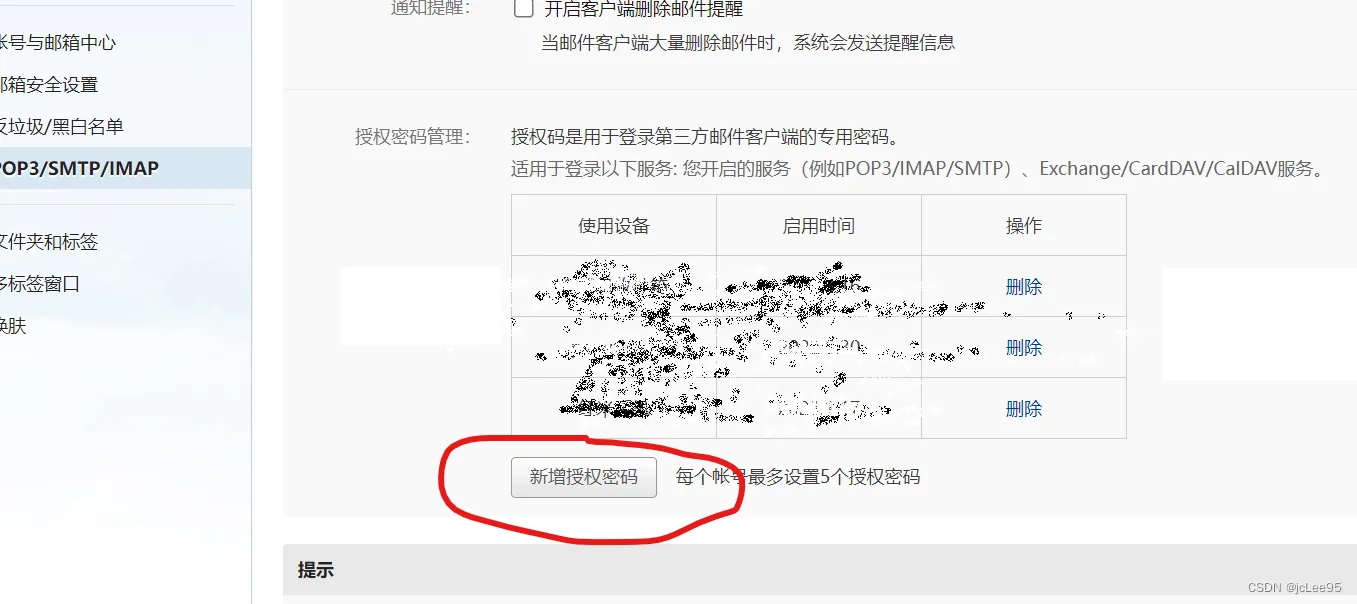
然后使用你的手机扫码,自动到发送短信的页面:

注意需要使用你登陆邮箱相绑定的手机发送才可生效。发送后,点击 我已发送,页面便会弹出授权码。
4. 关于初始用户和密码
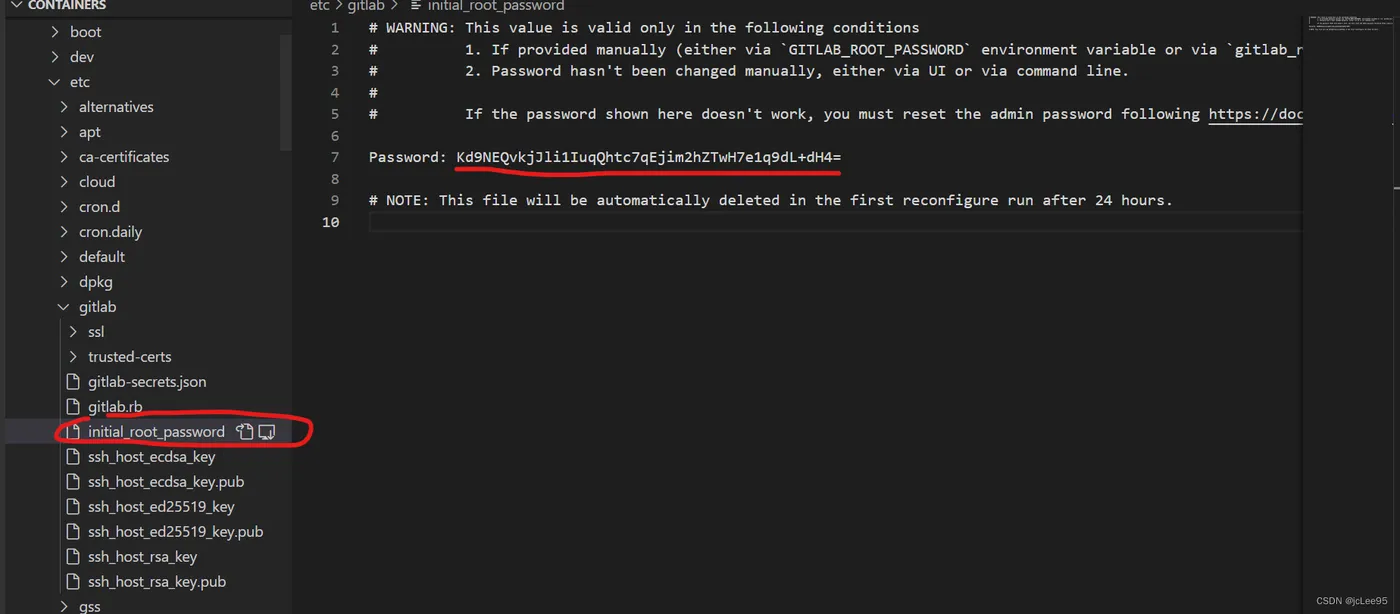
5. 关于降低性能开销的一点小配置
对于大企业里自己真实的高配高性能服务器就不用担心了,不过对于个人试验学习和小团队开发开说可以根据自己的需要进行相应的调整某些配置。
由于我的阿里云服务器配置实在太低,提升配置价格不菲,只能通过关掉如监控、减少并发等牺牲功能的方式来实现正常访问。
puma['worker_processes'] = 0
puma['min_threads'] = 1
puma['max_threads'] = 2
sidekiq['max_concurrency'] = 5
sentinel['enable'] = false
mattermost['enable'] = false
alertmanager['enable'] = false
prometheus_monitoring['enable'] = false
prometheus['enable'] = false
alertmanager['enable'] = false
sidekiq['metrics_enabled'] = false
unicorn['worker_processes'] = 1
nginx['worker_processes'] = 4
sidekiq['concurrency'] = 1
postgresql['shared_buffers'] = "128MB"
postgresql['max_worker_processes'] = 4
unicorn['worker_timeout'] = 10
保存后然后使用新的配置重新运行一下:
gitlab-ctl reconfigure