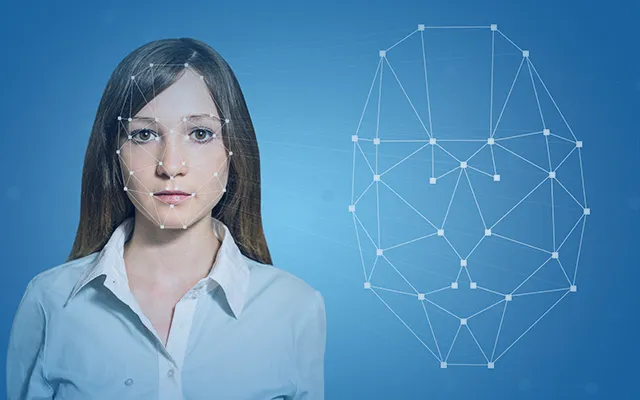
Photo sharing has become a norm in social networking sites today. Even with so much happening in social media, self-portraits, or selfies, continue to dominate. The growing phenomena of selfies have resulted in the emergence of face-related applications embedded in cameras and social media platforms. These applications can track and detect human faces in real-time or even categorize photos by faces. They can also be used for verification, such as Alipay's face login, which uses a person's face as a personal ID.
These applications are based on either face detection or facial recognition technology. Facial recognition is an extension of face detection, which matches unique characteristics of a face for the purpose of identification. Collectively, both technologies are termed face recognition technology.
Outlined below are some of the different categories of facial effect applications.
Category of Effects
Face Warp
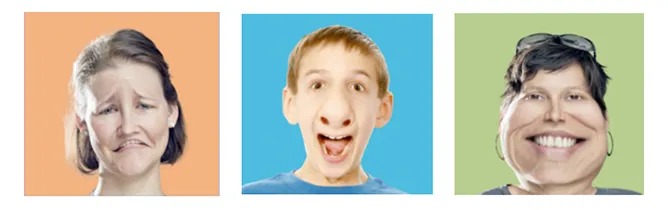
Face warp exposes images with an irregular lens to reshape or resize specific parts of a face. This is achieved through the remapping of the pixel coordinates.
Facial Textures and Accessories

Numerous applications, such as MeiTu and Snapchat, make use of these types of effects. Upon successful identification of a human face, the app allows users to apply different textures and accessories onto the photo. Most of these apps can also be applied to real-time videos.
Face Swap
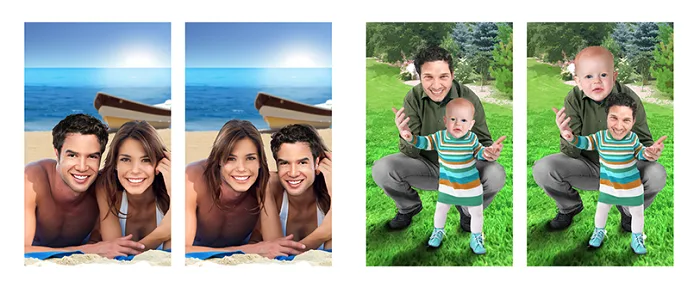
Face swap is primarily applicable to group photos. First, the user identifies a source face and then swaps it with the target face in the same photo. The swapped faces are then processed with an image fusion technology to make the swap appear more realistic.
Face Morph
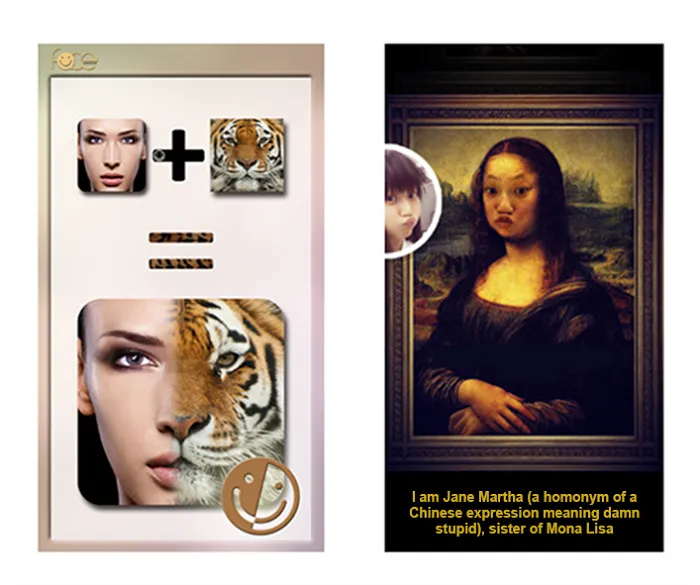
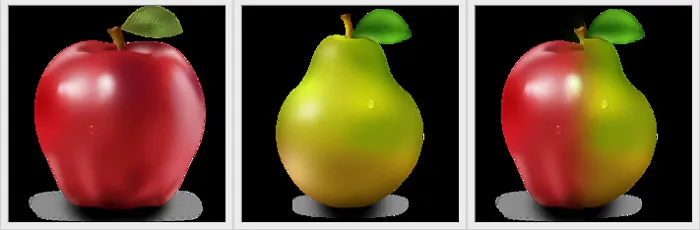
Similar to a face swap, face morph requires two faces but combines them into a single face. Face morph is also applicable to animated figures or animal faces.
Face Animation
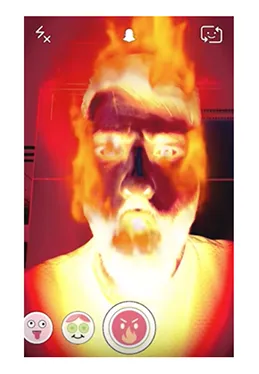
This category is typically a combination of multiple face effects, such as a combination of face warp and textures. The images are then animated to enhance the effects.
Implementation Principles
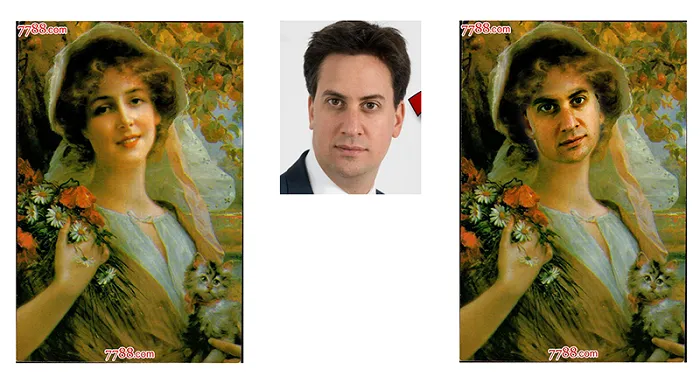
In this example, the user's face replaces the one in the painting. The photo on the right shows the result of the replacement. In terms of algorithm, this process includes face detection, key point location, lens conversion, region extraction, color transfer, and edge fusion.
Face Detection
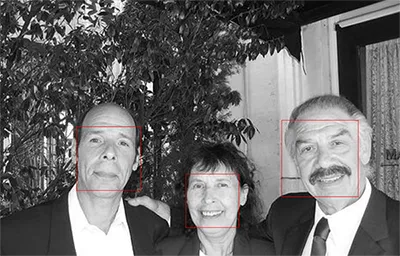
Face detection is a technology that identifies a human face in digital images.
This example uses DLib for face detection and the code is as follows:
dlib::frontal_face_detector detector = dlib::get_frontal_face_detector();
dlib::cv_image<dlib::rgb_pixel> img = cvImg;
std::vector<dlib::rectangle> faces = detector(img);
The rectangle boxes (dlib::rectangle) are the results of the detection.
Key Point Location
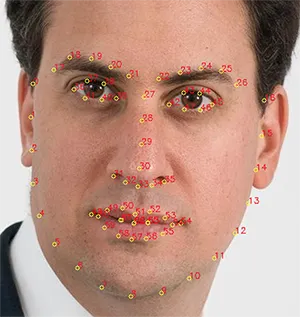
Upon detecting a human face, DLib performs key point location. Key points, also known as landmarks, help in identifying the key features of the face.
DLib provides a 68-point landmark detection function:
dlib::shape_predictor sp;

// Read the feature library
dlib::deserialize(LandMarksModelFile) >> sp;

// Get the first human face
dlib::full_object_detection shape = sp(img, faces[0]);
for (size_t i = 0; i < shape.num_parts(); i++) {
    dlib::point pt = shape.part(i);
    landmarks.push_back(pt);
}
The 68 landmarks are coordinates of various parts of the human face stored in the following order:
{
    IdxRange jaw;       // [0 , 16]
    IdxRange rightBrow; // [17, 21]
    IdxRange leftBrow;  // [22, 26]
    IdxRange nose;      // [27, 35]
    IdxRange rightEye;  // [36, 41]
    IdxRange leftEye;   // [42, 47]
    IdxRange mouth;     // [48, 59]
    IdxRange mouth2;    // [60, 67]
}
Lens Deformation
The lens deformation effect in this example is performed using homography transformation. Homography "H" describes the correspondence between two human faces, and treats a human face as a plane for location transformation:
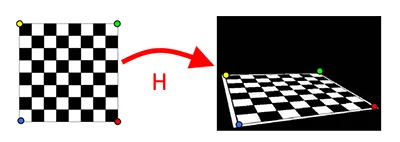
// Estimate the homography transformation between two human faces based on the landmark
cv::Mat H = cv::findHomography(face1.landMarks, face2.landMarks);

// Apply homography transformation to the entire photo
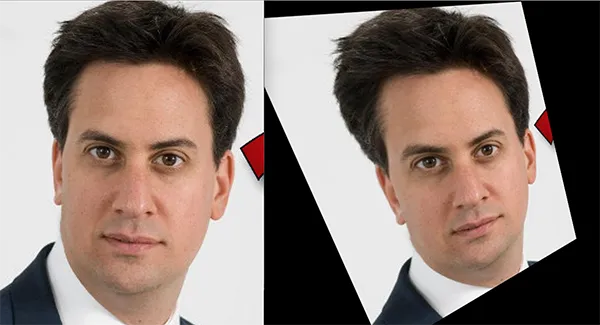
cv::warpPerspective(im1, warpIm1, H, im2.size());
The transformation result is shown in the figure below. We can see that the angle and posture of the transformed face is similar to the face in the painting.
Regional Extraction
The regional extraction technique filters out all the other aspects/parts of a face, including hair and neck. The aim of regional extraction is to find a mask containing only the landmarks of the face. To obtain the mask, Gaussian Blur is first applied to blur the image on the region, expanding the selected region. Binarization is then performed to convert an ordinary image into a binary image:
int blurAmount = 5;
cv::Mat maskBlur;
cv::GaussianBlur(histMask, maskBlur, cv::Size(blurAmount, blurAmount), 0);
cv::threshold(maskBlur, histMask, 0, 255, CV_THRESH_BINARY); 
Color Transfer
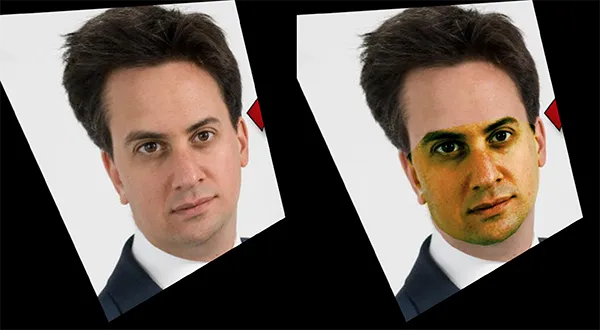
The aim of color transfer is to make the color of the current face similar to the face intended for replacement. While various ways exist to achieve such transfer, this example adopts the histogram adjustment method, which is comparatively easy to implement. It involves the following steps:
1) Calculate the color histograms of the current image and the target image
2) Adjust the histogram of the current image to make it consistent with that of the target image
3) Apply the adjusted histogram to the current image
Edge Fusion
After the color transfer, the extracted face is ready to be transferred. However, if we copy the face directly onto the other, the edge may look abrupt. As such, this demo applies the Laplacian pyramid fusion to make the edges more coherent. Click to learn more about Laplacian pyramid based image fusion.
Conclusion
Emerging facial trends, namely facial recognition and swapping, continue to draw attention on social media due to the ease with which individuals can manipulate photos. However, these technologies are not only applicable to fun and social apps but also useful for more critical applications.
With the advancements of deep learning, the accuracy of face recognition has greatly improved. Many startups are taking advantage of these technological improvements, producing a multitude of products with various applications. One such start-up, Megvii's Face++, provides high-recognition accuracy solutions, ranked among the top globally. The company aims to expand into industries such as finance, smart cities, and robotics in the near future.
Some links
Face2Face: Real-time Face Capture and Reenactment of RGB Videos
A highly controversy new technology at CVPR - Face2Face
Switching Eds: Face swapping with Python, dlib, and OpenCV
https://github.com/mc-jesus/FaceSwap