Project
| Action | Guest | Reporter | Developer | Master | Owner |
|---|---|---|---|---|---|
| Create new issue | |||||
| Leave comments | |||||
| See a list of builds | 1 | ||||
| See a build log | 1 | ||||
| Download and browse build artifacts | 1 | ||||
| Pull project code | |||||
| Download project | |||||
| Create code snippets | |||||
| Manage issue tracker | |||||
| Manage labels | |||||
| See a commit status | |||||
| See a container registry | |||||
| Manage merge requests | |||||
| Create new merge request | |||||
| Create new branches | |||||
| Push to non-protected branches | |||||
| Force push to non-protected branches | |||||
| Remove non-protected branches | |||||
| Add tags | |||||
| Write a wiki | |||||
| Cancel and retry builds | |||||
| Create or update commit status | |||||
| Update a container registry | |||||
| Remove a container registry image | |||||
| Create new milestones | |||||
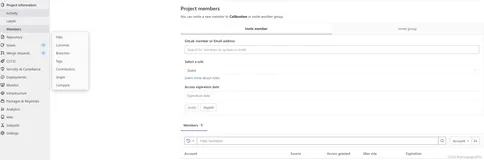
| Add new team members | |||||
| Push to protected branches | |||||
| Enable/disable branch protection | |||||
| Turn on/off prot. branch push for devs | |||||
| Rewrite/remove git tags | |||||
| Edit project | |||||
| Add deploy keys to project | |||||
| Configure project hooks | |||||
| Manage runners | |||||
| Manage build triggers | |||||
| Manage variables | |||||
| Switch visibility level | |||||
| Transfer project to another namespace | |||||
| Remove project | |||||
| Force push to protected branches 2 | |||||
| Remove protected branches 2 |
| 创建新问题 | √ | √ | √ | √ | √ |
| 留言 | √ | √ | √ | √ | √ |
| 版本列表可见 | √ | √ | √ | √ | √ |
| 生成日志可见 | √ | √ | √ | √ | √ |
| 下载和浏览生成构件 | √ | √ | √ | √ | √ |
| 拉取项目代码 | √ | √ | √ | √ | |
| 下载项目 | √ | √ | √ | √ | |
| 创建代码片段 | √ | √ | √ | √ | |
| 管理问题跟踪器 | √ | √ | √ | √ | |
| 管理标签 | √ | √ | √ | √ | |
| 查看提交状态 | √ | √ | √ | √ | |
| 查看容器注册表 | √ | √ | √ | √ | |
| 管理合并请求 | √ | √ | √ | ||
| 创建新的合并请求 | √ | √ | √ | ||
| 创建新的分支 | √ | √ | √ | ||
| 推送到不受保护的分支 | √ | √ | √ | ||
| 强制推送到不受保护的分支 | √ | √ | √ | ||
| 删除非保护分支 | √ | √ | √ | ||
| 添加标签 | √ | √ | √ | ||
| 写一个wiki | √ | √ | √ | ||
| 取消和重试生成 | √ | √ | √ | ||
| 创建或更新提交状态 | √ | √ | √ | ||
| 更新容器注册表 | √ | √ | √ | ||
| 删除容器注册表图像 | √ | √ | √ | ||
| 创造新的里程碑 | √ | √ | |||
| 添加新的团队成员 | √ | √ | |||
| 推送到保护的分支 | √ | √ | |||
| 启用/禁用 分支保护 | √ | √ | |||
| 修改/删除git标签 | √ | √ | |||
| 添加部署项目的密钥 | √ | √ | |||
| 配置项目挂钩 | √ | √ | |||
| 管理runners | √ | √ | |||
| 管理建立触发器 | √ | √ | |||
| 管理变量 | √ | √ | |||
| 变更可视级别 | √ | ||||
| 将项目转移到另一个命名空间 | |
√ | |||
| 删除项目 | √ | ||||
| 强制推送到保护分支 | |||||
| 移除受保护分支 |
gitlab默认是全保护模式,开发人员无法推送,这就需要更改项目的保护模式,在开发人也可以推送项打上勾;或者一开始就将gitlab的默认模式改为部分保护模式。
本文转自YU文武貝 51CTO博客,原文链接:http://blog.51cto.com/linuxerxy/1870248,如需转载请自行联系原作者