本插件可以在蓝图中简单快速使用HTTP请求和JSON解析,
适用于简单的网络接口对接和数据解析。
This plug-in can quickly and quickly use HTTP requests and JSON parsing in blue,
Suitable for simple network interface docking and data analysis.
本插件概念是把所有的JSON数据都视为字符串操作,这样方便使用和理解。
操作的蓝图函数只有6个,虽然数量少,但是这样更简于操作,方便理解。
The concept of this plug-in is to turn all JSON data into string operations so that it can be used and understood.
There are only 6 blueprint functions for operation. Although the number is small, the operation is simpler and easier to understand.
1. Json 解析(Json Analyze):主要JSON处理函数,点击 Add Json Key 添加需要解析的字段,可把每个字段解析成字符串,如果解析的字段也是一个JSON数据体, 那需要再次使用 Analyze。
1. Json Analyze: The main JSON processing function, click Add Json Key to add the fields that need to be parsed, and each field can be parsed into a string. If the parsed field is also a JSON data body, you need to use Analyze again.
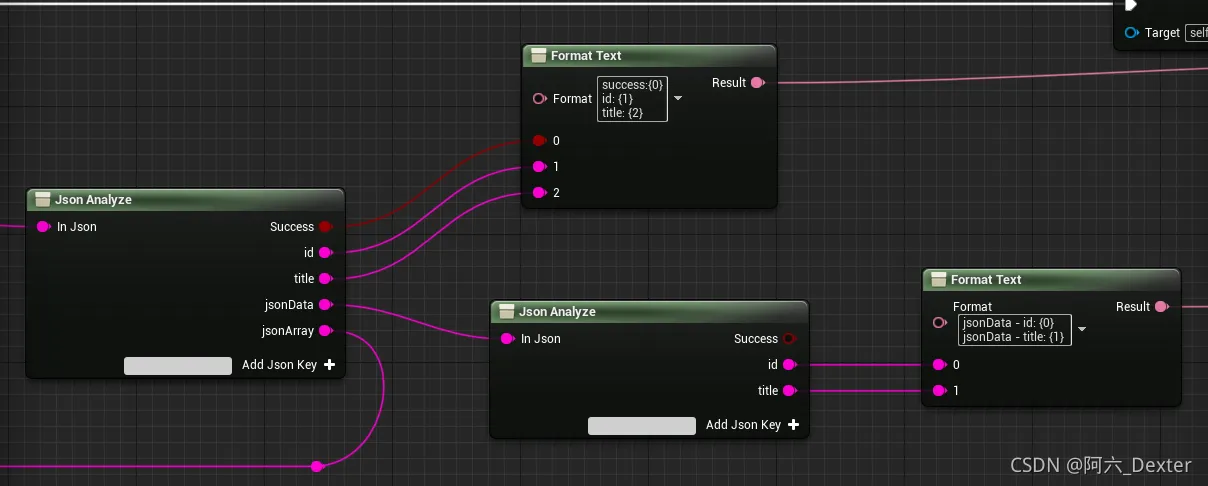
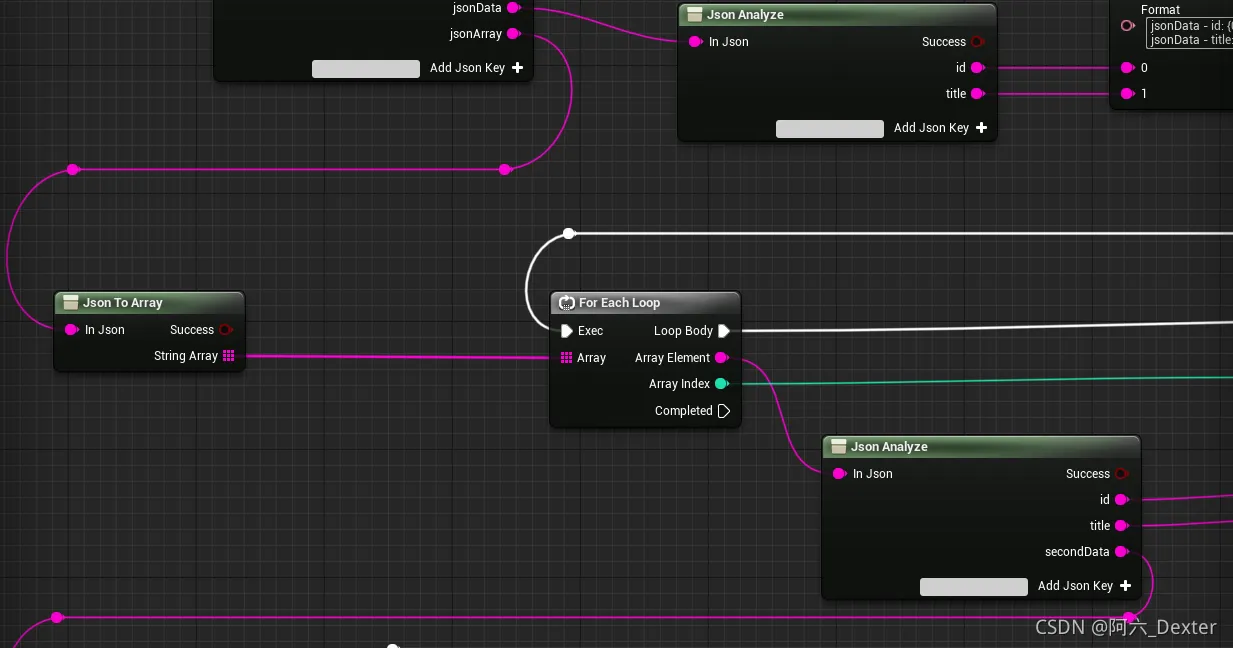
2. Json 转数组(Json To Array):当一个JSON数据体为数组时,使用此函数可以把数据体转换为字符串数组,而数组里面的单个数据则是每个JSON的数据。
2. Json To Array: When a JSON data body is an array, use this function to convert the data body into a string array, and the single data in the array is the data of each JSON.
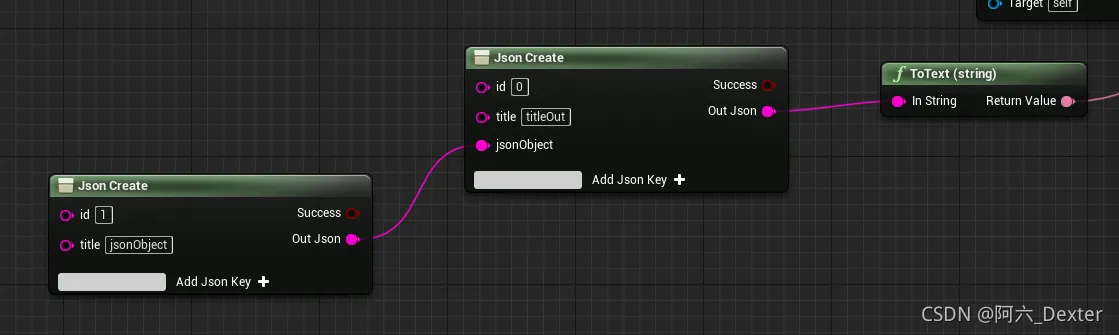
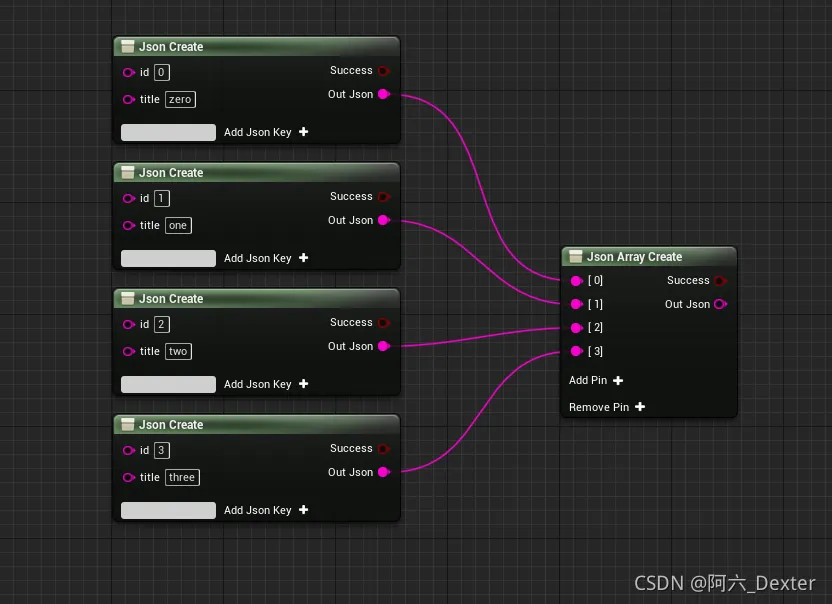
3. Json 创建(Json Create):创建JSON数据体,输出为字符串,点击 Add Json Key 添加需要生成的字段。
3. Json Create: Create a JSON data body, output it as a string, and click Add Json Key to add the fields that need to be generated.
4. Json 创建数组(Json Array Create):创建JSON数组数据体,输出为字符串,点击 Add Pin / Remove 可以添加/删除数组大小。
4. Json Array Create: Create a JSON array data body, output as a string, click Add Pin/Remove to add/remove the array size.
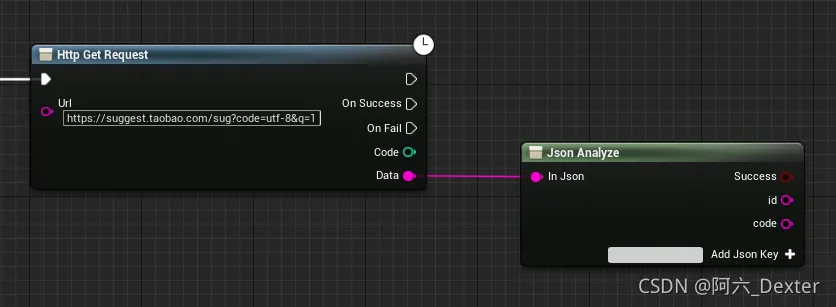
5. Http Get Request : 向服务器发送Get请求,并获取返回。
5. Http Get Request: Send a Get request to the server and get the return.
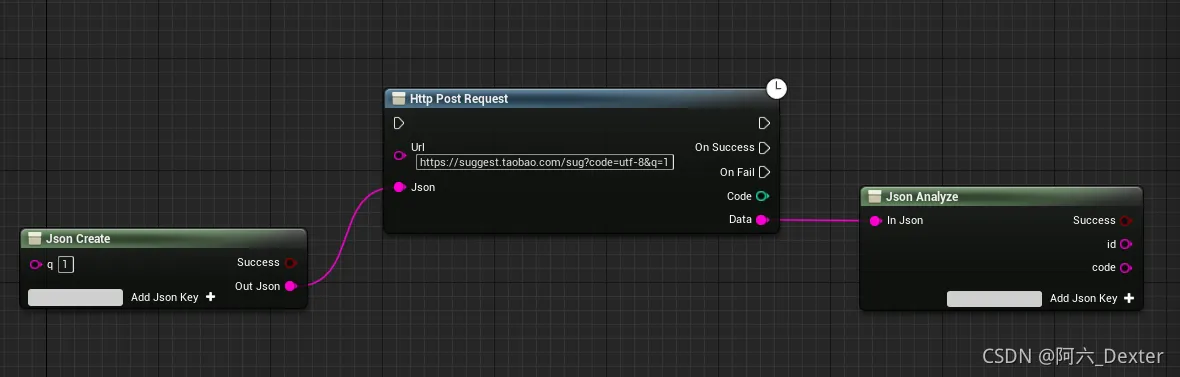
6. Http Post Request :向服务器发送Post请求,并获取返回。已封装JSON数据体发送。
6. Http Post Request: Send a Post request to the server and get the response. The encapsulated JSON data body is sent.
插件下载地址