Awstats是一个非常简洁而且强大的统计工具。它可以统计您站点的如下信息:
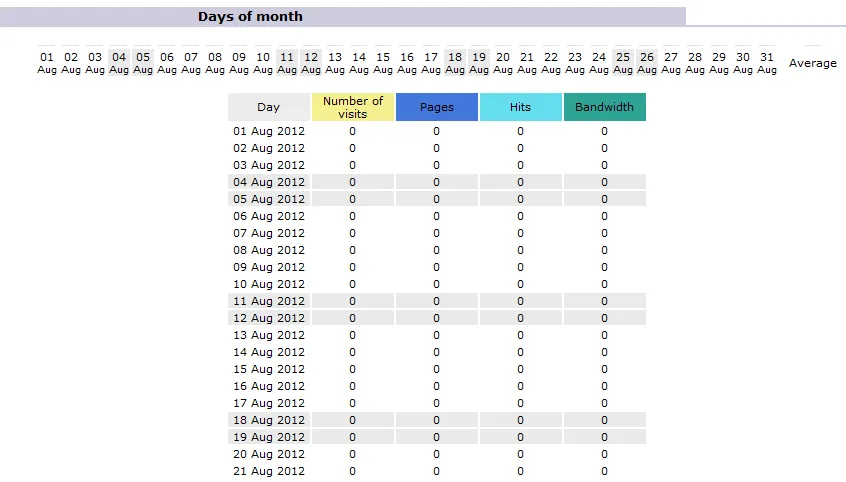
一:访问量,访问次数,页面浏览量,点击数,数据流量等精确到每月、每日、每小时的数据
二:访问者国家、访问者IP、操作系统、浏览器等
三:Robots/Spiders的统计
四:纺客持续时间
五:对不同Files type 的统计信息
六:Pages-URL的统计
七:其它信息(搜索关键字等等)
http://awstats.sourceforge.net/ awstats官方网站
http://www.perl.com/ perl官方网站
[root@localhost awstats]# ls
awstats-7.0.tar.gz perl-5.16.1.tar.gz
安装perl
Awstats基于Perl的WEB日志分析工具,网上关于它的介绍还是比较多的,因为是基于perl开发的,在管在 windows还是linux下都需要先安装perl环境。所以,我们先安装perl 。其实,还需要一个apache环境,在上一节中已经进行了安装讲解。
[root@localhost awstats]# tar xvfz perl-5.16.1.tar.gz 解压
[root@localhost awstats]# cd perl-5.16.1 进入目录
[root@localhost perl-5.16.1# rm -f config.sh Policy.sh
[root@localhost perl-5.16.1]# sh Configure -de
[root@localhost perl-5.16.1]#make 编译
[root@localhost perl-5.16.1]# make test
[root@localhost perl-5.16.1]# make install 安装
config.sh Policy.sh 为以前安装时的配置文件,新安装或升级安装时需要将其删除。
sh Configure -de 安装使用默认配置,一般而言将会 ok
make test 执行make命令, 然后make根据test目标规则, 执行规定的操作。
安装完成后 perl 所在目录为 /usr/local/lib/perl5, perl 执行文件在 /usr/local/bin 中。
安装awstats
解压awstats
[root@localhost awstats]# tar xvfz awstats-6.4.tgz
[root@localhost awstats]# mkdir /etc/awstats
[root@localhost awstats]# mkdir /var/lib/awstats
上面创建的两个目录都将在后面的配置中用到,一个用于存放站点日志分析的配置文件,一个用于存放日志数据信息。
[root@localhost awstats]# cp -R ./awstats-7.0 /usr/local/
-R 表示复制目录及目录内的所有项目到/usr/local/目录下
[root@localhost test]# mv awstats-7.0 awstats 进行一个重命名,便于操作而已。
配置awstats
[root@localhost tools]# pwd
/usr/local/awstats//tools
Awstats的配置有自带的配置工具awstats_configure.pl ,首先用vi打开configure.pl文件,看看第一行有关perl运行环境的配置是否正确。
[root@localhost tools]# vi awstats_configure.pl
#!/usr/bin/perl
.............
[root@localhost tools]# pwd
/usr/local/awstats/tools
[root@localhost tools]# perl awstats_configure.pl 运行配置文件
Do you want to continue setup from this NON standard directory [yN] ?  你是否安装非标准目录【y / n】?

..............

file (required if first install) [y/N] ? 文件(如果需要先安装)【y / n】?

............

your web site ,virtual server or profile name: 你的网站服务器名或文件名

>demo

............

directory path to store config file(s)  (enter for default):  目录路径存储配置文件(填写默认值)

> /etc/awstats

...........

然后,两个回车配置完成。
awstats_configure.pl工具会自动修改您的apache配置,在apache的配置文件httpd.conf文件中自动修改下面信息
[root@localhost conf]# pwd
/usr/local/apache/conf
[root@localhost conf]# vi httpd.conf
awstats_configure.pl自动在httpd.conf文件最底部添加了以下内容:
# Directives to allow use of AWStats as a CGI
#
Alias /awstatsclasses "/usr/local/awstats/wwwroot/classes/"
Alias /awstatscss "/usr/local/awstats/wwwroot/css/"
Alias /awstatsicons "/usr/local/awstats/wwwroot/icon/"
ScriptAlias /awstats/ "/usr/local/awstats/wwwroot/cgi-bin/"

#
# This is to permit URL access to scripts/files in AWStats directory.
#
<Directory "/usr/local/awstats/wwwroot">
    Options None
    AllowOverride None
    Order allow,deny
    Allow from all
</Directory>
awstats_configure.pl还将根据安装过程中您的回答(要分析的网站名称)信息,自动生产 /etc/awstats/awstats.index.conf文件
[root@localhost awstats]# pwd
/etc/awstats
[root@localhost awstats]# ls
awstats.index.conf
[root@localhost awstats]# vi awstats.index.conf 配置下面文件
................

LogFile="/usr/local/apache/logs/access_log"     改为apache的日志文件


....
这样就完成了awstats的安装与配置工作。
分析日志
[root@localhost cgi-bin]# pwd
/usr/local/awstats/wwwroot/cgi-bin
[root@localhost cgi-bin]# chmod +x awstats.pl 加可执行权限
[root@localhost cgi-bin]# perl /awstats.pl -update -config=demo
Create/Update database for config "/etc/awstats/awstats.index.conf" by AWStats version 7.0 (build 1.971)

From data in log file "/usr/local/apache/logs/access_log"...

Phase 1 : First bypass old records, searching new record...

Searching new records from beginning of log file...

Jumped lines in file: 0

Parsed lines in file: 3

 Found 0 dropped records,

 Found 0 comments,

 Found 0 blank records,

 Found 3 corrupted records,

 Found 0 old records,

 Found 0 new qualified records.
在浏览器里输入:
http://localhost/awstats/awstats.pl?config=demo
然后就可以看到生成的日志报告了
有可能与到下面的错误提示,不管你有没有遇到,反正我是遇到了!:
Not Found

The requested URL /awastats/awastats.pl was not found on this server.

-----------------------------------------------------------------------------

Apache/2.2.3 (CentOS) Server at 192.168.0.105 Port 80
上面的错误一直没找到原因,于是,找了另一种办法来访问日志文件。
[root@localhost cgi-bin]# pwd
/usr/local/awstats/wwwroot/cgi-bin
[root@localhost cgi-bin]# perl awstats.pl -update -config=demo -output -staticlinks >/var/www/html/awastats.html
这样我们把日志文件保存到apache 服务器下面,名为awastats.html
在浏览器里输入:
一样可以访问日志文件噢!