6.0 的 Script 变更共 8 条:Groovy、JavaScript、Python 三个语言移除(5.0 起废弃);native scripts 移除(改为实现
ScriptEngine);date 字段在脚本里返回日期对象而不是毫秒 long;_index变量移除;脚本安全设置统一成script.allowed_types与script.allowed_contexts;使用 stored script 时不能带lang;PUT/GET/DELETE_scripts/的 URL 里也不能带lang(命名空间只剩id);_search/template的存储接口移除,改用_scripts。
说明
实测环境:本地起的 Elasticsearch 6.8.23 单节点实例(官方 tar 包直接跑,堆内存 512MB,机器学习关闭),curl 连本地 9200 端口。本文「实测」小节的命令和输出都出自这个实例。
来源和边界先交代:本文的依据出自 v5.6.16到 v6.8.23 标签下的官方文件(scripting.asciidoc、ScriptDocValues.java、ScriptDocValues.java),文中引用的原文均来自这些文件。示例取自官方示例;哪些是文档写明、哪些是我的推断,正文里逐处标注。
以下均出自 6.0 迁移文档(migrate_6_0/scripting.asciidoc @ v6.8.23),共 94 行 8 条,下面逐条给出行号。
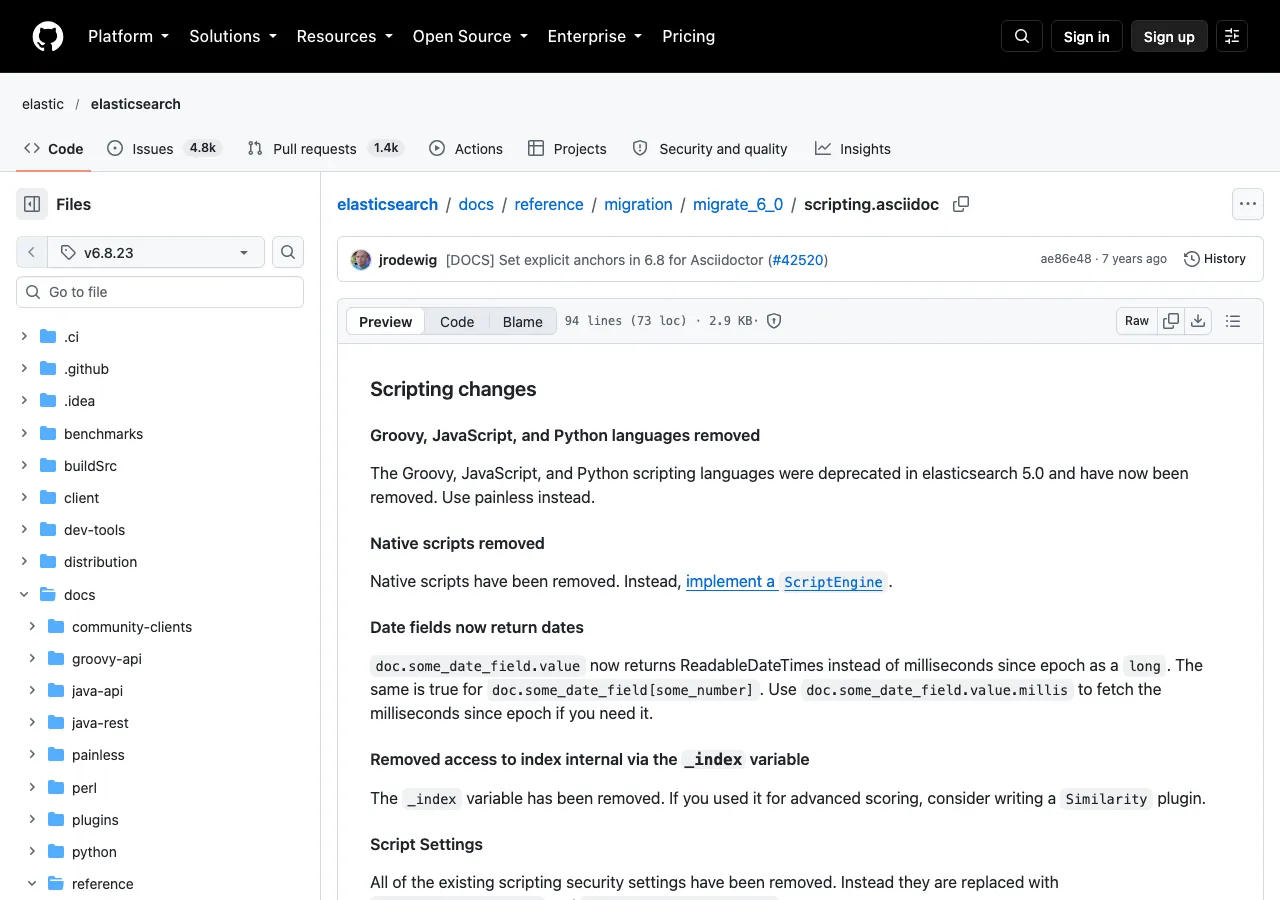
图 1:官方文件 scripting.asciidoc(v6.8.23 标签)。来源:GitHub elastic/elasticsearch v6.8.23 scripting.asciidoc
只剩 Painless
The Groovy, JavaScript, and Python scripting languages were deprecated in elasticsearch 5.0 and have now been removed. Use painless instead.
5.0 把默认语言从 Groovy 换成 Painless,6.0 把 Groovy、JavaScript、Python 三个实现全部删除。脚本语言从此只剩 Painless(外加表达式语言 mustache)。
直接后果:升级 6.0 后所有 lang: groovy、lang: javascript、lang: python 的脚本请求都会失败,没有兼容期。集群里已经存着的这三种 stored script 也要在升级前重写,否则升级后取出来执行不了。
迁移要点(Groovy → Painless):
- 参数必须写成
params.xxx; - Painless 是静态类型,运算前常常要显式转换;
- 反射、动态方法调用、Groovy 的集合与闭包写法要重写。
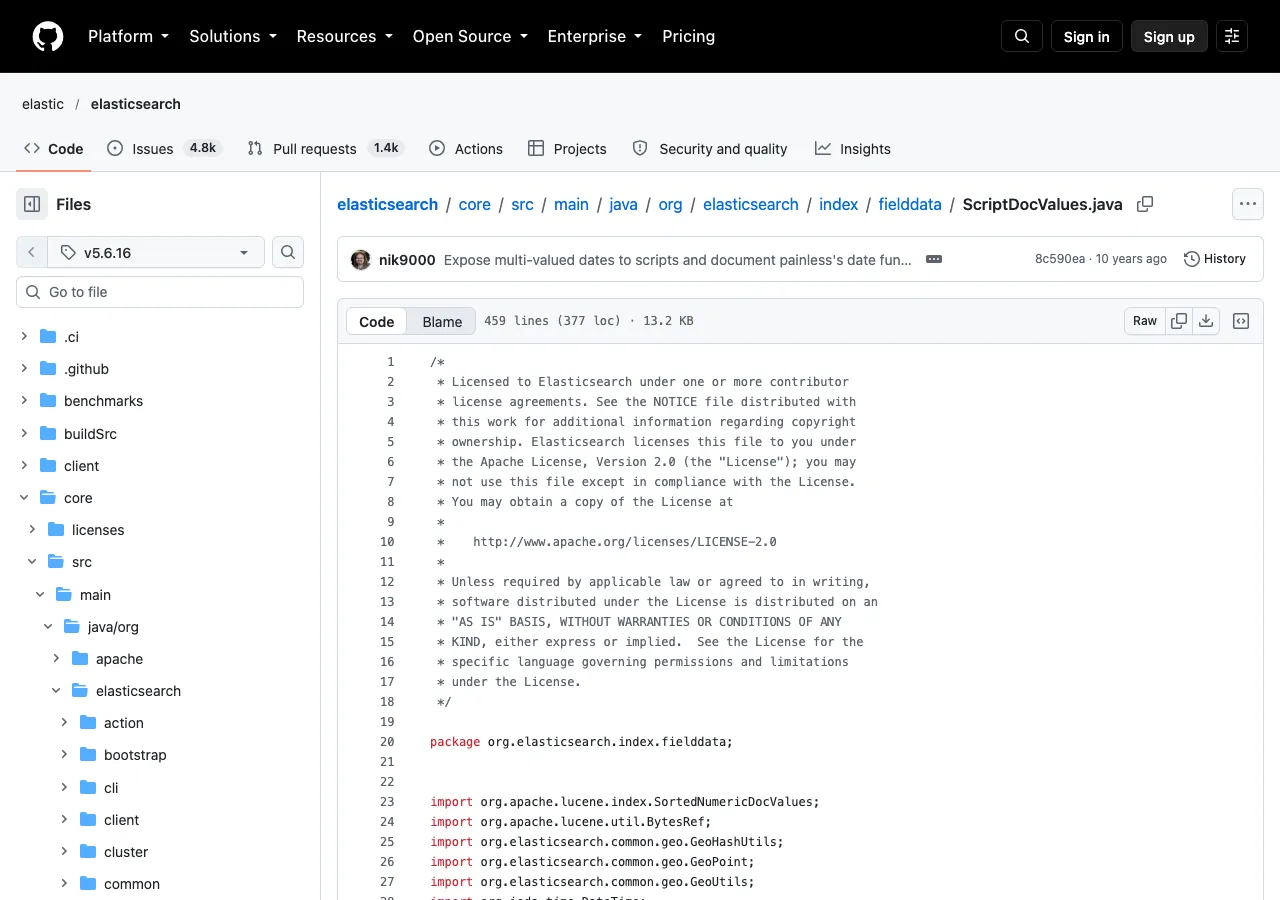
图 2:官方文件 ScriptDocValues.java(v5.6.16 标签)。来源:GitHub elastic/elasticsearch v5.6.16 ScriptDocValues.java
Native scripts 移除
Native scripts have been removed. Instead, implement a
ScriptEngine.
native script 是早年在 Java 里写脚本逻辑、由 ES 直接加载的机制。6.0 移除,替代方式是实现 ScriptEngine 接口做成插件。
插件形态更规范:脚本引擎有明确的注册点和生命周期,随节点启停,不是往 classpath 里放类。
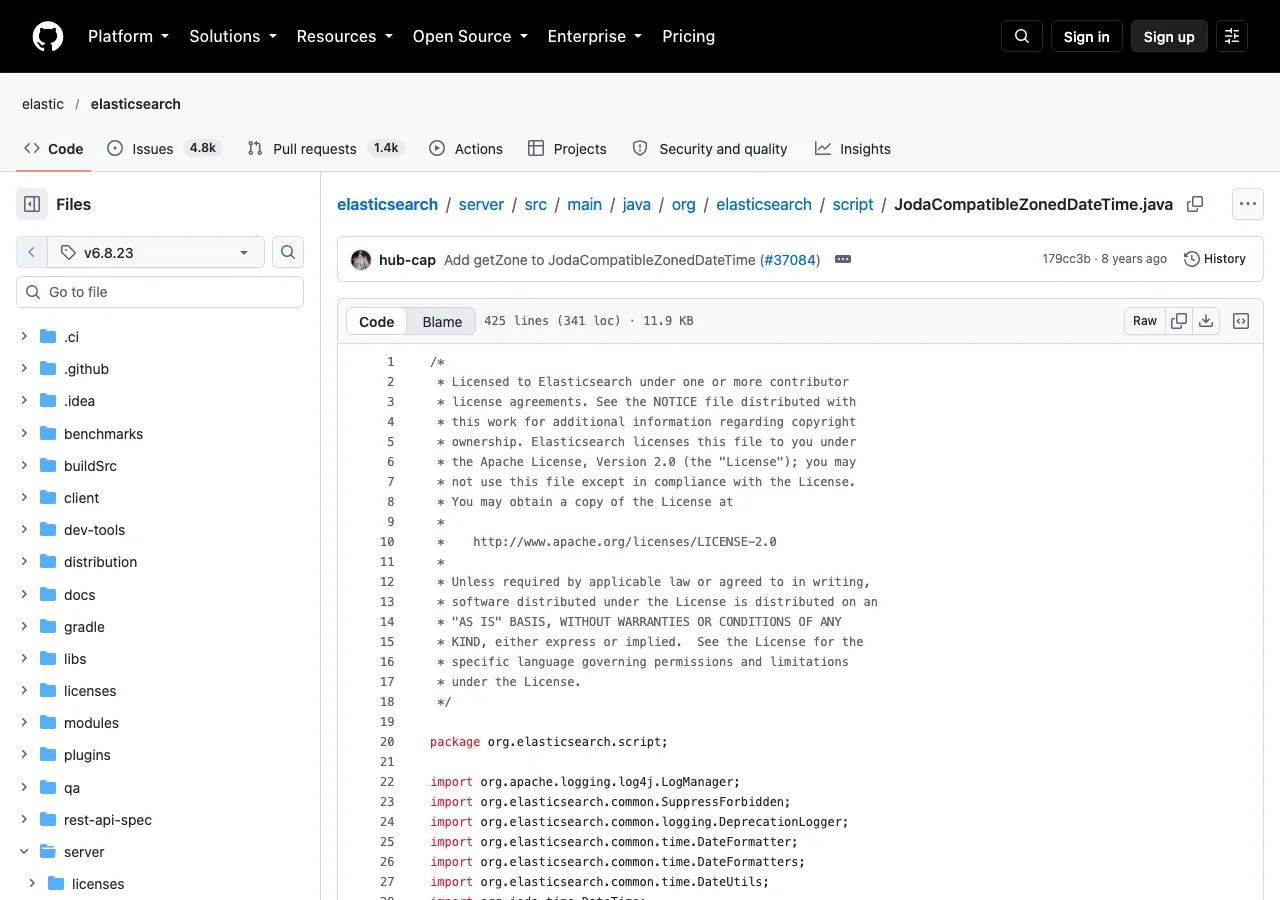
图 3:官方文件 JodaCompatibleZonedDateTime.java(v6.8.23 标签)。来源:GitHub elastic/elasticsearch v6.8.23 JodaCompatibleZonedDateTime.java
Date 字段在脚本里返回日期对象
doc.some_date_field.valuenow returnsReadableDateTimes instead of milliseconds since epoch as along. The same is true fordoc.some_date_field[some_number]. Usedoc.some_date_field.value.millisto fetch the milliseconds since epoch if you need it.
这一条几乎会影响所有碰日期的脚本:
// 5.x
doc['created_at'].value              // long,毫秒时间戳
doc['created_at'].value > someLong   // 与 long 比较

// 6.0
doc['created_at'].value              // 日期对象
doc['created_at'].value.millis       // 需要毫秒时用这个
两侧源码对照
5.6 里 date 的 doc values 走 ScriptDocValues.Longs,getValue() 返回的是 long(v5.6.16 的 ScriptDocValues.java 第 150–156 行),要日期对象得显式调 getDate()(第 158–164 行)。
6.8 的实现换成了 Dates extends ScriptDocValues<JodaCompatibleZonedDateTime>(ScriptDocValues.java 第 235 行),getValue() 返回日期对象(第 268–269 行);5.x 的 getDate()、getDates() 还在,但已经标 @Deprecated,调用时打废弃日志 getDate is no longer necessary on date fields as the value is now a date.(第 275–288 行)。
迁移文档里写的 ReadableDateTime 是统称,6.8 的实际类型是 JodaCompatibleZonedDateTime:一个包装 ZonedDateTime、对外暴露 Joda 风格方法的兼容层(JodaCompatibleZonedDateTime.java 第 49–52 行)。所以 .millis 走的是 getMillis()(第 312 行),日期运算也能用 Joda 风格的方法,比如 getHourOfDay()(第 330 行)。
为什么这条最需要提前处理
8 条里只有这条的失败方式是「不报错但结果错」:
- 语言被删、
_index变量消失、stored script 带lang都会直接报错,改起来指向明确; - date 这条里,
doc['created_at'].value > someLong在 6.0 之后不一定抛异常,但比较的语义已经不对——拿一个日期对象和一个数字比。
结果就是脚本能跑、过滤与分桶逻辑算出来是错的,往往在几周后以「某个报表数字不对」的形式暴露,那时很难联想到升级改了 date 的类型。
处理办法是把涉及 date 字段的脚本单独列出来逐个改:要么 .millis 拿回 long 继续比较,要么用日期 API 直接做日期运算(按小时分桶用 doc['t'].value.getHourOfDay() 比手算毫秒除以 3600000 清楚)。改完跑一次对账,确认数字和升级前一致。
缺值行为的变化
日期字段缺值时,6.8 默认返回 EPOCH 并打一条废弃日志(第 293–301 行),不是抛异常。想提前按 7.x 的行为校验,可以加 -Des.scripting.exception_for_missing_value=true,缺值就抛 IllegalStateException。这个开关不影响本文的迁移项,但和 date 改动落在同一段代码里,一起验证省事。
_index 变量移除
The
_indexvariable has been removed. If you used it for advanced scoring, consider writing aSimilarityplugin.
_index 变量让脚本能访问索引内部统计(词项频率一类)。它既慢又暴露内部实现,6.0 移除。做高级打分的场景,我的建议是按官方说的写 Similarity 插件——把打分逻辑放进 Lucene 的相似度接口,比在脚本里访问索引内部合理。
脚本安全设置换了一套
All of the existing scripting security settings have been removed. Instead they are replaced with
script.allowed_typesandscript.allowed_contexts.
以前是一堆细碎开关(是否允许 inline、是否允许 stored、是否允许 file 等),6.0 换成两个维度:
script.allowed_types:允许哪种形式的脚本(inline、stored);script.allowed_contexts:允许脚本出现在哪些上下文(score、update、aggs、filter等)。
默认值不是「只允许 inline 和 stored」
两个设置在 6.8 里都定义为默认空列表的 listSetting(ScriptService.java 第 109–113 行),但空列表不等于关闭——构造时判断的是设置有没有被显式配置:
this.typesAllowed = TYPES_ALLOWED_SETTING.exists(settings) ? new HashSet<>() : null;
this.contextsAllowed = CONTEXTS_ALLOWED_SETTING.exists(settings) ? new HashSet<>() : null;
没配置时是 null,而 isTypeAllowed / isContextAllowed 对 null 直接放行(第 419 行与第 423 行)。所以不写这两个设置就是不限制,不是「默认只允许 Painless 的 inline 和 stored」。
一旦显式写了,规则是:
- 空列表会报错:
must specify at least one script type or none for setting [script.allowed_types].(第 150–153 行,contexts 同理见第 188 行); none表示全禁,且只能单独出现,和其他值一起写会报cannot specify both [none] and other script types(第 155–163 行);- 旧设置
script.disable_dynamic留着会直接抛IllegalArgumentException,提示换成细粒度设置(第 140–143 行)。
Stored script 使用时不能带 lang
The
langvariable can no longer be specified as part of a request that uses a stored script otherwise an error will occur. Note that a request using a stored script is different from a request that puts a stored script. The language of the script has already been stored as part of the cluster state and anidis sufficient to access all of the information necessary to execute a stored script.
执行 stored script 的请求里再传 lang 会报错:语言已经随脚本存进集群状态,id 就够了。
同一节里另外两条
PUT/GET/DELETE _scripts/ 的 URL 里也不能带 lang
Stored scripts can no longer have the
langparameter specified as part of the url when performing PUT, GET, and DELETE actions on the_scripts/path. All stored scripts must have a uniqueidas the namespace is onlyidnow and no longerlangandid.
这条和上一条容易混:上一条限制的是「执行时请求体里带 lang」,这条限制的是「管理接口 URL 里带 lang」。
更要紧的是后半句:命名空间从 lang + id 变成只有 id。以前 PUT /_scripts/groovy/foo 和 PUT /_scripts/painless/foo 是两个脚本,6.0 起 id 必须全局唯一,同名的会互相覆盖。升级前要把 stored script 列表拉出来查 id 冲突:
curl -s 'localhost:9200/_scripts/_all' | python3 -c "
import sys, json, collections
d = json.load(sys.stdin)
ids = collections.Counter(k for k in d if k != '_id')
for i, c in ids.items():
    if c > 1:
        print('id 冲突:', i, c)
"
_search/template 的存储接口移除
The PUT, GET and DELETE
_search/templateapis have been removed. Store search templates with the stored scripts apis instead.
以前存搜索模板:
PUT /_search/template/custom_template
{

  "query": {

    "match": {

      "f1": "{
   {f1}}"
    }
  }
}
6.0 起改用 stored script 接口,lang 写 mustache(迁移文档第 75–93 行):
PUT /_scripts/custom_template
{

  "script": {

    "lang": "mustache",
    "source": {

      "query": {

        "match": {

          "f1": "{
   {f1}}"
        }
      }
    }
  }
}
注意这里创建时可以写 lang——前面两条禁止的是执行时的 lang 和 URL 里的 lang,不是这个。执行时用 {"id": "custom_template"} 引用。
升级前怎么把脚本找全
6.0 的脚本改动有个麻烦:脚本不只存在于代码里。它们可能在:
- 业务代码里拼的查询(最常见);
- 存在集群里的 stored script(
GET _scripts能列出); - 索引模板、ingest pipeline、Watcher 里内联的脚本;
- Kibana 里保存的脚本字段、可视化里的计算字段。
第三、四类最容易漏——不在代码仓库里,改业务代码时不会一起碰到。升级前先把集群侧的脚本一次性列出来:
# 集群里存了哪些 stored script
curl -s 'localhost:9200/_scripts/_all' | python3 -m json.tool

# 索引模板里有没有脚本
curl -s 'localhost:9200/_template' | grep -o '"script"[^,]*' | head -20

# ingest pipeline 里有没有脚本处理器
curl -s 'localhost:9200/_ingest/pipeline' | python3 -m json.tool | grep -n 'script' | head -20
列出来之后逐个看:用的是哪个 lang、有没有碰 date 字段、有没有用 _index 变量、id 有没有冲突。这一步做完,剩下的就是代码里那些,grep "script" 基本能覆盖。
升级 6.0 的脚本检查清单
- 全量替换
lang: groovy|javascript|python,重写为 Painless(含集群里已有的 stored script); - 涉及 date 字段的脚本改用日期 API 或
.millis——单独列出来逐个改,改完对账; - 用了
_index变量的脚本改成Similarity插件或其他方式; - native script 改成
ScriptEngine插件; - 旧的脚本安全设置删掉,需要限制时显式写
script.allowed_types/script.allowed_contexts(注意默认是「不限制」); - 执行 stored script 的请求去掉
lang; - PUT/GET/DELETE
_scripts/的 URL 去掉lang,并检查id有没有跨语言重名; _search/template里存的模板迁到_scripts,lang写mustache;- 脚本跑通后,用
-Des.scripting.exception_for_missing_value=true再验一遍缺值行为。
在 6.8.23 上跑一遍
同一个脚本排序,只换 lang:
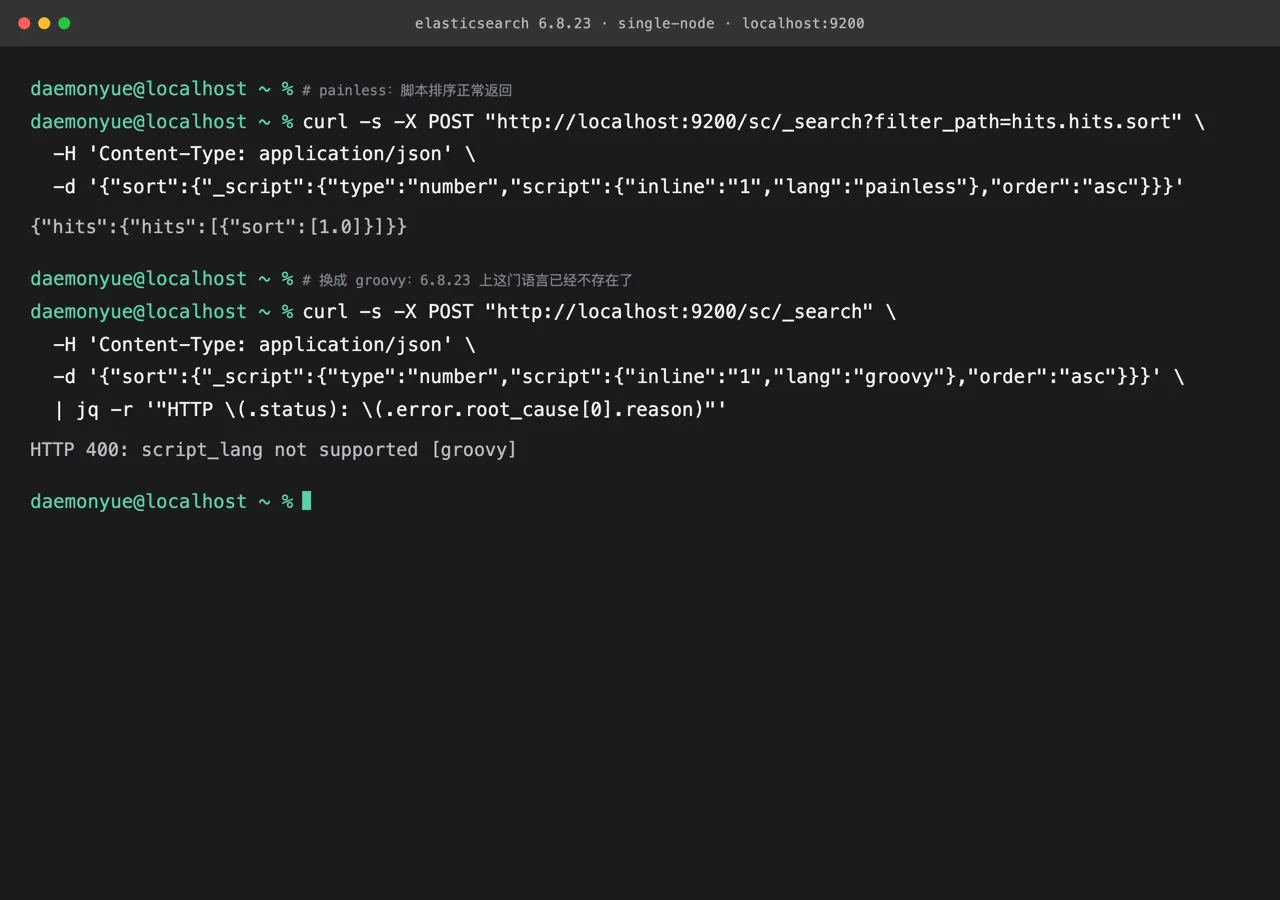
图 4:本地 6.8.23 单节点实例上的实测输出。上:painless;下:groovy
curl -s -X POST "http://localhost:9200/sc/_search?filter_path=hits.hits.sort" \
  -H 'Content-Type: application/json' \
  -d '{"sort":{"_script":{"type":"number","script":{"inline":"1","lang":"painless"},"order":"asc"}}}'

curl -s -X POST "http://localhost:9200/sc/_search" \
  -H 'Content-Type: application/json' \
  -d '{"sort":{"_script":{"type":"number","script":{"inline":"1","lang":"groovy"},"order":"asc"}}}' \
  | jq -r '"HTTP \(.status): \(.error.root_cause[0].reason)"'
painless 那条返回 {"hits":{"hits":[{"sort":[1.0]}]}};groovy 那条返回 HTTP 400: script_lang not supported [groovy]。
对比 5.6.16 上的同一条命令,报错是 scripts of type [inline], operation [search] and lang [groovy] are disabled(500)。两句话的含义不一样:5.x 是"还在但被关掉了",6.x 是"这门语言已经不存在了"。所以 6.0 之后不存在"开个开关把 groovy 打开"这条路,只能改脚本。
结论是:迁移脚本要按"重写"来排期,别按"改一个 lang 参数"来排。Painless 和 Groovy 在语法上像,但可用 API 是白名单制的,重写期间最容易卡在"某个方法调不到"上——这部分工作量在评估时经常低估。
写在最后
- 语言删除没有兼容期,Groovy/JavaScript/Python 的脚本要在升级前重写,我的判断是这一步没有"先升级再慢慢改"的选项;
- date 那条不报错只改语义,是这批改动里唯一需要靠对账发现问题的;
script.allowed_types/script.allowed_contexts默认不限制,显式配置后至少写一个值,none只能单独出现;- stored script 的命名空间只剩
id,跨语言同名会互相覆盖; _search/template的存储接口没了,模板改存_scripts。
删掉三种语言只留 Painless,方向清楚,代价是脚本散落在查询、pipeline、模板、Kibana 里,排查范围比想象的大。按「脚本出现在哪里」分层搜,只搜一处一定会漏。
参考
本文对照 Elasticsearch
v6.8.23与v5.6.16标签的官方文档与源码核对,引文逐字取自原文。图 4 的两次脚本排序来自本地 6.8.23 单节点实例。