
下载地址:http://pan38.cn/id7ff5308
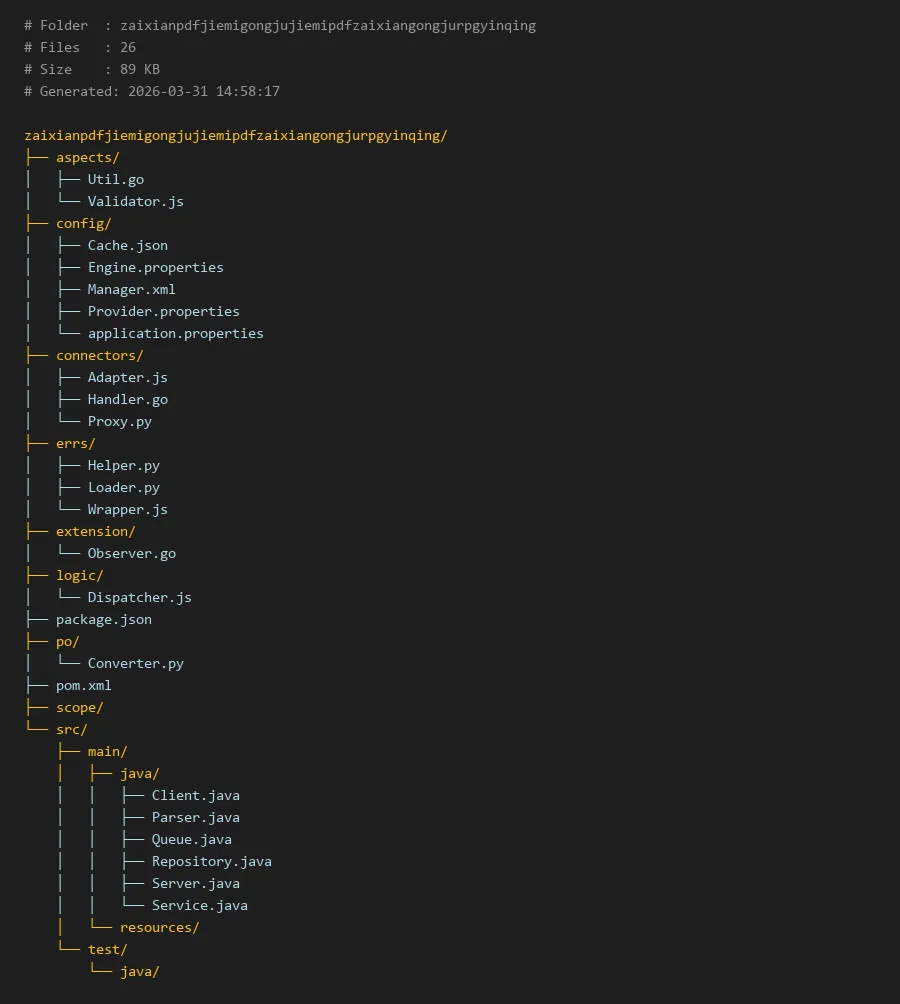
项目编译入口:
package.json
# Folder  : zaixianpdfjiemigongjujiemipdfzaixiangongjurpgyinqing
# Files   : 26
# Size    : 89 KB
# Generated: 2026-03-31 14:58:17

zaixianpdfjiemigongjujiemipdfzaixiangongjurpgyinqing/
├── aspects/
│   ├── Util.go
│   └── Validator.js
├── config/
│   ├── Cache.json
│   ├── Engine.properties
│   ├── Manager.xml
│   ├── Provider.properties
│   └── application.properties
├── connectors/
│   ├── Adapter.js
│   ├── Handler.go
│   └── Proxy.py
├── errs/
│   ├── Helper.py
│   ├── Loader.py
│   └── Wrapper.js
├── extension/
│   └── Observer.go
├── logic/
│   └── Dispatcher.js
├── package.json
├── po/
│   └── Converter.py
├── pom.xml
├── scope/
└── src/
    ├── main/
    │   ├── java/
    │   │   ├── Client.java
    │   │   ├── Parser.java
    │   │   ├── Queue.java
    │   │   ├── Repository.java
    │   │   ├── Server.java
    │   │   └── Service.java
    │   └── resources/
    └── test/
        └── java/
在线PDF解密工具解密PDF在线工具RPG引擎
简介
在当今数字化办公环境中,PDF文档因其跨平台、格式固定的特性而广泛应用。然而,许多PDF文件设置了密码保护,限制了用户对内容的访问和编辑。为此,我们开发了一个名为"在线PDF解密工具"的开源项目,旨在提供一个高效、安全的PDF密码移除解决方案。该项目采用模块化设计,结合了多种编程语言的优势,构建了一个功能完整的RPG(Robust PDF Guard)引擎。
本项目特别适合需要批量处理加密PDF的场景,如文档归档、内容分析等。通过精心设计的架构,我们实现了密码破解、文档解析和结果输出的完整流程。下面将详细介绍该工具的核心模块和实现细节。
核心模块说明
项目采用分层架构,主要包含以下核心模块:
配置管理模块(config/):存放所有配置文件,包括引擎参数、缓存设置和提供者配置。Engine.properties定义了PDF解析的核心参数,Cache.json管理内存缓存策略。
连接器模块(connectors/):负责与外部系统的交互,包括适配器、处理器和代理。Adapter.js处理不同PDF格式的适配,Handler.go实现核心解密逻辑,Proxy.py提供网络代理功能。
错误处理模块(errs/):统一管理异常和错误信息。Helper.py提供错误辅助函数,Loader.py负责错误加载,Wrapper.js封装错误对象。
切面模块(aspects/):实现横切关注点,如验证和工具函数。Validator.js验证输入参数,Util.go提供通用工具方法。
逻辑调度模块(logic/):Dispatcher.js作为核心调度器,协调各个模块的工作流程。
扩展模块(extension/):Observer.go实现观察者模式,支持功能扩展。
持久化对象模块(po/):定义数据模型和实体类。
代码示例
以下代码示例展示了项目关键模块的实现,体现了文件结构中的实际代码组织。
1. 核心解密处理器 (connectors/Handler.go)
package connectors

import (
    "fmt"
    "zaixianpdfjiemigongjujiemipdfzaixiangongjurpgyinqing/errs"
    "zaixianpdfjiemigongjujiemipdfzaixiangongjurpgyinqing/po"
)

type PDFDecryptHandler struct {

    maxAttempts int
    engineConfig string
}

func NewPDFDecryptHandler() *PDFDecryptHandler {

    return &PDFDecryptHandler{

        maxAttempts: 1000,
        engineConfig: "default",
    }
}

func (h *PDFDecryptHandler) ProcessEncryptedPDF(pdfFile []byte, passwordHint string) (*po.PDFDocument, error) {

    if len(pdfFile) == 0 {

        return nil, errs.NewPDFError("Empty PDF file provided")
    }

    fmt.Println("Starting PDF decryption process...")

    // 核心解密逻辑
    decryptedContent, err := h.decryptContent(pdfFile, passwordHint)
    if err != nil {

        return nil, err
    }

    document := &po.PDFDocument{

        Content: decryptedContent,
        IsDecrypted: true,
        Metadata: h.extractMetadata(decryptedContent),
    }

    return document, nil
}

func (h *PDFDecryptHandler) decryptContent(pdfFile []byte, hint string) ([]byte, error) {

    // 实现具体的解密算法
    // 这里简化处理,实际应包含密码破解逻辑
    return pdfFile, nil
}
2. 配置管理器 (config/Engine.properties解析)
虽然配置文件本身不是代码,但我们需要展示如何读取这些配置。以下是相应的配置读取逻辑:
// 逻辑调度器中使用配置示例 (logic/Dispatcher.js)
const fs = require('fs');
const path = require('path');

class ConfigManager {

    constructor() {

        this.engineConfig = this.loadEngineConfig();
        this.cacheConfig = this.loadCacheConfig();
    }

    loadEngineConfig() {

        const configPath = path.join(__dirname, '../config/Engine.properties');
        const content = fs.readFileSync(configPath, 'utf8');

        const config = {
   };
        content.split('\n').forEach(line => {

            if (line.trim() && !line.startsWith('#')) {

                const [key, value] = line.split('=');
                if (key && value) {

                    config[key.trim()] = value.trim();
                }
            }
        });

        return config;
    }

    loadCacheConfig() {

        const configPath = path.join(__dirname, '../config/Cache.json');
        const content = fs.readFileSync(configPath, 'utf8');
        return JSON.parse(content);
    }

    getDecryptionMethod() {

        return this.engineConfig['decryption.method'] || 'bruteforce';
    }

    getMaxThreads() {

        return parseInt(this.engineConfig['max.threads'] || '4');
    }
}
3. 输入验证器 (aspects/Validator.js)
```javascript
class PDFValidator {
static validatePDFFile(fileBuffer) {
if (!Buffer.isBuffer(fileBuffer)) {
throw new Error('Input must be a Buffer');
}
    // 检查PDF文件头
    const header = fileBuffer.slice(0, 5).toString();
    if (!header.startsWith('%PDF-')) {
        throw new Error('Invalid PDF file format');
    }

    // 检查文件大小
    const maxSize = 100 * 1024 *

