Step By Step
- API参数
- 调用API
- 查看结果
一.API参数
| Content | String | 事件内容。最低范围:1~50。 |
| EventInfo.N.EventName | String | 事件名称。最大值范围:1~50。 |
| EventInfo.N.Time | String | 发生事件的时间。最大范围:1~50。 |
| EventInfo.N.GroupId | String | 应用分组ID。最大范围:0~50。 默认值:0.0表示上报的事件不属于任何一个应用分组。 |
二.调用API
<dependencies><dependency><groupId>com.aliyun</groupId><artifactId>aliyun-java-sdk-cms</artifactId><version>4.23.12</version></dependency><dependency><groupId>com.aliyun</groupId><artifactId>aliyun-java-sdk-core</artifactId><version>[4.0.0,5.0.0)</version></dependency></dependencies>
importcom.aliyuncs.DefaultAcsClient;
importcom.aliyuncs.IAcsClient;
importcom.aliyuncs.exceptions.ClientException;
importcom.aliyuncs.exceptions.ServerException;
importcom.aliyuncs.profile.DefaultProfile;
importcom.google.gson.Gson;
importjava.util.*;
importcom.aliyuncs.cms.model.v20190101.*;
publicclassPutCustomEvent {
publicstaticvoidmain(String[] args) {
DefaultProfileprofile=DefaultProfile.getProfile("cn-shanghai", "<accessKeyId>", "<accessSecret>");
IAcsClientclient=newDefaultAcsClient(profile);
PutCustomEventRequestrequest=newPutCustomEventRequest();
request.setRegionId("cn-shanghai");
List<PutCustomEventRequest.EventInfo>eventInfoList=newArrayList<PutCustomEventRequest.EventInfo>();
PutCustomEventRequest.EventInfoeventInfo1=newPutCustomEventRequest.EventInfo();
eventInfo1.setEventName("事件名称");
eventInfo1.setContent("事件内容");
eventInfo1.setTime("事件发生时间");
eventInfo1.setGroupId("应用分组ID,0不属于任何应用分组");
eventInfoList.add(eventInfo1);
request.setEventInfos(eventInfoList);
try {
PutCustomEventResponseresponse=client.getAcsResponse(request);
System.out.println(newGson().toJson(response));
        } catch (ServerExceptione) {
e.printStackTrace();
        } catch (ClientExceptione) {
System.out.println("ErrCode:"+e.getErrCode());
System.out.println("ErrMsg:"+e.getErrMsg());
System.out.println("RequestId:"+e.getRequestId());
        }
    }
}
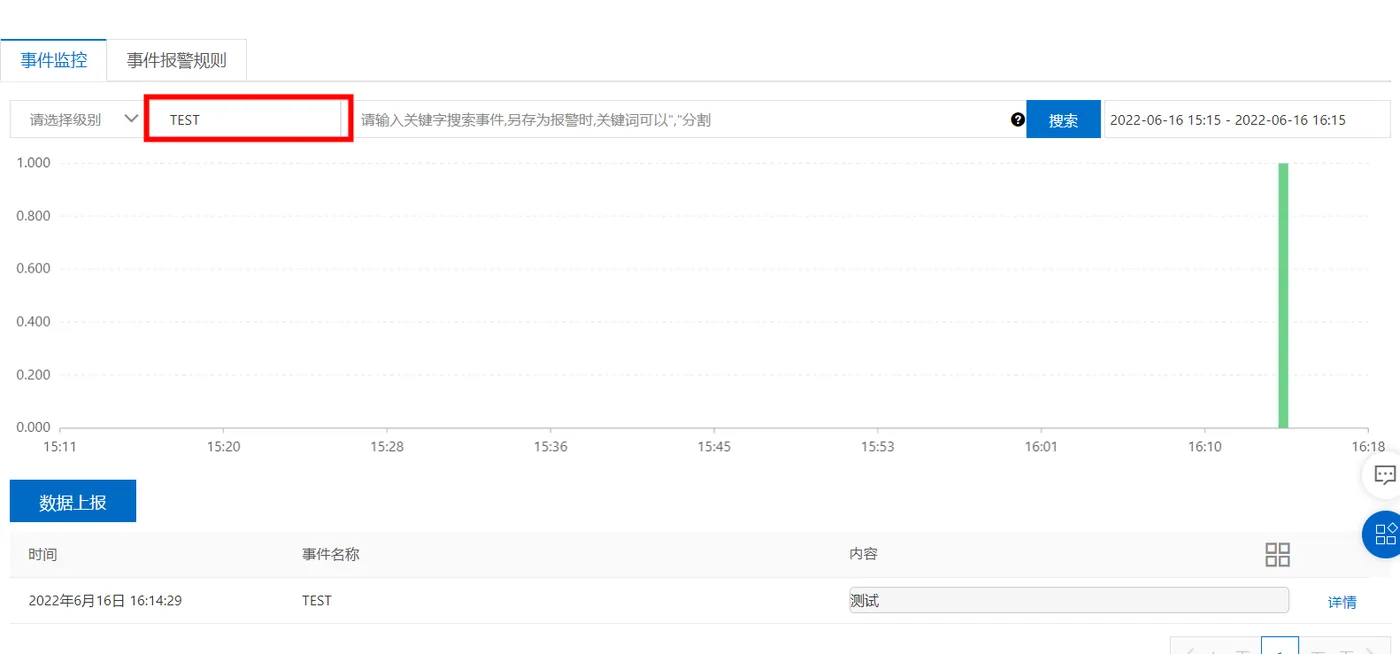
三.查看结果
云监控 - 事件监控 - 自定义事件