前言
上期给大家讲了css的一些选择器的使用,这期咱们一起学习css的另外两个选择器:伪类选择器以及伪元素选择器。
css伪类选择器
伪类用于定义元素的特殊状态。
- 设置鼠标悬停在元素上时的样式
- 为已访问和未访问链接设置不同的样式
- 设置元素获得焦点时的样式
:active
用于选择活动链接。当您在一个链接上点击时,它就会成为活动的。即设置鼠标点击触发的样式。
实例:
<!DOCTYPE html>
<html lang="en">
<head>
    <title>伪类,伪元素</title>
    <style>
     a:active{
         background-color: antiquewhite;
         text-decoration: none;
         font-size:larger;
     }
    input:active{
        font-size: large;
        color: blue;
    }
    </style>
</head>
<body>
    <div>
        <a href="https://suliang.blog.csdn.net/" target="_blank">苏凉.py的博客</a><br>
        <p></p>
        <a href="https://www.baidu.com" target="_blank">百度一下</a><br>
        <p></p>
        <input type="submit" value="点击提交">
    </div>
</body>
</html>
效果:
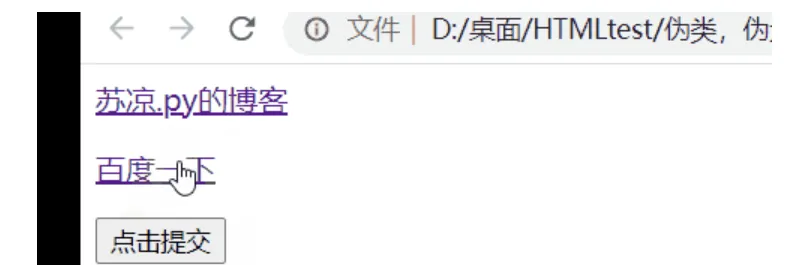
https://ucc.alicdn.com/images/user-upload-01/a2c6ddfdee09477fbe861ee128442f66.gif#pic_center
:link和:visited
对未点击的链接和已点击的链接进行样式设置。
<!DOCTYPE html>
<html lang="en">
<head>
    <title>伪类,伪元素</title>
    <style>
        a:link{
            color: blueviolet;
        }
        a:visited{
            color: red;
        }
    </style>
</head>
<body>
    <div>
        <a href="https://suliang.blog.csdn.net/" target="_blank">苏凉.py的博客</a><br>
        <p></p>
        <a href="https://blog.csdn.net/weixin_46277553/article/details/124882898?spm=1001.2014.3001.5501">已点击的链接</a><br>
        <p></p>
        <a href="https://www.baidu.com">百度一下</a><br>
        <p></p>
        <a href="liajie">未点击的链接</a>
        <input type="submit" value="点击提交">
    </div>
</body>
</html>
效果:
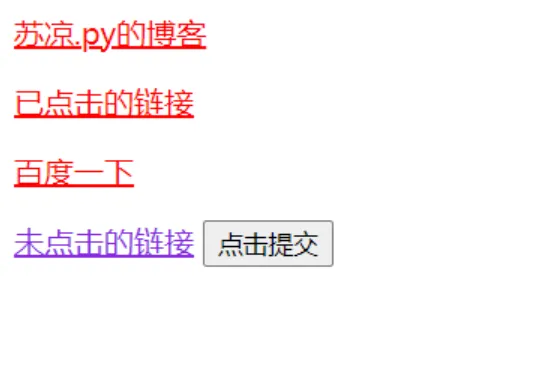
:hover
鼠标悬停时的样式。
<!DOCTYPE html>
<html lang="en">
<head>
    <title>伪类,伪元素</title>
    <style>
        div{
            background-color: aqua;
            width: 300px;
            height: 120px;
        }
        a:active{
            background-color: antiquewhite;
            text-decoration: none;
            font-size:larger;
        }
        input:active{
            font-size: large;
            color: blue;
        }
        div:hover{
            background-color: bisque;
        }
        a:hover{
            font-size: larger;
            color: red;
        }
        input:hover{
            font-size: larger;
        }
    </style>
</head>
<body>
    <div>
        <a href="https://suliang.blog.csdn.net/" target="_blank">苏凉.py的博客</a><br>
        <p></p>
        <a href="https://www.baidu.com" target="_blank">百度一下</a><br>
        <p></p>
        <input type="submit" value="点击提交">
    </div>
</body>
</html>
效果:
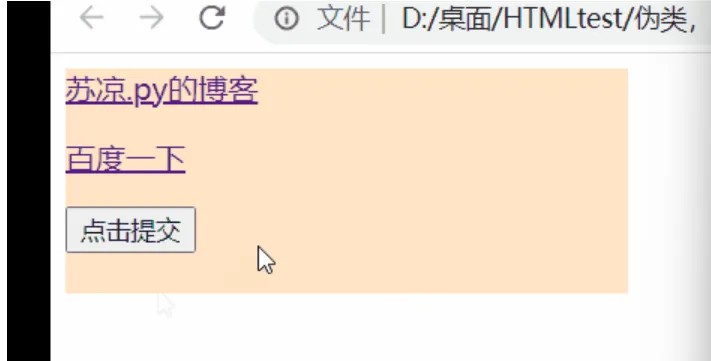
https://ucc.alicdn.com/images/user-upload-01/aee37b88ec9d44269eed7c4f4add8d6c.gif#pic_center
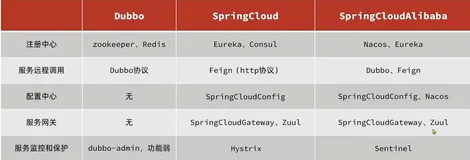
上面列举了一些常用的伪类选择题。下面给大家把全部的伪类选择器列举出来,可以一个一个去实现。
伪类选择器合集
| 选择器 | 实例 | 描述 |
| :active | a:active | 选择活动的链接。 |
| :checked | input:checked | 选择每个被选中的 < input > 元素。 |
| :disabled | input:disabled | 选择每个被禁用的 < input > 元素。 |
| :empty | p:empty | 选择没有子元素的每个 < p > 元素。 |
| :enabled | input:enabled | 选择每个已启用的 < input > 元素。 |
| :first-child | p:first-child | 选择作为其父的首个子元素的每个 < p > 元素。 |
| :first-of-type | p:first-of-type | 选择作为其父的首个 < p > 元素的每个 < p > 元素。 |
| :focus | input:focus | 选择获得焦点的 < input > 元素。 |
| :hover | a:hover | 选择鼠标悬停其上的链接。 |
| :in-range | input:in-range | 选择具有指定范围内的值的 < input > 元素。 |
| :invalid | input:invalid | 选择所有具有无效值的 < input > 元素。 |
| :lang(language) | p:lang(it) | 选择每个 lang 属性值以 “it” 开头的 < p > 元素。 |
| :last-child | p:last-child | 选择作为其父的最后一个子元素的每个 < p > 元素。 |
| :last-of-type | p:last-of-type | 选择作为其父的最后一个 < p > 元素的每个 < p > 元素。 |
| :link | a:link | 选择所有未被访问的链接。 |
| :not(selector) | :not§ | 选择每个非 < p > 元素的元素。 |
| :nth-child(n) | p:nth-child(2) | 选择作为其父的第二个子元素的每个 < p > 元素。 |
| :nth-last-child(n) | p:nth-last-child(2) | 选择作为父的第二个子元素的每个< p >元素,从最后一个子元素计数。 |
| :nth-last-of-type(n) | p:nth-last-of-type(2) | 选择作为父的第二个< p >元素的每个< p >元素,从最后一个子元素计数 |
| :nth-of-type(n) | p:nth-of-type(2) | 选择作为其父的第二个 < p > 元素的每个 < p > 元素。 |
| :only-of-type | p:only-of-type | 选择作为其父的唯一 < p > 元素的每个 < p > 元素。 |
| :only-child | p:only-child | 选择作为其父的唯一子元素的 < p > 元素。 |
| :optional | input:optional | 选择不带 “required” 属性的 < input > 元素。 |
| :out-of-range | input:out-of-range | 选择值在指定范围之外的 < input > 元素。 |
| :read-only | input:read-only | 选择指定了 “readonly” 属性的 < input > 元素。 |
| :read-write | input:read-write | 选择不带 “readonly” 属性的 < input > 元素。 |
| :required | input:required | 选择指定了 “required” 属性的 < input > 元素。 |
| :root | root | 选择元素的根元素。 |
| :target | #news:target | 选择当前活动的 #news 元素(单击包含该锚名称的 URL)。 |
| :valid | input:valid | 选择所有具有有效值的 < input > 元素。 |
| :visited | a:visited | 选择所有已访问的链接。 |
css伪元素选择器
CSS 伪元素用于设置元素指定部分的样式。
例如,它可用于:
- 设置元素的首字母、首行的样式
- 在元素的内容之前或之后插入内容
伪元素合集
| 选择器 | 例子 | 描述 |
| ::after | p::after | 在每个 < p > 元素之后插入内容。 |
| ::before | p::before | 在每个 < p > 元素之前插入内容。 |
| ::first-letter | p::first-letter | 选择每个 < p > 元素的首字母。 |
| ::first-line | p::first-line | 选择每个 < p > 元素的首行。 |
| ::selection | p::selection | 选择用户选择的元素部分。 |
::after和::before
在元素之后/之前插入内容。
<!DOCTYPE html>
<html lang="en">
<head>
    <title>伪元素选择器</title>
    <style>
        p::after{
            content:url(./img/picture.png);
        }
        p::before{
            content: url(./img/picture.png);
        }
    </style>
</head>
<body>
    <p>这是一个段落</p>
</body>
</html>
效果:
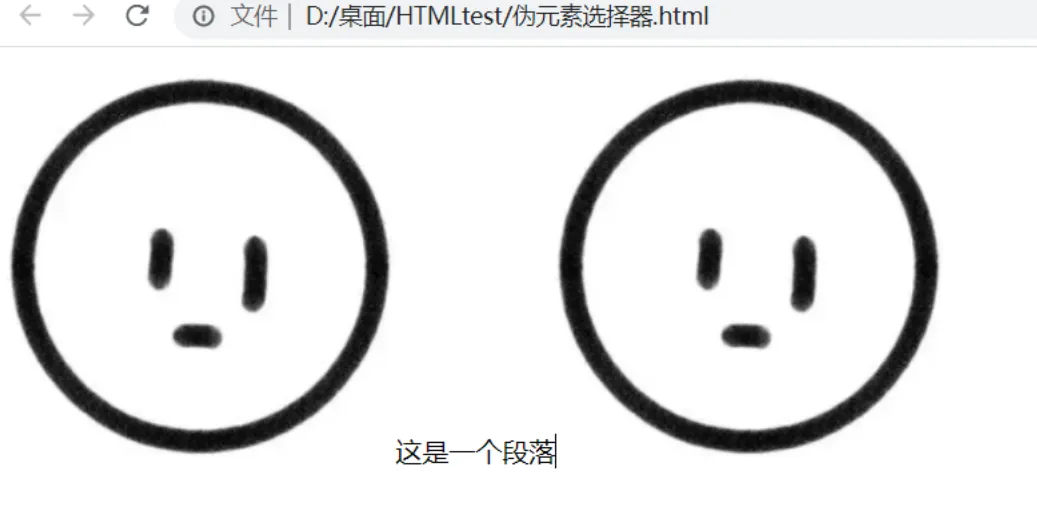
::first-letter
选中元素的第一个字/字母/数字…
<!DOCTYPE html>
<html lang="en">
<head>
    <title>伪元素选择器</title>
    <style>
        p::after{
            content:url(./img/picture.png);
        }
        p::first-letter{
            color:red;
            font-size: 70px;
            background-color: antiquewhite;
        }
    </style>
</head>
<body>
    <p>这是一个段落</p>
</body>
</html>
效果:
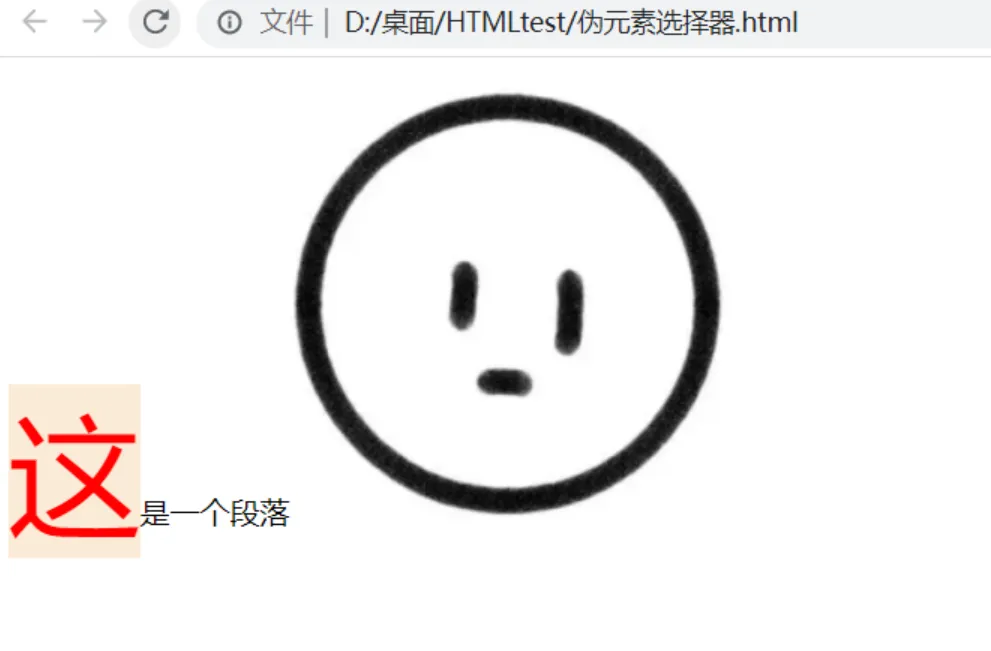
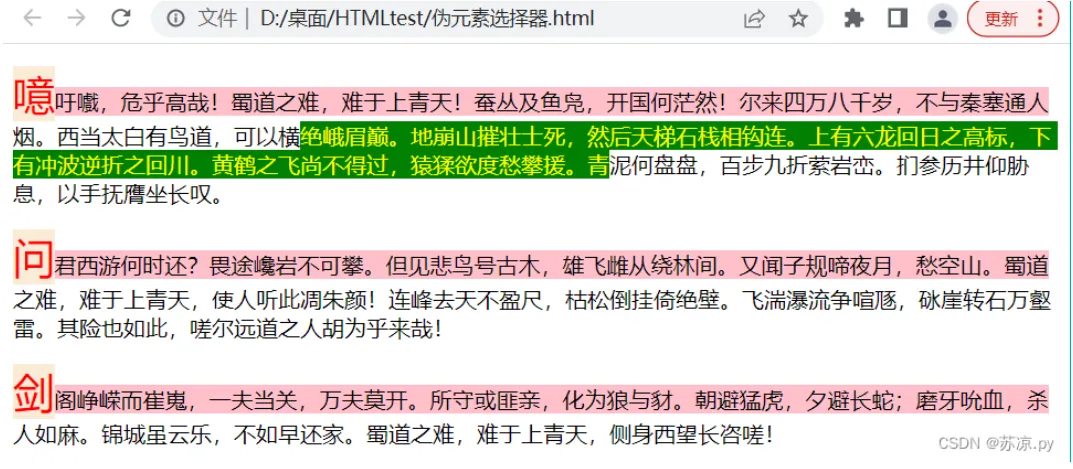
::first-line
选择第一行
<!DOCTYPE html>
<html lang="en">
<head>
    <title>伪元素选择器</title>
    <style>
        p::first-letter{
            color:red;
            font-size: 30px;
            background-color: antiquewhite;
        }
        p::first-line{
            background-color: pink;
        }
    </style>
</head>
<body>
    <p>噫吁嚱,危乎高哉!蜀道之难,难于上青天!蚕丛及鱼凫,开国何茫然!尔来四万八千岁,不与秦塞通人烟。西当太白有鸟道,可以横绝峨眉巅。地崩山摧壮士死,然后天梯石栈相钩连。上有六龙回日之高标,下有冲波逆折之回川。黄鹤之飞尚不得过,猿猱欲度愁攀援。青泥何盘盘,百步九折萦岩峦。扪参历井仰胁息,以手抚膺坐长叹。</p>
    <p>问君西游何时还?畏途巉岩不可攀。但见悲鸟号古木,雄飞雌从绕林间。又闻子规啼夜月,愁空山。蜀道之难,难于上青天,使人听此凋朱颜!连峰去天不盈尺,枯松倒挂倚绝壁。飞湍瀑流争喧豗,砯崖转石万壑雷。其险也如此,嗟尔远道之人胡为乎来哉!</p>
    <p>剑阁峥嵘而崔嵬,一夫当关,万夫莫开。所守或匪亲,化为狼与豺。朝避猛虎,夕避长蛇;磨牙吮血,杀人如麻。锦城虽云乐,不如早还家。蜀道之难,难于上青天,侧身西望长咨嗟!</p>
</body>
</html>
效果:
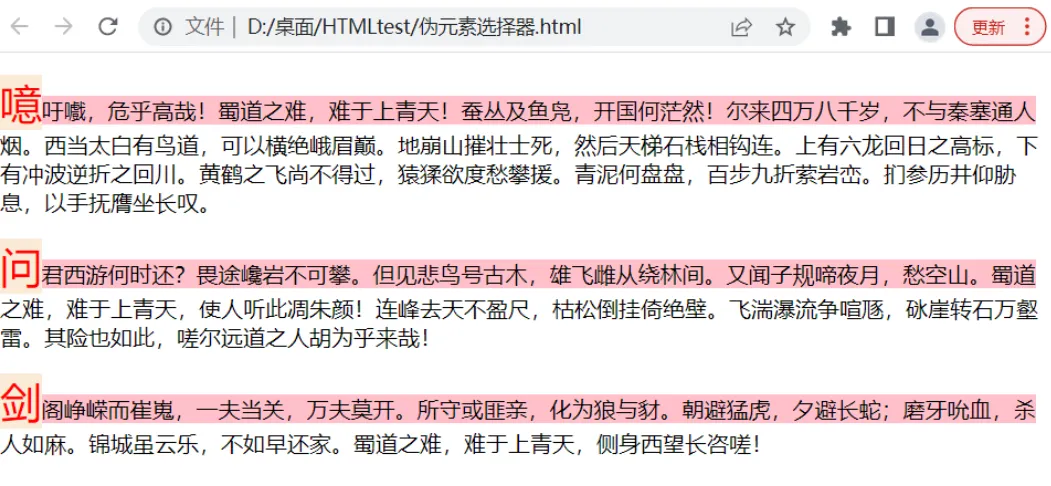
::selection
设置选中时的样式。
<!DOCTYPE html>
<html lang="en">
<head>
    <title>伪元素选择器</title>
    <style>
        p::first-letter{
            color:red;
            font-size: 30px;
            background-color: antiquewhite;
        }
        p::first-line{
            background-color: pink;
        }
       p::selection{
           background-color: green;
           color: yellow;
       }
    </style>
</head>
<body>
    <p>噫吁嚱,危乎高哉!蜀道之难,难于上青天!蚕丛及鱼凫,开国何茫然!尔来四万八千岁,不与秦塞通人烟。西当太白有鸟道,可以横绝峨眉巅。地崩山摧壮士死,然后天梯石栈相钩连。上有六龙回日之高标,下有冲波逆折之回川。黄鹤之飞尚不得过,猿猱欲度愁攀援。青泥何盘盘,百步九折萦岩峦。扪参历井仰胁息,以手抚膺坐长叹。</p>
    <p>问君西游何时还?畏途巉岩不可攀。但见悲鸟号古木,雄飞雌从绕林间。又闻子规啼夜月,愁空山。蜀道之难,难于上青天,使人听此凋朱颜!连峰去天不盈尺,枯松倒挂倚绝壁。飞湍瀑流争喧豗,砯崖转石万壑雷。其险也如此,嗟尔远道之人胡为乎来哉!</p>
    <p>剑阁峥嵘而崔嵬,一夫当关,万夫莫开。所守或匪亲,化为狼与豺。朝避猛虎,夕避长蛇;磨牙吮血,杀人如麻。锦城虽云乐,不如早还家。蜀道之难,难于上青天,侧身西望长咨嗟!</p>
</body>
</html>
效果: