npm install报错error 404 Not Found - GET https://registry.npm.taobao.org/@xt

简介: 1.问题场景:2.解决办法2.1先查看有没有设置代理2.2重新设置

1.问题场景:


vue cli3老项目重启,npm install安装报错。


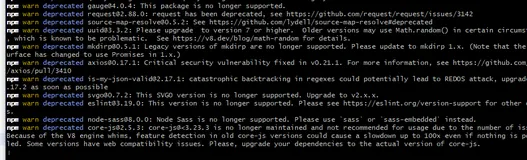
错误信息:


4327 error code E404

4328 error 404 Not Found - GET https://registry.npm.taobao.org/@xtuc/long/-/long-4.2.1.tgz - [not_found] document not found

bb1cc65e3b17a212a23904b05149b60.png

2.解决办法


2.1先查看有没有设置代理


执行下面的命令

npm config get proxy
npm config get https-proxy

如果返回的不是null,则执行下面对命令清理;如果返回的是null,直接进入到第2步。


npm config set https-proxy null
npm config set proxy null

2.2重新设置

npm config set registry https://registry.npmjs.org/



目录
相关文章
|
11月前
|
Linux 内存技术
使用npm install -g pnpm的时候报错
1898 139
|
网络协议 开发工具 git
解决 git 报错 “fatal: unable to access ‘https://github.com/.../.git‘: Recv failure Connection was rese
在使用 Git/Git小乌龟 进行代码管理的过程中,经常会遇到各种各样的问题,其中之一就是在执行 git clone 或 git pull 等操作时出现 “fatal: unable to access ‘https://github.com/…/.git’: Recv failure Connection was reset” 的报错。这个问题通常是由网络连接问题或代理设置不正确导致的。在我的个人使用经验中,我亲自尝试了四种方法,它们都能够有效地解决这个报错。个人比较推荐方法二。
10105 1
|
移动开发 JavaScript 前端开发
vue中npm打包遇到× eslint —fix found some errors. Please fix them and try committing again.husky > pre-commit hook failed (add —no-verify to bypass)报错解决方案-卓伊凡
616 7
vue中npm打包遇到× eslint —fix found some errors. Please fix them and try committing again.husky > pre-commit hook failed (add —no-verify to bypass)报错解决方案-卓伊凡
|
JavaScript
node环境之Error: Cannot find module ‘chalk’ 报错无法解决的问题—-网上说让你npm install chalk 基本是没有用的-优雅草央千澈解决方案
1329 13
node环境之Error: Cannot find module ‘chalk’ 报错无法解决的问题—-网上说让你npm install chalk 基本是没有用的-优雅草央千澈解决方案
|
JavaScript 算法 前端开发
为什么npm run serve正常,npm run build就报错:digital envelope routines::unsupported
通过本文的分析,我们详细介绍了 `npm run serve`正常但 `npm run build`时报错:`digital envelope routines::unsupported`的原因及解决方案。主要从检查Node.js版本、更新依赖、检查依赖库、配置文件及环境变量等方面进行了深入探讨。希望本文能帮助开发者解决这一问题,确保项目顺利构建和部署。
1836 6
|
JavaScript 前端开发 数据安全/隐私保护
npm账户需要登录问题npm error probably out of date. To correct this please try logging in again with优雅草央千澈解决方案
2759 0
npm账户需要登录问题npm error probably out of date. To correct this please try logging in again with优雅草央千澈解决方案
|
缓存 JavaScript 前端开发
拿下奇怪的前端报错(三):npm install卡住了一个钟- 从原理搞定安装的全链路问题
本文详细分析了 `npm install` 过程中可能出现的卡顿问题及解决方法,包括网络问题、Node.js 版本不兼容、缓存问题、权限问题、包冲突、过时的 npm 版本、系统资源不足和脚本问题等,并提供了相应的解决策略。同时,还介绍了开启全部日志、使用替代工具和使用 Docker 提供 Node 环境等其他处理方法。
16942 2
|
缓存 JavaScript 前端开发
8种方法解决vue创建项目报错:command failed: npm install --loglevel error
该文章提供了八种解决Vue项目创建时遇到的`command failed: npm install --loglevel error`错误的方法,包括清理缓存、更换npm源、重新安装Node.js等措施。
8种方法解决vue创建项目报错:command failed: npm install --loglevel error
|
网络安全 计算机视觉
【node】 npm install 报错:code 128
7173 2

推荐镜像

更多
  • NPM