日常我们开发完后端接口,如果是返回restful,写API文档是免不了的,Swagger可以帮我们解决大多数问题(自动生成API文档)。
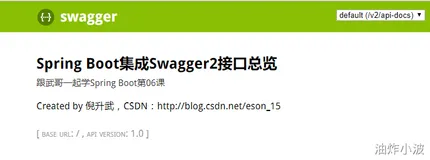
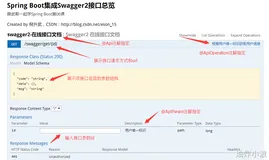
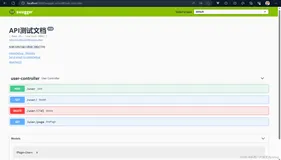
他会帮我们生成一个html页面,大概就是这个样子。

好了,开始正文,如果你觉得有需要的话,往下看。
1. 添加依赖
<dependency>
    <groupId>io.springfox</groupId>
    <artifactId>springfox-swagger2</artifactId>
    <version>2.6.1</version>
</dependency>

<dependency>
    <groupId>io.springfox</groupId>
    <artifactId>springfox-swagger-ui</artifactId>
    <version>2.6.1</version>
</dependency>
2. 修改启动项
添加注解
@EnableSwagger2 //开启swagger文档生成
3. 给Controller或者字段添加注释
3.1 给Controller方法添加注释。
    @ApiOperation(value = "条件查询用户")
    @GetMapping("/user")
    @JsonView(User.UserSimpleView.class)
    public List query(UserQueryCondition condition,
                      @PageableDefault(page = 2,size = 7,sort = "username,asc")Pageable pageable){

        System.out.println(ReflectionToStringBuilder.toString(condition, ToStringStyle.DEFAULT_STYLE));
        List<User> users = new ArrayList<>();
        users.add(new User());
        users.add(new User());
        users.add(new User());
        return users;
    }
然后访问http://127.0.0.1:8080/swagger-ui.html

3.2 给方法中的字段添加注释
方法一:
    @RequestMapping("/user/{id:\\d+}")
    @ApiImplicitParam(name = "id",value = "用户id")
    public User getInfo( @PathVariable String  id){
        User user = new User();
        user.setUsername("FantJ");
        return user;
    }
方法二:
    @RequestMapping("/user/{id:\\d+}")
    public User getInfo(@ApiParam("用户id") @PathVariable String  id){
        User user = new User();
        user.setUsername("FantJ");
        return user;
    }
方法一是再方法上面加注解,方法二是再参数位加注解。

3.3 给实体类的属性添加注释
    @ApiModelProperty("用户名")
    private String username;
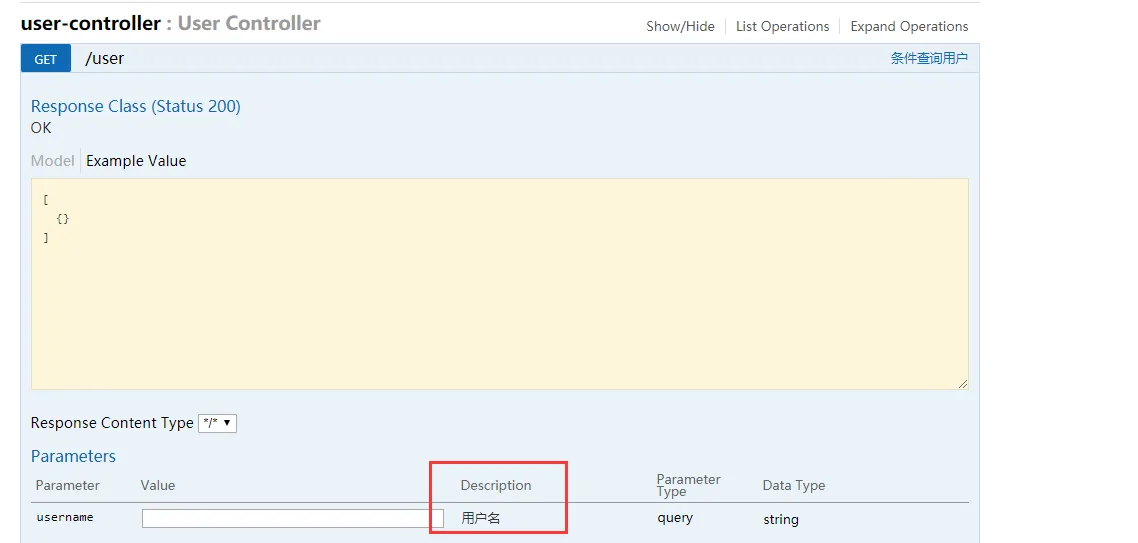
最后所有注解的总结
- @Api:修饰整个类,描述Controller的作用
- @ApiOperation:描述一个类的一个方法,或者说一个接口
- @ApiParam:单个参数描述
- @ApiModel:用对象来接收参数
- @ApiProperty:用对象接收参数时,描述对象的一个字段
- @ApiResponse:HTTP响应其中1个描述
- @ApiResponses:HTTP响应整体描述
- @ApiIgnore:使用该注解忽略这个API
- @ApiError :发生错误返回的信息
- @ApiImplicitParam:一个请求参数
- @ApiImplicitParams:多个请求参数
生产中遇到的问题集锦
1. url是127.0.0.1,但是服务在云主机上。
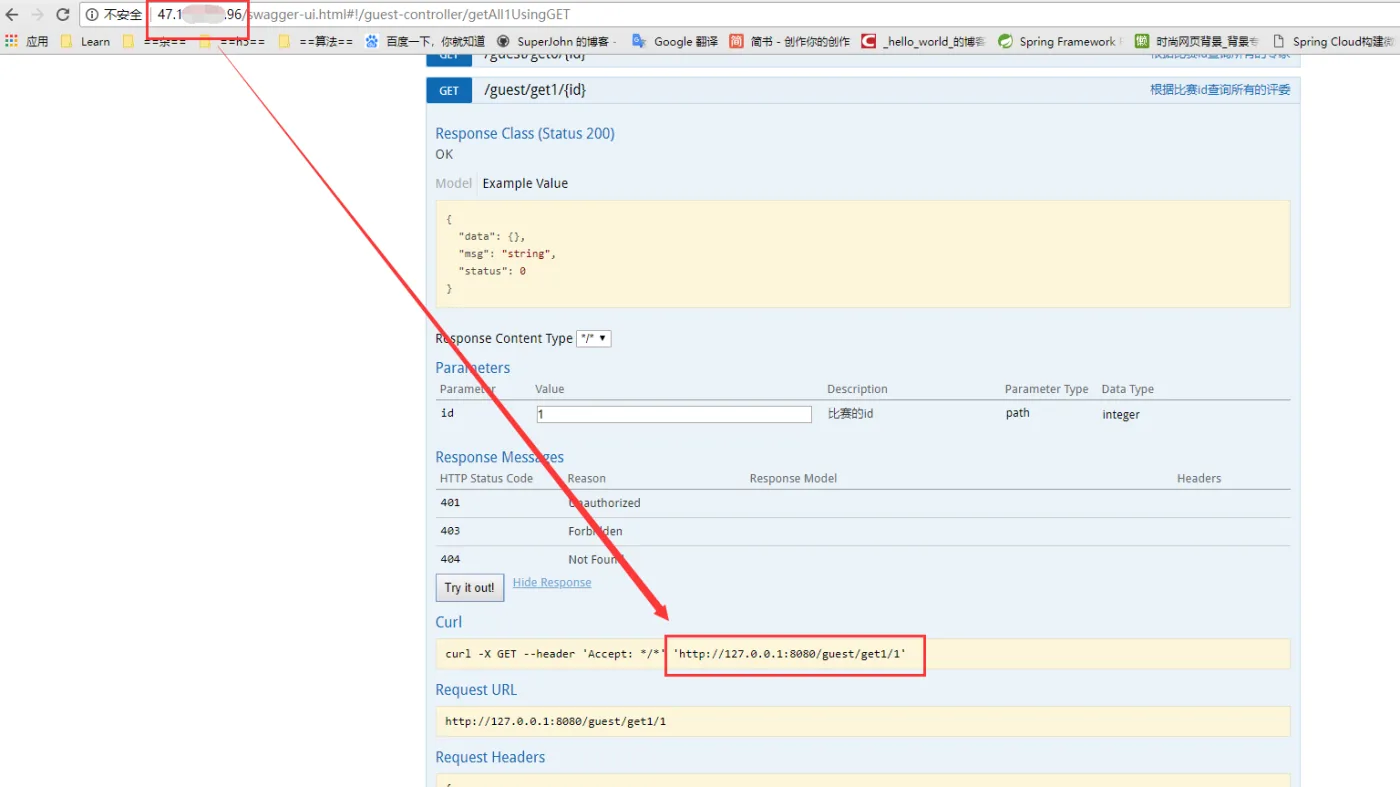
那如何来配置这个url呢?我们添加一个配置类
package com.tyut.web.config;

import io.swagger.annotations.Contact;
import org.springframework.context.annotation.Bean;
import org.springframework.context.annotation.Configuration;
import springfox.documentation.builders.ApiInfoBuilder;
import springfox.documentation.builders.RequestHandlerSelectors;
import springfox.documentation.service.ApiInfo;
import springfox.documentation.spi.DocumentationType;
import springfox.documentation.spring.web.plugins.Docket;
import springfox.documentation.swagger2.annotations.EnableSwagger2;

/**
 * Created by Fant.J.
 * 2018/4/30 17:20
 */
@Configuration
@EnableSwagger2
public class SwaggerConfig {

    public static final String SWAGGER_SCAN_BASE_PACKAGE = "com.tyut.web.controller";
    public static final String VERSION = "1.0.0";

    ApiInfo apiInfo() {
        return new ApiInfoBuilder()
                .title("Swagger API")
                .description("This is to show api description")
                .license("Apache 2.0")
                .licenseUrl("http://www.apache.org/licenses/LICENSE-2.0.html")
                .termsOfServiceUrl("")
                .version(VERSION)
//                .contact(new Contact("","", "844072586@qq.com"))  联系方式
                .build();
    }

    @Bean
    public Docket customImplementation(){
        return new Docket(DocumentationType.SWAGGER_2)
                .select()
                .apis(RequestHandlerSelectors.basePackage(SWAGGER_SCAN_BASE_PACKAGE))
                .build()
                .host("47.xxx.xxx.96")
                .directModelSubstitute(org.joda.time.LocalDate.class, java.sql.Date.class)
                .directModelSubstitute(org.joda.time.DateTime.class, java.util.Date.class)
                .apiInfo(apiInfo());
    }
}
2. 修改controller描述
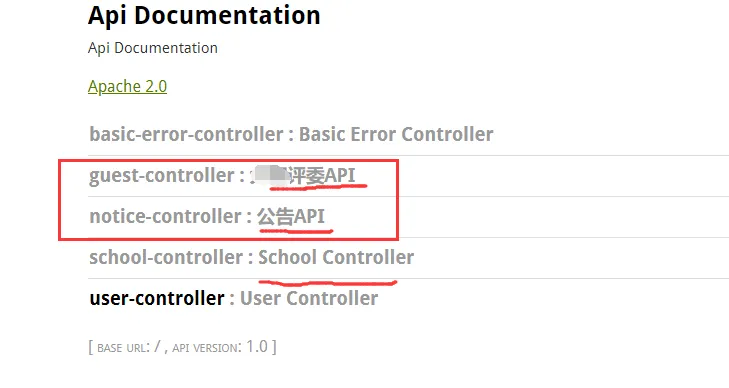
在controller上加注解@Api(description = "公告API")
介绍下我的所有文集:
流行框架
SpringCloud
springboot
nginx
redis
底层实现原理:
Java NIO教程
Java reflection 反射详解
Java并发学习笔录
Java Servlet教程
jdbc组件详解
Java NIO教程
Java语言/版本 研究