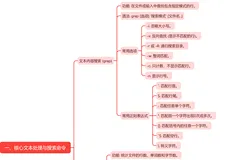
文件权限讲解:
drwxr-xr-x 2 tangym tangym 4096 May 29 2015 Desktop
[LinkCount] [CurrentUser] [CurrentGroup] [FileSize] [CreationTime]
Field1: self permission
drwxr-
d:direcory
rwx: read,write,Execute,
Field2: current group's user permission
r-x:
Field3: other group's user permission
r-x
|------Change file owner and workgroup -----|
tangym@ubuntu:~$ mkdir mvhello
tangym@ubuntu:~$ ls -l mvhello
total 0
tangym@ubuntu:~$ ls -l
total 204136
drwxr-xr-x 2 tangym tangym 4096 May 29 2015 Desktop
drwxr-xr-x 2 tangym tangym 4096 May 29 2015 Documents
drwxr-xr-x 3 tangym tangym 4096 May 14 08:53 Downloads
-rw-r--r-- 1 tangym tangym 8445 May 29 2015 examples.desktop
-rw-rw-r-- 1 tangym tangym 10240 Jan 20 2011 ez_setup.py
drwxrwxr-x 2 tangym tangym 4096 May 24 23:37 mhydir
drwxr-xr-x 2 tangym tangym 4096 May 29 2015 Music
drwxrwxr-x 2 tangym tangym 4096 May 24 23:49 mvhello
drwxr-xr-x 2 tangym tangym 4096 May 29 2015 Pictures
-rw-rw-r-- 1 tangym tangym 0 May 24 22:42 pse
-rw-rw-r-- 1 tangym tangym 0 May 24 23:12 pse2
drwxr-xr-x 2 tangym tangym 4096 May 29 2015 Public
drwxrwxr-x 9 tangym tangym 4096 May 14 08:18 pycharm-community-2016.1.3
-rwxrw-rw- 1 tangym tangym 207707566 May 14 08:09 pycharm-community-2016.1.3.tar.gz
drwxrwxr-x 3 tangym tangym 4096 May 14 08:25 PycharmProjects
drwxrwxr-x 6 tangym tangym 4096 May 14 08:55 redis-2.8.12
-rw-rw-r-- 1 tangym tangym 1215331 Jun 23 2014 redis-2.8.12.tar.gz
drwxrwxr-x 10 tangym tangym 4096 May 14 08:54 redis-py-master
drwxr-xr-x 2 tangym tangym 4096 May 29 2015 Templates
drwxrwxr-x 3 tangym tangym 4096 May 24 23:11 test1
drwxrwxr-x 3 tangym tangym 4096 May 24 22:38 test100
drwxrwxr-x 2 tangym tangym 4096 May 24 22:36 test3
drwxrwxr-x 2 tangym tangym 4096 May 17 21:52 TestFolder
drwxrwxr-x 2 tangym tangym 4096 May 29 2015 Ubuntu One
-rw-rw-r-- 1 tangym tangym 0 May 17 21:49 Untitled Document
drwxr-xr-x 2 tangym tangym 4096 May 29 2015 Videos
drwxrwx--- 2 lewis workgroup 4096 May 24 22:25 work
tangym@ubuntu:~$ sudo chown lewis mvhello
[sudo] password for tangym:
tangym@ubuntu:~$ ls -l
total 204136
drwxr-xr-x 2 tangym tangym 4096 May 29 2015 Desktop
drwxr-xr-x 2 tangym tangym 4096 May 29 2015 Documents
drwxr-xr-x 3 tangym tangym 4096 May 14 08:53 Downloads
-rw-r--r-- 1 tangym tangym 8445 May 29 2015 examples.desktop
-rw-rw-r-- 1 tangym tangym 10240 Jan 20 2011 ez_setup.py
drwxrwxr-x 2 tangym tangym 4096 May 24 23:37 mhydir
drwxr-xr-x 2 tangym tangym 4096 May 29 2015 Music
drwxrwxr-x 2 lewis tangym 4096 May 24 23:49 mvhello
drwxr-xr-x 2 tangym tangym 4096 May 29 2015 Pictures
-rw-rw-r-- 1 tangym tangym 0 May 24 22:42 pse
-rw-rw-r-- 1 tangym tangym 0 May 24 23:12 pse2
drwxr-xr-x 2 tangym tangym 4096 May 29 2015 Public
drwxrwxr-x 9 tangym tangym 4096 May 14 08:18 pycharm-community-2016.1.3
-rwxrw-rw- 1 tangym tangym 207707566 May 14 08:09 pycharm-community-2016.1.3.tar.gz
drwxrwxr-x 3 tangym tangym 4096 May 14 08:25 PycharmProjects
drwxrwxr-x 6 tangym tangym 4096 May 14 08:55 redis-2.8.12
-rw-rw-r-- 1 tangym tangym 1215331 Jun 23 2014 redis-2.8.12.tar.gz
drwxrwxr-x 10 tangym tangym 4096 May 14 08:54 redis-py-master
drwxr-xr-x 2 tangym tangym 4096 May 29 2015 Templates
drwxrwxr-x 3 tangym tangym 4096 May 24 23:11 test1
drwxrwxr-x 3 tangym tangym 4096 May 24 22:38 test100
drwxrwxr-x 2 tangym tangym 4096 May 24 22:36 test3
drwxrwxr-x 2 tangym tangym 4096 May 17 21:52 TestFolder
drwxrwxr-x 2 tangym tangym 4096 May 29 2015 Ubuntu One
-rw-rw-r-- 1 tangym tangym 0 May 17 21:49 Untitled Document
drwxr-xr-x 2 tangym tangym 4096 May 29 2015 Videos
drwxrwx--- 2 lewis workgroup 4096 May 24 22:25 work
tangym@ubuntu:~$ whatis chgrp
chgrp (1) - change group ownership
tangym@ubuntu:~$ sudo chgrp workgroup mvhello
tangym@ubuntu:~$ ls -l
total 204136
drwxr-xr-x 2 tangym tangym 4096 May 29 2015 Desktop
drwxr-xr-x 2 tangym tangym 4096 May 29 2015 Documents
drwxr-xr-x 3 tangym tangym 4096 May 14 08:53 Downloads
-rw-r--r-- 1 tangym tangym 8445 May 29 2015 examples.desktop
-rw-rw-r-- 1 tangym tangym 10240 Jan 20 2011 ez_setup.py
drwxrwxr-x 2 tangym tangym 4096 May 24 23:37 mhydir
drwxr-xr-x 2 tangym tangym 4096 May 29 2015 Music
drwxrwxr-x 2 lewis workgroup 4096 May 24 23:49 mvhello
drwxr-xr-x 2 tangym tangym 4096 May 29 2015 Pictures
-rw-rw-r-- 1 tangym tangym 0 May 24 22:42 pse
-rw-rw-r-- 1 tangym tangym 0 May 24 23:12 pse2
drwxr-xr-x 2 tangym tangym 4096 May 29 2015 Public
drwxrwxr-x 9 tangym tangym 4096 May 14 08:18 pycharm-community-2016.1.3
-rwxrw-rw- 1 tangym tangym 207707566 May 14 08:09 pycharm-community-2016.1.3.tar.gz
drwxrwxr-x 3 tangym tangym 4096 May 14 08:25 PycharmProjects
drwxrwxr-x 6 tangym tangym 4096 May 14 08:55 redis-2.8.12
-rw-rw-r-- 1 tangym tangym 1215331 Jun 23 2014 redis-2.8.12.tar.gz
drwxrwxr-x 10 tangym tangym 4096 May 14 08:54 redis-py-master
drwxr-xr-x 2 tangym tangym 4096 May 29 2015 Templates
drwxrwxr-x 3 tangym tangym 4096 May 24 23:11 test1
drwxrwxr-x 3 tangym tangym 4096 May 24 22:38 test100
drwxrwxr-x 2 tangym tangym 4096 May 24 22:36 test3
drwxrwxr-x 2 tangym tangym 4096 May 17 21:52 TestFolder
drwxrwxr-x 2 tangym tangym 4096 May 29 2015 Ubuntu One
-rw-rw-r-- 1 tangym tangym 0 May 17 21:49 Untitled Document
drwxr-xr-x 2 tangym tangym 4096 May 29 2015 Videos
drwxrwx--- 2 lewis workgroup 4096 May 24 22:25 work
[Example-------Create Users and share group-----]
---Create workgroup----
tangym@ubuntu:~$ sudo groupadd workgroup
[sudo] password for tangym:
---Create four users and password----
tangym@ubuntu:~$ sudo useradd -G workgroup lucy
tangym@ubuntu:~$ sudo passwd lucy
Enter new UNIX password:
Retype new UNIX password:
passwd: password updated successfully
tangym@ubuntu:~$ sudo useradd -G workgroup lewis
tangym@ubuntu:~$ sudo passwd lewis
Enter new UNIX password:
Retype new UNIX password:
passwd: password updated successfully
tangym@ubuntu:~$ sudo useradd -G workgroup mike
tangym@ubuntu:~$ sudo passwd mike
Enter new UNIX password:
Retype new UNIX password:
passwd: password updated successfully
tangym@ubuntu:~$ sudo useradd -G workgroup peter
tangym@ubuntu:~$ sudo passwd peter
Enter new UNIX password:
Retype new UNIX password:
-----Create direcories
tangym@ubuntu:~$ cd /home
tangym@ubuntu:/home$ sudo mkdir work -- Create direcory
tangym@ubuntu:/home$ sudo chgrp workgroup work -- update a directory belonged group.
tangym@ubuntu:/home$ sudo chmod g+rwx work -- g+ rws: read,write,execute
tangym@ubuntu:/home$ sudo chmod o-rwx work -- o: other, remove other group's permission.
tangym@ubuntu:/home$ sudo chown lewis work -- set the group lead to lewis.