JTBorderDotAnimation
https://github.com/jonathantribouharet/JTBorderDotAnimation
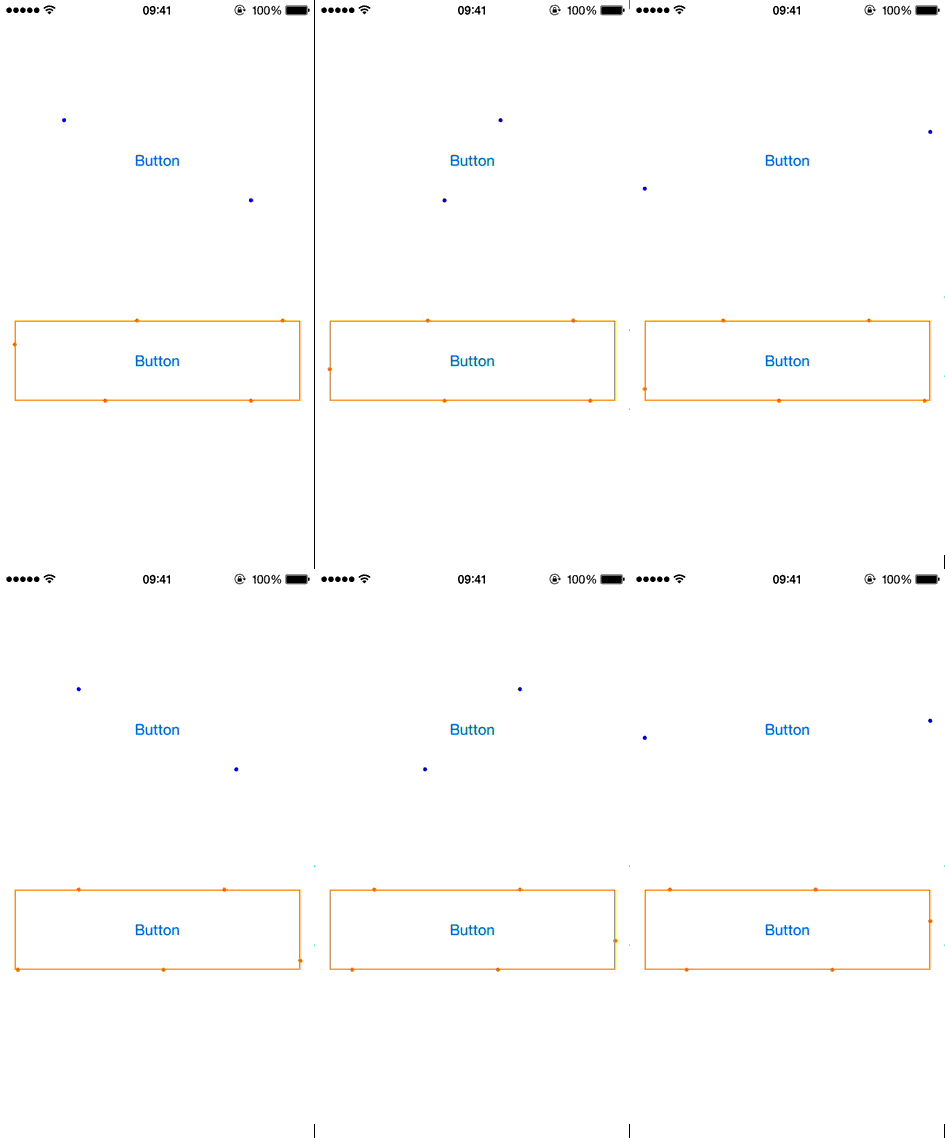
JTBorderDotAnimation is a simple animation for have dots turning around a UIView on iOS.
JTBorderDotAnimation是一个很简单的动画效果,用于给UIView添加点的循环移动特效.
Installation - 安装
With CocoaPods, add this line to your Podfile.
使用 CocoaPods ,添加以下一行代码即可.
pod 'JTBorderDotAnimation', '~> 1.0'
Screenshots - 屏幕截图
Usage - 使用
Basic usage 基本使用
Just import JTBorderDotAnimation.h.
只需要引入头文件 JTBorderDotAnimation.h 即可.
#import "JTBorderDotAnimation.h"

@interface ViewController : UIViewController @property (weak, nonatomic) IBOutlet UIView *animatedView; @property (strong, nonatomic) JTBorderDotAnimation *dotAnimation; @end
Assign the view you want to animate and start the animation.
给你想要做动画的view添加上,然后开始执行动画.
- (void)viewDidLoad
{
    [super viewDidLoad];

    self.dotAnimation = [JTBorderDotAnimation new];
    self.dotAnimation.animatedView = self.animatedView; } - (void)viewDidAppear:(BOOL)animated { [super viewDidAppear:animated]; [self.dotAnimation start]; }
Customization 可以定制的特性
You can easily customize the animation.
你可以很容易的定制以下的一些和动画相关的属性.
numberPointsdurationrepeatCountpointSizepointColor
Example:
例子:
- (void)viewDidLoad
{
    [super viewDidLoad];

    self.dotAnimation = [JTBorderDotAnimation new];
    self.dotAnimation.animatedView = self.animatedView; self.dotAnimation.numberPoints = 6; self.dotAnimation.duration = 6.; self.dotAnimation.repeatCount = 3; self.dotAnimation.pointSize = 5.; self.dotAnimation.pointColor = [UIColor orangeColor]; }
Notes 注意
clipsToBounds property of the animatedView is set to NO at the beginning of the animation.
clipsToBounds这个属性在动画开始的时候是被设置成NO的.
You can also change the speed of the animation without stopping it with:
你也可以在做动画的过程中即时修改动画的速度:
    CALayer *layer = self.animatedView.layer;

    layer.timeOffset = [layer convertTime:CACurrentMediaTime() fromLayer:nil];
    layer.beginTime = CACurrentMediaTime();
    layer.speed = 2.;
Requirements - 需要的环境
- iOS 7 or higher iOS 7+
- Automatic Reference Counting (ARC) ARC
Known Issues - 已知的问题
- Animation stop when the application go in background, you have to restart it manually
- 应用进入后台后,动画就会停止,你需要在进入前台后手动开启动画
Author - 作者
License - 协议
JTBorderDotAnimation is released under the MIT license. See the LICENSE file for more info.