
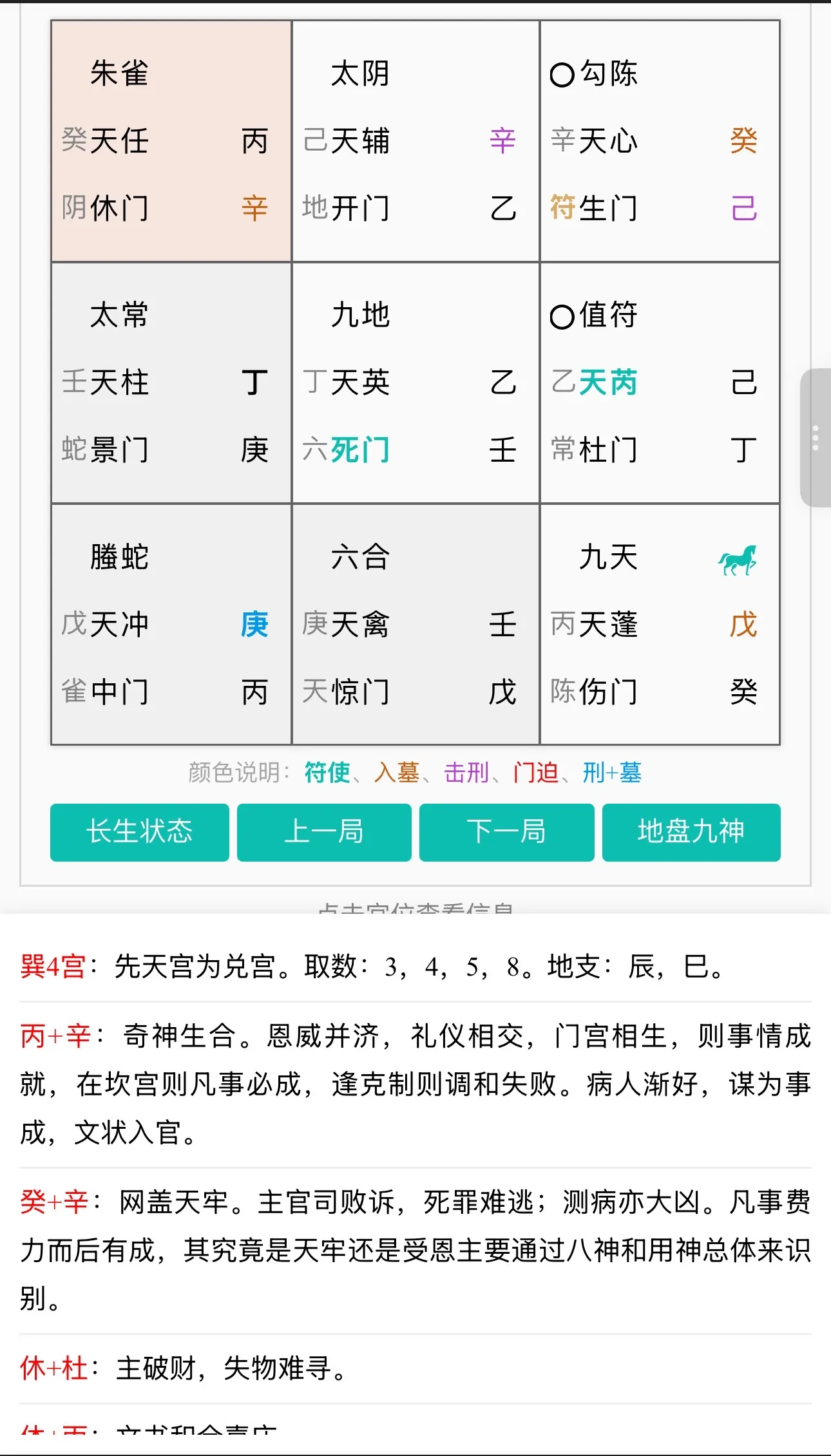
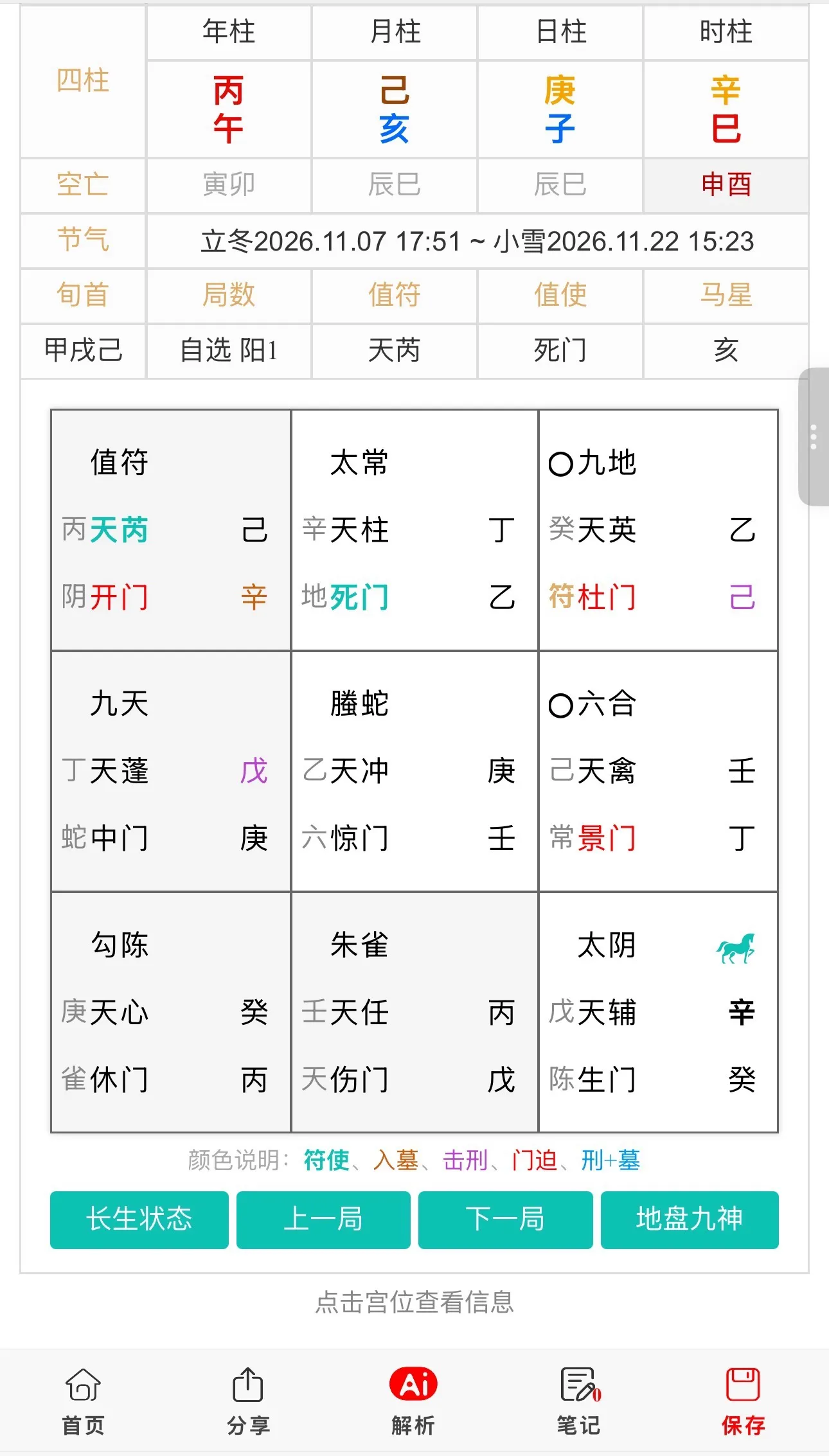
在传统文化类H5应用开发中,奇门遁甲排盘工具的核心挑战在于复杂九宫格布局的移动端适配与高频交互下的高性能渲染。传统基于固定像素的布局方案在不同尺寸的移动设备上极易出现错位、溢出等问题;而九宫格内密集的符号节点与频繁的旋转动画,若处理不当会导致严重的页面卡顿。本文从前端架构与渲染优化视角,探讨奇门遁甲排盘H5的设计与实现,重点解决多端屏幕适配、复杂布局响应式渲染以及动画性能优化等技术难点。
一、 业务背景与架构设计
奇门遁甲排盘H5通常包含:九宫格布局渲染、天干地支符号绘制、八门九星八神动态展示、罗盘旋转动画、手势交互响应等功能。在系统架构上,需要解决三个核心问题:一是多端屏幕适配,移动设备屏幕尺寸参差不齐,需通过响应式布局与动态缩放确保九宫格在不同设备上完美呈现;二是复杂布局响应式渲染,九宫格内包含数十个符号节点,需通过CSS Grid或Flexbox实现灵活的布局管理,避免硬编码导致的维护困难;三是动画性能优化,罗盘旋转、符号高亮等动画需通过硬件加速与requestAnimationFrame实现流畅渲染,避免主线程阻塞。推荐采用“CSS变量+Grid布局+Canvas动画层”的架构,通过CSS变量实现动态主题与尺寸适配,利用Grid布局实现九宫格响应式排列,结合Canvas实现高性能动画渲染。
二、 核心代码实现
1. 基于CSS变量与Grid的响应式九宫格布局
通过CSS变量与Grid布局实现九宫格的响应式渲染,支持动态尺寸调整与主题切换。
/* 响应式九宫格布局 */
:root {
    --grid-size: 300px; /* 基础尺寸,通过JS动态调整 */
    --cell-gap: 2px;
    --border-color: #333;
    --bg-color: #f5f5f5;
    --text-color: #000;
}

.jiu-gong-container {
    width: var(--grid-size);
    height: var(--grid-size);
    display: grid;
    grid-template-columns: repeat(3, 1fr);
    grid-template-rows: repeat(3, 1fr);
    gap: var(--cell-gap);
    margin: 0 auto;
    position: relative;
}

.jiu-gong-cell {
    background: var(--bg-color);
    border: 1px solid var(--border-color);
    display: flex;
    flex-direction: column;
    align-items: center;
    justify-content: center;
    position: relative;
    overflow: hidden;
}

/* 符号节点样式 */
.symbol-node {
    font-size: calc(var(--grid-size) / 20);
    font-weight: bold;
    margin: 2px 0;
    transition: transform 0.3s ease;
}

.symbol-node:hover {
    transform: scale(1.2);
    color: #e74c3c;
}

/* 中宫特殊样式 */
.jiu-gong-cell.center {
    background: #fff3cd;
    border: 2px solid #ffc107;
}

/* 动态尺寸调整(通过JS设置CSS变量) */
@media (max-width: 768px) {
    :root {
        --grid-size: 90vw; /* 移动端使用视口宽度 */
    }
}
// 动态尺寸适配器
class ResponsiveAdapter {
    constructor(container) {
        this.container = container;
        this.baseSize = 300; // 设计稿基准尺寸
        this.init();
    }

    init() {
        // 监听窗口resize事件
        window.addEventListener('resize', () => this.adjustSize());
        // 初始调整
        this.adjustSize();
    }

    adjustSize() {
        const viewportWidth = window.innerWidth;
        const viewportHeight = window.innerHeight;

        // 计算最优尺寸(取视口宽度的90%与高度的80%的较小值)
        const optimalSize = Math.min(
            viewportWidth * 0.9,
            viewportHeight * 0.8
        );

        // 更新CSS变量
        document.documentElement.style.setProperty('--grid-size', `${optimalSize}px`);

        // 触发自定义事件通知其他组件
        window.dispatchEvent(new CustomEvent('gridResize', {
            detail: { size: optimalSize }
        }));
    }
}
2. 基于Canvas与requestAnimationFrame的高性能动画渲染
通过Canvas与requestAnimationFrame实现罗盘旋转动画,利用硬件加速提升渲染性能。
// 高性能动画渲染引擎
class AnimationRenderer {
    constructor(canvas) {
        this.canvas = canvas;
        this.ctx = canvas.getContext('2d');
        this.rotation = 0;
        this.isAnimating = false;
        this.animationId = null;

        // 设置Canvas尺寸(适配设备像素比)
        const dpr = window.devicePixelRatio || 1;
        const rect = canvas.getBoundingClientRect();
        canvas.width = rect.width * dpr;
        canvas.height = rect.height * dpr;
        this.ctx.scale(dpr, dpr);
    }

    // 开始动画
    start() {
        if (this.isAnimating) return;
        this.isAnimating = true;
        this.animate();
    }

    // 停止动画
    stop() {
        this.isAnimating = false;
        if (this.animationId) {
            cancelAnimationFrame(this.animationId);
        }
    }

    // 动画循环
    animate() {
        if (!this.isAnimating) return;

        // 更新旋转角度
        this.rotation += 0.5;
        if (this.rotation >= 360) this.rotation = 0;

        // 清除画布
        this.ctx.clearRect(0, 0, this.canvas.width, this.canvas.height);

        // 保存当前状态
        this.ctx.save();

        // 平移到中心点
        const centerX = this.canvas.width / 2;
        const centerY = this.canvas.height / 2;
        this.ctx.translate(centerX, centerY);

        // 旋转画布
        this.ctx.rotate(this.rotation * Math.PI / 180);

        // 绘制罗盘符号
        this.drawCompassSymbols();

        // 恢复状态
        this.ctx.restore();

        // 请求下一帧
        this.animationId = requestAnimationFrame(() => this.animate());
    }

    // 绘制罗盘符号
    drawCompassSymbols() {
        const symbols = ['甲', '乙', '丙', '丁', '戊', '己', '庚', '辛', '壬', '癸'];
        const radius = Math.min(this.canvas.width, this.canvas.height) / 2 - 20;

        symbols.forEach((symbol, index) => {
            const angle = (index * (360 / symbols.length)) * Math.PI / 180;
            const x = radius * Math.cos(angle);
            const y = radius * Math.sin(angle);

            this.ctx.save();
            this.ctx.translate(x, y);
            this.ctx.rotate(angle + Math.PI / 2);

            this.ctx.font = '16px SimSun';
            this.ctx.fillStyle = '#333';
            this.ctx.textAlign = 'center';
            this.ctx.textBaseline = 'middle';
            this.ctx.fillText(symbol, 0, 0);

            this.ctx.restore();
        });
    }

    // 手势交互处理
    handleTouchStart(e) {
        this.startX = e.touches[0].clientX;
        this.startRotation = this.rotation;
        this.stop(); // 触摸时暂停动画
    }

    handleTouchMove(e) {
        const deltaX = e.touches[0].clientX - this.startX;
        this.rotation = this.startRotation + deltaX * 0.5;
        // 手动触发一帧渲染
        this.ctx.clearRect(0, 0, this.canvas.width, this.canvas.height);
        this.ctx.save();
        this.ctx.translate(this.canvas.width / 2, this.canvas.height / 2);
        this.ctx.rotate(this.rotation * Math.PI / 180);
        this.drawCompassSymbols();
        this.ctx.restore();
    }

    handleTouchEnd() {
        this.start(); // 触摸结束后恢复动画
    }
}
三、 总结
奇门遁甲排盘H5的技术核心在于复杂布局的响应式适配与动画渲染的性能优化。通过CSS变量与Grid布局的组合,实现九宫格在不同尺寸移动设备上的完美适配,避免硬编码导致的维护困难;结合Canvas与requestAnimationFrame实现高性能动画渲染,利用硬件加速与设备像素比适配,确保罗盘旋转动画的流畅度。这种架构不仅适用于奇门遁甲排盘工具,也可推广至其他需要复杂布局与高频动画的移动端H5应用中,为高性能、高可用的移动端可视化系统提供通用解决方案。