
下载地址:http://pan38.cn/i6cad1309
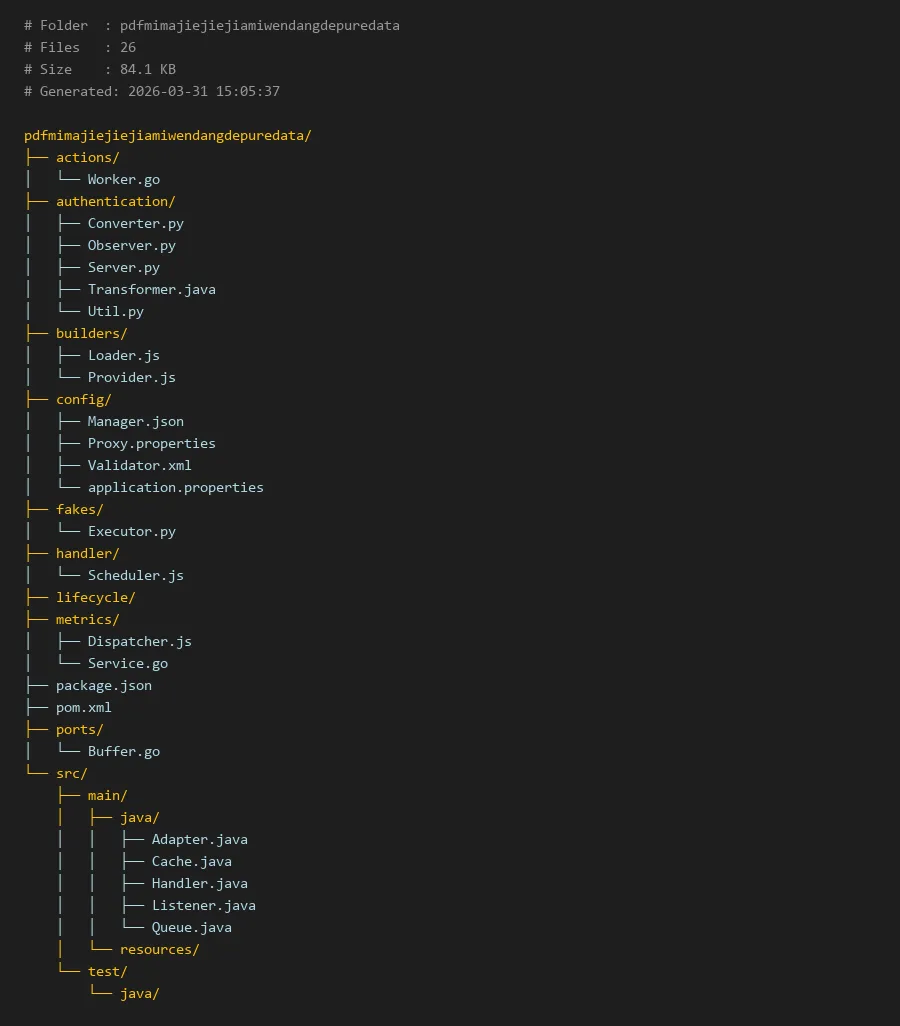
项目编译入口:
package.json
# Folder  : pdfmimajiejiejiamiwendangdepuredata
# Files   : 26
# Size    : 84.1 KB
# Generated: 2026-03-31 15:05:37

pdfmimajiejiejiamiwendangdepuredata/
├── actions/
│   └── Worker.go
├── authentication/
│   ├── Converter.py
│   ├── Observer.py
│   ├── Server.py
│   ├── Transformer.java
│   └── Util.py
├── builders/
│   ├── Loader.js
│   └── Provider.js
├── config/
│   ├── Manager.json
│   ├── Proxy.properties
│   ├── Validator.xml
│   └── application.properties
├── fakes/
│   └── Executor.py
├── handler/
│   └── Scheduler.js
├── lifecycle/
├── metrics/
│   ├── Dispatcher.js
│   └── Service.go
├── package.json
├── pom.xml
├── ports/
│   └── Buffer.go
└── src/
    ├── main/
    │   ├── java/
    │   │   ├── Adapter.java
    │   │   ├── Cache.java
    │   │   ├── Handler.java
    │   │   ├── Listener.java
    │   │   └── Queue.java
    │   └── resources/
    └── test/
        └── java/
pdfmimajiejiejiamiwendangdepuredata:PDF密码破解与数据处理技术解析
简介
在当今数字化办公环境中,PDF文档因其跨平台兼容性和安全性而广泛应用。然而,当用户忘记密码或需要处理受保护的文档时,如何有效处理加密PDF成为技术挑战。本项目pdfmimajiejiejiamiwendangdepuredata(PDF密码解密加密文档的纯数据)提供了一个多语言、模块化的解决方案,专门处理PDF文档的密码破解和数据提取问题。
项目采用微服务架构设计,包含认证、配置、构建、处理等多个模块,支持多种攻击方式包括字典攻击、暴力破解和智能模式匹配。值得注意的是,pdf密码怎么强制解除需要合法授权,本工具仅用于技术研究和授权测试场景。
核心模块说明
认证模块 (authentication/)
这是项目的核心模块,负责所有密码相关的处理逻辑:
Converter.py:PDF格式转换和密码验证Observer.py:监控破解进度和状态Server.py:提供RESTful API服务接口Transformer.java:Java实现的密码变换引擎Util.py:通用工具函数集合
配置模块 (config/)
管理所有运行时配置:
Manager.json:主配置文件Proxy.properties:代理服务器设置Validator.xml:输入验证规则application.properties:应用属性配置
构建模块 (builders/)
负责资源加载和提供:
Loader.js:加载字典和规则文件Provider.js:提供密码候选生成器
工作模块 (actions/)
Worker.go:Go语言实现的高性能工作进程
代码示例
1. 密码破解主流程 (Python示例)
# authentication/Converter.py
import PyPDF2
import hashlib
from typing import Optional

class PDFPasswordConverter:
    def __init__(self, config_path: str = "../config/Manager.json"):
        self.attempts = 0
        self.max_attempts = 10000

    def brute_force_attack(self, pdf_path: str, charset: str, max_length: int = 8):
        """
        暴力破解PDF密码
        """
        import itertools

        with open(pdf_path, 'rb') as file:
            pdf_reader = PyPDF2.PdfReader(file)

            for length in range(1, max_length + 1):
                for attempt in itertools.product(charset, repeat=length):
                    password = ''.join(attempt)
                    self.attempts += 1

                    if pdf_reader.decrypt(password):
                        return password, self.attempts

        return None, self.attempts

    def dictionary_attack(self, pdf_path: str, wordlist_path: str):
        """
        字典攻击PDF密码
        """
        with open(pdf_path, 'rb') as pdf_file, open(wordlist_path, 'r') as dict_file:
            pdf_reader = PyPDF2.PdfReader(pdf_file)

            for line in dict_file:
                password = line.strip()
                self.attempts += 1

                # 尝试原始密码
                if pdf_reader.decrypt(password):
                    return password, self.attempts

                # 尝试首字母大写
                capitalized = password.capitalize()
                if pdf_reader.decrypt(capitalized):
                    return capitalized, self.attempts

        return None, self.attempts
2. 配置管理 (JSON配置)
// config/Manager.json
{

  "attack_modes": {

    "brute_force": {

      "enabled": true,
      "max_length": 8,
      "charset": "abcdefghijklmnopqrstuvwxyzABCDEFGHIJKLMNOPQRSTUVWXYZ0123456789",
      "timeout": 3600
    },
    "dictionary": {

      "enabled": true,
      "wordlists": [
        "../resources/common_passwords.txt",
        "../resources/english_words.txt"
      ],
      "mutations": ["capitalize", "add_numbers", "reverse"]
    }
  },
  "performance": {

    "max_threads": 4,
    "batch_size": 1000,
    "memory_limit": "2GB"
  },
  "output": {

    "save_results": true,
    "format": "json",
    "directory": "./results"
  }
}
3. 工作进程实现 (Go语言)
```go
// actions/Worker.go
package main
import (
"encoding/json"
"fmt"
"io/ioutil"
"os"
"sync"
"time"
)
type Task struct {
PDFPath string json:"pdf_path"
AttackType string json:"attack_type"
Wordlists []string json:"wordlists,omitempty"
Charset string json:"charset,omitempty"
MaxLength int json:"max_length,omitempty"
}
type Result struct {
Success bool json:"success"
Password string json:"password,omitempty"
Attempts int json:"attempts"
TimeElapsed string json:"time_elapsed"
Timestamp time.Time json:"timestamp"
}
func processTask(task Task) Result {
startTime := time.Now()
result := Result{
Timestamp: time.Now(),
}

