01 引言
JsonPath是一种简单的方法来提取给定JSON文档的部分内容。 JsonPath有许多编程语言,如Javascript,Python和PHP,Java。
JsonPath提供的json解析非常强大,它提供了类似正则表达式的语法,基本上可以满足所有你想要获得的json内容。下面我把官网介绍的每个表达式用代码实现,可以更直观的知道该怎么用它。
GitHub:https://github.com/json-path/JsonPath
02 JSONPath
JsonPath可在Central Maven存储库中找到。 Maven用户将其添加到您的POM。
<dependency>
    <groupId>com.jayway.jsonpath</groupId>
    <artifactId>json-path</artifactId>
    <version>2.2.0</version>
</dependency>
JsonPath表达式总是以与XPath表达式结合使用XML文档相同的方式引用JSON结构。
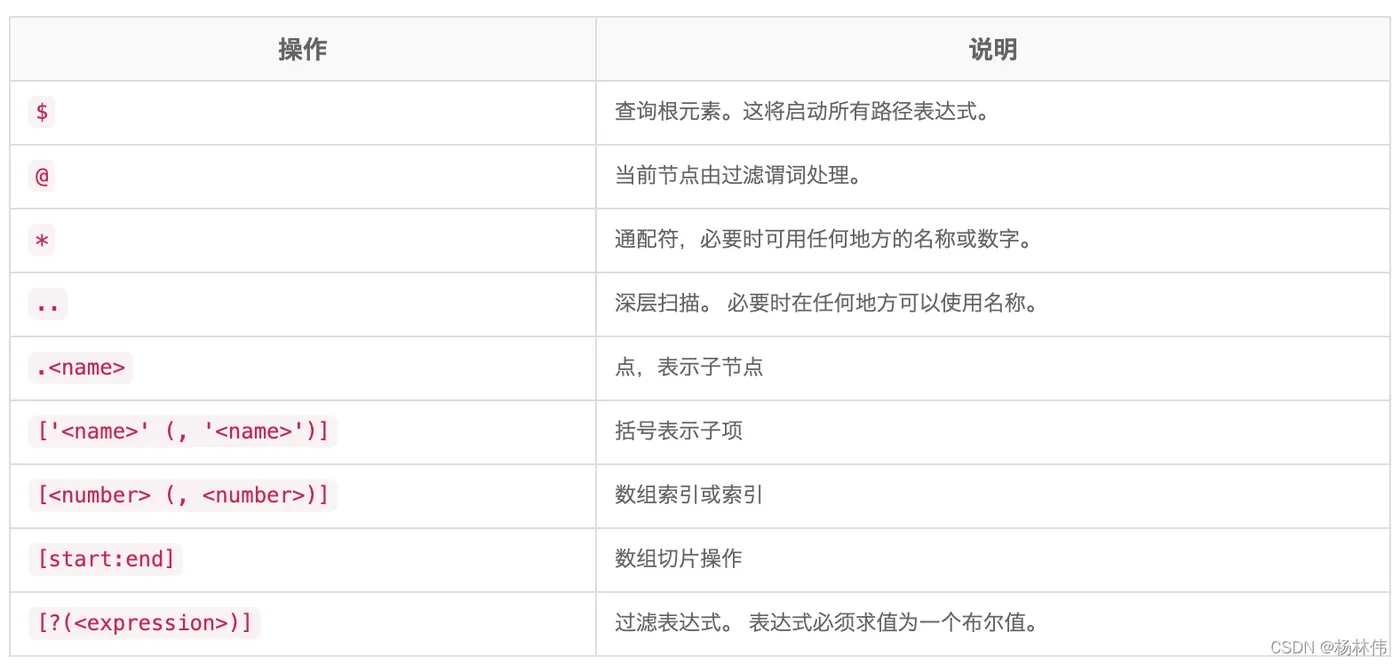
JsonPath中的“根成员对象”始终称为$,无论是对象还是数组。
JsonPath表达式可以使用点表示法:
$.store.book [0].title
或括号表示法
$['store']['book'][0]['title']
2.1 操作符
2.2 函数
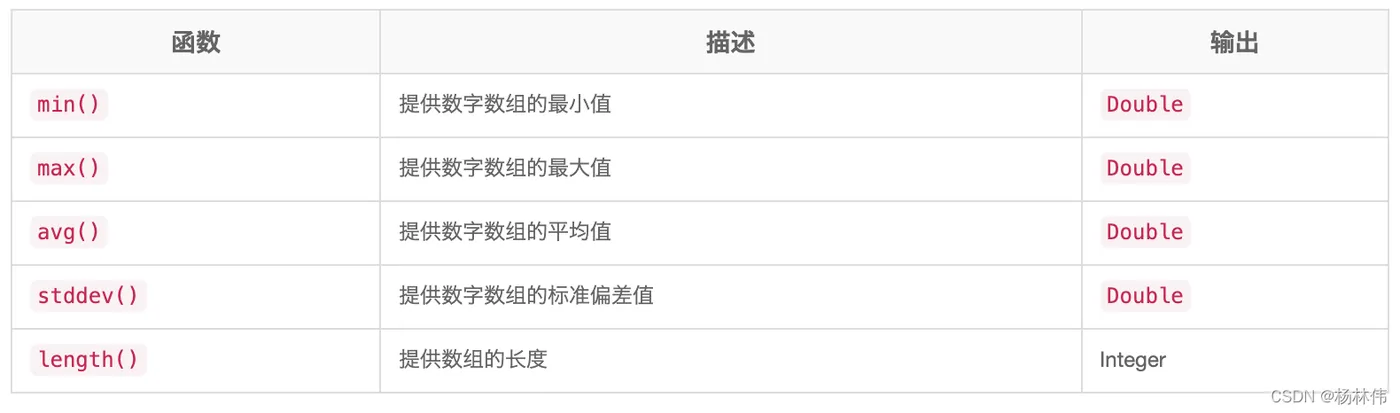
函数可以在路径的尾部调用,函数的输出是路径表达式的输出,该函数的输出是由函数本身所决定的。
2.3 过滤器运算符
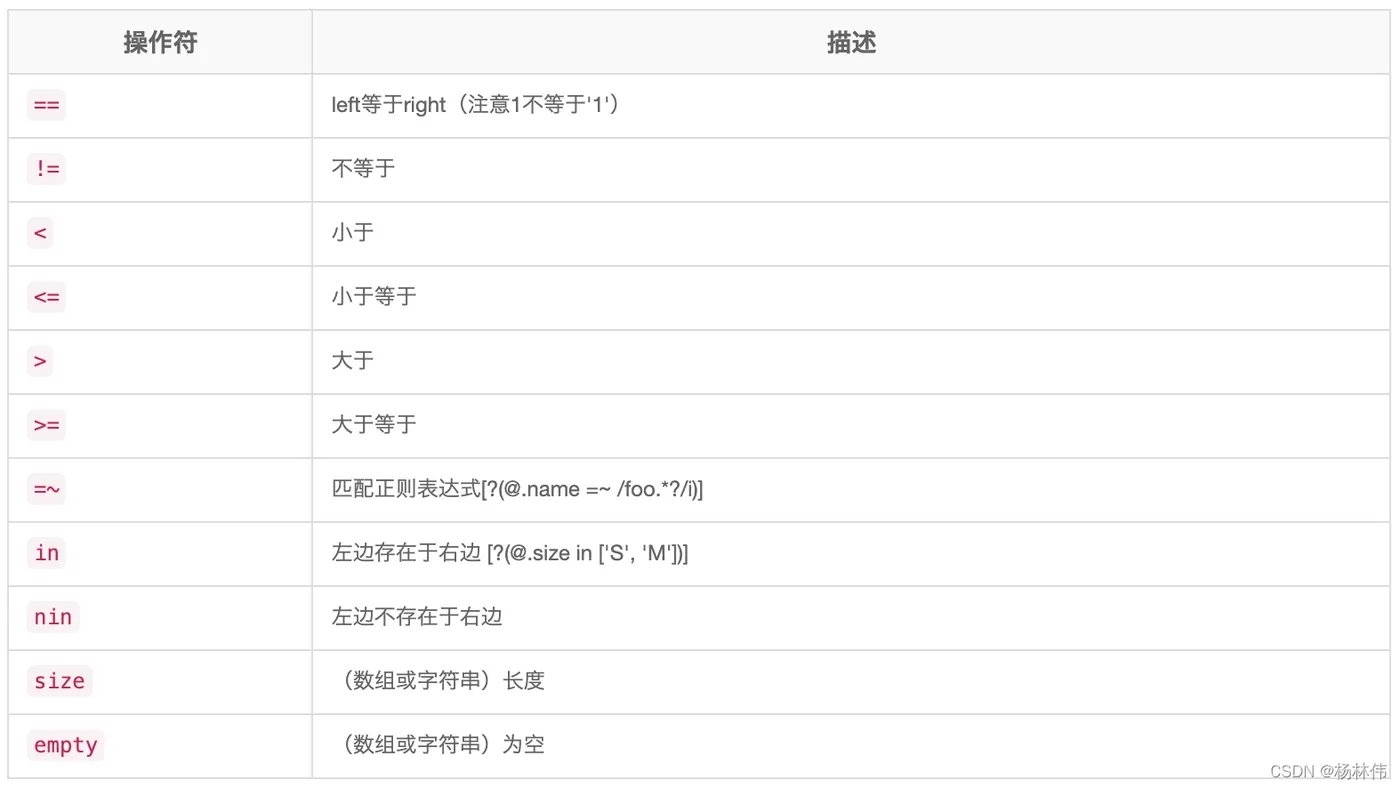
过滤器是用于筛选数组的逻辑表达式。一个典型的过滤器将是[?(@.age > 18)],其中@表示正在处理的当前项目。 可以使用逻辑运算符&&和||创建更复杂的过滤器。 字符串文字必须用单引号或双引号括起来([?(@.color == 'blue')] 或者 [?(@.color == "blue")])。
03 操作示例
JSON:
{
    "store": {
        "book": [
            {
                "category": "reference",
                "author": "Nigel Rees",
                "title": "Sayings of the Century",
                "price": 8.95
            },
            {
                "category": "fiction",
                "author": "Evelyn Waugh",
                "title": "Sword of Honour",
                "price": 12.99
            },
            {
                "category": "fiction",
                "author": "Herman Melville",
                "title": "Moby Dick",
                "isbn": "0-553-21311-3",
                "price": 8.99
            },
            {
                "category": "fiction",
                "author": "J. R. R. Tolkien",
                "title": "The Lord of the Rings",
                "isbn": "0-395-19395-8",
                "price": 22.99
            }
        ],
        "bicycle": {
            "color": "red",
            "price": 19.95
        }
    },
    "expensive": 10
}
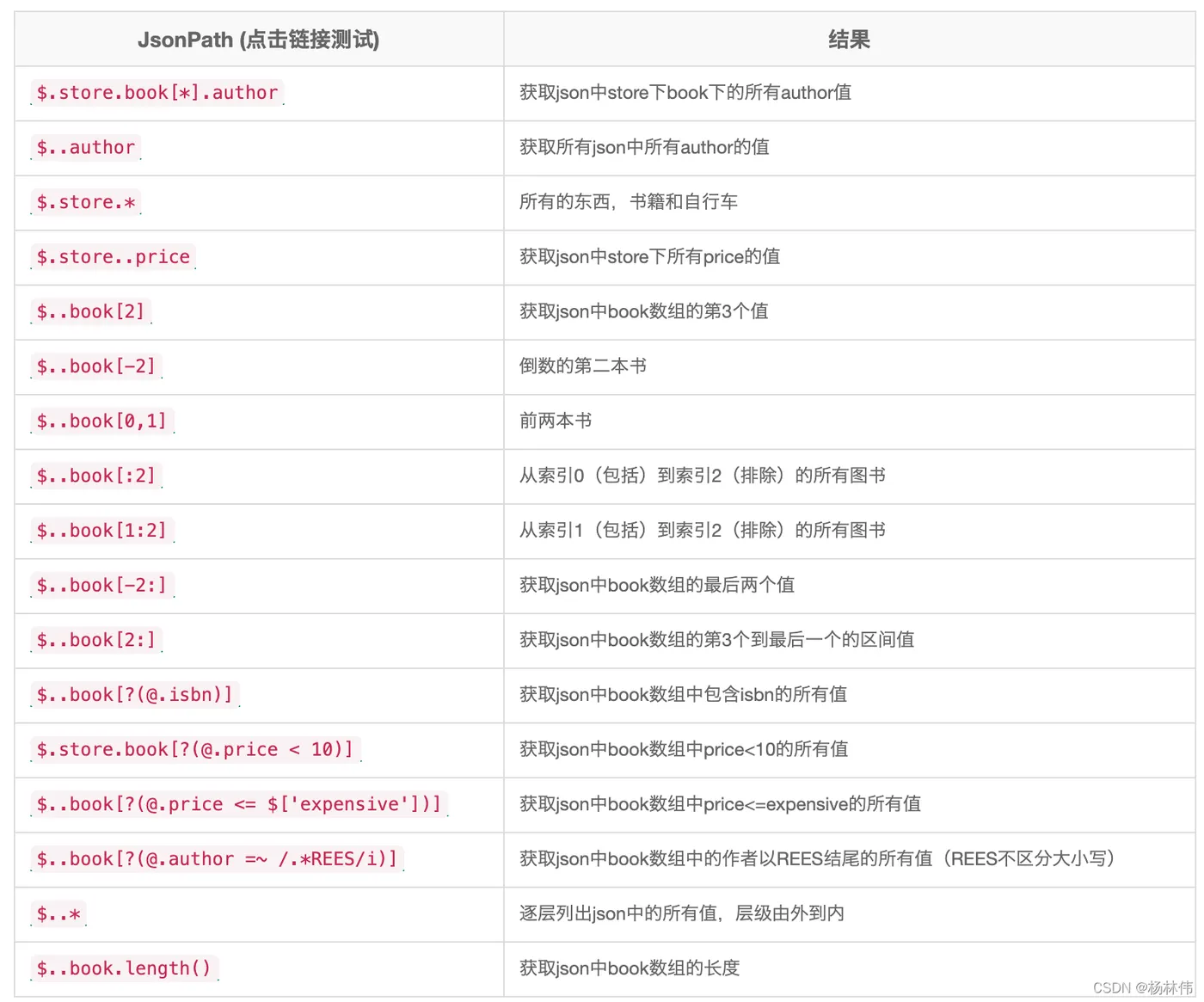
String json = "...";
ReadContext ctx = JsonPath.parse(json);
List<String> authorsOfBooksWithISBN = ctx.read("$.store.book[?(@.isbn)].author");
List<Map<String, Object>> expensiveBooks = JsonPath
                            .using(configuration)
                            .parse(json)
                            .read("$.store.book[?(@.price > 10)]", List.class);