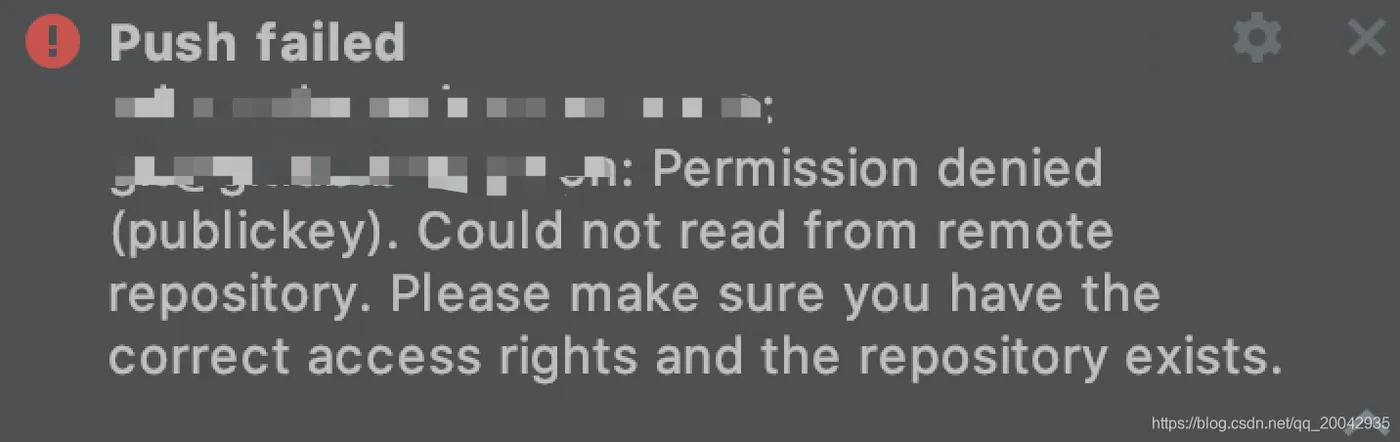
解决Git push提交时Permission denied(publickey).Could not read from remote...的问题

简介: 解决Git push提交时Permission denied(publickey).Could not read from remote...的问题

可以参考文章:https://www.jianshu.com/p/eb742fe78b93

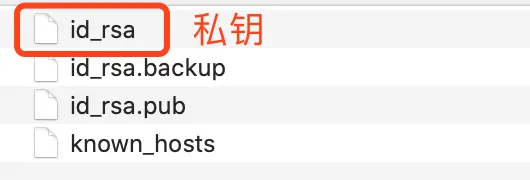
如果还是解决不了,检查私钥是否被误删了,如果是这样则需要重新找回私钥或者重新生成。

目录
相关文章
|
开发工具 git
git 使用之remote: File [4e21e71a555febaa4dfaaa05cf7eeb606ea96ae2] size 104.090MB, exceeds quota 100MB remote: Please remove the file[s] from history and try again 报错如何解决-优雅草卓伊凡
1009 3
git 使用之remote: File [4e21e71a555febaa4dfaaa05cf7eeb606ea96ae2] size 104.090MB, exceeds quota 100MB remote: Please remove the file[s] from history and try again 报错如何解决-优雅草卓伊凡
|
网络安全 开发工具 git
mac git clone命令提示git@gitee.com: Permission denied (publickey).问题修复
mac git clone命令拉取gitee上项目代码时提示密钥问题
1169 19
|
网络安全 开发工具 git
解决fatal:remote error:You can’t push to git://github.com/username/*.g
通过上述诊断与修复步骤,绝大多数的推送错误都能得到有效解决,确保您的Git工作流顺畅无阻。
722 1
|
Unix Shell 网络安全
git学习六:(bug总结)git@github.com: Permission denied (publickey).等
本文是关于解决在使用Git和GitHub时遇到的“git@github.com: Permission denied (publickey)”错误的指南。文章提供了详细的步骤,包括确认SSH Agent运行状态、检查密钥配置、确保密钥匹配、验证仓库URL、检查权限和代理设置,以及配置SSH文件。这些步骤帮助用户诊断并解决SSH认证问题。
2797 0
|
存储 开发工具 git
解决“hint: the same ref. If you want to integrate the remote changes, usehint: ‘git pull‘ before pus”
521 3
|
网络安全 数据安全/隐私保护
解决git@github.com: Permission denied (publickey). fatal: Could not read from remote repository. Pleas
3399 0
|
7月前
|
开发工具 git
Git版本控制工具合并分支merge命令操作流程
通过以上步聚焦于技术性和操作层面指南(guidance), 可以有效管理项目版本控制(version control), 并促进团队协作(collaboration).
1795 15
|
10月前
|
安全 开发工具 git
git的常用操作命令
git的常用操作命令
587 57
|
8月前
|
存储 缓存 开发工具
Git stash命令的详细使用说明及案例分析。
通过上述案例,我们看到stash命令能够在不丢失进度的情况下,帮助开发者临时切换开发上下文,这在处理多个任务或紧急bug时特别有用。正确使用Git stash可以大大提高开发的灵活性和效率。
2370 0
|
人工智能 前端开发 Java
用git rebase命令合并开发阶段中多条commit提交记录
通过 `git rebase`,可以合并多个提交记录,使开发历史更简洁清晰。操作分为 6 步:查看提交历史 (`git log --oneline`)、设置需合并的提交数 (`git rebase -i HEAD~N`)、修改动作标识为 `s`(squash)、保存退出编辑、调整提交信息、强制推送至远程仓库 (`git push -f`)。此方法适合清理本地无关提交,但若有团队协作或冲突风险,需谨慎使用以避免问题。
2205 60
下一篇
开通oss服务