1. Vue2 选项式 API vs Vue3 组合式API

<script>
export default {
  data(){
    return {
      count:0
    }
  },
  methods:{
    addCount(){
      this.count++
    }
  }
}
</script>
<script setup>
import { ref } from 'vue'
const count = ref(0)
const addCount = ()=> count.value++
</script>
特点:
- 代码量变少
- 分散式维护变成集中式维护
2. Vue3的优势
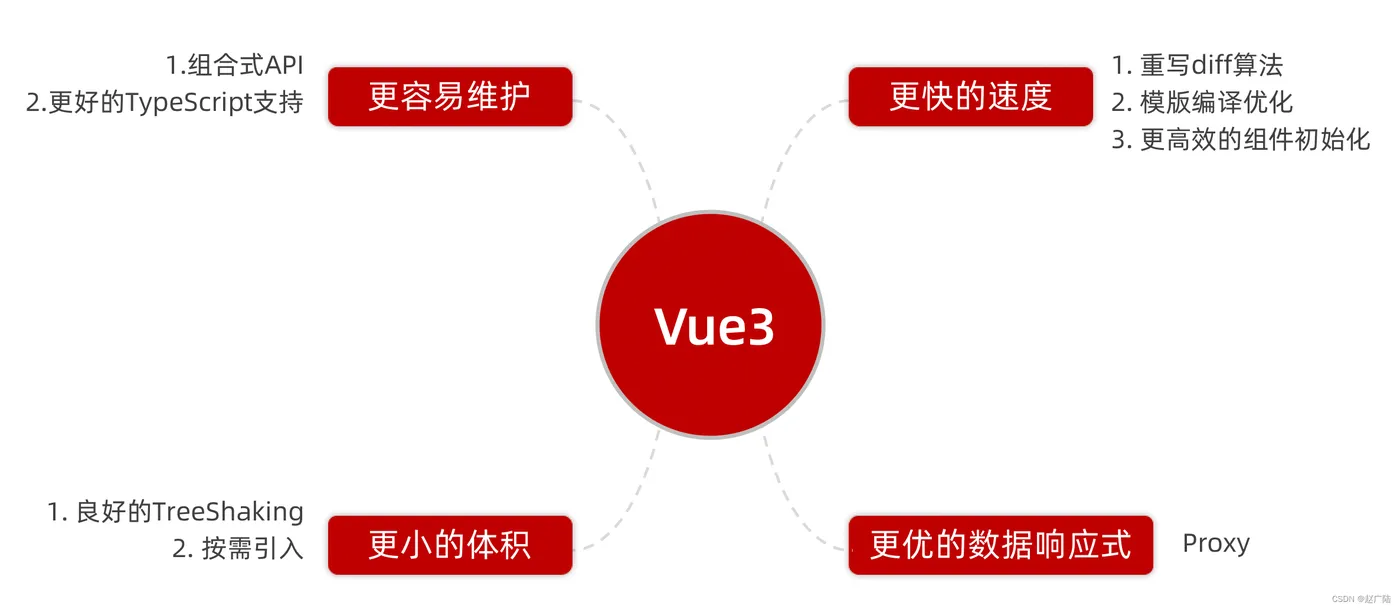
3 使用create-vue搭建Vue3项目
1. 认识create-vue
create-vue是Vue官方新的脚手架工具,底层切换到了 vite (下一代前端工具链),为开发提供极速响应
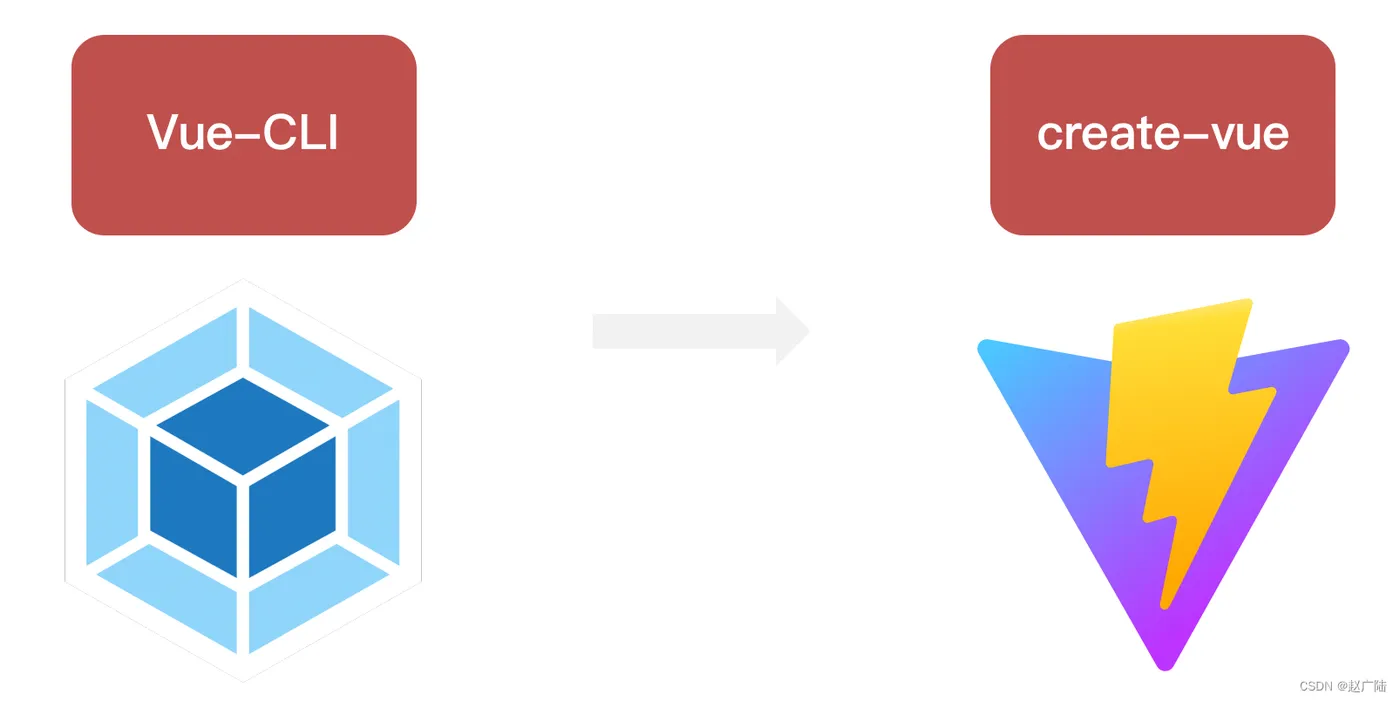
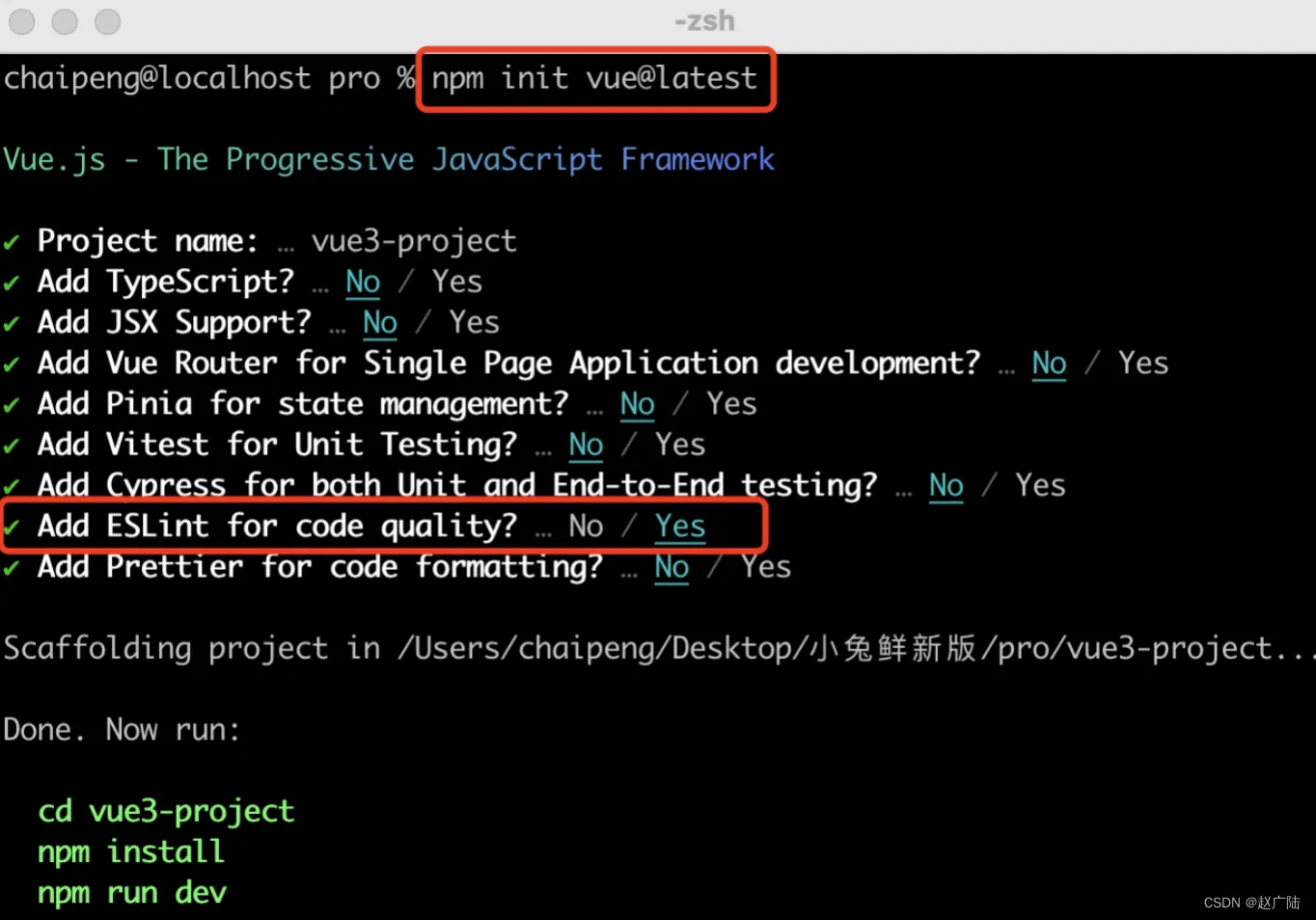
2. 使用create-vue创建项目
前置条件 - 已安装16.0或更高版本的Node.js
执行如下命令,这一指令将会安装并执行 create-vue
npm init vue@latest
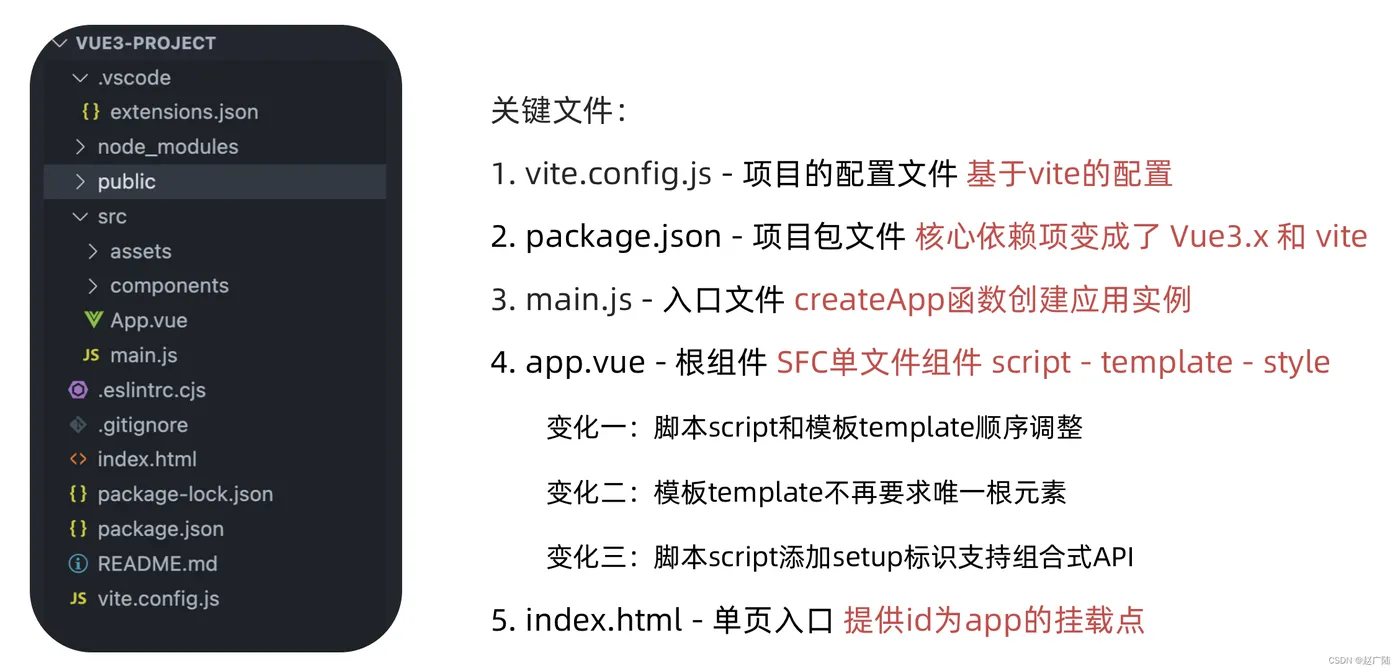
4 熟悉项目和关键文件
5 组合式API - setup选项
1. setup选项的写法和执行时机
写法
<script>
  export default {
    setup(){
    },
    beforeCreate(){
    }
  }
</script>
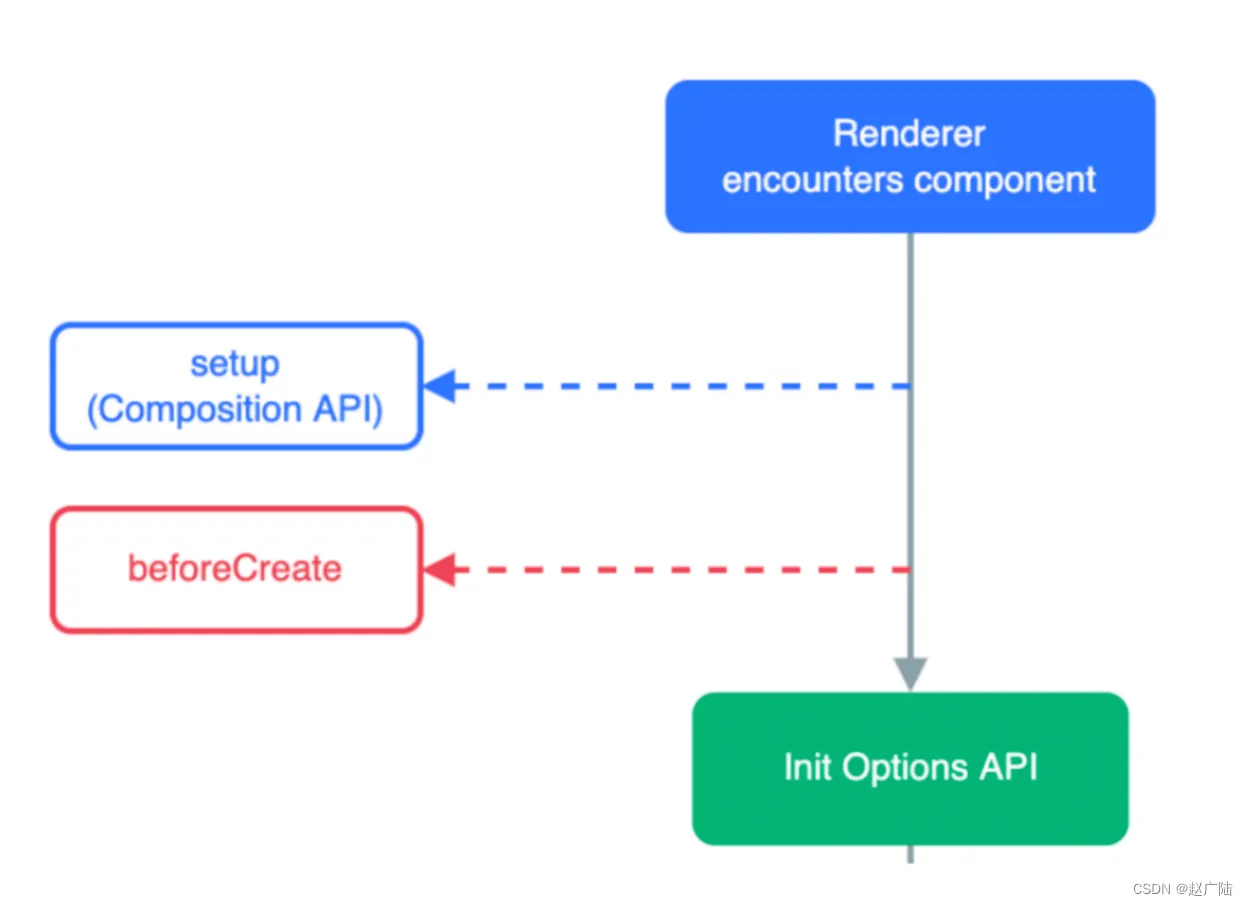
行时机
在beforeCreate钩子之前执行
2. setup中写代码的特点
在setup函数中写的数据和方法需要在末尾以对象的方式return,才能给模版使用
<script>
  export default {
    setup(){
      const message = 'this is message'
      const logMessage = ()=>{
        console.log(message)
      }
      // 必须return才可以
      return {
        message,
        logMessage
      }
    }
  }
</script>
3.
script标签添加 setup标记,不需要再写导出语句,默认会添加导出语句
<script setup>
  const message = 'this is message'
  const logMessage = ()=>{
    console.log(message)
  }
</script>
6 组合式API - reactive和ref函数
1. reactive
接受对象类型数据的参数传入并返回一个响应式的对象
<script setup>
 // 导入
 import { reactive } from 'vue'
 // 执行函数 传入参数 变量接收
 const state = reactive({
   msg:'this is msg'
 })
 const setSate = ()=>{
   // 修改数据更新视图
   state.msg = 'this is new msg'
 }
</script>
<template>
  {{ state.msg }}
  <button @click="setState">change msg</button>
</template>
2. ref
接收简单类型或者对象类型的数据传入并返回一个响应式的对象
<script setup>
 // 导入
 import { ref } from 'vue'
 // 执行函数 传入参数 变量接收
 const count = ref(0)
 const setCount = ()=>{
   // 修改数据更新视图必须加上.value
   count.value++
 }
</script>
<template>
  <button @click="setCount">{{count}}</button>
</template>
3. reactive 对比 ref
- 都是用来生成响应式数据
- 不同点
- reactive不能处理简单类型的数据
- ref参数类型支持更好,但是必须通过.value做访问修改
- ref函数内部的实现依赖于reactive函数
- 在实际工作中的推荐
- 推荐使用ref函数,减少记忆负担,小兔鲜项目都使用ref
7 组合式API - computed
计算属性基本思想和Vue2保持一致,组合式API下的计算属性只是修改了API写法
<script setup>
// 导入
import {ref, computed } from 'vue'
// 原始数据
const count = ref(0)
// 计算属性
const doubleCount = computed(()=>count.value * 2)
// 原始数据
const list = ref([1,2,3,4,5,6,7,8])
// 计算属性list
const filterList = computed(item=>item > 2)
</script>
8 组合式API - watch
侦听一个或者多个数据的变化,数据变化时执行回调函数,俩个额外参数 immediate控制立刻执行,deep开启深度侦听
1. 侦听单个数据
<script setup>
  // 1. 导入watch
  import { ref, watch } from 'vue'
  const count = ref(0)
  // 2. 调用watch 侦听变化
  watch(count, (newValue, oldValue)=>{
    console.log(`count发生了变化,老值为${oldValue},新值为${newValue}`)
  })
</script>
2. 侦听多个数据
侦听多个数据,第一个参数可以改写成数组的写法
<script setup>
  // 1. 导入watch
  import { ref, watch } from 'vue'
  const count = ref(0)
  const name = ref('cp')
  // 2. 调用watch 侦听变化
  watch([count, name], ([newCount, newName],[oldCount,oldName])=>{
    console.log(`count或者name变化了,[newCount, newName],[oldCount,oldName])
  })
</script>
3. immediate
在侦听器创建时立即出发回调,响应式数据变化之后继续执行回调
<script setup>
  // 1. 导入watch
  import { ref, watch } from 'vue'
  const count = ref(0)
  // 2. 调用watch 侦听变化
  watch(count, (newValue, oldValue)=>{
    console.log(`count发生了变化,老值为${oldValue},新值为${newValue}`)
  },{
    immediate: true
  })
</script>
4. deep
通过watch监听的ref对象默认是浅层侦听的,直接修改嵌套的对象属性不会触发回调执行,需要开启deep
<script setup>
  // 1. 导入watch
  import { ref, watch } from 'vue'
  const state = ref({ count: 0 })
  // 2. 监听对象state
  watch(state, ()=>{
    console.log('数据变化了')
  })
  const changeStateByCount = ()=>{
    // 直接修改不会引发回调执行
    state.value.count++
  }
</script>
<script setup>
  // 1. 导入watch
  import { ref, watch } from 'vue'
  const state = ref({ count: 0 })
  // 2. 监听对象state 并开启deep
  watch(state, ()=>{
    console.log('数据变化了')
  },{deep:true})
  const changeStateByCount = ()=>{
    // 此时修改可以触发回调
    state.value.count++
  }
</script>