在SpringBoot中发布WebService。
什么是WebService?
webservice就是部署在Web服务器上,向外暴露出能够通过Web进行调用的API服务。可以使用Web(HTTP)方式,接收和响应外部系统的某种请求。
一个应用程序部署到服务器上,WebService可以对外暴露出一个服务(我有时候叫接口),从而可以让别人来访问这个应用程序。
网页开发是通过http协议来进行通信,从服务返回的响应统一成一种通用的数据(XML),所以也可以说:WebService=HTTP+XML,WebService 是一种跨编程语言和跨操作系统平台的远程调用技术。
Web services 平台的元素:
SOAP (简易对象访问协议)
UDDI (通用描述、发现及整合)
WSDL (Web services 描述语言)
上代码!
一、添加依赖
<!--webservice--><dependency><groupId>org.springframework.boot</groupId><artifactId>spring-boot-starter-web-services</artifactId></dependency>
二、新建一个接口
packagecom.xing.studyboot.webService;
/*** 创建自定义的Service接口* @author xing* @createTime*/publicinterfaceMyService {
Stringhello();
}
实现接口,编写业务
packagecom.xing.studyboot.webService.impl; importjavax.jws.WebService; importcom.xing.studyboot.webService.MyService; publicclassMyServiceImplimplementsMyService{ publicStringhello() { System.out.println("hello,world"); return"ok,hello"; } }
三、配置发布服务
packagecom.xing.studyboot.config.webService; importjavax.xml.ws.Endpoint; importorg.springframework.context.annotation.Bean; importorg.springframework.context.annotation.Configuration; importcom.sun.xml.internal.ws.transport.http.server.EndpointImpl; importcom.xing.studyboot.webService.MyService; importcom.xing.studyboot.webService.impl.MyServiceImpl; publicclassWebServiceConfig { /*** 创建webSocket的 Endpoint* @return*/publicEndpointgetEndpoint() { MyServiceserviceImpl=newMyServiceImpl(); Endpointpublish=EndpointImpl.publish("http://localhost:8099/hello",serviceImpl); System.out.println("发布服务成功..."); returnpublish; } }
四、访问发布的服务:
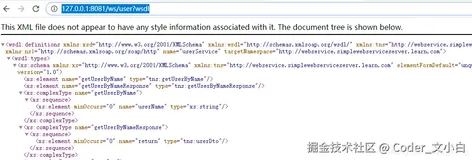
http://localhost:8099/hello?wsdl

上面的红框框,调用会用到
五、使用PostMan调用:
设置请求头:
Content-Type=text/xml;charset=utf-8

<?xmlversion='1.0'encoding='utf-8'?><soapenv:Envelopexmlns:soapenv="http://schemas.xmlsoap.org/soap/envelope/"xmlns:ns1="http://impl.webService.studyboot.xing.com"><!--此处即为命名空间,即targetNamespace--><soapenv:Header/><soapenv:Body><ns1:hello><!--调用方法名称--><HelloName>参数</HelloName><!--调用参数,我们没有设置参数--></ns1:hello></soapenv:Body></soapenv:Envelope>
总结:
SpringBoot现在都直接在Controller中发布服务,XML也逐渐被JSON替代。
了解即可。
END