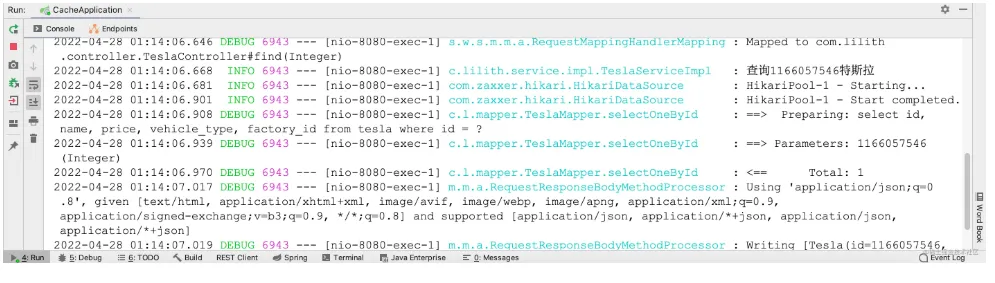
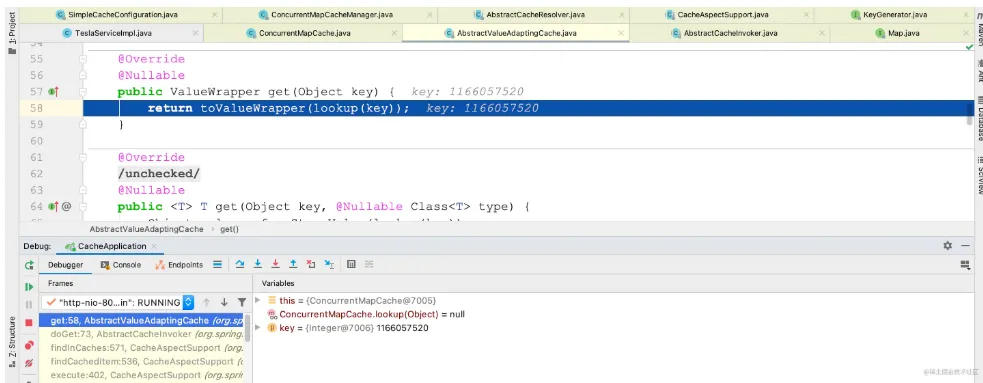
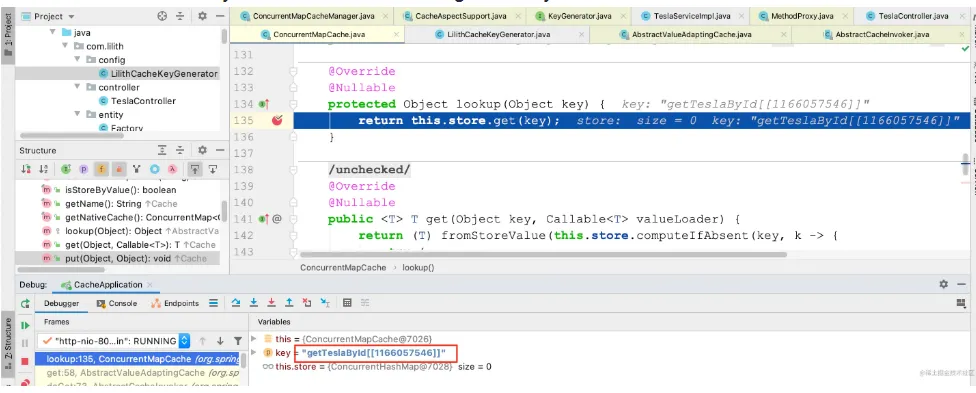
接着点击左下侧的Resume Program,跳到下一个断点既lookup()
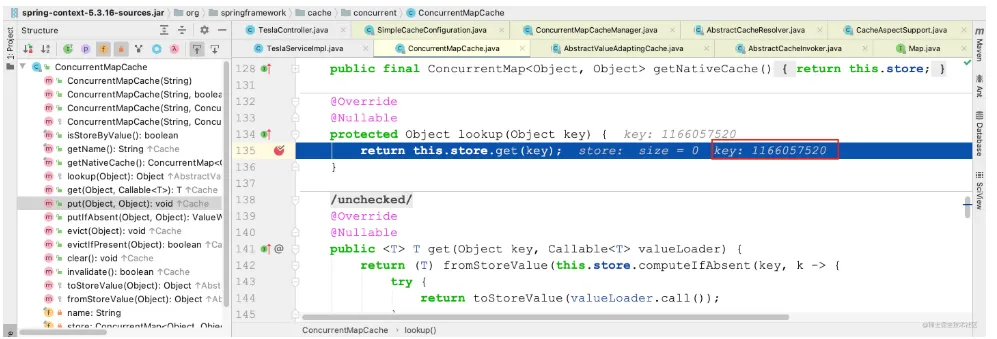
这个key就是查询传入的参数,在前面生成的
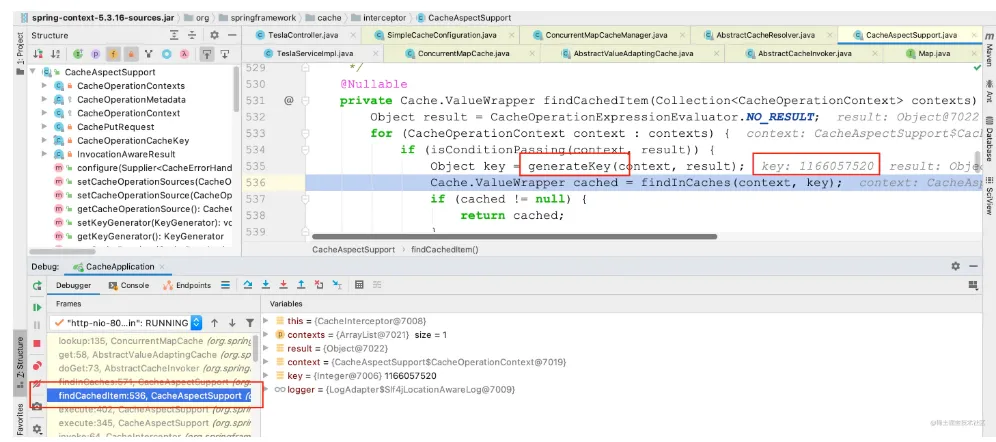
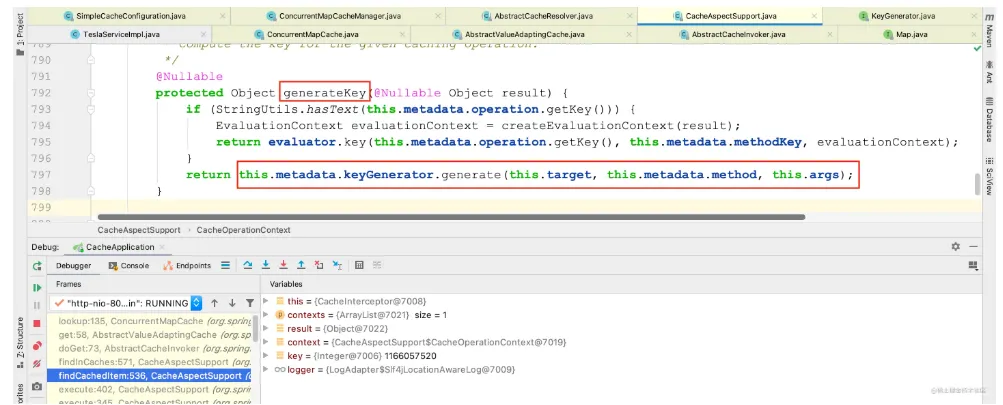
回到ConcurrentMapCache中继续Debug
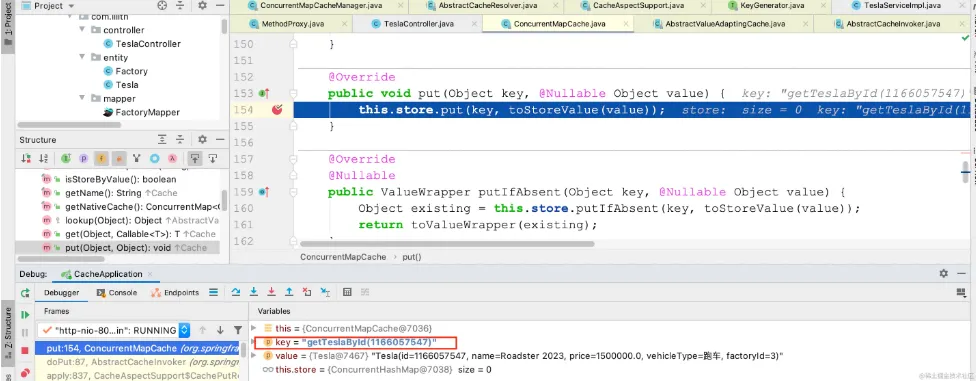
进入到put()方法中,此时已经调用了目标方法,并且拿到了返回值

更换查询的数据,在TeslaMapperImpl的getTeslaById()方法上打断点,重新Debug

跳转至下一个断点就来到put()方法,该方法将查询到的结果存储到CurrentMap中

@Cacheable运行流程总结:
- 方法运行之前,先查询Cache,按照注解中定义的CacheNames指定的名称来获取缓存,第一次获取缓存如果没有Cache组件会自动创建
- 去Cache中查询缓存的内容,使用一个key,这个key默认就是目标方法传递的参数,key是按照策略生成的,默认使用SimpleKeyGenerator生成,默认的策略为:
- 如果没有参数,key = new SimpleKeyGenerator()
- 如果有一个参数,key就是参数的值
- 如果有多个参数,key = new SimpleKey(params)
- 如果查询不到缓存就去调用目标方法,使用生成的key来存储到Map中
- 将目标方法返回的结果放进缓存中
也就是说@Cacheable标注的方法执行之前都会先去缓存中查询有没有这个数据,默认按照目标方法传递的参数查询,如果没有就运行方法并将结果缓存,如果不是第一次运行就直接存缓存中获取数据,核心就是CacheManager按照cacheNames得到Cache
@Cacheable的属性
cacheNames/value
@Cacheable的cacheNames或者value属性指的是缓存组件的名字,将返回结果放在哪个缓存中,是一个数组,也就是说可以放在多个缓存中
key
key是用来存取缓存的,缓存是存储在Map中的,key非常重要,key可以使用SpEL表达式来指定也可自定义KeyGenerator来指定,也可以使用默认的SimpleKeyGenerator生成
使用SpELl表达式指定key为getTeslaById(1166057547)
@Cacheable(cacheNames = {"tesla"}, key = "#root.methodName+'(' + #id + ')'")
复制代码
重新启动该应用,浏览器中执行查询操作
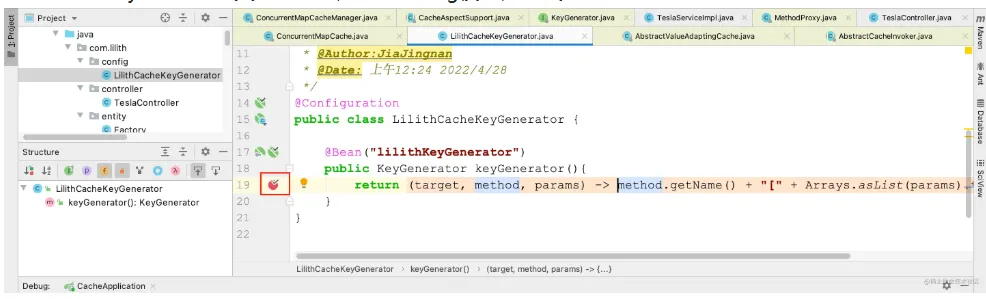
自定义KeyGenerator,实现KeyGenerator接口,并将该类注册到容器中
@Configuration
public class LilithCacheKeyGenerator {
    @Bean(lilithKeyGenerator)
    public KeyGenerator keyGenerator(){
        return (target, method, params) -> method.getName() + "[" + Arrays.asList(params).toString() + "]";
    }
}
复制代码
在TeslaServiceImpl类上的getTeslaById()方法上使用自定义的KeyGenerator,需要注意的是key和keyGenerator的使用只能二选一
@Cacheable(cacheNames = {"tesla"}, keyGenerator = "lilithKeyGenerator")
复制代码
在自定义的KeyGenerator类上打断点,开启Debug模式,在浏览器上执行查询操作
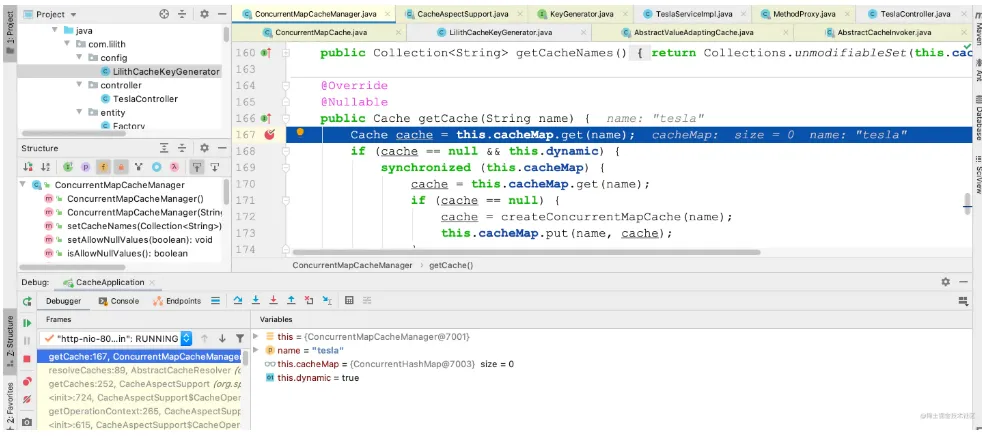
首先会来到getCache()方法
点击Run to Cursor到下一个断点就来到自定义的keyGenerator方法中
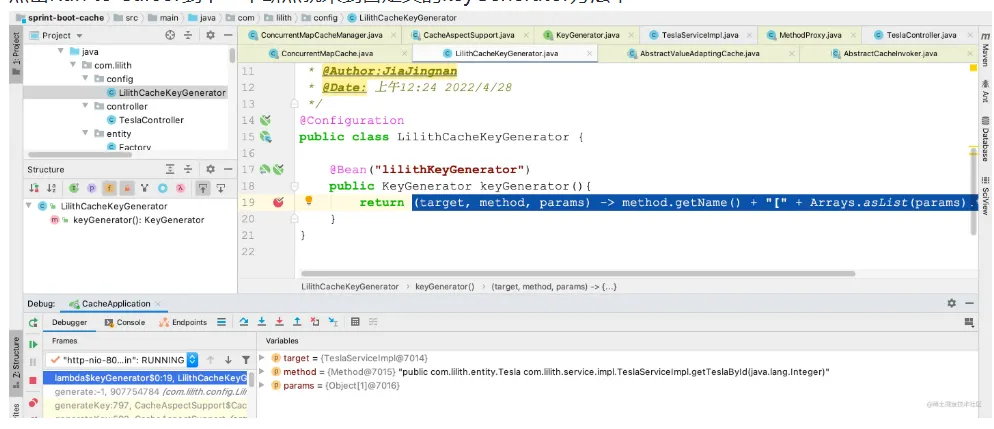
再到下一个断点,此时key的形式即为自定义的形式getTeslaById[1166057546]
condition
condition条件,只有condition指定的条件为true时才会缓存结果
@Cacheable(cacheNames = {"tesla"}, keyGenerator = "lilithKeyGenerator", condition = "#id==1166057546")
复制代码
这里指定的condition条件是只有id=1166057546才会缓存,否则不缓存
重启应用,在浏览器多次查询id=1166057546,控制台打印的日志中只会执行一次SQL
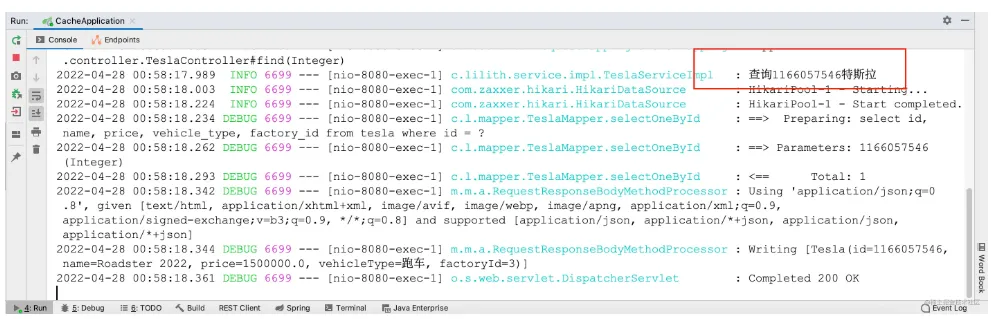
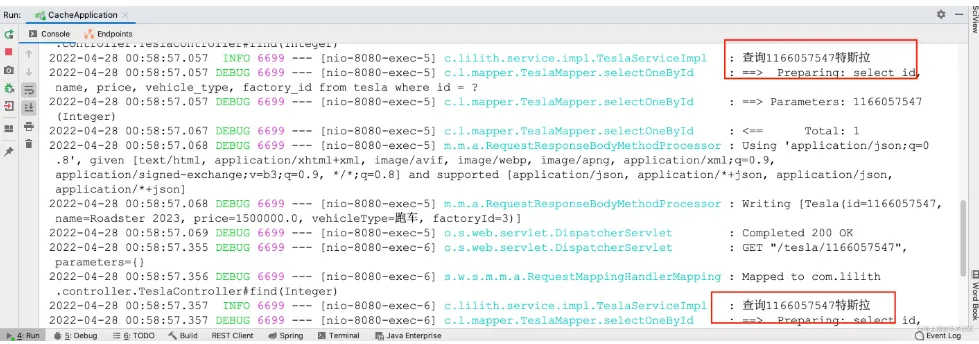
多次查询id=id=1166057547,会执行多次,查询结果不会被缓存,因为此时condition条件为true
unless
unless属性指定条件为true时,不会缓存返回结果
@Cacheable(cacheNames = {"tesla"}, keyGenerator = "lilithKeyGenerator", unless = "#id==1166057546")
复制代码
这里指定的unless是当查询1166057546既条件为true时,返回结果不会被缓存
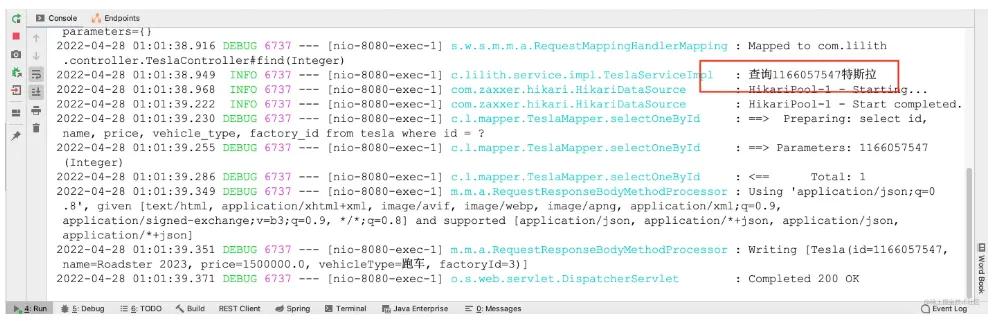
重启应用,在浏览器执行查询操作,此时查询1166057546时,结果没有被缓存,unlesss条件为true
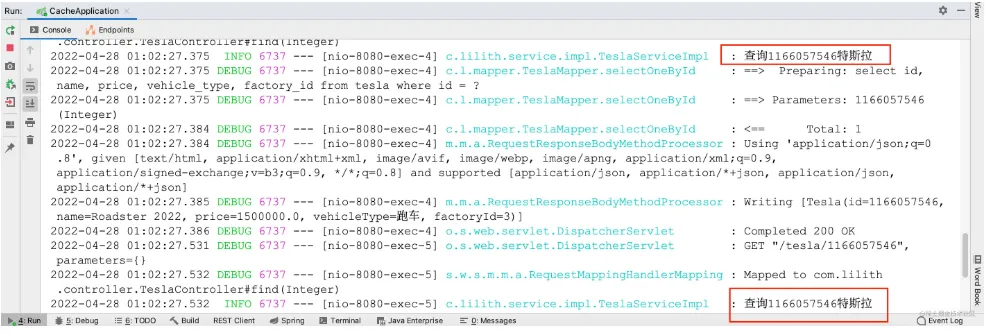
1166057547 如果查询的数据不是1166057546,查询结果会被缓存,因为unless条件为false
异步模式下不支持unless
@CachePut注解
既调用方法,有更新缓存数据,在修改了数据库的某个数据,同时更新缓存 在TeslaService增加updateTesla()方法,并在TeslaServiceImpl中实现
void updateTesla(Tesla tesla);
复制代码
@Override
@CachePut(cacheNames = {"tesla"}, key = "#tesla.id")
public void updateTesla(Tesla tesla) {
    log.info(tesla.getId() + "被更新了");
    teslaMapper.update(tesla);
}
复制代码
TeslaController中增加方法
@GetMapping("/tesla")
public void update(Tesla tesla){
    teslaService.updateTesla(tesla);
}
复制代码
去除unless或者condition条件
@Cacheable(cacheNames = {"tesla"}, keyGenerator = "lilithKeyGenerator"
复制代码
重启应用,现在浏览器中查询1166057546,执行一次之后,返回结果被缓存