读图
样本首先按AFP(甲胎蛋白)水平排列(从低AFP(≤200,灰色)到高AFP(>200,红色),然后按MVI(从MVI否到MVI是)排序。成对的样本用灰色直线标注。拟合的虚线曲线显示了蛋白质在肿瘤(红色,n=98)和非肿瘤(蓝色,n=98)样本中的分布。阴影表示95%的置信区间。
思路
两步走,分别做分类变量的格子热图和哑铃图。
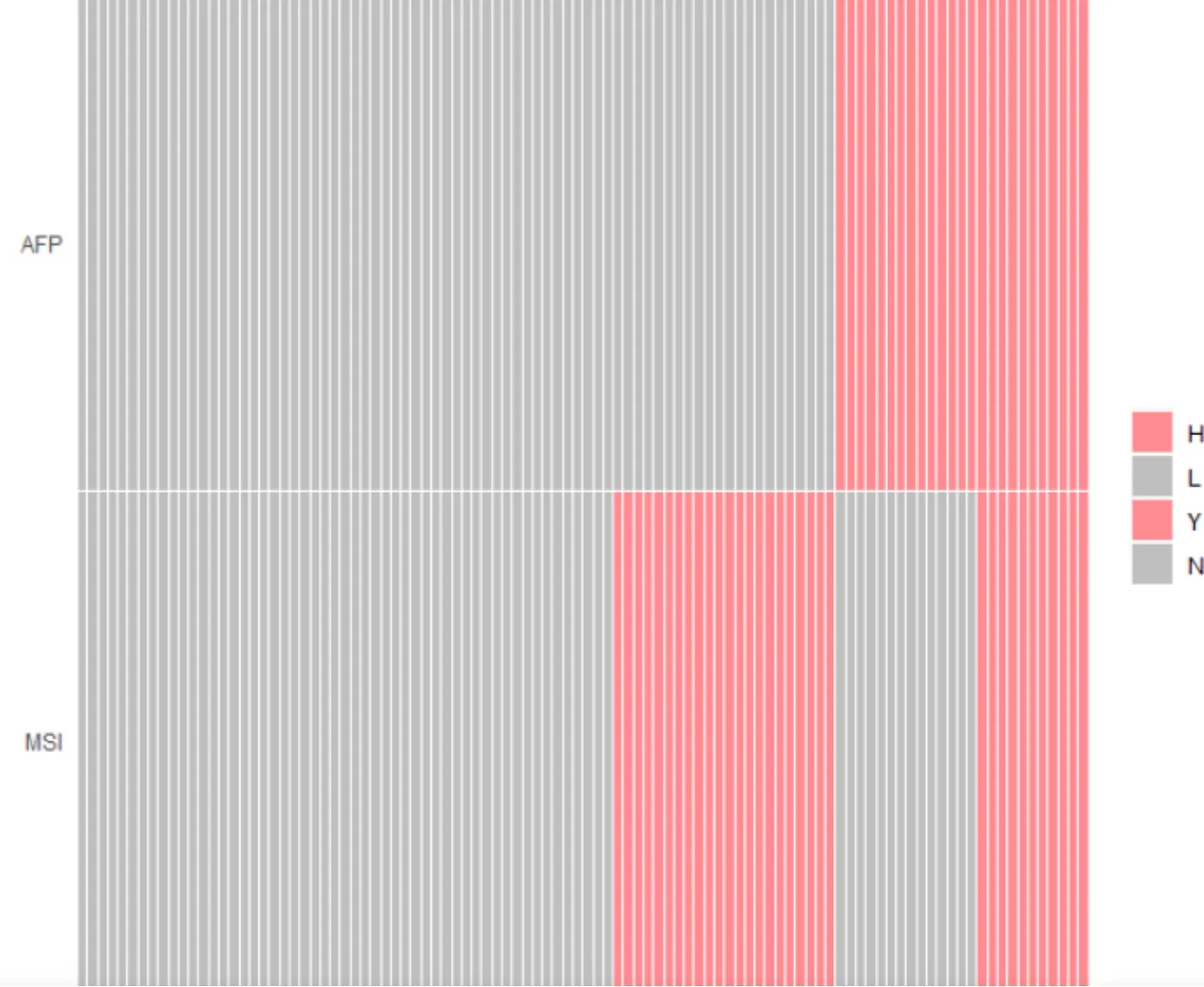
先将AFP从低到高排列,再分为低和高。注意改变因子level。
格子热图可以用geom_tile()绘制。
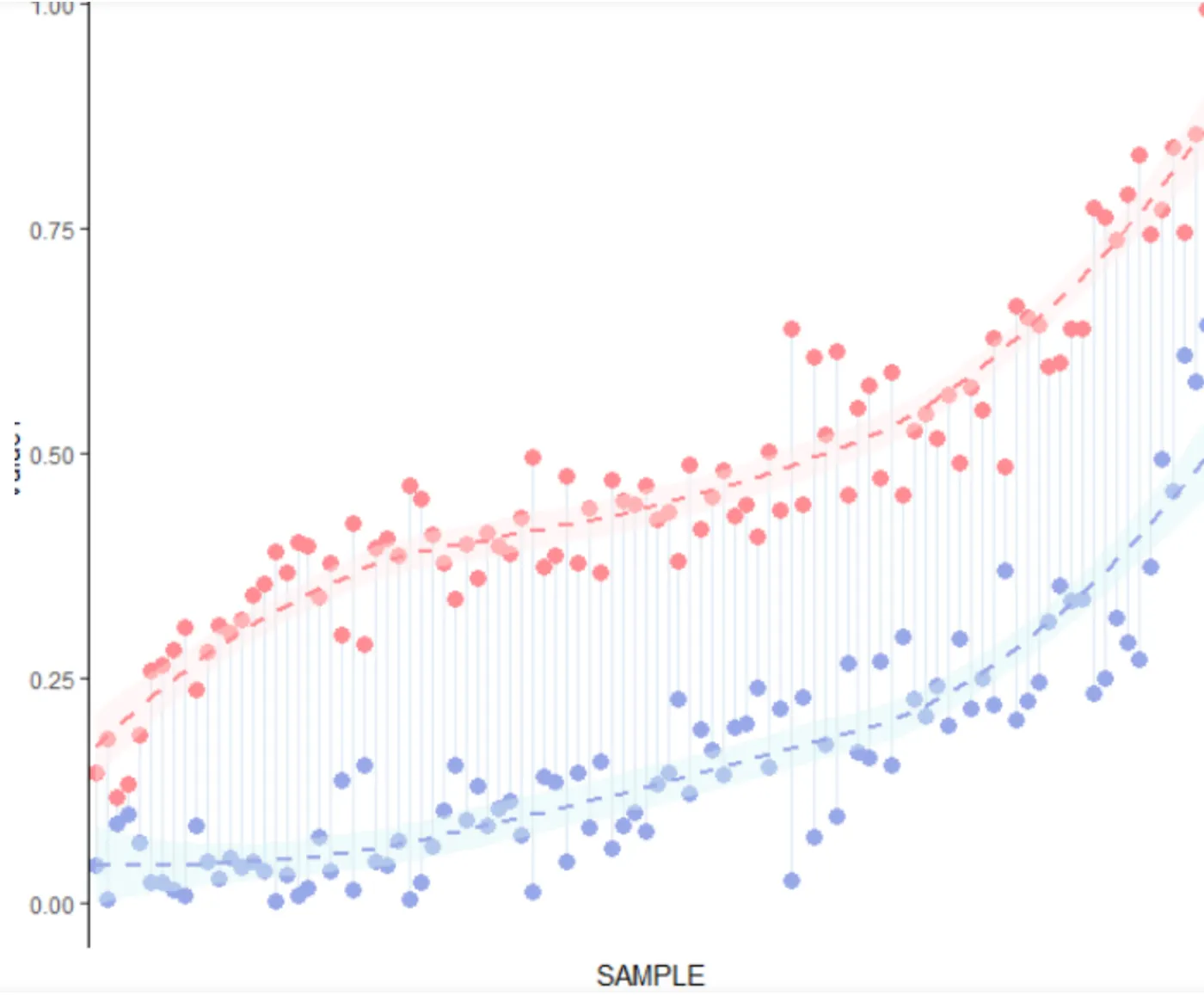
哑铃图即是分组散点图加线段,用geom_segment()绘制。
将两个图进行拼接,注意拼接比例。
绘制
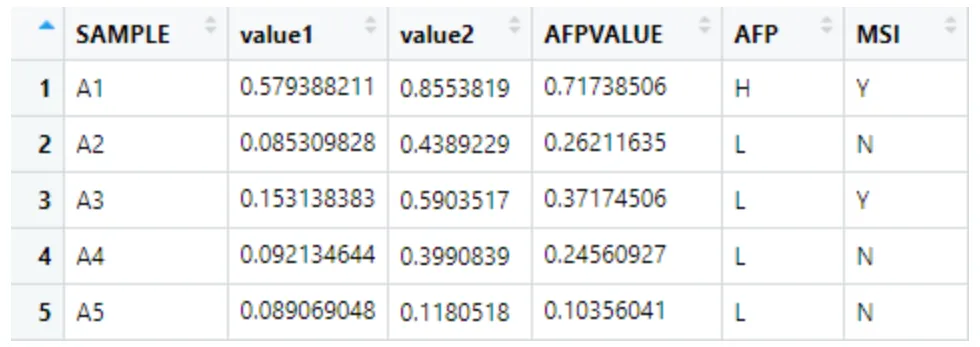
数据格式
示例数据是自己随机创建的,无实际意义。
导入并预处理数据
rm(list = ls())
setwd("F:/~/mzbj/mzbj_note/nature_figure1")
data <- read.csv("sample.csv")
df_order <- data[order(data$AFPVALUE),] #排序
df_cell <- data[,c(1,5,6)] #做小热图用的数据
df2=melt(df_cell,id="SAMPLE") #数据变换
#改变level
data$SAMPLE <- factor(data$SAMPLE, levels = df_order$SAMPLE )
df2$SAMPLE <- factor(df2$SAMPLE, levels = df_order$SAMPLE )
df2$variable <- factor(df2$variable,levels = c("MSI","AFP"))
绘制分类变量的格子热图
#设置颜色
cols=c(
  "H"="#FE8B91","L"="gray",
  "Y"="#FE8B91","N"="gray"
)
p1 <- ggplot(df2,aes(x=SAMPLE,y=variable),size=0.1)+
  geom_tile(aes(fill=value),color="white",size=0.1)+
  scale_x_discrete("",expand = c(0,0))+
  scale_y_discrete("",expand = c(0,0))+
  scale_fill_manual(values = cols)+ #指定自定义的颜色
  theme(
    axis.text.x.bottom = element_blank(),#修改坐标轴文本大小
    axis.ticks = element_blank(), #不显示坐标轴刻度
    legend.title = element_blank() #不显示图例title
  )
p1
绘制配对哑铃图并添加拟合线
p2 <- ggplot(data) +
  geom_segment(aes(
    x = SAMPLE,
    xend = SAMPLE,
    y = value1,
    yend = value2
  ),
  color = "#DDEAF6",
  size = 0.3) +
  geom_point(
    aes(x=SAMPLE, y=value1),
    group = 1,
    color = "#96A6E7",
    size = 3
  ) +
  stat_smooth(aes(x = as.numeric(SAMPLE), y = value1),
              method=loess,
              linetype = 2,
              color = '#96A6E7',
              fill = '#D9F6F6',
              level=0.95) +
  geom_point(
    aes(x=as.numeric(SAMPLE), y=value2),
    color = "#FE8B91",
    size = 3
  ) +
  stat_smooth(aes(x = as.numeric(SAMPLE), y = value2),
              method=loess,
              linetype = 2,
              color = '#FE8B91',
              fill = '#FEECEA',
              level=0.95) +
  theme_classic() +
  theme(axis.ticks.x = element_blank(),
        axis.line.x = element_blank(),
        axis.text.x = element_blank())
p2
按比例拼接
library(patchwork)
p1/p2+plot_layout(heights = c(0.1, 1))
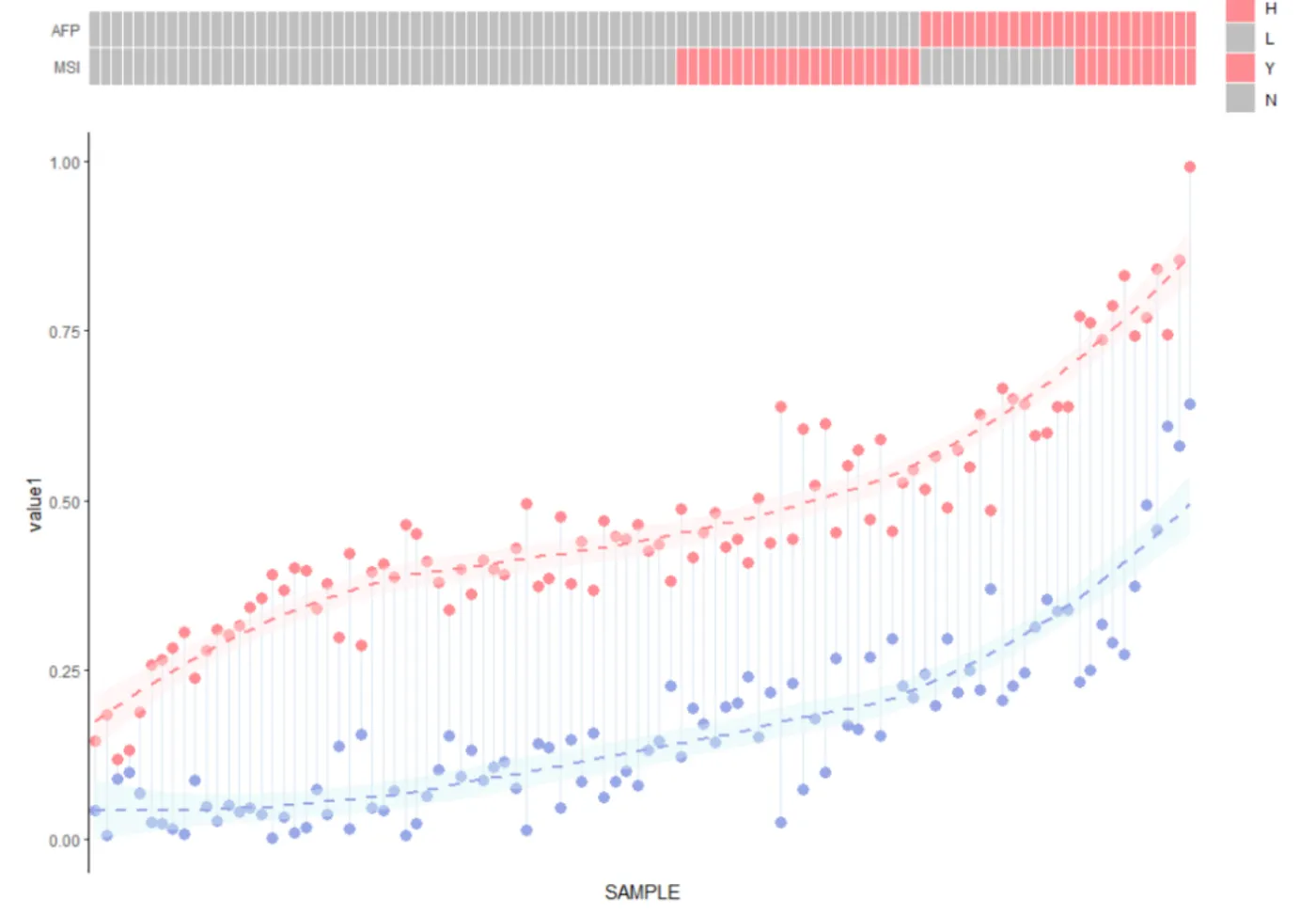
基本上还原了这个图。图例部分在AI里进行简单的修正即可~
不足之处
作者在文章中写的是用的lasso曲线进行拟合~这里用了loess方法进行拟合,暂时还不知道method = glm时如何选用lasso