SpringBoot2-[模板引擎-Thymeleaf]

简介: SpringBoot2-[模板引擎-Thymeleaf]

在这里插入图片描述

👨🏻‍🎓博主介绍:大家好,我是芝士味的椒盐,一名在校大学生,热爱分享知识,很高兴在这里认识大家🌟
🌈擅长领域:Java、大数据、运维、电子
🙏🏻如果本文章各位小伙伴们有帮助的话,🍭关注+👍🏻点赞+🗣评论+📦收藏,相应的有空了我也会回访,互助!!!
🤝另本人水平有限,旨在创作简单易懂的文章,在文章描述时如有错,恳请各位大佬指正,在此感谢!!!

@[TOC]

模板引擎-Thymeleaf

  • SpringBoot不支持JSP
  • Thymeleaf:现代化、服务端Java模板引擎
  • 引入Thymeleaf支持

    image.png

  • 基本语法:

    ### 1、表达式

    ### 2、字面量

    文本值: 'one text' , 'Another one!' ,…数字: 0 , 34 , 3.0 , 12.3 ,…布尔值: true , false

    空值: null

    变量: one,two,.... 变量不能有空格

    ### 3、文本操作

    字符串拼接: +

    变量替换: |The name is ${name}|

    ### 4、数学运算

    运算符: + , - , * , / , %

    ### 5、布尔运算

    运算符: and , or

    一元运算: ! , not

    ### 6、比较运算

    比较: > , < , >= , <= ( gt , lt , ge , le )等式: == , != ( eq , ne )

    ### 7、条件运算

    If-then: (if) ? (then)

    If-then-else: (if) ? (then) : (else)

    Default: (value) ?: (defaultvalue)

    ### 8、特殊操作

    无操作: _

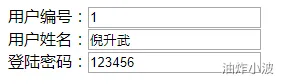
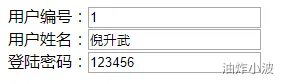
    • ⚠️ 注意:当文本不在一个标签中的时候·,需要使用行内写法,比如

    image.png
    行内写法

    image.png

  • 视图解析

    • 返回值以 forward: 开始: new InternalResourceView(forwardUrl); --> 转发request.getRequestDispatcher(path).forward(request, response);
    • 返回值以 redirect: 开始: new RedirectView() --》 render就是重定向
    • 返回值是普通字符串: new ThymeleafView()--->
  • Thymeleaf使用

    • SpringBoot已经配置好了基本的Thymeleaf的属性


      @Configuration(
          proxyBeanMethods = false
      )
      @EnableConfigurationProperties({ThymeleafProperties.class})
      @ConditionalOnClass({TemplateMode.class, SpringTemplateEngine.class})
      @AutoConfigureAfter({WebMvcAutoConfiguration.class, WebFluxAutoConfiguration.class})
      
      
    • ThymeleafProperties.java


      public class ThymeleafProperties {
          private static final Charset DEFAULT_ENCODING;
          public static final String DEFAULT_PREFIX = "classpath:/templates/";
          public static final String DEFAULT_SUFFIX = ".html";
          private boolean checkTemplate = true;
          private boolean checkTemplateLocation = true;
          private String prefix = "classpath:/templates/";
          private String suffix = ".html";
          private String mode = "HTML";
      
      
    • 代码实现:

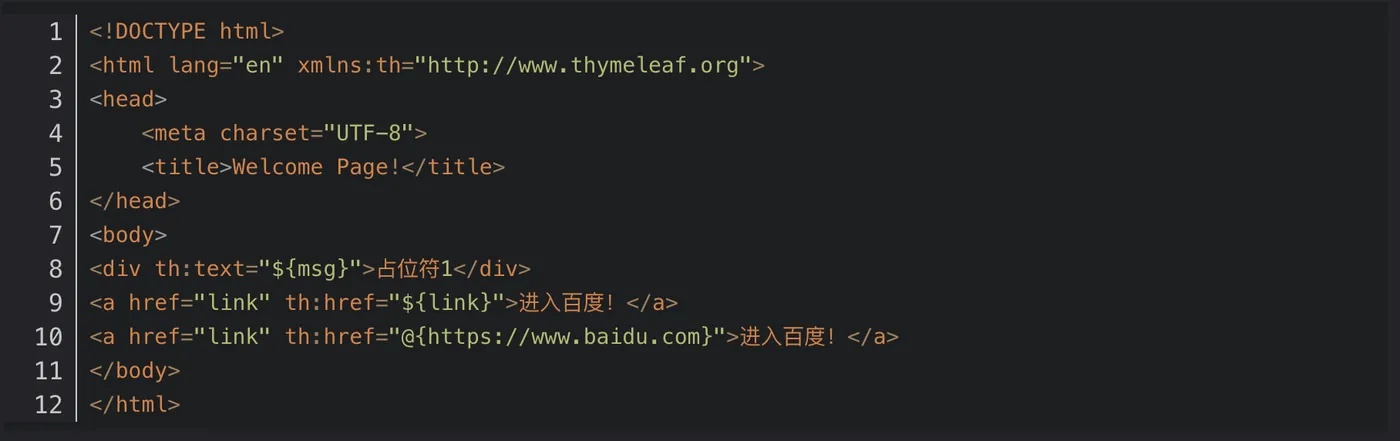
      success.html
      image.png

      ViewController.java


      @Controller
      public class ViweController {
          /**
           *<div>将参数写入请求域中,发给模版引擎</div>
           * @param model
           * @return 页面字符串和thymeleaf的前缀/template 以及后缀.html进行拼接
           */
          @GetMapping("/aitu")
          public String success(Model model){
              model.addAttribute("msg","你好世界!");
              model.addAttribute("link","https://www.baidu.com");
              return "success";
          }
      }
      
      
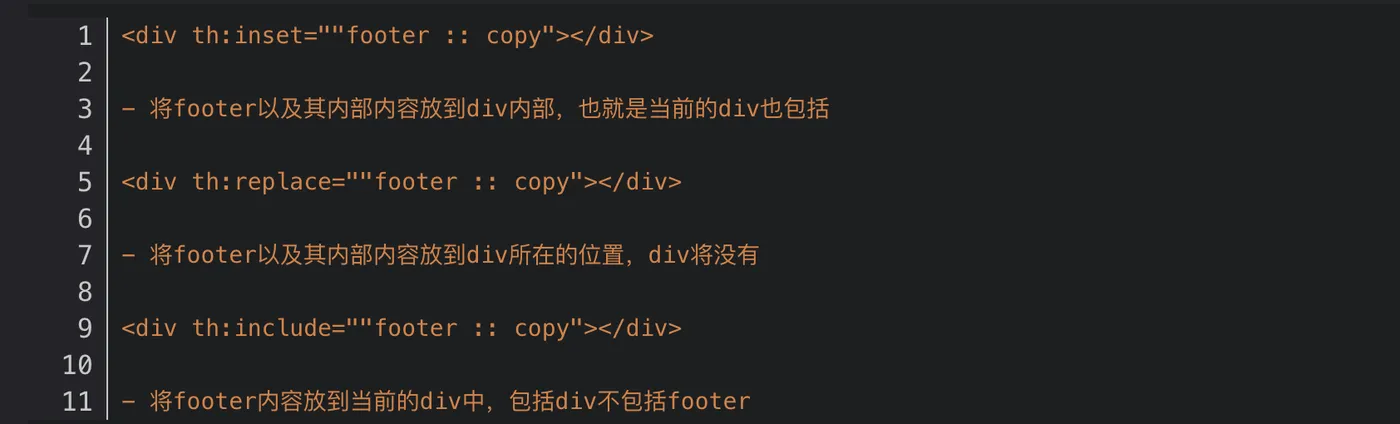
    • 公共代码块抽取-三种方式

      1. 首先选择使用footer标签抽取,还是使用选择器抽取

        抽取:

        image.png

        选择器抽取

        image.png

        2.选择公共代码块使用的方式
        image.png

  • 拦截器

    1. 定制拦截器需要实现HandlerInterceptor 接口

      @Slf4j
      public class LoginInterceptor implements HandlerInterceptor {
    2. 配置拦截器

      @Configuration
      public class WebConfig implements WebMvcConfigurer {
          /**

    拦截器原理
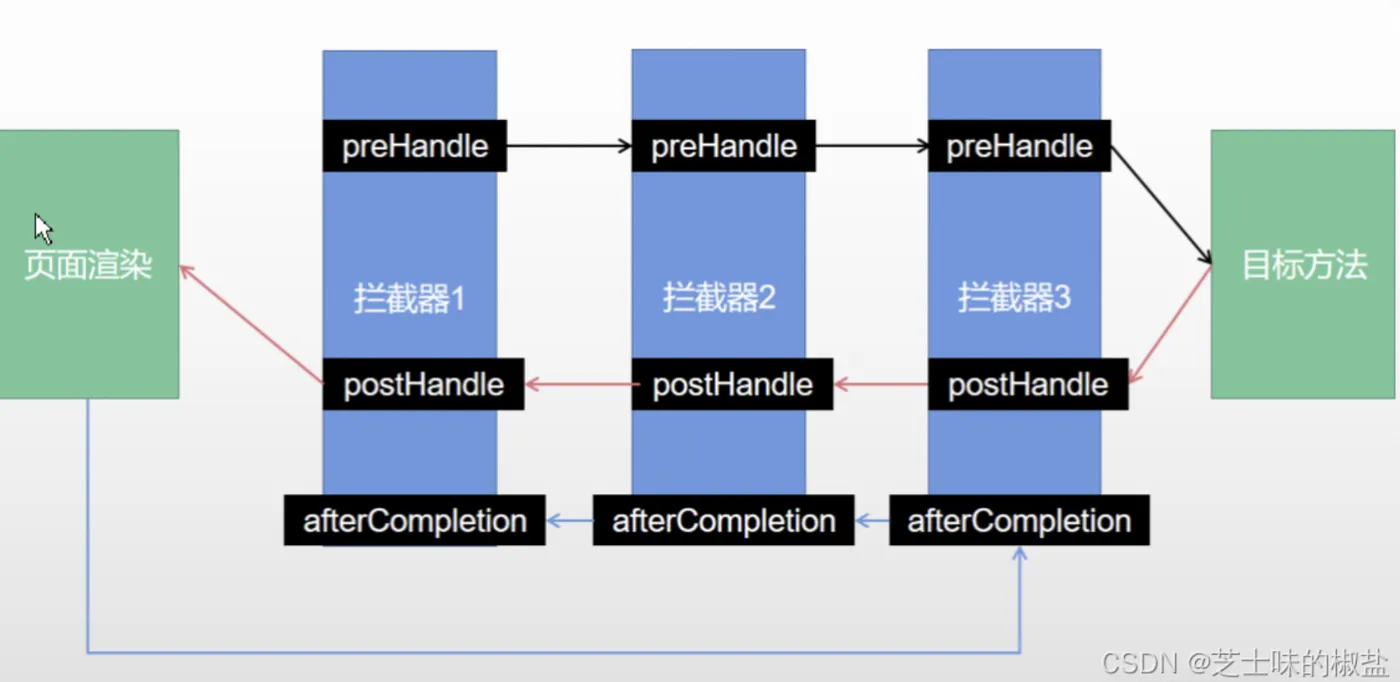
    image.png

相关文章
|
前端开发 Java 数据库
微服务——SpringBoot使用归纳——Spring Boot集成Thymeleaf模板引擎——Thymeleaf 介绍
本课介绍Spring Boot集成Thymeleaf模板引擎。Thymeleaf是一款现代服务器端Java模板引擎,支持Web和独立环境,可实现自然模板开发,便于团队协作。与传统JSP不同,Thymeleaf模板可以直接在浏览器中打开,方便前端人员查看静态原型。通过在HTML标签中添加扩展属性(如`th:text`),Thymeleaf能够在服务运行时动态替换内容,展示数据库中的数据,同时兼容静态页面展示,为开发带来灵活性和便利性。
576 0
|
9月前
|
XML JSON Java
【SpringBoot(三)】从请求到响应再到视图解析与模板引擎,本文带你领悟SpringBoot请求接收全流程!
Springboot专栏第三章,从请求的接收到视图解析,再到thymeleaf模板引擎的使用! 本文带你领悟SpringBoot请求接收到渲染的使用全流程!
613 3
|
12月前
|
缓存 JSON 前端开发
第07课:Spring Boot集成Thymeleaf模板引擎
976 0
第07课:Spring Boot集成Thymeleaf模板引擎
|
JSON 前端开发 Java
微服务——SpringBoot使用归纳——Spring Boot集成Thymeleaf模板引擎——Thymeleaf 的使用
本文介绍了 Thymeleaf 在 Spring Boot 项目中的使用方法,包括访问静态页面、处理对象和 List 数据、常用标签操作等内容。通过示例代码展示了如何配置 404 和 500 错误页面,以及如何在模板中渲染对象属性和列表数据。同时总结了常用的 Thymeleaf 标签,如 `th:value`、`th:if`、`th:each` 等,并提供了官方文档链接以供进一步学习。
964 0
微服务——SpringBoot使用归纳——Spring Boot集成Thymeleaf模板引擎——Thymeleaf 的使用
|
移动开发 前端开发 JavaScript
SpringBoot3 整合Thymeleaf 模板引擎
Thymeleaf 是一个基于 Java 的现代模板引擎,支持 HTML 原型,文件后缀为 .html,可直接在浏览器中查看静态效果。它与 Spring Boot 完美整合,默认配置即可使用,无需额外视图解析器设置。Thymeleaf 支持多种表达式(如变量、链接、国际化等)和 th 属性(如 th:text、th:if 等),适用于 Web 和非 Web 应用开发。通过 th:fragment、th:insert、th:replace 和 th:include 等属性,可以抽取和复用公共页面片段,并支持参数传递。
2148 12
|
缓存 Java 应用服务中间件
微服务——SpringBoot使用归纳——Spring Boot集成Thymeleaf模板引擎——依赖导入和Thymeleaf相关配置
在Spring Boot中使用Thymeleaf模板,需引入依赖`spring-boot-starter-thymeleaf`,并在HTML页面标签中声明`xmlns:th=&quot;http://www.thymeleaf.org&quot;`。此外,Thymeleaf默认开启页面缓存,开发时建议关闭缓存以实时查看更新效果,配置方式为`spring.thymeleaf.cache: false`。这可避免因缓存导致页面未及时刷新的问题。
544 0
|
消息中间件 Java Kafka
Spring Boot与模板引擎:整合Thymeleaf和FreeMarker,打造现代化Web应用
【8月更文挑战第29天】这段内容介绍了在分布式系统中起到异步通信与解耦作用的消息队列,并详细探讨了三种流行的消息队列产品:RabbitMQ、RocketMQ 和 Kafka。RabbitMQ 是一个基于 AMQP 协议的开源消息队列系统,支持多种消息模型,具有高可靠性及稳定性;RocketMQ 则是由阿里巴巴开源的高性能分布式消息队列,支持事务消息等多种特性;而 Kafka 是 LinkedIn 开源的分布式流处理平台,以其高吞吐量和良好的可扩展性著称。文中还提供了使用这三种消息队列产品的示例代码。
217 0
|
Java 数据处理 Spring
Spring Boot中的模板引擎选择与配置
1654 0
|
Java 数据处理 Spring
Spring Boot中的模板引擎选择与配置
|
XML Java 开发者
Spring Boot与模板引擎:整合与实战
【4月更文挑战第28天】在开发动态网站或应用时,模板引擎扮演了重要的角色。它们允许开发者将数据和HTML模板合并,从而生成动态的网页。Spring Boot支持多种模板引擎,包括Thymeleaf、Freemarker等。本篇博客将探讨Spring Boot如何整合模板引擎,并通过一个实际例子,展示如何使用Thymeleaf进行网页渲染。
612 0