背景
前些天去考科目二,感觉经历了一场不是高考却胜似高考的考试(10年前的5分之差, 还是难以释怀)!
一行八人,就我学的时间最少(4天,8人一辆车),教练都觉得我肯定还得再来一次!
靠着运气和信念,惊险的通过了侧方停车和倒车入库,终于还是抚慰了一下10年前那颗年轻的心!

——————————感慨完毕,回归主题——————————
终于修改完了客户提交的bugs,发布、更新、测试、邮件通知,悠哉悠哉的浏览博客园...然后客户来了...
客户:我提的需求怎么都没修改,这个按钮颜色也没变,点击效果还是以前的,那个界面也没修改...!@#$%^&*...
我:我这里都正常的,截图给你看下...
客户:要不你远程看下什么问题。
我:哦,浏览器缓存没有更新,你强制刷新下
客户:怎么强制刷新?
我:ctrl+f5,手机上...!@#$%^&*...
客户:(° ?°)~@
——————————以上对话来源生活,如有雷同,实属正常——————————
每次更新后,总会产生这样的对话,每次解释半天都是无功而返,最后还是一个个的给每个js,css文件加上 ?v=111 这样的字样,劳心又费神,还不讨好。
然后引入combres 以为可以万事大吉了,增加js和css引用麻烦,每次去修改配置也是麻烦,同事也都不愿意用了。
最后,只能要求大家修改时都添加 ?v=xxx 的字样,律己容易律人难,再则操作确实也不方便,大家更不愿意弄了。
你不去修改,问题就在那里,只增不减...
快捷输入
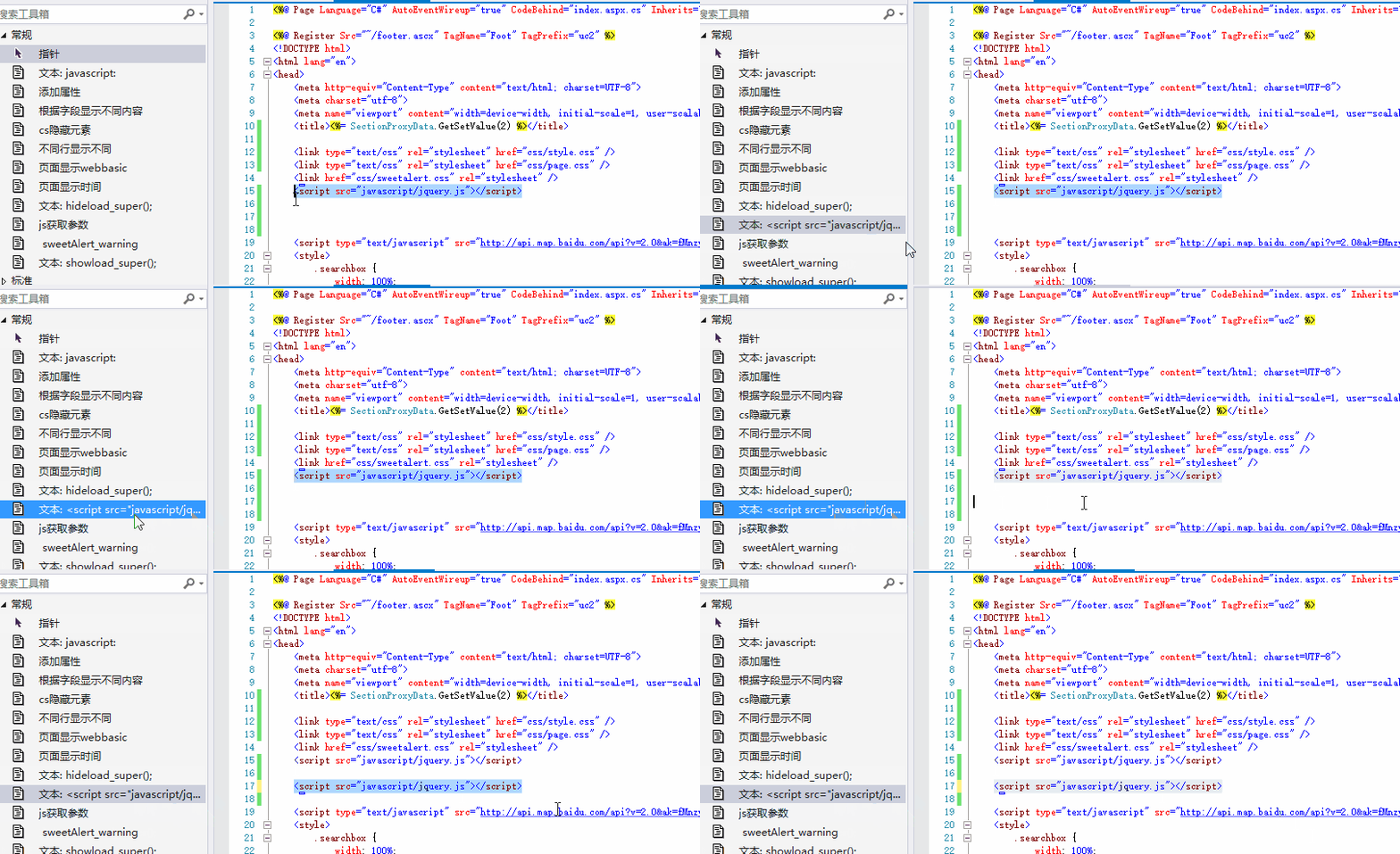
后来发现VS有这么一个功能,可以把代码片段拖到工具栏,点击可以自动快捷输入,效果如下,用起来非常方便,当时就想如果js和css版本号也可以有快捷的输入,大家也会更愿意去操作吧,但是因为这个内容是固定的,所以用起来还是不太方便。于是,路漫漫其修远兮,吾将上下而求索!
VS插件开发---自己动手,丰衣足食
直到看到这个 《强迫症的福利——我的第一个VS插件,对using排序!》 文章,我就知道了:只要你想,就有可能。至于安装 VisualStudio SDK,创建项目之类的,前面的文章已经讲得蛮多了。有兴趣的可以移步前面的文章链接哈!
配置要修改的不多,基本就是图标、快捷键、菜单名称等。以下是我的完整配置文件
<?xml version="1.0" encoding="utf-8"?>
<CommandTable xmlns="http://schemas.microsoft.com/VisualStudio/2005-10-18/CommandTable" xmlns:xs="http://www.w3.org/2001/XMLSchema">

  <!--  This is the file that defines the actual layout and type of the commands.
        It is divided in different sections (e.g. command definition, command
        placement, ...), with each defining a specific set of properties.
        See the comment before each section for more details about how to
        use it. -->

  <!--  The VSCT compiler (the tool that translates this file into the binary
        format that VisualStudio will consume) has the ability to run a preprocessor
        on the vsct file; this preprocessor is (usually) the C++ preprocessor, so
        it is possible to define includes and macros with the same syntax used
        in C++ files. Using this ability of the compiler here, we include some files
        defining some of the constants that we will use inside the file. -->

  <!--This is the file that defines the IDs for all the commands exposed by VisualStudio. -->
  <Extern href="stdidcmd.h"/>

  <!--This header contains the command ids for the menus provided by the shell. -->
  <Extern href="vsshlids.h"/>

  <!--The Commands section is where commands, menus, and menu groups are defined.
      This section uses a Guid to identify the package that provides the command defined inside it. -->
  <Commands package="guidfillVersionPackage">
    <!-- Inside this section we have different sub-sections: one for the menus, another
    for the menu groups, one for the buttons (the actual commands), one for the combos
    and the last one for the bitmaps used. Each element is identified by a command id that
    is a unique pair of guid and numeric identifier; the guid part of the identifier is usually
    called "command set" and is used to group different command inside a logically related
    group; your package should define its own command set in order to avoid collisions
    with command ids defined by other packages. -->

    <!-- In this section you can define new menu groups. A menu group is a container for
         other menus or buttons (commands); from a visual point of view you can see the
         group as the part of a menu contained between two lines. The parent of a group
         must be a menu. -->
    <Groups>
      <Group guid="guidfillVersionPackageCmdSet" id="MyMenuGroup" priority="0x0600">
        <Parent guid="guidSHLMainMenu" id="IDM_VS_MENU_TOOLS"/>
      </Group>
    </Groups>

    <!--Buttons section. -->
    <!--This section defines the elements the user can interact with, like a menu command or a button
        or combo box in a toolbar. -->
    <Buttons>
      <!--To define a menu group you have to specify its ID, the parent menu and its display priority.
          The command is visible and enabled by default. If you need to change the visibility, status, etc, you can use
          the CommandFlag node.
          You can add more than one CommandFlag node e.g.:
              <CommandFlag>DefaultInvisible</CommandFlag>
              <CommandFlag>DynamicVisibility</CommandFlag>
          If you do not want an image next to your command, remove the Icon node /> -->
      <Button guid="guidfillVersionPackageCmdSet" id="fillVersionId" priority="0x0100" type="Button">
        <Parent guid="guidfillVersionPackageCmdSet" id="MyMenuGroup" />
        <Icon guid="guidImages" id="bmpPic1" />
        <Strings>
          <ButtonText>设置版本号</ButtonText>
        </Strings>
      </Button>

    </Buttons>

    <!--The bitmaps section is used to define the bitmaps that are used for the commands.-->
    <Bitmaps>
      <!--  The bitmap id is defined in a way that is a little bit different from the others:
            the declaration starts with a guid for the bitmap strip, then there i sthe resource id of the
            bitmap strip containing the bitmaps and then there are the numeric ids of the elements used
            inside a button definition. An important aspect of this declaration is that the element id
            must be the actual index (1-based) of the bitmap inside the bitmap strip. -->
      <Bitmap guid="guidImages" href="Resources\fillVersion.png" usedList="bmpPic1"/>
    </Bitmaps>

  </Commands>
  <KeyBindings>
    <!-- 设置快捷键 alt+J. -->
  <KeyBinding guid="guidfillVersionPackageCmdSet" id="fillVersionId" editor="guidVSStd97" key1="J" mod1="ALT" />
  </KeyBindings>
  <Symbols>
    <!-- This is the package guid. -->
    <GuidSymbol name="guidfillVersionPackage" value="{67c49ffd-7eca-4805-9b45-a837fb03a08c}" />

    <!-- This is the guid used to group the menu commands together -->
    <GuidSymbol name="guidfillVersionPackageCmdSet" value="{af86a8d5-ac26-40b6-be11-0fcf3d9bd974}">
      <IDSymbol name="MyMenuGroup" value="0x1020" />
      <IDSymbol name="fillVersionId" value="0x0100" />
    </GuidSymbol>

    <GuidSymbol name="guidImages" value="{da500753-6754-4737-82c4-2b65d5e9ad59}" >
      <IDSymbol name="bmpPic1" value="1" />
      <IDSymbol name="bmpPic2" value="2" />
      <IDSymbol name="bmpPicSearch" value="3" />
      <IDSymbol name="bmpPicX" value="4" />
      <IDSymbol name="bmpPicArrows" value="5" />
      <IDSymbol name="bmpPicStrikethrough" value="6" />
    </GuidSymbol>
  </Symbols>
</CommandTable>
搭好项目,配置完成,我们开始上菜了。
小菜第一版
我们知道菜单的逻辑都在 fillVersion.cs -》MenuItemCallback 中实现
第一版功能非常简单,就是简单的输入 ?v=yyyyMMddss,表面上已经实现了我的想法,确实也比原来方便多了,只要按下快捷键就完成原来多次输入的效果,代码如下
1 var dte = this.ServiceProvider.GetService(typeof(DTE)) as DTE;
2 var selection = dte.ActiveDocument.Selection as TextSelection;//当前文档中选中的部分
3 if (selection == null)
4 {
5    return;
6 }
8 string versionstr = "?v=" + DateTime.Now.ToString("yyyyMMddss");
9 selection.Insert(versionstr, (int)vsInsertFlags.vsInsertFlagsCollapseToEnd);//重新写入文档
效果如下:
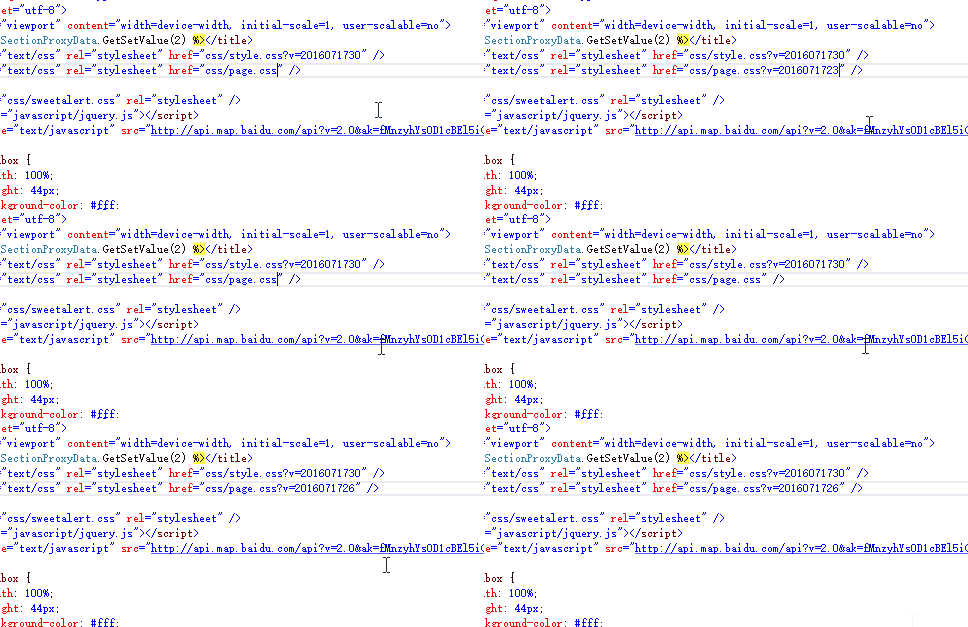
但是问题来了:
A、光标一定要定位到文件名后面,这完全是在制造麻烦么?
B、我要同时给几个js添加版本号怎么办?一个个添加?这还是在制造麻烦么?
C、我要同时给js和css添加版本号又怎么办呢?
...
带着这些疑问,我开始了新的起航。
小菜最终版
在解决第一版提出的问题,首先我们得解析我们选中的内容,随便百度一下,我就发现了 HtmlAgilityPack,后面的工作就简单了,便利选中 script和link 标签,获取 href,src 属性,加个?v=yyyyMMddss 就OK了。
这个版本,我们可以直接多个标签批量设置版本号了,操作就更方便了。使用方便了,同事自然就想用了,都不用我去要求了。
直接上代码吧,大家一看就了然了,没有注释哈,代码就是最好的注释了。
 1 var dte = this.ServiceProvider.GetService(typeof(DTE)) as DTE;
 2 var selection = dte.ActiveDocument.Selection as TextSelection;//当前文档中选中的部分
 3 if (selection == null)
 4 {
 5     return;
 6 }
 7
 8  HtmlDocument doc = new HtmlDocument();
 9  doc.LoadHtml(selection.Text);
10
11  HtmlNodeCollection script = doc.DocumentNode.SelectNodes("//script");
12  HtmlNodeCollection link = doc.DocumentNode.SelectNodes("//link");
13
14  string newcontent = "";
15  string versionstr = "?v=" + DateTime.Now.ToString("yyyyMMddss");
16
17  if (link != null)
18  {
19                 foreach (HtmlNode categoryNode in link)
20                 {
21                     string href = categoryNode.Attributes["href"].Value;
22                     if (href.IndexOf("?") > 0)
23                     {
24                         href = href.Substring(0, href.IndexOf("?"));
25                     }
26                     href += versionstr;
27                     newcontent += "<link type=\"text/css\" rel=\"stylesheet\" href=\"" + href + "\" />\r\n";
28                 }
29             }
30
31
32             if (script != null)
33             {
34                 foreach (HtmlNode categoryNode in script)
35                 {
36                     string src = categoryNode.Attributes["src"].Value;
37                     if (src.IndexOf("?") > 0)
38                     {
39                         src = src.Substring(0, src.IndexOf("?"));
40                     }
41                     src += versionstr;
42                     newcontent += "<script src=\"" + src + "\"></script>\r\n";
43                 }
44
45             }
46
47             if (newcontent.Length == 0)
48             {
49                 newcontent = versionstr;
50             }
51
52 selection.Insert(newcontent, (int)vsInsertFlags.vsInsertFlagsCollapseToEnd);//重新写入文档
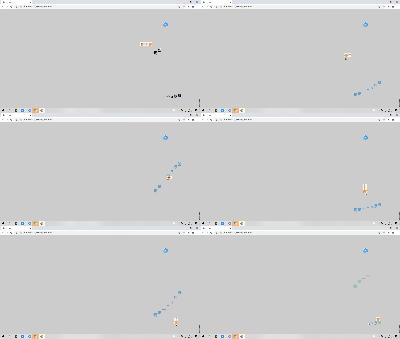
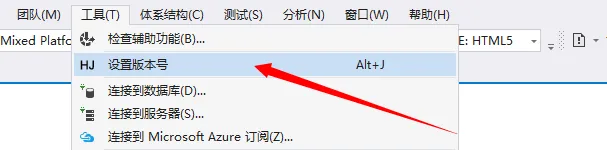
再上几张最后的效果图,有图有真像,后面还有代码哦(至于最后用HJ这个图标,就是为了给媳妇邀功 \\*^o^*// )。
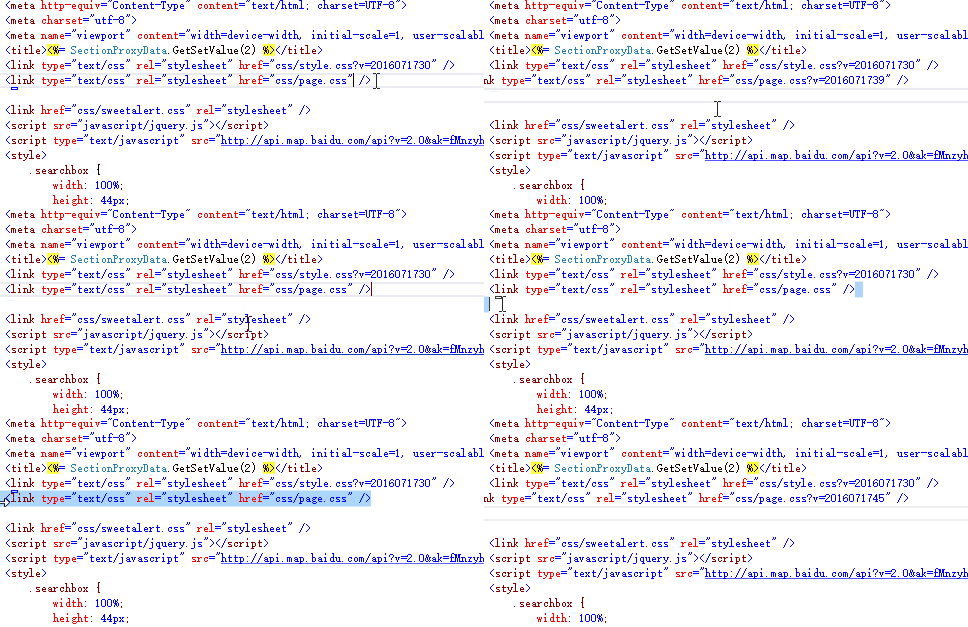
(选择一行)
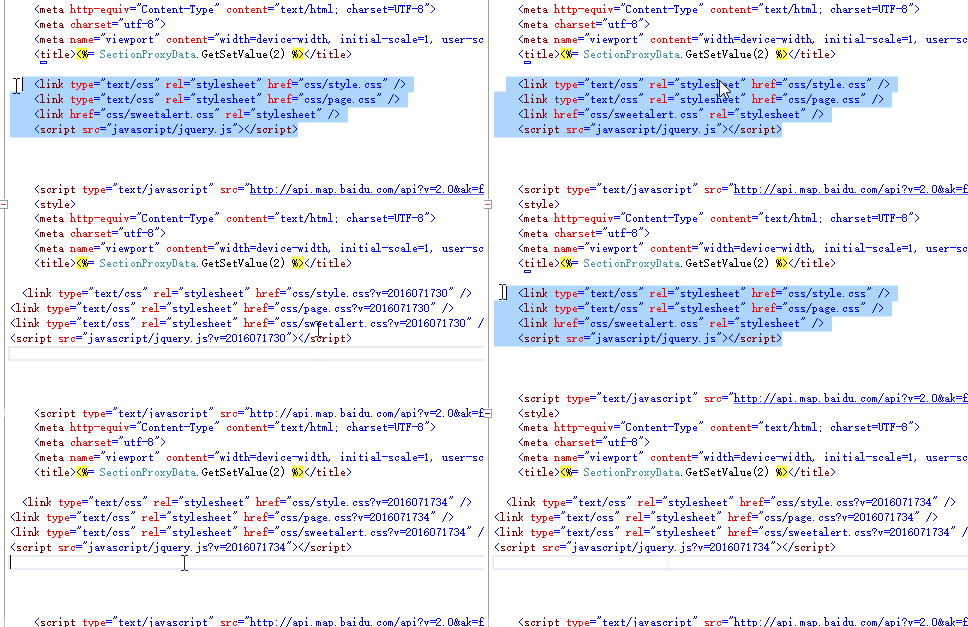
(选择多行,包含link,script标签)
结语
虽然这个插件功能非常简单,但是整理这个开发的过程还是用了好几个晚上。个人觉得还是蛮实用的(至少对我们开发,还是非常有帮助的),特来分享给大家(后面有安装文件和源码)。
觉得有帮助呢,动动手指点个赞,图个高兴;觉得写得不好,也接受拍砖哈;写得不正确的地方,请不吝赐教下哈,共同进步!
安装文件,点击下载(VS2015开发的,不能安装的话,自行编译哈)
源代码,压缩后还有11M,只能上传CSDN了,免积分哦。点击下载。
成为一名优秀的程序员!
版权声明:
作者:J²

编辑: 妞妞
妞妞主页
出处:http://www.cnblogs.com/jijunjian/
本文版权归作者和博客园共有,欢迎转载,大家好,才是真的好!