所需软件:
google-authenticator
qrencode( 非必须,其主要用于在终端下生成二维码用)
以下根据自己的手机系统选择
Google Authenticator Android
https://play.google.com/store/apps/details?id=com.google.android.apps.authenticator2&hl=en_GB
Google Authenticator iOS
https://itunes.apple.com/gb/app/google-authenticator/id388497605?mt=8
Authenticator for Windows Phone
http://www.windowsphone.com/en-gb/store/app/authenticator/e7994dbc-2336-4950-91ba-ca22d653759b
google-authenticator下载地址如下:
http://google-authenticator.googlecode.com/files/libpam-google-authenticator-1.0-source.tar.bz2
qrencode下载地址如下:
http://fukuchi.org/works/qrencode/qrencode-3.4.3.tar.gz
安装:
google-authenticator依赖于pam-devel所以这个要安装.
|
1
|
yum -y
install
wget gcc
make
pam-devel libpng-devel
|
|
1
2
3
4
|
tar
xvzf libpam-google-authenticator-1.0-
source
.
tar
.bz2
cd
libpam-google-authenticator-1.0
make
make
install
|
|
1
2
3
4
5
|
tar
xvzf qrencode-3.4.3.
tar
.gz
cd
qrencode-3.4.3
.
/configure
make
make
install
|
安装完成之后运行google-authenticator命令
首先会提示你,是否要基于时间生成令牌,选择Y,然后它会生成密钥,以及紧急状态使用的验证码(有5个,谨当无法获取验证
码时使用,注意这些紧急验证码用一次就少一个的哟,所以这几个紧急验证码一定要保存好
|
1
2
3
4
5
6
7
8
9
10
11
12
13
14
15
16
17
18
19
20
21
22
23
24
25
26
27
28
29
30
31
32
33
34
|
[root@
test
/]
# google-authenticator
Do you want authentication tokens to be
time
-based (y
/n
) y
https:
//www
.google.com
/chart
?chs=200x200&chld=M|0&cht=qr&chl=otpauth:
//totp/root
@openmeeting
%3Fsecret%3D5WYP6I7SCT5P25GQ
Your new secret key is: 5WYP6I7SCT5P25GQ
Your verification code is 224400
Your emergency scratch codes are:
95939927
38607970
93250589
88706290
92430531
你是否要更新验证文件 选择Y
Do you want me to update your
"/root/.google_authenticator"
file
(y
/n
) y
提示是否禁止多次使用相同的令牌登录:选Y
Do you want to disallow multiple uses of the same authentication
token? This restricts you to one login about every 30s, but it increases
your chances to notice or even prevent
man
-
in
-the-middle attacks (y
/n
) y
默认令牌只在30秒有效.由于客户端和服务器时间不完全一致.可以将时间窗口加大到最长4分钟,是否要这么做:选Y
By default, tokens are good
for
30 seconds and
in
order to compensate
for
possible
time
-skew between the client and the server, we allow an extra
token before and after the current
time
. If you experience problems with poor
time
synchronization, you can increase the window from its default
size of 1:30min to about 4min. Do you want to
do
so (y
/n
) y
是否限制尝试次数,每30秒只能尝试最多3次:
If the computer that you are logging into isn't hardened against brute-force
login attempts, you can
enable
rate-limiting
for
the authentication module.
By default, this limits attackers to no
more
than 3 login attempts every 30s.
Do you want to
enable
rate-limiting (y
/n
) y
[root@
test
/]
#
|
密钥生成好之后.下面修改PAM中关于ssh的配置,编辑/etc/pam.d/sshd文件
在第一行增加:
|
1
|
auth required pam_google_authenticator.so
|
接下来再修改ssh的配置文件,编辑/etc/ssh/sshd_config文件
将ChallengeResponseAuthentication no修改为ChallengeResponseAuthentication yes
修改完成之后重启SSH服务,下次登录就要输入动态验证码:
现在在手机端安装Google Authenticator软件,上面有下载地址.根据自己的手机系统选择.
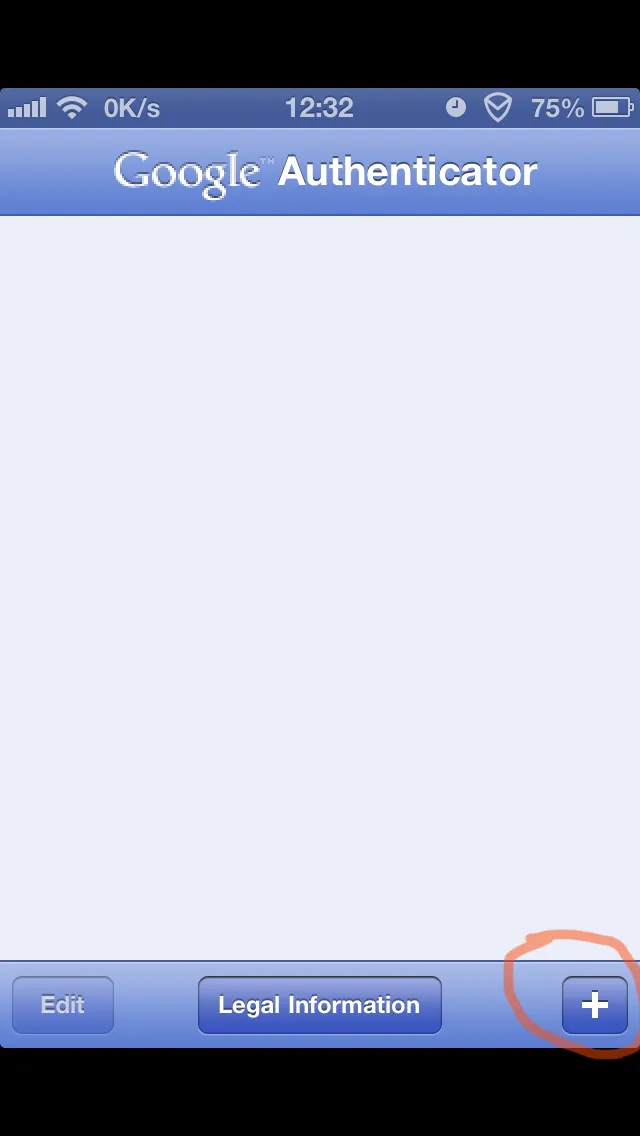
安装完成之后我们打开Google Authenticator
如下图:点击+号
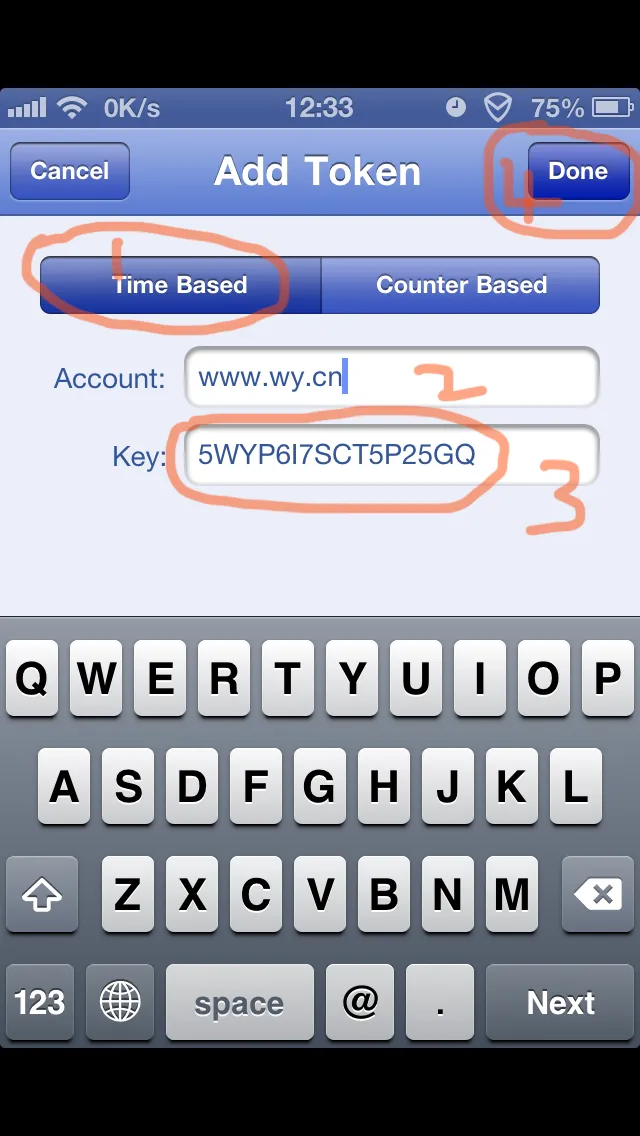
第二部填写KEY 用户名 Account:这里可以随意填写 下面的KEY就是刚才生成的那个 填写完成之后点击Done完成
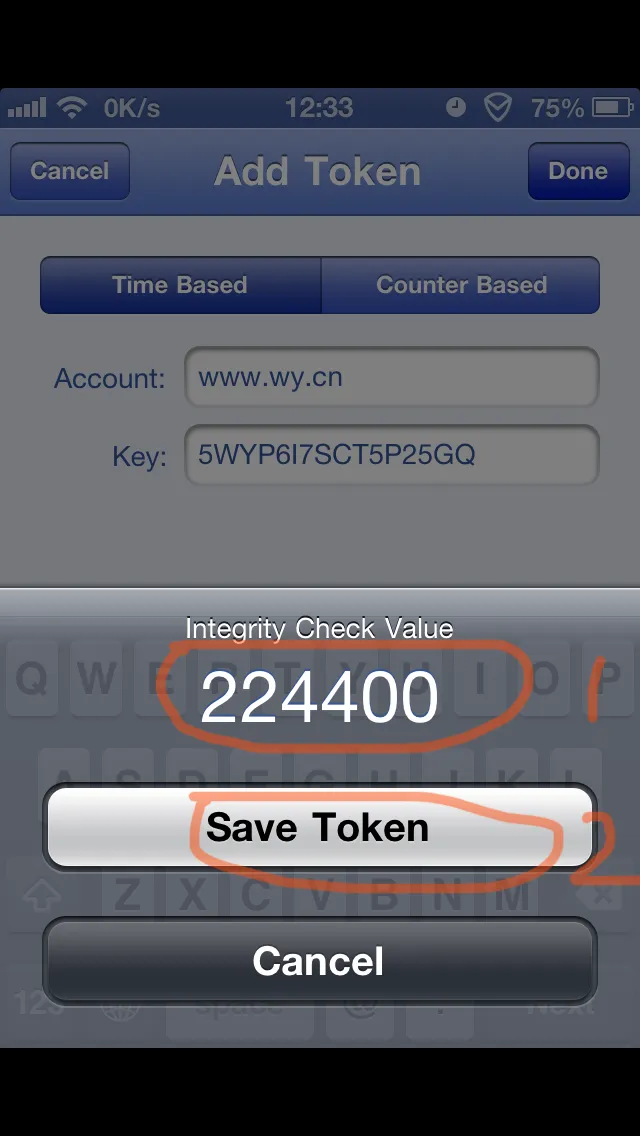
224400就是我们的验证码,跟刚才生成确认是一致的.
完成之后,就每30S生成一次动态密码 如下,用下面这个动态密码我们就可以登录SSH了,如果要编辑也可以点击EDIT进行编辑或者删除.
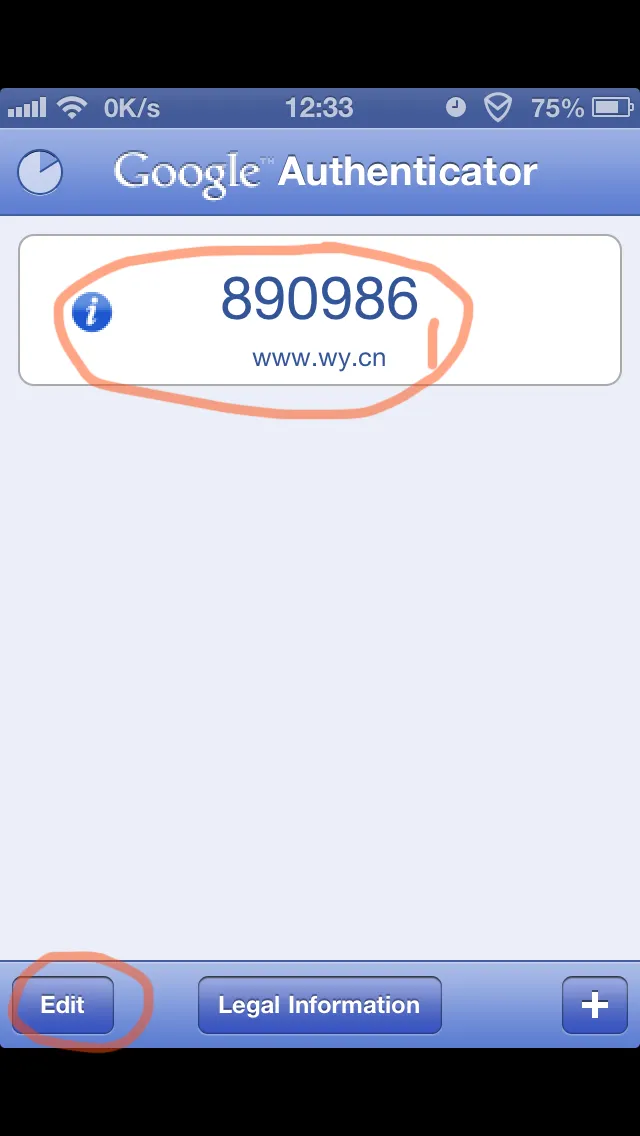
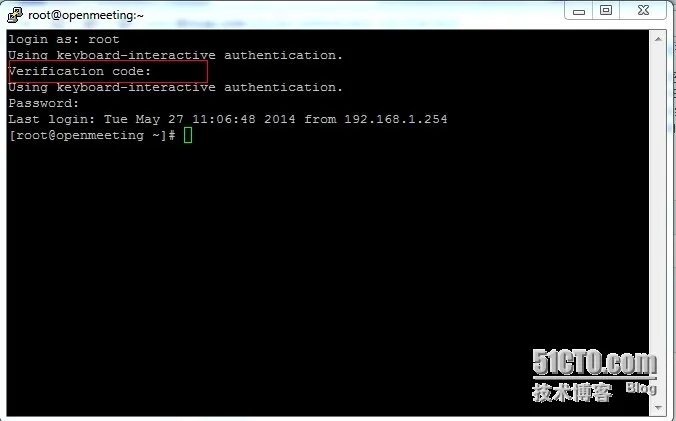
如下图我们输入动态密码后 在输入密码就可以进入系统了
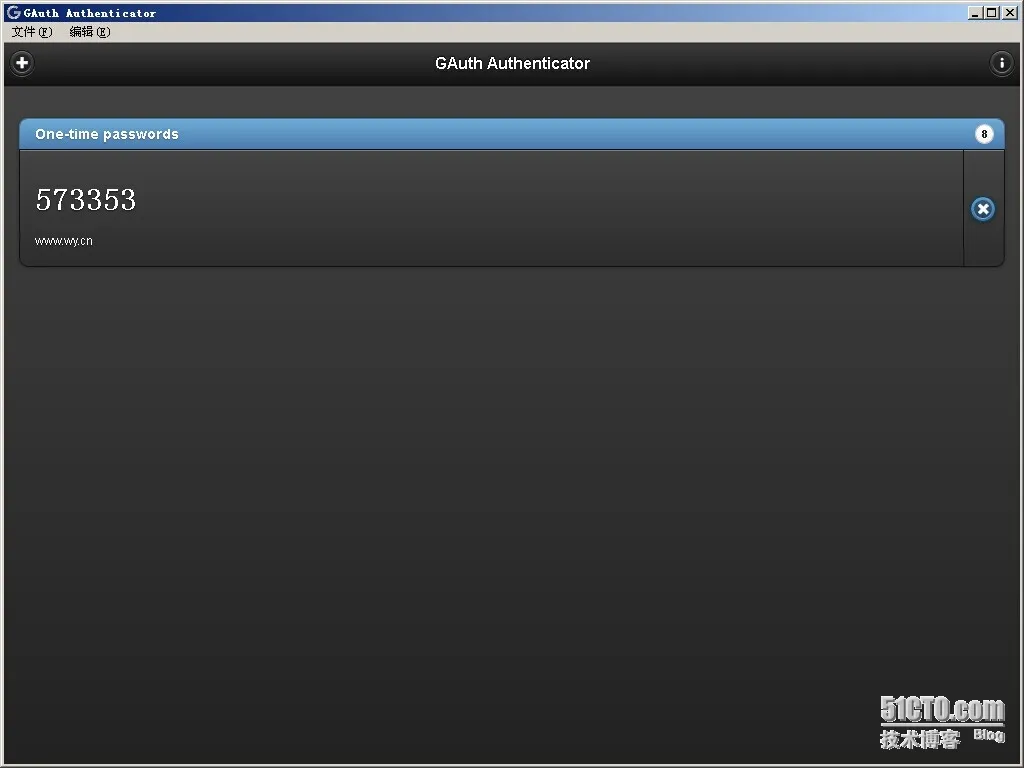
客户端也可以在浏览器上生成 以火狐为例
在以下地址安装gauth-authenticato插件
https://marketplace.firefox.com/app/gauth-authenticator/
安装完毕打开插件 如图:
点击+号添加
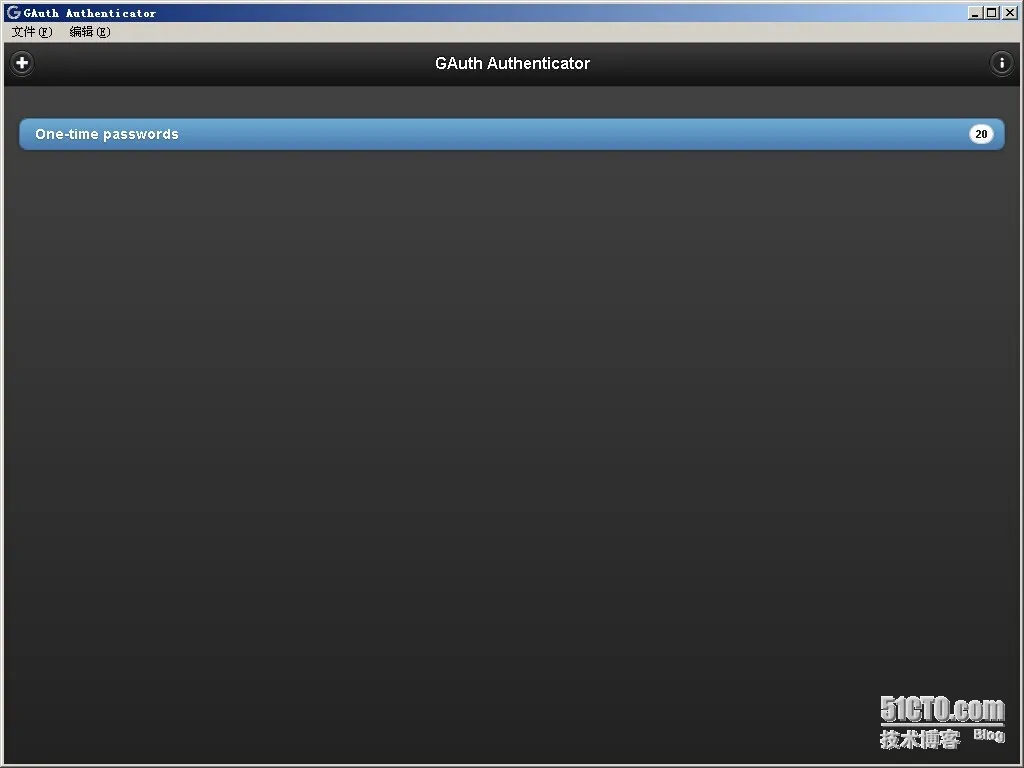
和手机一样填写用户名和KEY KEY和生成的一样 用户名随意填写
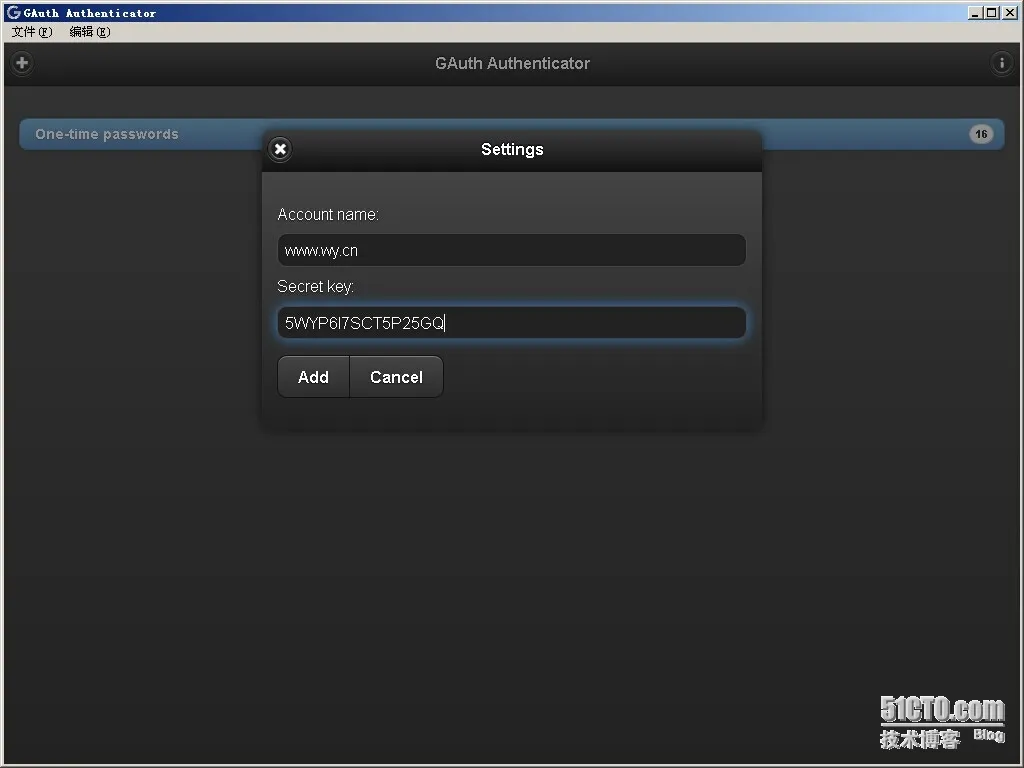
完成之后生成的验证码如下:
参考:http://www.361way.com/google-authenticator-ssh/2186.html
参考:http://blog.itpub.net/7607759/viewspace-1161112
本文转自flyingzf 51CTO博客,原文链接:http://blog.51cto.com/flyingzf/1417568,如需转载请自行联系原作者