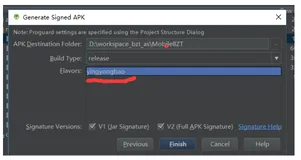
Android requires compiler compliance level 5.0. Please fix project properties.错误

简介:

1. 项目 右键 ->android tools ->Fix Project

2. 如果不可以,检查Project -> Properties->Java Compiler 

    确认JDK compliance被设置为1.6,并且enable specific seetings.


    本文转自曾祥展博客园博客,原文链接:http://www.cnblogs.com/zengxiangzhan/archive/2011/03/15/1985505.html,如需转载请自行联系原作者
相关文章
|
Android开发
IDEA编译gradle提示This version of the Android Support plugin for IntelliJ IDEA (or Android Studio) cannot open this project, please retry with version 2020.3.1 or newer.
1503 1
|
7月前
|
存储 机器学习/深度学习 API
Android API Level 到底是什么?和安卓什么关系?应用发布如何知道自己的版本?优雅草卓伊凡
1129 31
Android API Level 到底是什么?和安卓什么关系?应用发布如何知道自己的版本?优雅草卓伊凡
|
Android开发 iOS开发
搞定Android Studio cannot open this project, please retry with Android Studio 3.6 or newer
275 0
搞定Android Studio cannot open this project, please retry with Android Studio 3.6 or newer
|
开发工具 Android开发
Android Studio 报错Emulator: PANIC: Cannot find AVD system path. Please define ANDROID_SDK_ROOT(解决方案)
|
开发工具 Android开发
Appium问题解决方案(7)- Could not find 'adb.exe' in PATH. Please set the ANDROID_HOME environment variable with the Android SDK root directory path
847 0
Appium问题解决方案(7)- Could not find 'adb.exe' in PATH. Please set the ANDROID_HOME environment variable with the Android SDK root directory path
|
开发工具 Android开发
Please Select android SDK的解决办法
617 0
|
开发工具 Android开发
Please select Android SDK的解决
516 0
|
安全 Android开发
ERROR: This version of Android Studio cannot open this project, please retry with Android Studio 3.
481 0
ERROR: This version of Android Studio cannot open this project, please retry with Android Studio 3.
|
Android开发
【错误记录】Android Studio 编译报错 ( cannot open this project, please retry with version 4.2 or newer. )
450 0
【错误记录】Android Studio 编译报错 ( cannot open this project, please retry with version 4.2 or newer. )
|
Android开发
android studio打包签名错误please select the product flavors to build and sign

热门文章

最新文章