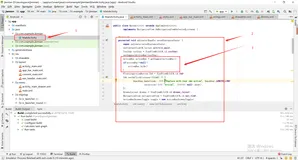
MainActivity如下:
AnotherActivity如下:
main.xml如下:
other.xml如下:
package cc.cu;

import android.app.Activity;
import android.content.Context;
import android.content.Intent;
import android.os.Bundle;
import android.view.View;
import android.view.View.OnClickListener;
import android.widget.Button;
/**
 * Demo描述:
 * 点击状态栏的通知Notification返回当前App所在的Activity,而不会重新start一个当前Activity.
 * 主要方式是为Intent设置flag
 * intent.setFlags(Intent.FLAG_ACTIVITY_NEW_TASK| Intent.FLAG_ACTIVITY_RESET_TASK_IF_NEEDED);
 *
 *
 * 1 http://developer.android.com/reference/android/app/PendingIntent.html#FLAG_UPDATE_CURRENT
 * 2 http://blog.csdn.net/vipzjyno1/article/details/25248021
 *   Thank you very much
 *   在资料2中对于Notification作了很全面和详细的介绍.有兴趣的可以看看.
 *
 * 备注说明:
 * 测试环境Android2.3.6
 *
 */
public class MainActivity extends Activity {
	private Context mContext;
	private Button mButton;
	@Override
	protected void onCreate(Bundle savedInstanceState) {
		super.onCreate(savedInstanceState);
		setContentView(R.layout.main);
		init();
	}

	private void init() {
		mContext = this;

		mButton = (Button) findViewById(R.id.button);
		mButton.setOnClickListener(new OnClickListener() {
			@Override
			public void onClick(View view) {
				Intent intent=new Intent(mContext,AnotherActivity.class);
				startActivity(intent);
			}
		});
	}
}
AnotherActivity如下:
package cc.cu;

import android.os.Bundle;
import android.view.View;
import android.view.View.OnClickListener;
import android.widget.Button;
import android.app.Activity;
import android.app.Notification;
import android.app.NotificationManager;
import android.app.PendingIntent;
import android.content.Context;
import android.content.Intent;

public class AnotherActivity extends Activity {
	private Context mContext;
	private Button mButton;
	@Override
	protected void onCreate(Bundle savedInstanceState) {
		super.onCreate(savedInstanceState);
		setContentView(R.layout.other);
		init();
	}

	private void init() {
		mContext = this;

		mButton = (Button) findViewById(R.id.sendNotificationButton);
		mButton.setOnClickListener(new OnClickListener() {
			@Override
			public void onClick(View view) {
				sendNotification();
			}
		});
	}

	// 发送通知
	private void sendNotification() {
		Notification notification = new Notification();
		Intent intent = new Intent(mContext, AnotherActivity.class);
		//核心代码
		intent.setFlags(Intent.FLAG_ACTIVITY_NEW_TASK| Intent.FLAG_ACTIVITY_RESET_TASK_IF_NEEDED);
		//如果当前Activity是MainActivity请加上以下两句
		//intent.setAction(Intent.ACTION_MAIN);
        //intent.addCategory(Intent.CATEGORY_LAUNCHER);
		PendingIntent pendingIntent = PendingIntent.getActivity(mContext, 0,intent, PendingIntent.FLAG_UPDATE_CURRENT);
		notification.icon = R.drawable.ic_launcher;
		notification.defaults = Notification.DEFAULT_SOUND;
		notification.flags |= Notification.FLAG_AUTO_CANCEL;
		notification.tickerText = "第一个通知";
		notification.setLatestEventInfo(mContext, "通知", "来自第按钮触发的通知",pendingIntent);
		NotificationManager notificationManager = (NotificationManager) getSystemService(NOTIFICATION_SERVICE);
		notificationManager.notify(0, notification);
	}

}
main.xml如下:
<RelativeLayout xmlns:android="http://schemas.android.com/apk/res/android"
    xmlns:tools="http://schemas.android.com/tools"
    android:layout_width="match_parent"
    android:layout_height="match_parent"
    >
     <Button
        android:id="@+id/button"
        android:layout_width="wrap_content"
        android:layout_height="wrap_content"
        android:layout_centerHorizontal="true"
        android:layout_marginTop="100dip"
        android:text="跳转到下一个界面" />
</RelativeLayout>
other.xml如下:
<RelativeLayout xmlns:android="http://schemas.android.com/apk/res/android"
    xmlns:tools="http://schemas.android.com/tools"
    android:layout_width="match_parent"
    android:layout_height="match_parent"
    >
     <Button
        android:id="@+id/sendNotificationButton"
        android:layout_width="wrap_content"
        android:layout_height="wrap_content"
        android:layout_centerHorizontal="true"
        android:layout_marginTop="100dip"
        android:text="发送通知" />
</RelativeLayout>