一 、用对象的方法绑定class
 1 <!DOCTYPE html>
 2 <html>
 3 <head>
 4    <meta charset="UTF-8">
 5    <title>class与style绑定</title>
 6    <meta name="viewport" content="width=device-width,initial-scale=1,minimum-scale=1,maximum-scale=1,user-scalable=no" />
 7    <script src="../../node_modules/vue/dist/vue.js" type="text/javascript" charset="utf-8"></script>
 8    <style>
 9       .class1{
10          color: #f00;
11       }
12       .class2{
13          background-color: #00f;
14       }
15    </style>
16 </head>
17 <body>
18 <div class="test">
19    <div class="otherClass" :class="{'class1':name1,'class2':name2}">我是娃哈哈</div> <!--方法一:用对象的方式实现  name1和name2是boolean型,为true时给元素加上对应的class,为false不添加-->
20 </div>
21 <script type="text/javascript">
22    var myVue = new Vue({
23       el:".test",
24       data: {
25          name1: true,
26          name2: false,
27       }
28    })
29 </script>
30 </body>
31 </html>
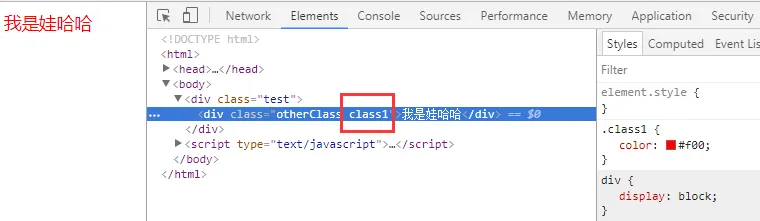
实现效果:
关于使用对象绑定class,还可以用另外一种写法:
 1 <!DOCTYPE html>
 2 <html>
 3 <head>
 4    <meta charset="UTF-8">
 5    <title>class与style绑定</title>
 6    <meta name="viewport" content="width=device-width,initial-scale=1,minimum-scale=1,maximum-scale=1,user-scalable=no" />
 7    <script src="../../node_modules/vue/dist/vue.js" type="text/javascript" charset="utf-8"></script>
 8    <style>
 9       .class1{
10          color: #f00;
11       }
12       .class2{
13          background-color: #00f;
14       }
15    </style>
16 </head>
17 <body>
18 <div class="test">
19    <div class="otherClass" :class="classObj">我是娃哈哈</div> <!--方法一:用对象的方式实现 ,true给元素加上对应的class,为false不添加-->
20 </div>
21 <script type="text/javascript">
22    var myVue = new Vue({
23       el:".test",
24       data: {
25          classObj: {
26             class1: true,
27             class2: false,
28          }
29
30       }
31    })
32 </script>
33 </body>
34 </html>
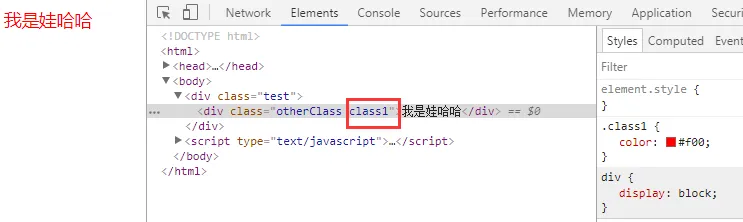
实现效果:
二 、用数组的方法绑定class
 1 <!DOCTYPE html>
 2 <html>
 3 <head>
 4    <meta charset="UTF-8">
 5    <title>class与style绑定</title>
 6    <meta name="viewport" content="width=device-width,initial-scale=1,minimum-scale=1,maximum-scale=1,user-scalable=no" />
 7    <script src="../../node_modules/vue/dist/vue.js" type="text/javascript" charset="utf-8"></script>
 8    <style>
 9       .class1{
10          color: #f00;
11       }
12       .class2{
13          background-color: #ff0;
14       }
15    </style>
16 </head>
17 <body>
18 <div class="test">
19    <div class="otherClass" :class="[name1,name2]">我是娃哈哈</div> <!--方法二:用数组的方式实现 -->
20 </div>
21 <script type="text/javascript">
22    var myVue = new Vue({
23       el:".test",
24       data: {
25             name1: 'class1',
26             name2: 'class2',
27
28       }
29    })
30 </script>
31 </body>
32 </html>
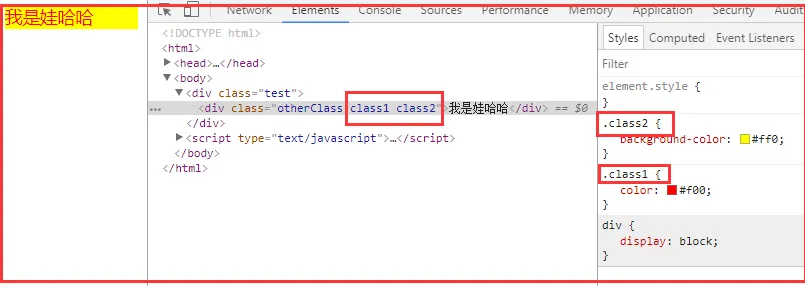
实现效果:
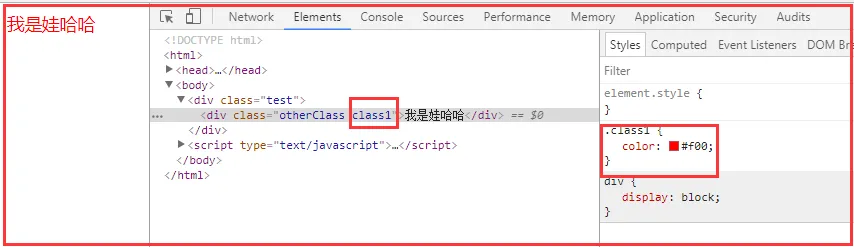
其实在数组中还可以用判断是否显示这个类名,举个例子:
 1 <!DOCTYPE html>
 2 <html>
 3 <head>
 4    <meta charset="UTF-8">
 5    <title>class与style绑定</title>
 6    <meta name="viewport" content="width=device-width,initial-scale=1,minimum-scale=1,maximum-scale=1,user-scalable=no" />
 7    <script src="../../node_modules/vue/dist/vue.js" type="text/javascript" charset="utf-8"></script>
 8    <style>
 9       .class1{
10          color: #f00;
11       }
12       .class2{
13          background-color: #ff0;
14       }
15    </style>
16 </head>
17 <body>
18 <div class="test">
19    <div class="otherClass" :class="[name1, isShow? name2 : '']">我是娃哈哈</div> <!--方法一:用数组的方式实现 ,采用三元表达式,条件为true时显示-->
20 </div>
21 <script type="text/javascript">
22    var myVue = new Vue({
23       el:".test",
24       data: {
25             name1: 'class1',
26             name2: 'class2',
27             isShow: false,
28
29       }
30    })
31 </script>
32 </body>
33 </html>
实现效果是:
三、 用数组和对象混合的方法绑定class
 1 <!DOCTYPE html>
 2 <html>
 3 <head>
 4    <meta charset="UTF-8">
 5    <title>class与style绑定</title>
 6    <meta name="viewport" content="width=device-width,initial-scale=1,minimum-scale=1,maximum-scale=1,user-scalable=no" />
 7    <script src="../../node_modules/vue/dist/vue.js" type="text/javascript" charset="utf-8"></script>
 8    <style>
 9       .class1{
10          color: #f00;
11       }
12       .class2{
13          background-color: #ff0;
14       }
15    </style>
16 </head>
17 <body>
18 <div class="test">
19    <div class="otherClass" :class="[name1, {class2 :isShow}]">我是娃哈哈</div> <!--方法三:用数组对象组合的方式实现,条件为true时显示-->
20 </div>
21 <script type="text/javascript">
22    var myVue = new Vue({
23       el:".test",
24       data: {
25             name1: 'class1',
26             class2: 'name2',
27             isShow: true,
28
29       }
30    })
31 </script>
32 </body>
33 </html>
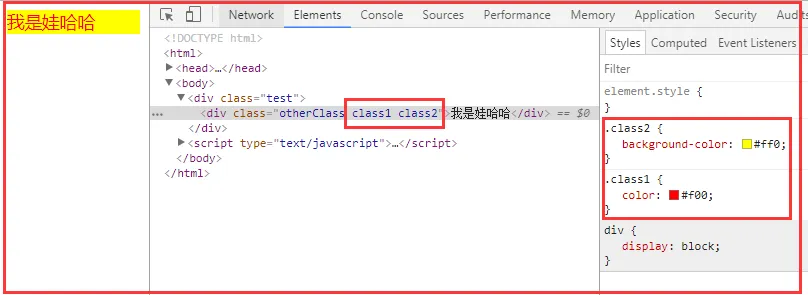
实现的效果:
四、 用对象的方式实现style绑定
 1 <!DOCTYPE html>
 2 <html>
 3 <head>
 4    <meta charset="UTF-8">
 5    <title>class与style绑定</title>
 6    <meta name="viewport" content="width=device-width,initial-scale=1,minimum-scale=1,maximum-scale=1,user-scalable=no" />
 7    <script src="../../node_modules/vue/dist/vue.js" type="text/javascript" charset="utf-8"></script>
 8    <style>
 9       .class1{
10          color: #f00;
11       }
12       .class2{
13          background-color: #ff0;
14       }
15    </style>
16 </head>
17 <body>
18 <div class="test">
19    <div class="otherClass" :style="{color: color, width: width + 'px'}">我是娃哈哈</div> <!--方法三:用对象的方式实现-->
20 </div>
21 <script type="text/javascript">
22    var myVue = new Vue({
23       el:".test",
24       data: {
25             color: 'red',
26             width: 100,
27
28       }
29    })
30 </script>
31 </body>
32 </html>
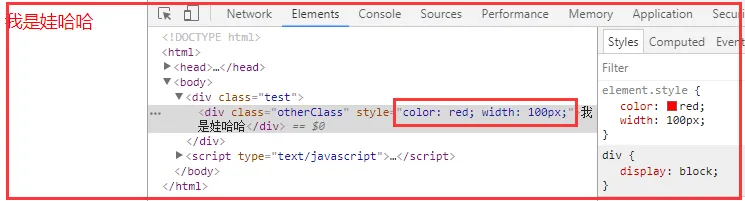
实现效果如下:
其实也可以写为第二种方式:
 1 <!DOCTYPE html>
 2 <html>
 3 <head>
 4    <meta charset="UTF-8">
 5    <title>class与style绑定</title>
 6    <meta name="viewport" content="width=device-width,initial-scale=1,minimum-scale=1,maximum-scale=1,user-scalable=no" />
 7    <script src="../../node_modules/vue/dist/vue.js" type="text/javascript" charset="utf-8"></script>
 8 </head>
 9 <body>
10 <div class="test">
11    <div class="otherClass" :style= "styleObj">我是娃哈哈</div> <!--方法三:用对象的方式实现-->
12 </div>
13 <script type="text/javascript">
14    var myVue = new Vue({
15       el:".test",
16       data: {
17          styleObj: {
18             color: 'red',
19             width: '200px',
20          }
21
22
23       }
24    })
25 </script>
26 </body>
27 </html>
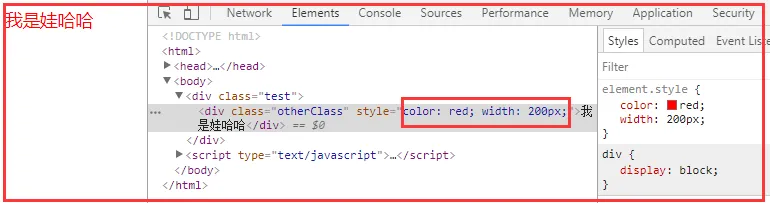
实现结果是:
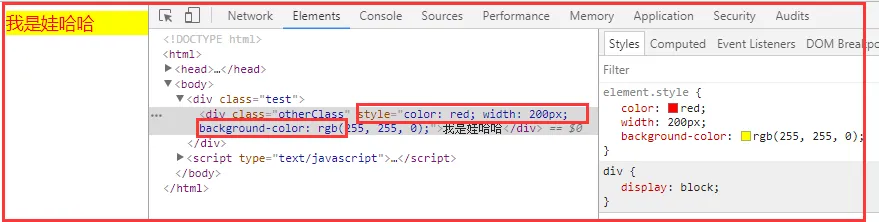
五、 用数组和对象混合的方式实现style绑定
 1 <!DOCTYPE html>
 2 <html>
 3 <head>
 4    <meta charset="UTF-8">
 5    <title>class与style绑定</title>
 6    <meta name="viewport" content="width=device-width,initial-scale=1,minimum-scale=1,maximum-scale=1,user-scalable=no" />
 7    <script src="../../node_modules/vue/dist/vue.js" type="text/javascript" charset="utf-8"></script>
 8 </head>
 9 <body>
10 <div class="test">
11    <div class="otherClass" :style= "[styleObj1,styleObj2]">我是娃哈哈</div> <!--方法三:用对象的方式实现-->
12 </div>
13 <script type="text/javascript">
14    var myVue = new Vue({
15       el:".test",
16       data: {
17          styleObj1: {
18             color: 'red',
19             width: '200px',
20          },
21          styleObj2: {
22             backgroundColor: '#ff0'
23          }
24
25
26       }
27    })
28 </script>
29 </body>
30 </html>
实现效果:
六、绑定属性
v-bind:src=""
width/height/title....
简写::src="" 推荐
<img src="{{url}}" alt=""> 效果能出来,但是会报一个404错误
<img v-bind:src="url" alt=""> 效果可以出来,不会发404请求 推荐使用
以上就是vue中绑定style和class还有属性的方法,希望对大家有帮助!