一. 环境搭建
1.1安装MINGW 傻瓜式一键安装
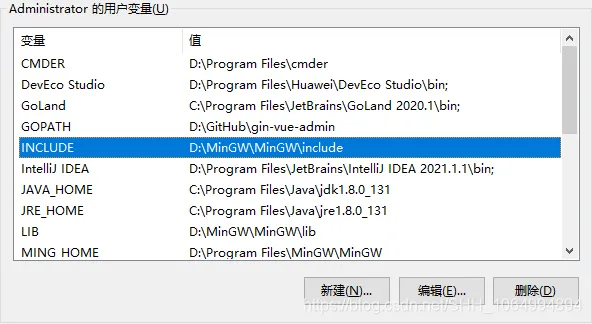
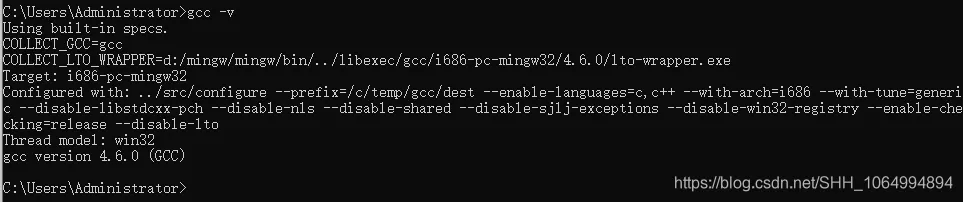
1.2 设置Windows环境变量
1.4 安装perl环境的搭建
因为编译器使用到Perl脚本,所以要安装Perl脚本环境:ActivePerl-5.8.4.810-MSWin32-x86.zip
1.5 设置全局e命令
osiuasm和一个regedr文件夹,将osiuasm下的osiuasm.exe(编译器)和regedr下的e.exe(调试器)拷贝到系统盘的windos目录下。这样,我们就可以在Windows的全局使用e命令
二. 代码编译和烧录
1.1 Ble Master Client目录
│ do.bat
│ flash_clear.bat
│ flash_download.bat
│ readme.txt
│
├─output
│ bt_format.meta
│ bt_program23.icode
│ bt_program23.list
│ bt_program23.meta
│ bt_program23.rom
│ flash.dat
│ memmap.format
│ otp.dat
│ program.lis
│ ramcode.rom
│ romcode.rom
│ sched.rom
│
├─patch
│ patch.prog
│
├─rom
│ app.prog
│ command.format
│ label.format
│ peripherals.prog
│ rom.format
│ ui.prog
│ utility.prog
│
├─sched
│ 109x.dat
│ user.dat
│
└─util
flash_dat2eeprom_dat.pl
geneep.exe
genotp.pl
memalloc.pl
mergepatch.pl
1.2 编译烧录
1.编译:
打开cmd,敲do eep 生成output目录下的文件。
2.烧录:
烧录板USB供电并打开开关,打开情况下是蓝灯闪烁,CH1的4Pin座子接蓝牙板的J7位号(micro usb供电旁边),蓝牙板供电。
2.1 双击do.bat
2.2 双击flashclear.bat
2.3 双击flashdownload.bat -- 点完这3步骤就烧录完成了。
3.烧录完成:
蓝牙板USB供电后,处于蓝灯闪烁状态,就是的未连接状态。连接后蓝灯常亮。
4.程序烧录流程:
make clean 清除上次编译文件
genflash.bat 编译生成烧录文件
e p M0核停止
e pu bt核停止
e fq 烧录
e k M0核复位
e ku bt核复位
-------------
flash_clear.bat
e pu
e 8070l20
e 8081 8
e fr 0 10
e fc
e fr 0 10