const path=require('path')
// 1. 导入 html-webpack-plugin 这个插件,得到插件的构造函数
const HtmlPlugin = require('html-webpack-plugin')
// 2. new 构造函数,创建插件的实例对象
const htmlPlugin = new HtmlPlugin({
  // 指定要复制哪个页面
  template: './src/index.html',
  // 指定复制出来的文件名和存放路径
  filename: './index.html'
})
module.exports={
    mode:"development",
     // 3. 插件的数组,将来 webpack 在运行时,会加载并调用这些插件
  plugins: [htmlPlugin],
    //指定要处理的路径
    entry:path.join(__dirname,"./src/index.js"),
    //输出的文件路径
    output:{
        //存放的目录
        path:path.join(__dirname,"./dist"),
        filename:"bundle.js"
    },
    devServer:{
        open:true
    },
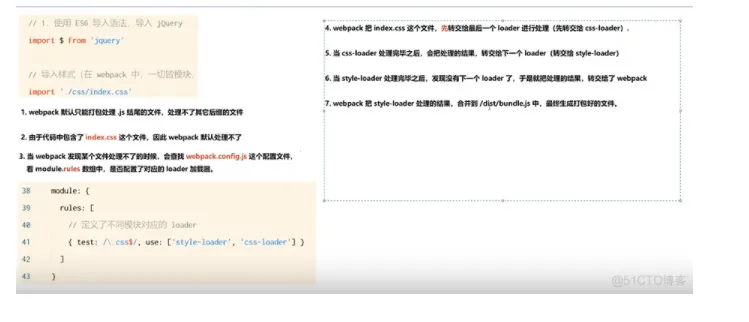
    module:{
        rules:[{test:/\.css$/,user:['style-loader','css-loader']}]
        //定义了不同模块的loader
    }
}