Step by Step 创建一个 Web Service

简介:

(一)创建Web Service

创建第一个项目,类型选择ASP.NET Empty Web Application
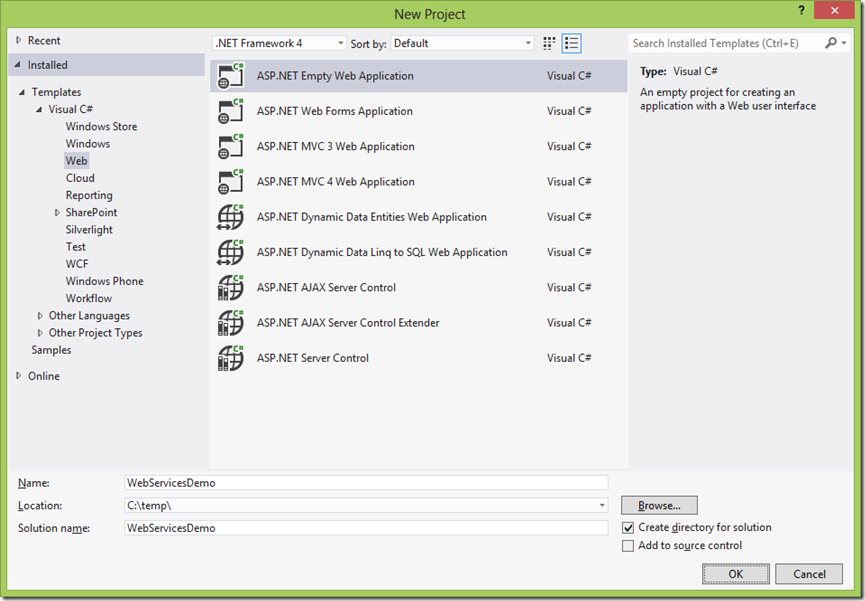
 

image_thumb8

image_thumb7


添加一个新项目 Web Service


image_thumb14


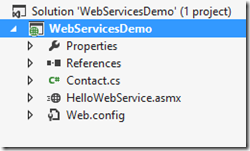
然后再创建一个类Contact

image_thumb16


代码分别如下。

Contact.cs:


复制代码
    [Serializable]
    public class Contact
    {
        private string name;

        public string Name
        {
            get { return name; }
            set { name = value; }
        }

        private int age;

        public int Age
        {
            get { return age; }
            set { age = value; }
        }
    }
复制代码


HelloWebService.asmx.cs:


复制代码
    /// <summary>
    /// Summary description for HelloWebService
    /// </summary>
    [WebService(Namespace = "http://tempuri.org/")]
    [WebServiceBinding(ConformsTo = WsiProfiles.BasicProfile1_1)]
    [System.ComponentModel.ToolboxItem(false)]
    // To allow this Web Service to be called from script, using ASP.NET AJAX, uncomment the following line. 
    // [System.Web.Script.Services.ScriptService]
    public class HelloWebService : System.Web.Services.WebService
    {

        [WebMethod]
        public string GetMessage(string name)
        {
            return "Hello " + name;
        }

        [WebMethod]
        public Guid CreateContact(Contact c)
        {
            return Guid.NewGuid();
        }
    }
复制代码


(二)创建客户端

下面创建一个客户端调用Web Service,检验一下是否正确。创建一个ASP.NET Empty Web Application
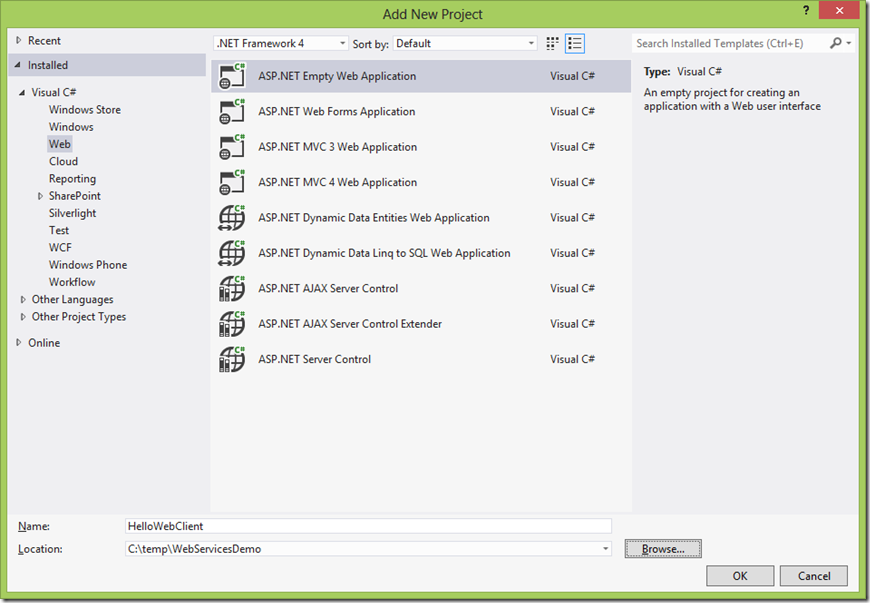
 

image_thumb21


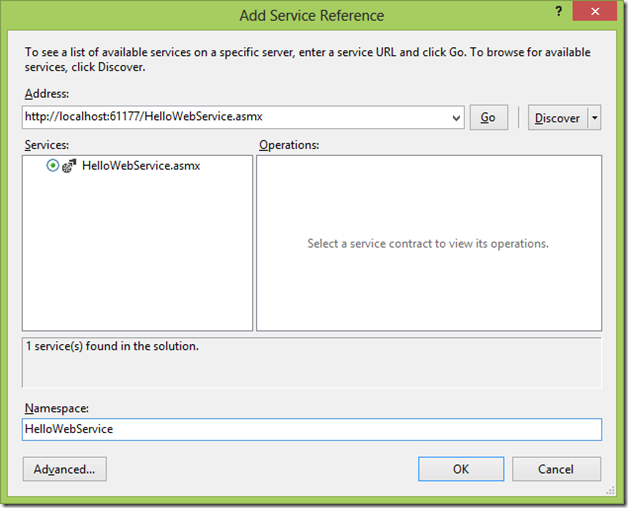
添加服务引用


image_thumb25

image_thumb28


image_thumb1


WebForm1.cs代码为


复制代码
        protected void Button1_Click(object sender, EventArgs e)
        {
            HelloWebService.HelloWebServiceSoapClient client = new HelloWebService.HelloWebServiceSoapClient();
            Label1.Text = client.GetMessage(TextBox1.Text);
        }

        protected void Button2_Click(object sender, EventArgs e)
        {
            HelloWebService.HelloWebServiceSoapClient client = new HelloWebService.HelloWebServiceSoapClient();
            Label2.Text = client.CreateContact(new HelloWebService.Contact()).ToString();
        }
复制代码


最后运行客户端,分别点击按钮,得到演示效果


image_thumb5


本文转自JF Zhu博客园博客,原文链接:  http://www.cnblogs.com/jfzhu/p/4022139.html   ,如需转载请自行联系原作者



相关文章
【Azure 应用服务】Web App Service 中的 应用程序配置(Application Setting) 怎么获取key vault中的值
233 0
【Azure App Service】PowerShell脚本批量添加IP地址到Web App允许访问IP列表中
Web App取消公网访问后,只允许特定IP能访问Web App。需要写一下段PowerShell脚本,批量添加IP到Web App的允许访问IP列表里!
304 2
|
关系型数据库 MySQL Linux
【Azure 应用服务】在创建Web App Service的时候,选Linux系统后无法使用Mysql in App
161 0
【Azure 应用服务】在创建Web App Service的时候,选Linux系统后无法使用Mysql in App
|
缓存 JavaScript 前端开发
Web Workers与Service Workers:后台处理与离线缓存
Web Workers 和 Service Workers 是两种在Web开发中处理后台任务和离线缓存的重要技术。它们在工作原理和用途上有显著区别。
378 1
|
Shell PHP Windows
【Azure App Service】Web Job 报错 UNC paths are not supported. Defaulting to Windows directory.
276 0
|
Linux 应用服务中间件 网络安全
【Azure 应用服务】查看App Service for Linux上部署PHP 7.4 和 8.0时,所使用的WEB服务器是什么?
180 0
【Azure 应用服务】通过 Web.config 开启 dotnet 应用的 stdoutLog 日志,查看App Service 产生500错误的原因
383 0
|
Linux Python
【Azure 应用服务】Azure App Service For Linux 上实现 Python Flask Web Socket 项目 Http/Https
323 0
|
存储 安全 网络安全
【Azure 环境】使用Azure中的App Service部署Web应用,以Windows为主机系统是否可以启动防病毒,防恶意软件服务呢(Microsoft Antimalware)?
253 0
|
存储 Linux 网络安全
【Azure 应用服务】App Service For Linux 如何在 Web 应用实例上住抓取网络日志
191 0