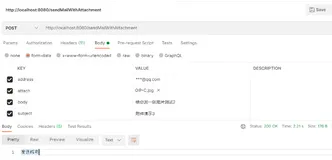
SpringBoot自动配置了邮件发送的功能,封装成了一个starter,提供了邮件服务实例(JavaMailSenderImpl)。
一、引入依赖:
<dependency><groupId>org.springframework.boot</groupId><artifactId>spring-boot-starter-mail</artifactId></dependency>
二、application.properties配置
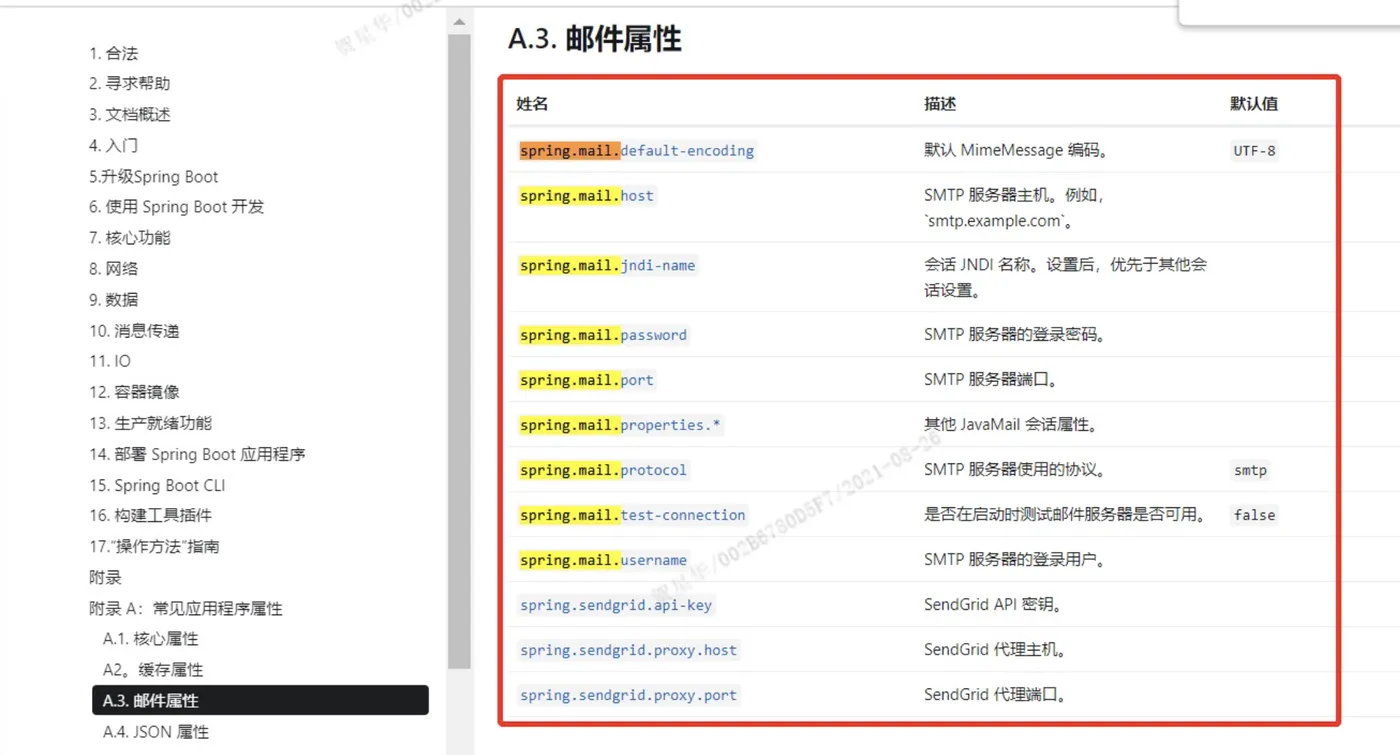
#####################actuator配置######################字符集编码默认UTF-8spring.mail.default-encoding=UTF-8#SMTP服务器hostqq邮箱的为smtp.qq.com端口465587spring.mail.host=smtp.qq.com#SMTP服务器端口不同的服务商不一样spring.mail.port=465#SMTP服务器使用的协议spring.mail.protocol=smtp#SMTP服务器需要身份验证所以要配置用户密码#发送端的用户邮箱名spring.mail.username=12345678.com#发送端的密码注意保密#qq邮箱的第三方授权码并非个人密码spring.mail.password=xxxxxxxxxxx#指定mail会话的jndi名称优先级较高一般我们不使用该方式spring.mail.jndi-name=#这个比较重要针对不同的SMTP服务器都有自己的一些特色配置该属性提供了这些配置的keyvalue封装方案例如GmailSMTP服务器超时配置spring.mail.properties.mail.smtp.timeout=5000spring.mail.properties.<key>=#指定是否在启动时测试邮件服务器连接,默认为falsespring.mail.test-connection=false#开启ssl否则503错误spring.mail.properties.mail.smtp.ssl.enable=true
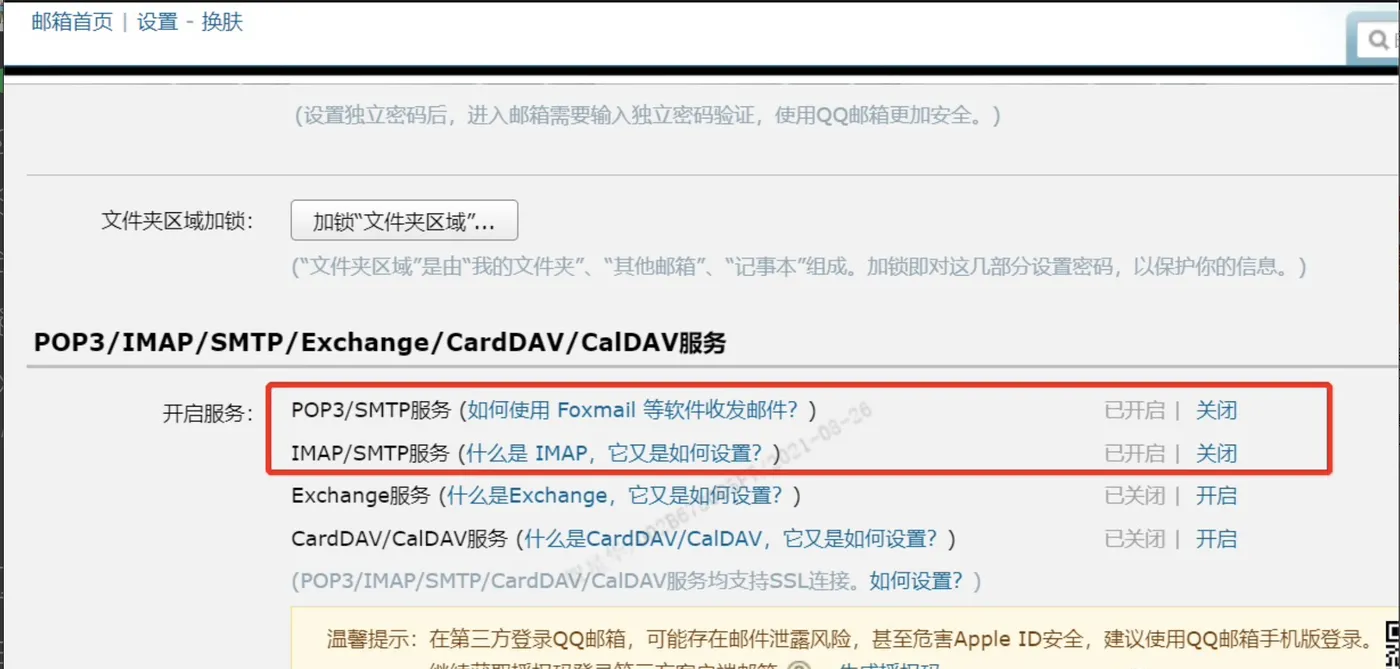
这里的密码不是不是我们的登录密码,比如QQ邮箱,我们可以在设置-账户打开SMTP协议来支持我们进行邮件操作。这里要发短信验证,花了一毛钱的短信钱才打开,验证完后显示一个密码,这个密码配置到spring.mail.password即可。
三、编写短信发送的业务类,可以当工具使用
packagecom.xing.studyboot.email; importjava.io.File; importjavax.annotation.Resource; importjavax.mail.MessagingException; importjavax.mail.internet.MimeMessage; importorg.springframework.beans.factory.annotation.Value; importorg.springframework.mail.SimpleMailMessage; importorg.springframework.mail.javamail.JavaMailSender; importorg.springframework.mail.javamail.MimeMessageHelper; importorg.springframework.stereotype.Component; publicclassEmailService { privateJavaMailSenderjavaMailSender; ("${spring.mail.username}") privateStringfrom; /*** 发送纯文本邮件* @param to 发送目标邮箱* @param subject 主题* @param text 内容*/publicvoidsendMail(Stringto, Stringsubject, Stringtext) { SimpleMailMessagemessage=newSimpleMailMessage(); message.setFrom(from); message.setTo(to); message.setSubject(subject); message.setText(text); javaMailSender.send(message); } /*** 发送带附件的邮件* @param to 发送目标邮箱* @param subject 主题* @param text 内容* @param filePath 附件*/publicvoidsendMailWithAttachment(Stringto, Stringsubject, Stringtext, StringfilePath) { try { Fileattachment=newFile(filePath); MimeMessagemimeMessage=javaMailSender.createMimeMessage(); MimeMessageHelperhelper=newMimeMessageHelper(mimeMessage,true); helper.setFrom(from); helper.setTo(to); helper.setSubject(subject); helper.setText(text); helper.addAttachment(attachment.getName(),attachment);//添加附件helper.addInline(attachment.getName(),attachment);//添加内联元素javaMailSender.send(mimeMessage); } catch (MessagingExceptione) { e.printStackTrace(); } } }
以上两个方法即可实现简单的纯文本发送和带附件的邮件发送,如果要添加更强大的功能,比如要在美化内联元素来丰富邮件内容,可以具体研究MimeMessageHelperAPI来实现。
四、建个控制器发布个服务来访问下
实体:
packagecom.xing.studyboot.entity.dto; importlombok.Data; publicclassEmailDto { /*** 目标邮箱*/privateStringto; /*** 主题*/privateStringsubject; /*** 内容*/privateStringtext; /*** 附件*/privateStringfile; }
控制器:
packagecom.xing.studyboot.rest.controller; importorg.springframework.beans.factory.annotation.Autowired; importorg.springframework.web.bind.annotation.PostMapping; importorg.springframework.web.bind.annotation.RequestBody; importorg.springframework.web.bind.annotation.RequestMapping; importorg.springframework.web.bind.annotation.RestController; importcom.xing.studyboot.email.EmailService; importcom.xing.studyboot.entity.dto.EmailDto; /*** * @author xing* @createTime*/("/email") publicclassEmailController { EmailServiceemailService; ("/send") publicStringgetName(EmailDtoemailDto) { Stringto=emailDto.getTo(); Stringsubject=emailDto.getSubject(); Stringtext=emailDto.getText(); System.out.println(emailDto); emailService.sendMail(to, subject, text); return"邮件【"+subject+"】发送到【"+to+"】成功!"; } ("/sendWithAttachment") publicStringsendMailWithAttachment(EmailDtoemailDto) { Stringto=emailDto.getTo(); Stringsubject=emailDto.getSubject(); Stringtext=emailDto.getText(); System.out.println(emailDto); StringfilePath=""; if(emailDto.getFile() !=null&&!"".equals(emailDto.getFile())) { filePath=emailDto.getFile(); }else { filePath="D:\\code\\SpringBoot\\StudyBoot\\src\\main\\resources\\static\\car.png"; } System.out.println("filePath->"+filePath); emailService.sendMailWithAttachment(to, subject, text, filePath); return"邮件【"+subject+"】发送到【"+to+"】成功!"; } }
五、依次访问两个服务
post请求:http://127.0.0.1:8888/studySpringBoot/email/sendWithAttachment
{
"to":"xxx@xqq.com",
"subject":"雅楠生日快乐",
"text":"生日快乐"}
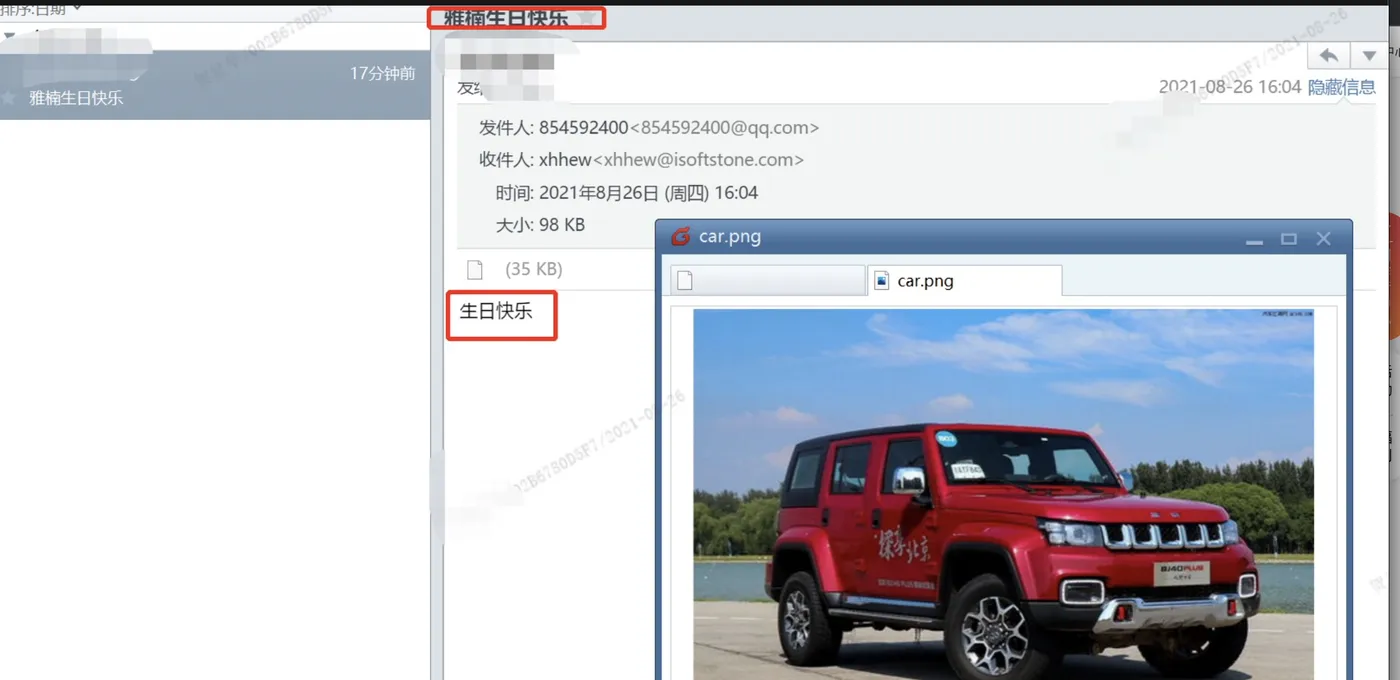
正常收到了邮件:
总结:
spring-boot-starter-mail内置了邮件发送的业务类,开箱即用!
END