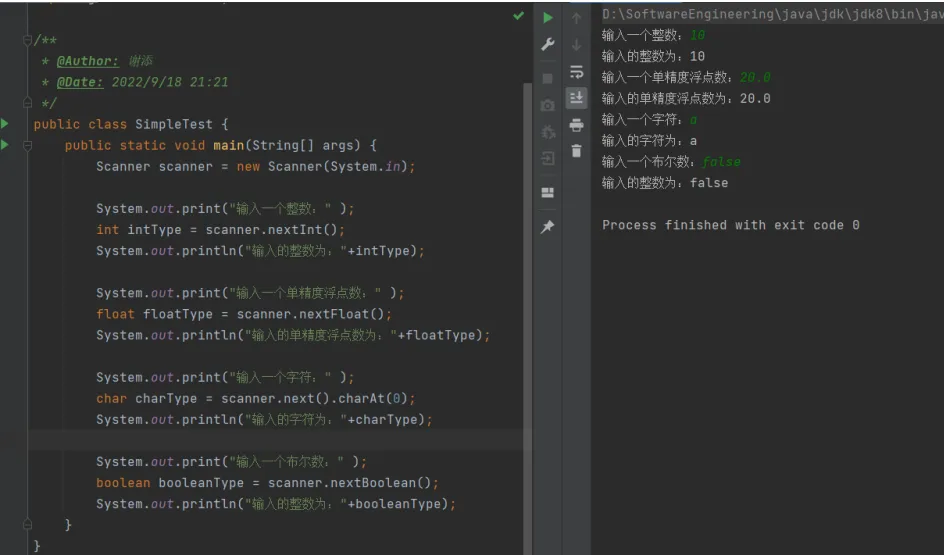
实验2:基本数据类型的使用和数据输入、输出
2.1实验目的
- 掌握标识符命名规则;
- 基本数据类型的声明;
- 基本数据类型的初始化;
- 掌握从键盘输入数据。
2.2实验内容
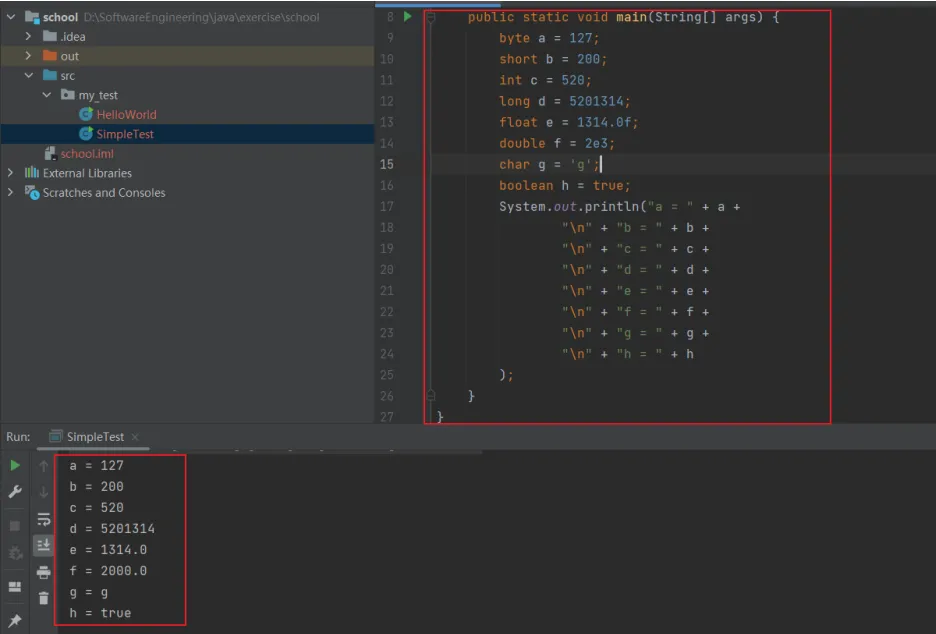
2.2.1 编写一个程序声明8种基本数据类型的变量,并将其初始化,在程序中打印出这些变量的值。
【前提引入】
- 基本数据类型(基元类型)
- 数值型
- 整型
byte:1个字节short:2个字节int:4个字节long:8个字节
- 浮点型
float:单精度浮点型,四个字节double:双精度浮点型,八个字节
- 字符型
char:2个字节,采用 unicode 编码 - 布尔型
boolean:一个字节,true 或 false,不能用数字(0或1等)表示
- 引入类型
array数组interface接口class类
【运行流程】
变量包括三个部分:数据类型 + 变量名+ 值
public static void main(String[] args) {
        byte a = 127;
        short b = 200;
        int c = 520;
        long d = 5201314;
        float e = 1314.0f;
        double f = 2e3;
        char g = 'g';
        boolean h = true ;
        System.out.println("a = " + a +
                "\n" + "b = " + b +
                "\n" + "c = " + c +
                "\n" + "d = " + d +
                "\n" + "e = " + e +
                "\n" + "f = " + f +
                "\n" + "g = " + g +
                "\n" + "h = " + h);
    }
2.2.2 在上一个程序中尝试不初始化变量时会出现的结果。
【前提引入】
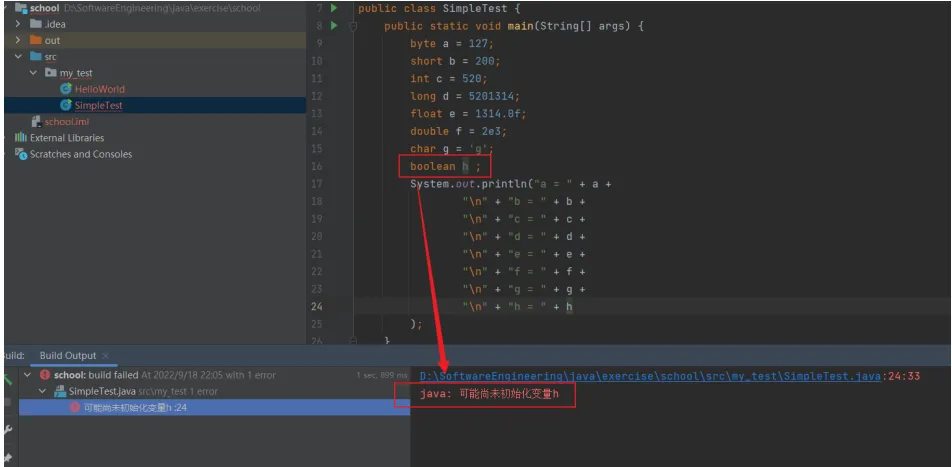
地位为局部变量的基元类型无初始值,因此必须给定初始值,否则报错
【运行流程】
设置 boolean 类型 的 h 无变量值
public static void main(String[] args) {
        byte a = 127;
        short b = 200;
        int c = 520;
        long d = 5201314;
        float e = 1314.0f;
        double f = 2e3;
        char g = 'g';
        boolean h ;
        System.out.println("a = " + a +
                "\n" + "b = " + b +
                "\n" + "c = " + c +
                "\n" + "d = " + d +
                "\n" + "e = " + e +
                "\n" + "f = " + f +
                "\n" + "g = " + g +
                "\n" + "h = " + h);
    }
2.2.3 编写Java程序,在程序中通过键盘输入8种基本数据类型种的任意四种,并输出结果。
【前提引入】
键盘输入语句:
- 介绍
在编程中,需要接受用户输入的数据,就可以使用键盘输入语句来获取。需要一个扫描器(对象),就是scanner - 步骤
- 导入类所在的包:import java.util.Scanner;
- 创建该类对象(声明变量):Scanner scanner = new Scanner(System.in);
- 调用里面的功能
scanner.nextInt():可以输入一个整数scanner.nextFloat():可以输入一个单精度浮点数scanner.next():可以输入字符串,返回类型是字符串对象,通过charAt(0)可获取第一个字符scanner.nextBoolean():可以输入一个布尔型
- 释放资源,Scanner也是IO输入流:scanner.close();
【运行流程】
public static void main(String[] args) {
    Scanner scanner = new Scanner(System.in);
    System.out.print("输入一个整数:" );
    int intType = scanner.nextInt();
    System.out.println("输入的整数为:"+intType);
    System.out.print("输入一个单精度浮点数:" );
    float floatType = scanner.nextFloat();
    System.out.println("输入的单精度浮点数为:"+floatType);
    System.out.print("输入一个字符:" );
    char charType = scanner.next().charAt(0);
    System.out.println("输入的字符为:"+charType);
    System.out.print("输入一个布尔数:" );
    boolean booleanType = scanner.nextBoolean();
    System.out.println("输入的整数为:"+booleanType);
}