SAP QM 执行事务代码QP01,系统报错 -Material type FOOD is not defined for task list type Q-

简介: SAP QM 执行事务代码QP01,系统报错 -Material type FOOD is not defined for task list type Q-

SAP QM 执行事务代码QP01,系统报错 -Material type FOOD is not defined for task list type Q-


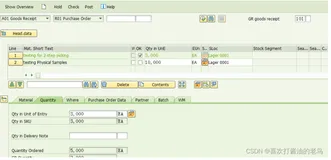
商品主数据755,物料类型是FOOD,基本计量单位是EA。
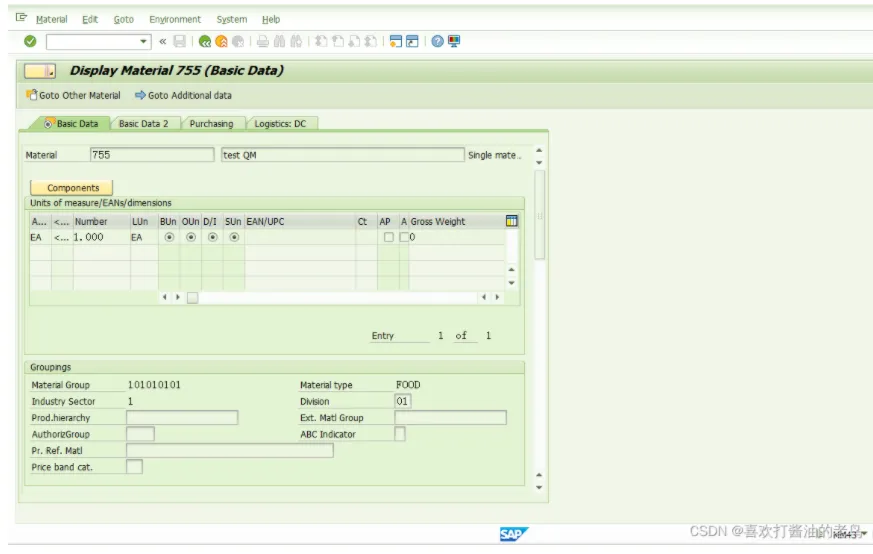
image.png


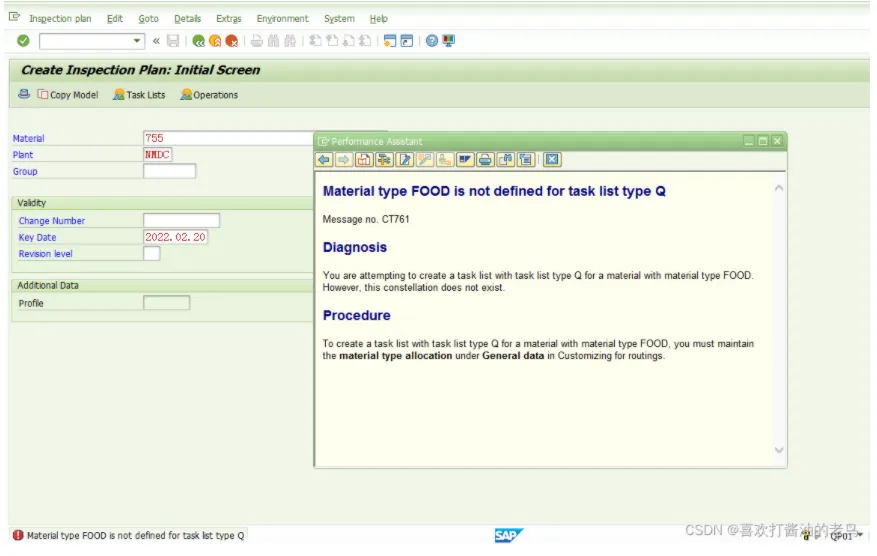
执行事务代码QP01视图为其创建检验计划,系统报错:

image.png


Material type FOOD is not defined for task list type Q


Message no. CT761


Diagnosis


You are attempting to create a task list with task list type Q for a material with material type FOOD. However, this constellation does not exist.


Procedure


To create a task list with task list type Q for a material with material type FOOD, you must maintain the material type allocation under General data in Customizing for routings.


要解决这个报错,需要修改后台配置参数。如下配置路径,
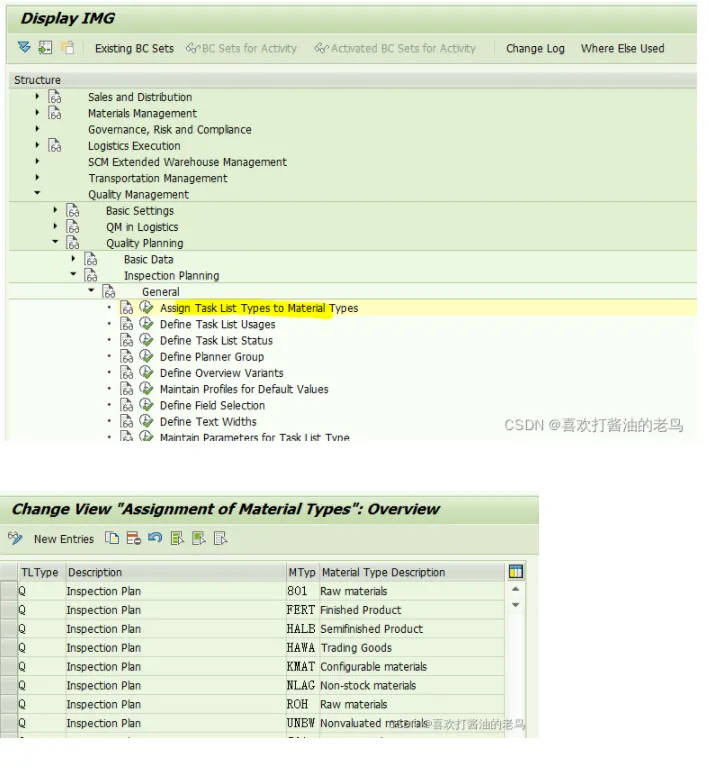
image.png

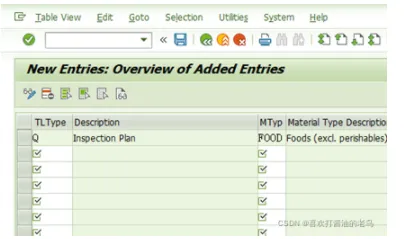
点击New Entries, 维护如下的条目,

image.png


这个配置条目,就是可以为物料类型FOOD维护Q类型的Task List(即检验计划)了!


重新执行事务代码QP01,为该商品维护检验计划,就不再报错了,如下图:
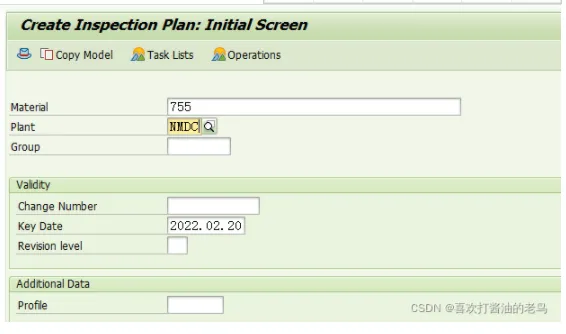
image.png


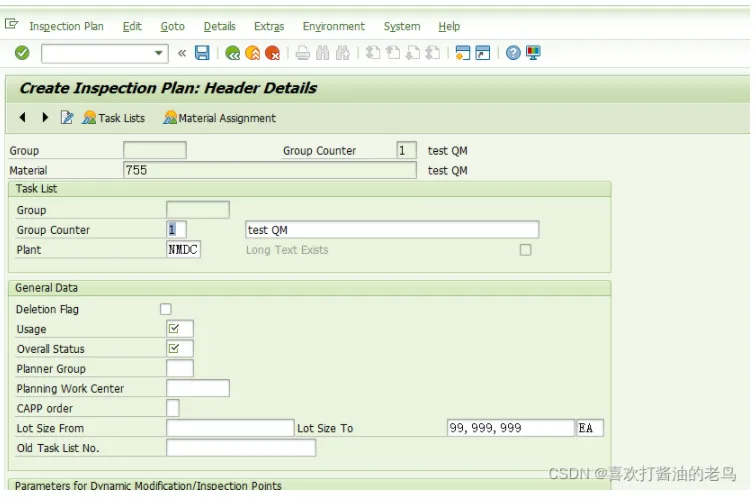
回车,进入如下界面,

image.png


输入检验计划的描述,Usage, Status, UoM等信息,点击 Operation按钮,进入如下界面,
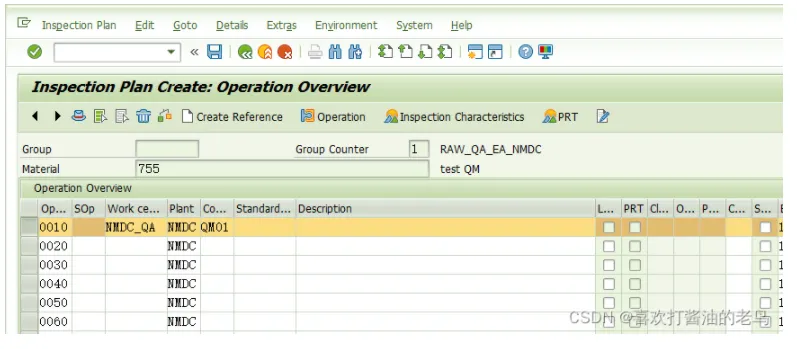
image.png


输入工作中心,Control Key, 然后选中这个ITEM,点击”Inspection Characteristics”按钮,进入如下界面,
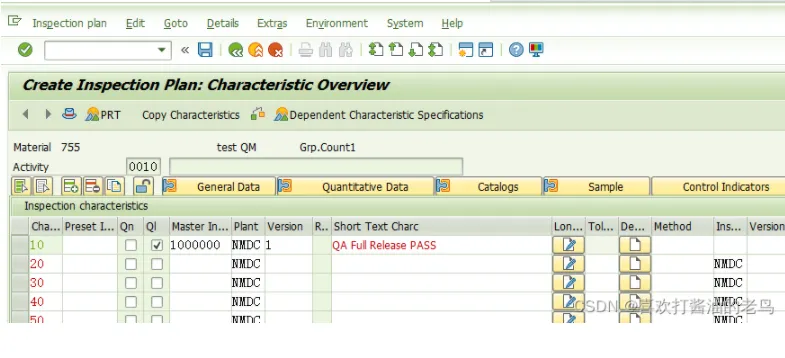
image.png


维护至少一个检验特性,比如1000000 (QA Full Release PASS)。


保存,
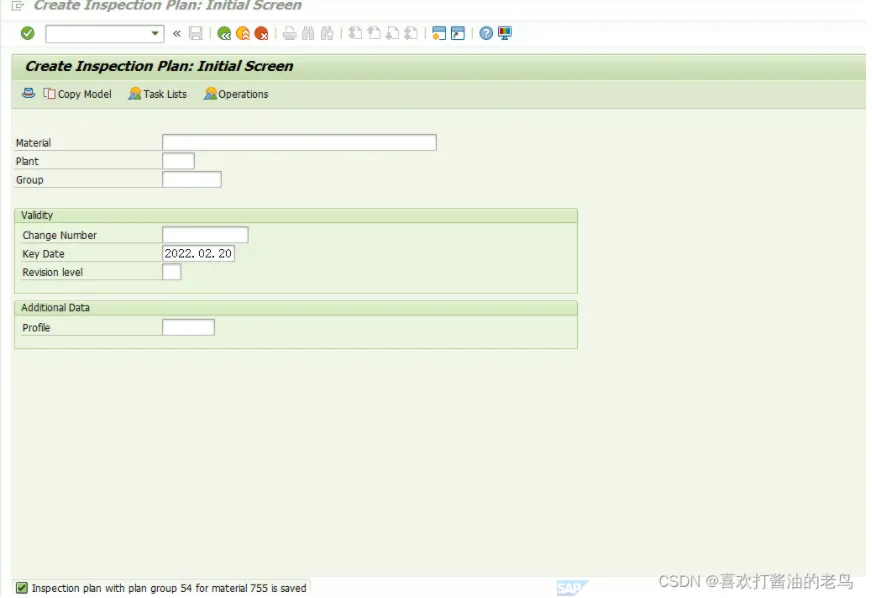
image.png


检验计划组54被创建好了。

相关文章
|
SQL 分布式计算 DataWorks
DataWorks操作报错合集之在使用函数holiday_date遇到报错: “Perhaps you forgot to add it to using list when create funciton.,是什么原因
DataWorks是阿里云提供的一站式大数据开发与治理平台,支持数据集成、数据开发、数据服务、数据质量管理、数据安全管理等全流程数据处理。在使用DataWorks过程中,可能会遇到各种操作报错。以下是一些常见的报错情况及其可能的原因和解决方法。
|
分布式计算 DataWorks 监控
DataWorks操作报错合集之遇到“OSERROR: argument list too long”的错误,该如何处理
DataWorks是阿里云提供的一站式大数据开发与治理平台,支持数据集成、数据开发、数据服务、数据质量管理、数据安全管理等全流程数据处理。在使用DataWorks过程中,可能会遇到各种操作报错。以下是一些常见的报错情况及其可能的原因和解决方法。
335 1
|
存储 NoSQL 安全
Redis第六弹-List列表-(相当于数组/顺序表)Lpush key element-一次可以插入多个元素(假如key已经存在,并且key对应的value并非是list,则会报错)
Each child in a list should have a unique “key“ prop. Check the render method的报错解决
|
缓存 资源调度 DataWorks
DataWorks操作报错合集之DataWorks节点报错:OSError: [Errno 7] Argument list too long,该怎么处理
DataWorks是阿里云提供的一站式大数据开发与治理平台,支持数据集成、数据开发、数据服务、数据质量管理、数据安全管理等全流程数据处理。在使用DataWorks过程中,可能会遇到各种操作报错。以下是一些常见的报错情况及其可能的原因和解决方法。
631 1
List中的remove方法遇到报错不能删除以及四种解决办法点赞收藏
883 0
|
分布式计算 DataWorks 安全
DataWorks报错问题之DataWorks报错odps-0433121: User is not added in the list - Only users in the operator account white list have permission to do that如何解决
DataWorks是阿里云提供的一站式大数据开发与管理平台,支持数据集成、数据开发、数据治理等功能;在本汇总中,我们梳理了DataWorks产品在使用过程中经常遇到的问题及解答,以助用户在数据处理和分析工作中提高效率,降低难度。
|
JavaScript
Vue报错 Invalid default value for prop “list“: Props with type Object/Array must use a factory
1104 0
|
缓存 前端开发
前端项目实战捌拾捌react-admin+material ui-踩坑-List之一直报错需要什么样的字段
226 0
|
算法 IDE 开发工具
【Python语法】类型提示(self, nums: List[int]) -> List[int],报错NameError: name ‘List‘ is not defined解决

热门文章

最新文章