由于项目需要在线预览 开始想自己实现 如上文
但是也想弄一份html格式的 但是格式总是达不到理想 所以使用了 kkFileView
1. kkFileView介绍
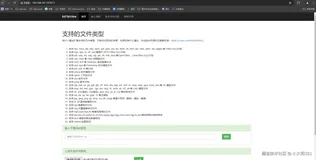
kkFileView是git的开源(不花钱)在线预览项目 支持格式:doc、docx、ppt、pptx、xls、xlsx、zip、rar、mp4、mp3以及众多类文本如txt、html、xml、java、properties、sql、js、md、json、conf、ini、vue、php、py、bat、gitignore
所以优点是 免费 好搭建 (感谢作者)
2.安装下载
地址:https://gitee.com/kekingcn/file-online-preview/releases
可以在以上地址下载到windows版本和linux版本
3.配置
下载到包后解压 项目中的配置都是可改变的 配置文件在下图 (linux同理)
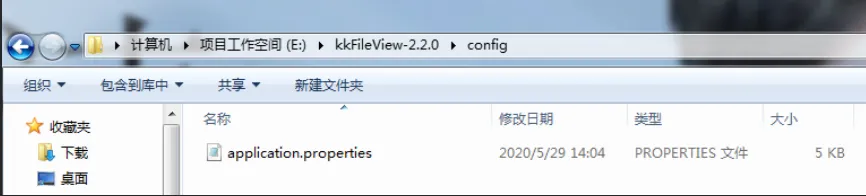
可以好好查看 可配置项 我这里只改变了上传的文件路径 为了统一的清除临时文件
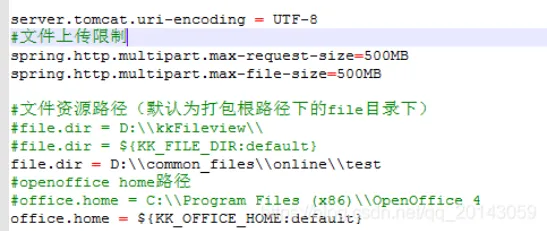
4.启动
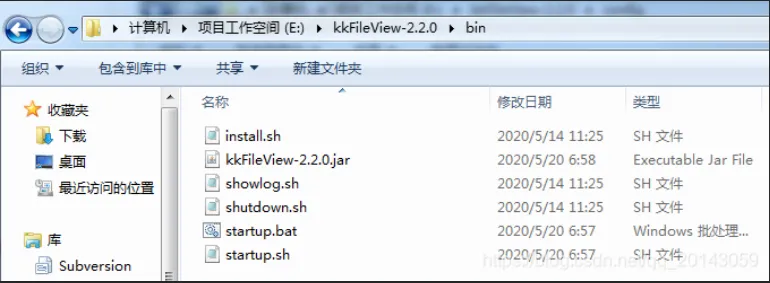
进入以下文件夹
window:双击startup.bat或者cmd - 输入startup.bat
linux:./startup.sh (这里我是用的CentOS Linux release 7.7.1908 (Core) 启动会自动下载 项目需要的插件 如:openoffice)
5.调用
我这里使用了这种方法 第一行也就是提供了一个下载文件的接口 在response中返回流 代码如下 然后在vue中调用open方法就可以了
var previewUrl = http://127.0.0.1:8080/filedownload?fileId=1+'&fullfilename=test.txt' 提供一个下载文件接口
window.open('http://127.0.0.1:8012/onlinePreview?url='+encodeURIComponent(previewUrl));
/**
     * 线上预览使用 为预览服务器提供下载流
     *
     * @param fileMessage
     * @return
     */
    @GetMapping("/onlineDownloadFile")
    public String onlineDownloadFile(FileMessage fileMessage)  {
        // 获取HttpServletResponse
        HttpServletResponse response =
            ((ServletRequestAttributes)RequestContextHolder.getRequestAttributes()).getResponse();
        String route = fileMessage.getFileRoute();
        String fileName = fileMessage.getFullfilename();// 文件名
        if (fileName != null && route != null) {
            // 设置文件路径
            File file = new File(fileMessage.getFileRoute() + "/" + fileName);
            if (file.exists()) {
                // 设置HTTP响应头
                response.reset();
                try {
                    OutputStream os = response.getOutputStream();
                    // 读取文件
                    InputStream in = new FileInputStream(file);
                    // copy文件
                    IOUtils.copy(in, os);
                    in.close();
                    os.close();
                    return "下载成功";
                } catch (Exception e) {
                    e.printStackTrace();
                }
            }
        }
        return "下载失败";
    }