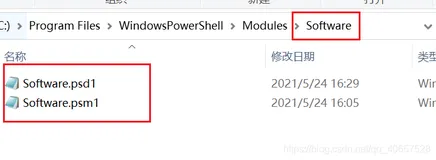
以前只知道在Powershell的默认路径下面添加第三方的module就可以开机自动加载了
|
1
2
3
4
5
|
PS C:\WINDOWS\system32>
$env:PSModulePath
-split
";"
C:\Users\yli\Documents\WindowsPowerShell\Modules
C:\Program Files\WindowsPowerShell\Modules
C:\WINDOWS\system32\WindowsPowerShell\v1.0\Modules\
C:\Program Files (x86)\NetApp\NetApp PowerShell Toolkit\Modules\.
|
但是其他路径的Module怎么处理?Snapin怎么处理,今天终于知道可以配置profile script来配置了。
方法很简单。
PowerShell的用户档案的WindowsPowerShell文件夹里面添加一个新的 profile.ps1 文件,然后在这个文件里面执行import-module和add-pssnapin等命令就可以了。开机的时候会自动执行该文件。
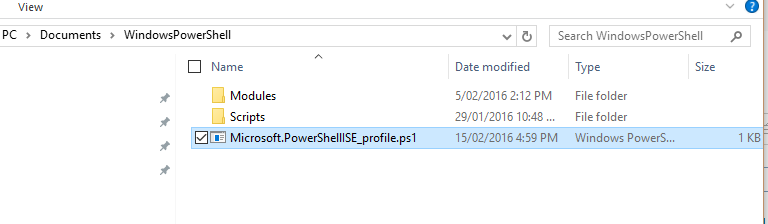
例如 开机自动加载对应的一些模块和插件等等
|
1
2
3
4
5
6
7
8
9
10
|
import-module
dataontap
Add-PSSnapin
VMware.VimAutomation.Core
$cred
=
Get-Credential
Import-Module
MSOnline
Set-ExecutionPolicy
remotesigned
Connect-MsolService
-Credential
$cred
#连接到Office365
$Session
=
New-PSSession
-ConfigurationName Microsoft.Exchange -ConnectionUri https://outlook.office365.com/powershell/ -Credential
$Cred
-Authentication Basic -AllowRedirection
Import-PSSession
$session
|
下面是引自《Learn Powershell 3 in a Month of Lunches》不同的路径的profle有不同效果。
$pshome/profile.ps1—This will execute for all users of the computer, no matter
which host they’re using (remember that $pshome is predefined within
PowerShell and contains the path of the PowerShell installation folder).
2 $pshome/Microsoft.PowerShell_profile.ps1—This will execute for all users of
the computer if they’re using the console host. If they’re using the PowerShell
ISE, the $pshome/Microsoft.PowerShellISE_profile.ps1 script will be executed
instead.
3 $home/Documents/WindowsPowerShell/profile.ps1—This will execute only
for the current user (because it lives under the user’s home directory), no matter
which host they’re using.
4 $home/Documents/WindowsPowerShell/Microsoft.PowerShell_profile.ps1—
This will execute for the current user if they’re using the console host. If they’re
using the PowerShell ISE, the $home/Documents/WindowsPowerShell/
Microsoft.PowerShellISE_profile.ps1 script will be executed instead.