centos 5.0
selinux 为开启状态
apache 2.2.8
php 5.0
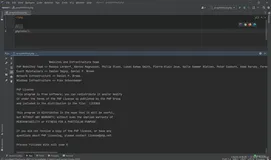
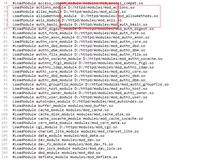
安装完成之后,apache无法加载php模块。错误如下:
相信提示大伙都能看懂。网上有解决办法就是关闭selinux 下面讲另二种方法
一:按提示操作:(大体意思是将libphp5.so加入selinux系统内)
注意红色字体:大体的意思是 您需要改变libphp5.so 的相应权限。
使用命令:
chcon -t textrel_shlib_t /usr/local/apache2/modules/libphp5.so
我运气不好哈,加入后还是启不来:
httpd: Syntax error on line 232 of /usr/local/apache2/conf/httpd.conf: API module structure 'php5_module' in file /usr/local/apache2/modules/libphp5.so is garbled - expected signature 41503232 but saw 41503230 - perhaps this is not an Apache module DSO, or was compiled for a different Apache version?
二:大家看最后一行。 or was compiled for a different Apache version?
或编译不同的apache版本。
OK 换成 apache 2.0 一切搞定。
关于如上的方法,启不动,查看日志,再按日志里的命令操作,接着又会得到提示。继续操作。就可以完成安装。
net-snmp 在selinux开启的状态下也无法启动。需要用上面的方法来解决。或者直接关闭selinux 官网不推荐这么做。
一点小技巧。就到这吧。
selinux 为开启状态
apache 2.2.8
php 5.0
安装完成之后,apache无法加载php模块。错误如下:
httpd: Syntax error on line 232 of /usr/local/apache2/conf/httpd.conf: API module structure 'php5_module' in file /usr/local/apache2/modules/libphp5.so is garbled - expected signature 41503232 but saw 41503230 - perhaps this is not an Apache module DSO, or was compiled for a different Apache version?
相信提示大伙都能看懂。网上有解决办法就是关闭selinux 下面讲另二种方法
一:按提示操作:(大体意思是将libphp5.so加入selinux系统内)
#tail /var/log/messages
May 23 10:08:15 nagios setroubleshoot: SELinux is preventing /usr/local/apache2/bin/httpd from loading /usr/local/apache2/modules/libphp5.so which requires text relocation. For complete SELinux messages. run sealert -l e693621e-145b-4431-bdcb-68b3883f1ac8
May 23 10:08:15 nagios setroubleshoot: SELinux is preventing /usr/local/apache2/bin/httpd from loading /usr/local/apache2/modules/libphp5.so which requires text relocation. For complete SELinux messages. run sealert -l e693621e-145b-4431-bdcb-68b3883f1ac8
# sealert -l e693621e-145b-4431-bdcb-68b3883f1ac8
Summary
SELinux is preventing /usr/local/apache2/bin/httpd from loading
/usr/local/apache2/modules/libphp5.so which requires text relocation.
Detailed Description
The /usr/local/apache2/bin/httpd application attempted to load
/usr/local/apache2/modules/libphp5.so which requires text relocation. This
is a potential security problem. Most libraries do not need this permission.
Libraries are sometimes coded incorrectly and request this permission. The
[url]http://people.redhat.com/drepper/selinux-mem.html[/url] web page explains how to
remove this requirement. You can configure SELinux temporarily to allow
/usr/local/apache2/modules/libphp5.so to use relocation as a workaround,
until the library is fixed. Please file a
[url]http://bugzilla.redhat.com/bugzilla/enter_bug.cgi[/url] against this package.
Allowing Access
If you trust /usr/local/apache2/modules/libphp5.so to run correctly, you can
change the file context to textrel_shlib_t. "chcon -t textrel_shlib_t
/usr/local/apache2/modules/libphp5.so"
The following command will allow this access:
chcon -t textrel_shlib_t /usr/local/apache2/modules/libphp5.so
Additional Information
Source Context user_u:system_r:unconfined_t
Target Context system_u:object_r:lib_t
Target Objects /usr/local/apache2/modules/libphp5.so [ file ]
Affected RPM Packages
Policy RPM selinux-policy-2.4.6-30.el5
Selinux Enabled True
Policy Type targeted
MLS Enabled True
Enforcing Mode Permissive
Plugin Name plugins.allow_execmod
Host Name nagios
Platform Linux nagios 2.6.18-8.el5 #1 SMP Thu Mar 15
19:57:35 EDT 2007 i686 i686
Alert Count 3
Line Numbers
Raw Audit Messages
avc: denied { execmod } for comm="httpd" dev=sda3 egid=0 euid=0
exe="/usr/local/apache2/bin/httpd" exit=0 fsgid=0 fsuid=0 gid=0 items=0
name="libphp5.so" path="/usr/local/apache2/modules/libphp5.so" pid=31706
scontext=user_u:system_r:unconfined_t:s0 sgid=0
subj=user_u:system_r:unconfined_t:s0 suid=0 tclass=file
tcontext=system_u:object_r:lib_t:s0 tty=pts0 uid=0
Summary
SELinux is preventing /usr/local/apache2/bin/httpd from loading
/usr/local/apache2/modules/libphp5.so which requires text relocation.
Detailed Description
The /usr/local/apache2/bin/httpd application attempted to load
/usr/local/apache2/modules/libphp5.so which requires text relocation. This
is a potential security problem. Most libraries do not need this permission.
Libraries are sometimes coded incorrectly and request this permission. The
[url]http://people.redhat.com/drepper/selinux-mem.html[/url] web page explains how to
remove this requirement. You can configure SELinux temporarily to allow
/usr/local/apache2/modules/libphp5.so to use relocation as a workaround,
until the library is fixed. Please file a
[url]http://bugzilla.redhat.com/bugzilla/enter_bug.cgi[/url] against this package.
Allowing Access
If you trust /usr/local/apache2/modules/libphp5.so to run correctly, you can
change the file context to textrel_shlib_t. "chcon -t textrel_shlib_t
/usr/local/apache2/modules/libphp5.so"
The following command will allow this access:
chcon -t textrel_shlib_t /usr/local/apache2/modules/libphp5.so
Additional Information
Source Context user_u:system_r:unconfined_t
Target Context system_u:object_r:lib_t
Target Objects /usr/local/apache2/modules/libphp5.so [ file ]
Affected RPM Packages
Policy RPM selinux-policy-2.4.6-30.el5
Selinux Enabled True
Policy Type targeted
MLS Enabled True
Enforcing Mode Permissive
Plugin Name plugins.allow_execmod
Host Name nagios
Platform Linux nagios 2.6.18-8.el5 #1 SMP Thu Mar 15
19:57:35 EDT 2007 i686 i686
Alert Count 3
Line Numbers
Raw Audit Messages
avc: denied { execmod } for comm="httpd" dev=sda3 egid=0 euid=0
exe="/usr/local/apache2/bin/httpd" exit=0 fsgid=0 fsuid=0 gid=0 items=0
name="libphp5.so" path="/usr/local/apache2/modules/libphp5.so" pid=31706
scontext=user_u:system_r:unconfined_t:s0 sgid=0
subj=user_u:system_r:unconfined_t:s0 suid=0 tclass=file
tcontext=system_u:object_r:lib_t:s0 tty=pts0 uid=0
注意红色字体:大体的意思是 您需要改变libphp5.so 的相应权限。
使用命令:
chcon -t textrel_shlib_t /usr/local/apache2/modules/libphp5.so
我运气不好哈,加入后还是启不来:
httpd: Syntax error on line 232 of /usr/local/apache2/conf/httpd.conf: API module structure 'php5_module' in file /usr/local/apache2/modules/libphp5.so is garbled - expected signature 41503232 but saw 41503230 - perhaps this is not an Apache module DSO, or was compiled for a different Apache version?
二:大家看最后一行。 or was compiled for a different Apache version?
或编译不同的apache版本。
OK 换成 apache 2.0 一切搞定。
关于如上的方法,启不动,查看日志,再按日志里的命令操作,接着又会得到提示。继续操作。就可以完成安装。
net-snmp 在selinux开启的状态下也无法启动。需要用上面的方法来解决。或者直接关闭selinux 官网不推荐这么做。
一点小技巧。就到这吧。
本文转自守住每一天51CTO博客,原文链接:http://blog.51cto.com/liuyu/78389,如需转载请自行联系原作者