GDB进入进出
进入:type gdb to start GDB.Once started,GDB reads commands from the terminal until you tell it to exit
进出:type quit or Ctrl-d to exit
GDB启动过程
1.启动内核(Performs minimal setup required to initilize basic internal state)
2.读取初始化文件
A.从home directory中的early initialization file中读取命令。
B.执行-eiex和-eix选项中指定的的commands和commands files.
C.根据model options启用对应的模式(sets up the command interpreter as specified by the command line)
D.读取全局范围的初始化文件
E.读取home directory下的初始化文件
3.执行命令
A.执行-iex和ix选项中指定的commands和commands files.
B.Processes command line options and operands
C.执行当前工作目录中的初始化文件,当且仅当'set auto-load local-gdbinit' 被设置成on.
D.GDB loads any auto-loaded scripts provided for the program or for its loaded shared libraries.
E.执行-ex和-x选项指定的commands和command files.
F.Reads the command history recorded in the history file.
GDB初始化文件
Early initilization file:
位置:There are lots of locations that GDB will search in the home directory,these locations are searched in order and GDB will load the first file that it finds,and sebsequent locations will not be checked.
1.the file gdb/gdbearlyinit within the directory pointed to by the environmet variable XDG_CONFIG_HOME,if it is defined
2.the file .config/gdb/gdbearlyinit within the directory pointed to by the environment variable HOME,if it is defined
3.the file .gdbearlyinit within the directory pointed to by the environment variable HOME,if it is defined
System wide initialization files
位置:
system.gdbinit
this is a single system-wide initialization file.its locations is specified with the --with-system-gdbinit configure option.It is loaded first when GDB starts,before command line options have bee processed
system.gdbinit.d
this is the system-wide initialization directory.its location is specified with the --with-sytem-gdbinit-dir configure option.Files in this directory are loaded in alphabetical order immediately after system.gdbinit when GDB stars
Home directory initialization file
1.$XDG_CONFIG_HOME/gdb/gdbinit
2.$HOME/.configure/gdb/gdbinit
3.$HOME/.gdbinit
Local directory initialization file
GDB will check the current directory for a file called .gdbinit.
GDB命令
1.通过搭配不同的options和arguments,可以实现不同的效果。同时输入的所有的options和arguments都会按照顺序处理。
如果第二个参数是以十进制数字开头,则GDB会认为其是一个进程,如果失败了,则会将其视为一个COREFILE。如果想要转义的话可以用(比C语言多了一个点号).\
2.命令语法
A GDB command is a single line of input,对于长度没有限制。starts with a command name,which is followed by arguments.
B.a blank line as input to GDB(typing just RET) means to repeat the previous command.Certain commans(run)will not repeat this way
3.单行注释是#
Stack Frame
1.什么是Stack frame
每次执行一个函数调用时,那么关于这个调用的信息(
包括但不限于:
A.程序中该调用的位置,以及函数执行的地址
B.调用的桉树
C.被调用函数中的local variables.
)就会生成,这些信息会被存储到一个数据块中,而这个数据块就被称为stack frame。所有的Stack frames被分配到内存的一个区域,这个区域就被称为stack。
2.GDB可以做什么?
当遇到断点时,GDB提供专门的命令来检视这些stack。当程序停止时,GDB默认选择当前正在执行的frame
When your program is started, the stack has only one frame, that of the function main.
This is called the initial frame or the outermost frame. Each time a function is called, a
new frame is made. Each time a function returns, the frame for that function invocation
is eliminated. If a function is recursive, there can be many frames for the same function.
The frame for the function in which execution is actually occurring is called the innermost
frame. This is the most recently created of all the stack frames that still exist.
Stack frames are identified by their address.A stack frame consists of many bytes,each of which has its own address;Each kind of computer has a convention for choosing one byte whose address serves as the address of the frame.usually this address is kept in a register called the frame pointer register while execution is going on in that frame.
GDB labels each exising stack frame with a level,就是一个自增的整数,0代表innermost frame,1代表调用它的,以此递推。
3.Backtraces:
a backtrace is a summary of how your program got where it is.It shows one line per frame,for many frames,starting with the currently executing frame(frame zero),follower by its caller(frame one),and on up to the stack.
backtrace/bt [option]...[qulifier]...[count]:print the backtrace of the entire stack
选项:
-full:print the values of the local variables also.
Breakpoints
break/b:没有参数时,break sets a breakpoint at the next instruction to be executed in the selected stack frame.
break...if cond:当到达断点位置时对表达式求值,如果值为true则程序停止。
break...-force-condition if cond:强制要求定义断点。
tbreak args:set a breakpoint enabled only for one stop.
rbreak regex:set breakpoints on all functions matching the regular expression.正则表达式的语法和grep是一样的
info break:打印现有的breakpoints/watchpoints/catchpoints。打印格式如下:
breakpoint numbers
type
disposition:whether the breakpoint is marked to be disabled or deleted when hit
enable/disable:Y表示启用,N表示未启用
address:where the breakpoint is in your program,as a memory address。
what:where the breakpoints is in the source for your programm,as a file and line number.
watch [-l|-location] expr [thread thread-id] [mask maskvalue]
info watchpoints [lst...]:prints a list of watchpoints.
删除断点:
clear:delete any breakpoints at the next instruction to be executed in the selected stack frame.
clear location:
clear function
clear filename:function
clear linenum
clear filename:linenum
delete [breakpoints] [list...]:delete the breakpoints,watchpoints or catchpoints of the breakpoint list specified as argument.若没有参数则删除所有的断点。
enable [breakpoints] [list]:启动列表中的断点,若无参数则启动所有断点
disable [breakpoints] [list]:禁用列表中的断点,若无参数则启动所有断点
enable [breakpoints] once [list]:启动列表中的断点,只启动一次,后续将禁用
enable [breakpoints] count N(次数) [list]:启动列表中的断点N次,后续将禁用
enable [breakpoints] delete [list]:启用一次后,该断点被删除
Break Conditions:
A condition is just a Boolean expression in your programming language。当到达断点位置时,会对condition进行求值。如果值为true,则触发断点功效。否则直接跳过。
如何添加条件:
对于break和watch命令,搭配if关键字
对于catch命令,搭配condition关键字
condition 断点号 表达式。GDB会立马检查是否存在语法错误以及对象是否存在。
condition -force 断点号 表达式
condition 断点号:从指点断点处移除condition
Break Command Lists:
格式:commands [命令列表] end
对具体的断点增加制定的命令列表。
动态输出
常规情况下输出是走GDB,不过也可以通过dprintf-style修改为程序语言自己的printf函数.
dprintf location,template,expression[,expression...]:whenever exection reaches location,print the values of one or more expressions under the control of the string template.
set dprintf-style 形式:Set the dprintf output to be handled in one of several different style enumerated below。
gdb:使用gdb printf命令
call:handle the output by calling a function in your program(normally printf)
agent
set dprintf-function 函数:set the function to call if the dprintf style is call.
Continuing and Stepping
如果想要在不同的地方进行启动,可以使用return或者jump命令
Continuing:means resuming program execution until your program completes normally
continue/c [ignore-count]:ignore-count表示允许跳过的断点个数。
Stepping:means executing just one more step of your program,或者是一行代码亦或是一条machine instruction(取决于使用的具体命令)
step [count]:only stops at the first instruction of a source line
next [count]:
finish:Continue running until just after function in the selected stack frame returns.Print the returned value(if any).
until/u [location]:Continue running until a source line past the current line,in the current stack frame,is reached.位置也是仅限于current frame
advace location:Continue running the program up to the given location.和until类似,但是advance will not skip over recursive function calls,and the target location does not have to be in the same frame as the current one.
skip [options]:在POSIX system中,正则表示式是Extended Regualr Expressions
-file/fi 文件名:在指定文件中的函数都将被跳过
-gfile 匹配模式:匹配到的文件中的函数都将被跳过
-function/fu linespec:Functions names by linespec or the function containg the line named by linespec will be skipped over when stepping.
-rfunction/rfu regexp:按正则表达式匹配到的函数都将被跳过。
查看脚本
输出数据
Register(寄存器):
在GD中,可以把寄存器中的内容当做变量来使用,其中变量是以$开头。GDB中有4标准的寄存器变量;
$pc:program counter register
$sp:stack pointer
$fp:contains a pointer to the current stack frame
$ps:contains the processor status。
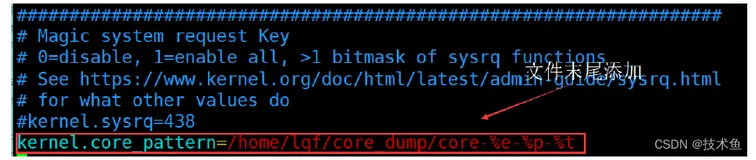
A core file or core dump is a file that records the memory image of a running process and its process status(register values etc.)
GDB can evaluate expression containing macro invocations,show the result of macro expansion,and show a macro's definition,including where is was defined.
macor expand 表达式:只是展开宏,并不对其进行求值