Pre
SpringBoot 最强大的功能就是把我们常用的场景抽取成了一个个starter(场景启动器),我们通过引入springboot 为我提供的这些场景启动器,再进行少量的配置就能使用相应的功能。
但有些时候,springboot也不能囊括我们所有的使用场景,往往我们需要自定义starter,来简化我们对springboot的使用。
那怎么搞呢?
自定义starter的套路
参照@WebMvcAutoConfiguration , 看看们需要准备哪些东西
@Configuration(proxyBeanMethods = false)
@ConditionalOnWebApplication(type = Type.SERVLET)
@ConditionalOnClass({ Servlet.class, DispatcherServlet.class, WebMvcConfigurer.class })
@ConditionalOnMissingBean(WebMvcConfigurationSupport.class)
@AutoConfigureOrder(Ordered.HIGHEST_PRECEDENCE + 10)
@AutoConfigureAfter({ DispatcherServletAutoConfiguration.class, TaskExecutionAutoConfiguration.class,
    ValidationAutoConfiguration.class })
public class WebMvcAutoConfiguration {
.......
}
抽取以下
@Configuration  //指定这个类是一个配置类
@ConditionalOnXXX  //指定条件成立的情况下自动配置类生效
@AutoConfigureOrder  //指定自动配置类的顺序
@Bean  //向容器中添加组件
@ConfigurationProperties  //结合相关xxxProperties来绑定相关的配置
@EnableConfigurationProperties  //让xxxProperties生效加入到容器中
自动配置类要能加载需要将自动配置类,配置在META-INF/spring.factories中
我们参考下 spring-boot-starter

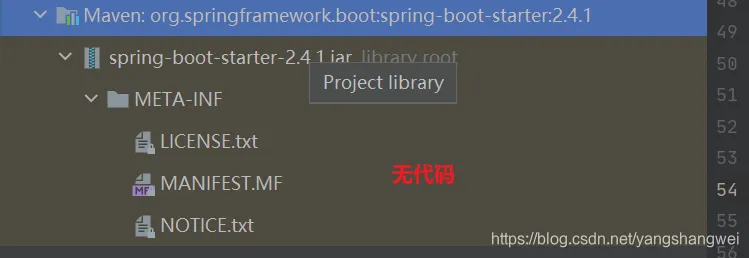
点击maven进去
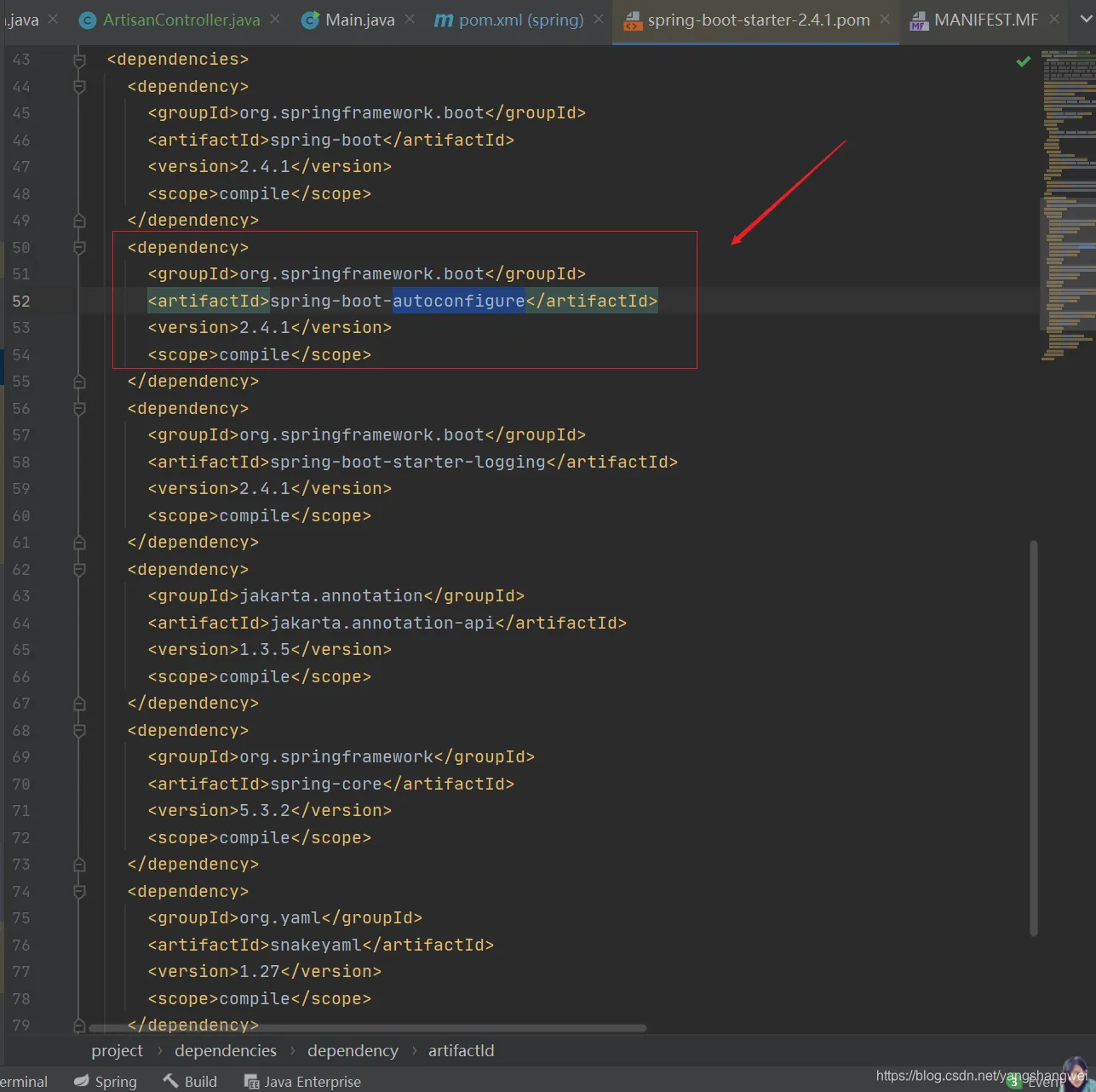
有个 spring-boot-autoconfigure的依赖
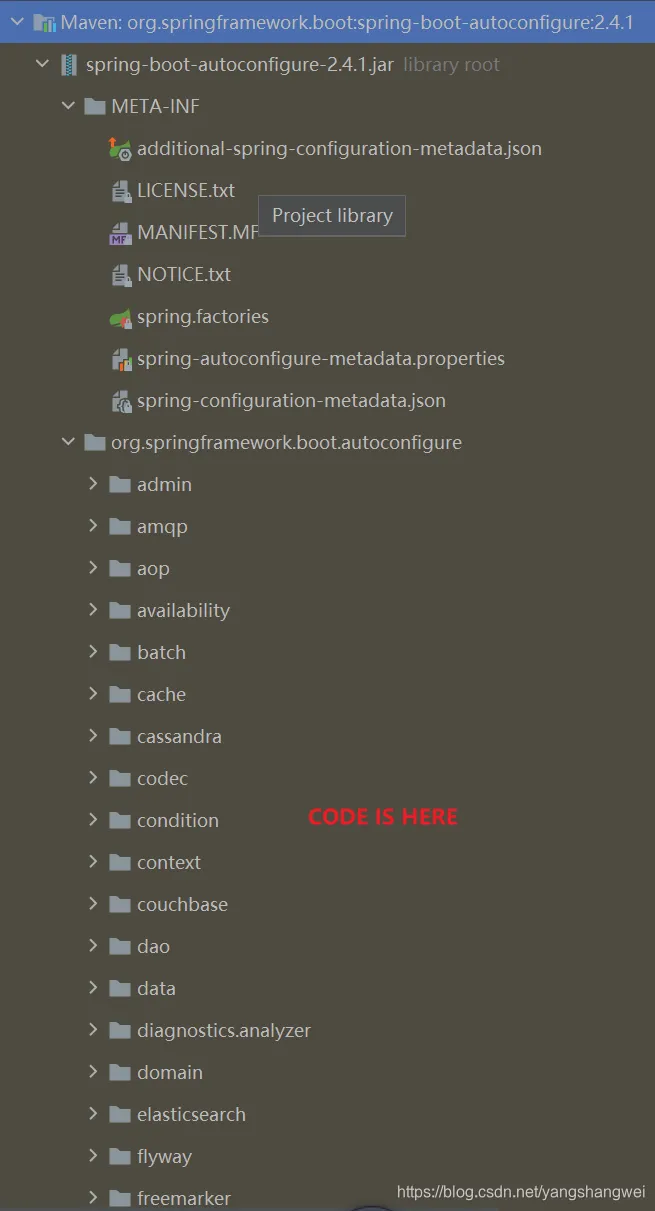
步骤
所以总结下
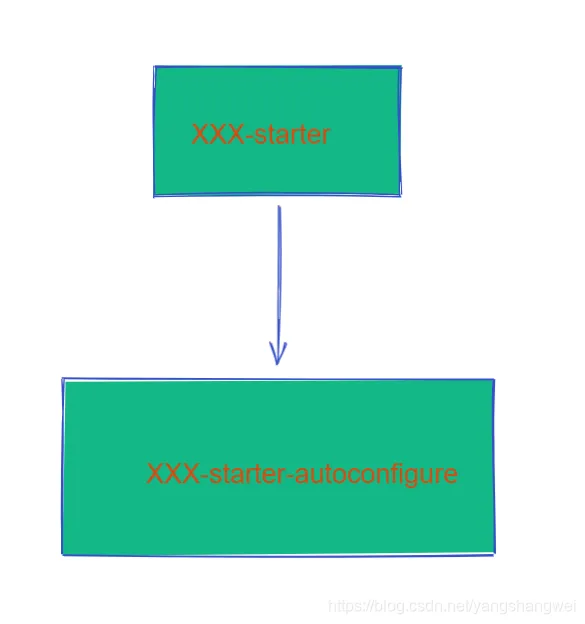
- 启动器(starter)是一个空的jar文件,仅仅提供辅助性依赖管理,这些依赖可能用于自动装配或其他类库。
- 需要专门写一个类似spring-boot-autoconfigure的配置模块
- 用的时候只需要引入启动器starter,就可以使用自动配置了
命名规范
官方命名空间
前缀:spring-boot-starter-
模式:spring-boot-starter-模块名
举例:spring-boot-starter-web、spring-boot-starter-jdbc
自定义命名空间
后缀:-spring-boot-starter
模式:模块-spring-boot-starter
举例:mybatis-spring-boot-starter
实战
创建一个父maven项目:springboot_custome_starter
新建一个maven工程, 父工程,pom类型 , src 目录 和 IDEA自动创建的.md文件,删除掉
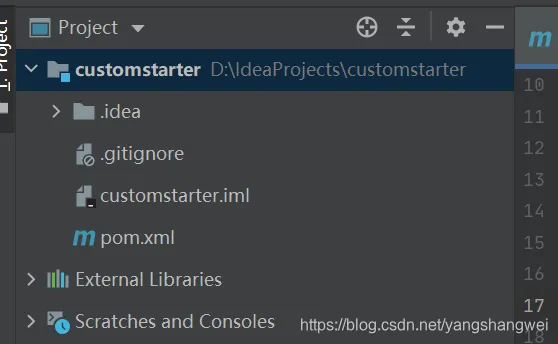
pom 如下
<?xml version="1.0" encoding="UTF-8"?>
<project xmlns="http://maven.apache.org/POM/4.0.0" xmlns:xsi="http://www.w3.org/2001/XMLSchema-instance"
         xsi:schemaLocation="http://maven.apache.org/POM/4.0.0 https://maven.apache.org/xsd/maven-4.0.0.xsd">
    <modelVersion>4.0.0</modelVersion>
    <parent>
        <groupId>org.springframework.boot</groupId>
        <artifactId>spring-boot-starter-parent</artifactId>
        <version>2.3.6.RELEASE</version>
        <relativePath/> <!-- lookup parent from repository -->
    </parent>
    <packaging>pom</packaging>
    <groupId>com.artisan.customstarter</groupId>
    <artifactId>starter</artifactId>
    <version>0.0.1-SNAPSHOT</version>
    <name>starter</name>
    <description>SpringBoot自定义starter</description>
    <properties>
        <java.version>1.8</java.version>
    </properties>
    <dependencies>
        <dependency>
            <groupId>org.springframework.boot</groupId>
            <artifactId>spring-boot-starter</artifactId>
        </dependency>
    </dependencies>
    <build>
        <plugins>
            <!--提供source-->
            <plugin>
                <groupId>org.apache.maven.plugins</groupId>
                <artifactId>maven-source-plugin</artifactId>
                <configuration>
                    <attach>true</attach>
                </configuration>
                <executions>
                    <execution>
                        <phase>compile</phase>
                        <goals>
                            <goal>jar</goal>
                        </goals>
                    </execution>
                </executions>
            </plugin>
        </plugins>
    </build>
</project>
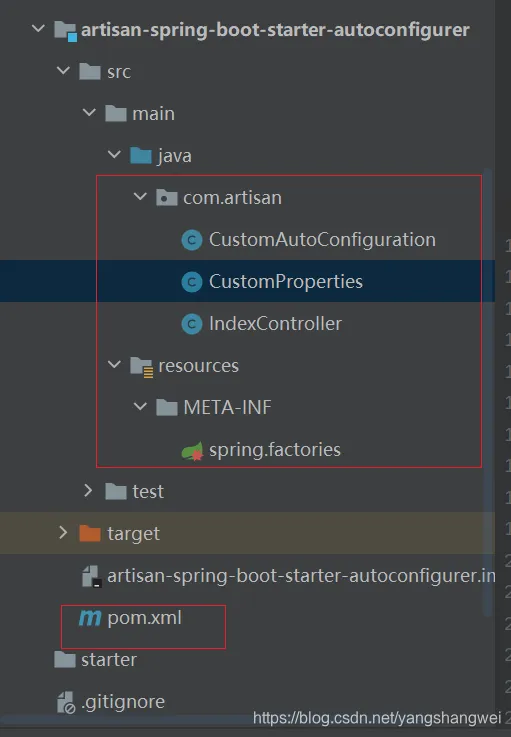
创建 两个Module: artisan-spring-boot-starter 和 artisan-spring-boot-starter-autoconfigurer
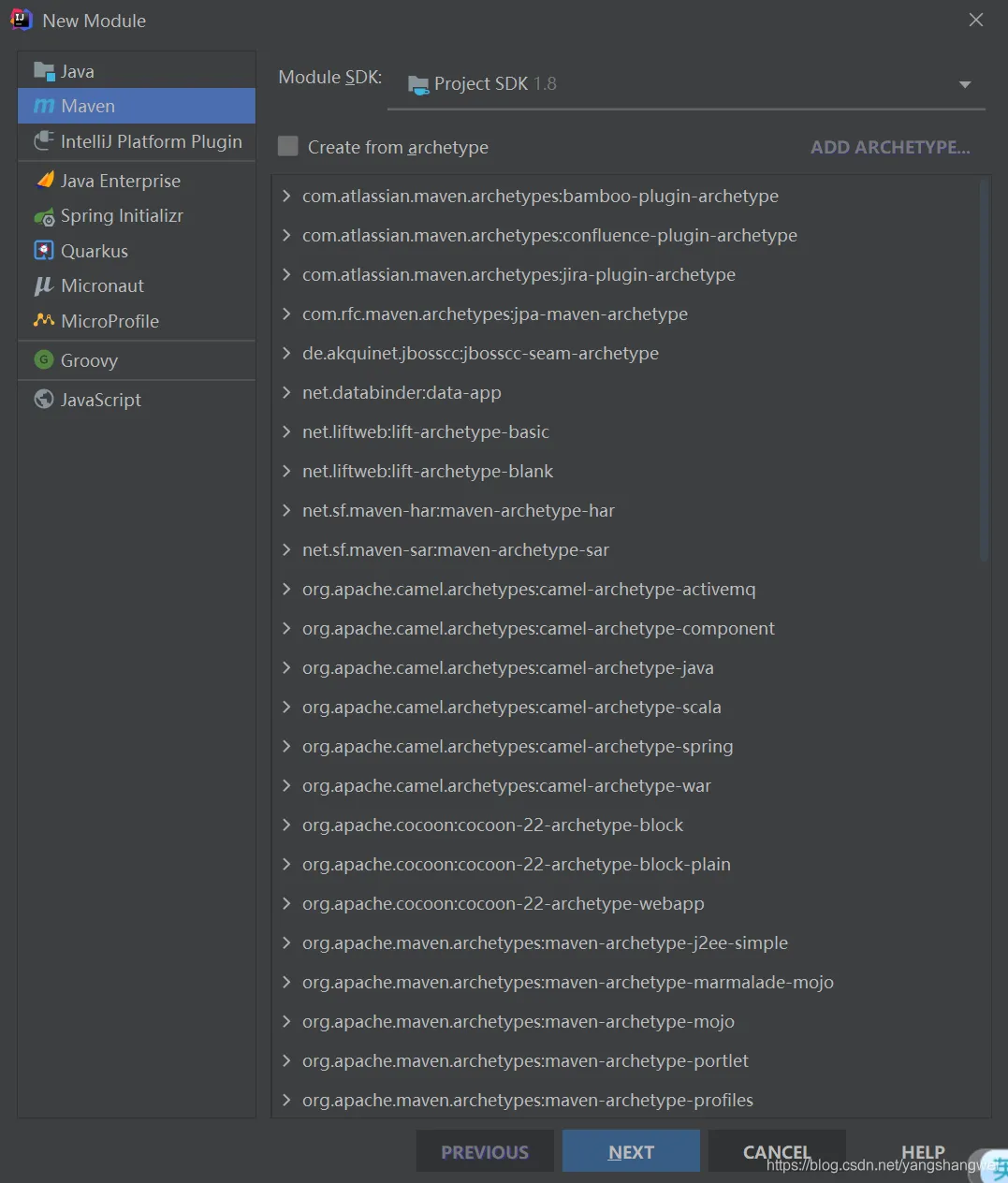
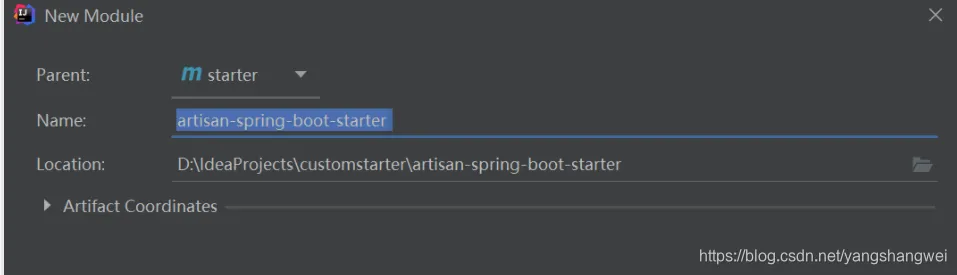
同样的方式创建
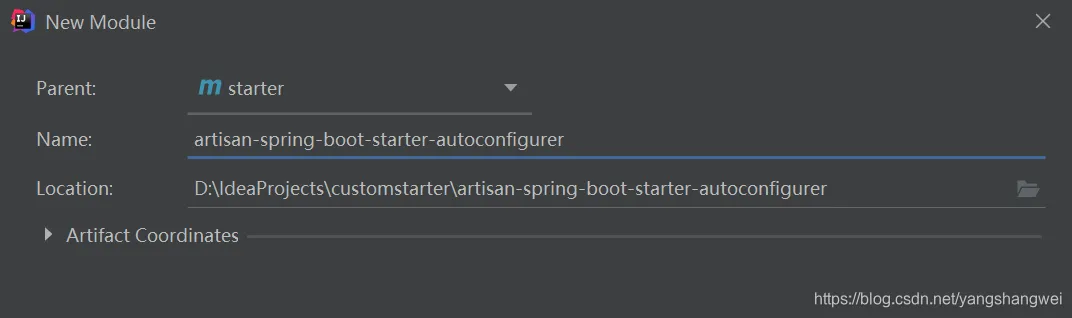
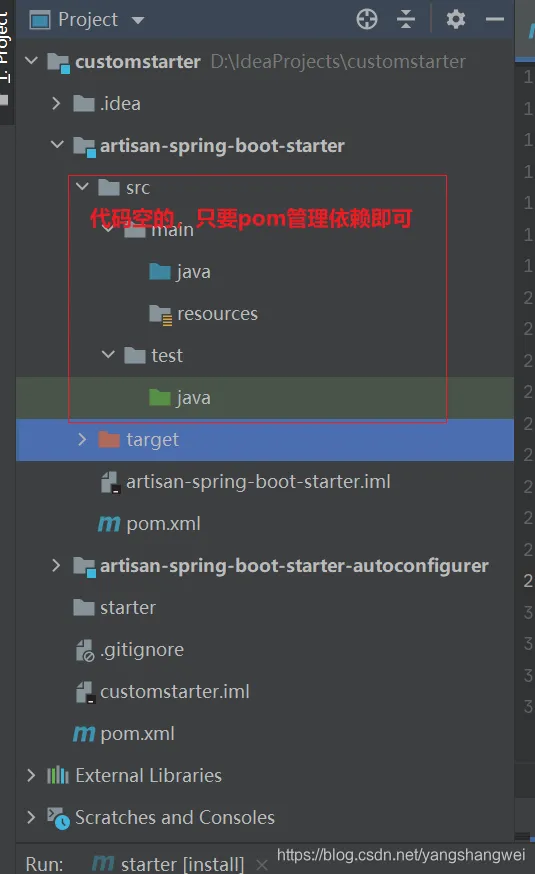
artisan-spring-boot-starter (空的jar文件,仅仅提供辅助性依赖管理)
pom
<?xml version="1.0" encoding="UTF-8"?>
<project xmlns="http://maven.apache.org/POM/4.0.0"
         xmlns:xsi="http://www.w3.org/2001/XMLSchema-instance"
         xsi:schemaLocation="http://maven.apache.org/POM/4.0.0 http://maven.apache.org/xsd/maven-4.0.0.xsd">
    <parent>
        <artifactId>starter</artifactId>
        <groupId>com.artisan.customstarter</groupId>
        <version>0.0.1-SNAPSHOT</version>
    </parent>
    <modelVersion>4.0.0</modelVersion>
    <description>
        启动器(starter)是一个空的jar文件,
        仅仅提供辅助性依赖管理,
        这些依赖需要自动装配或其他类库。
    </description>
    <artifactId>artisan-spring-boot-starter</artifactId>
    <dependencies>
        <!--引入autoconfigure-->
        <dependency>
            <groupId>com.artisan.customstarter</groupId>
            <artifactId>artisan-spring-boot-starter-autoconfigurer</artifactId>
            <version>0.0.1-SNAPSHOT</version>
        </dependency>
        <!--如果当前starter 还需要其他的类库就在这里引用-->
    </dependencies>
</project>
如果使用spring Initializr创建的需要删除 启动类、resources下的文件,test文件。
artisan-spring-boot-starter-autoconfigurer
pom
<?xml version="1.0" encoding="UTF-8"?>
<project xmlns="http://maven.apache.org/POM/4.0.0"
         xmlns:xsi="http://www.w3.org/2001/XMLSchema-instance"
         xsi:schemaLocation="http://maven.apache.org/POM/4.0.0 http://maven.apache.org/xsd/maven-4.0.0.xsd">
    <parent>
        <artifactId>starter</artifactId>
        <groupId>com.artisan.customstarter</groupId>
        <version>0.0.1-SNAPSHOT</version>
    </parent>
    <modelVersion>4.0.0</modelVersion>
    <artifactId>artisan-spring-boot-starter-autoconfigurer</artifactId>
    <dependencies>
        <dependency>
            <groupId>org.springframework.boot</groupId>
            <artifactId>spring-boot-starter-web</artifactId>
        </dependency>
        <!--‐导入配置文件处理器,配置文件进行绑定就会有提示-->
        <dependency>
            <groupId>org.springframework.boot</groupId>
            <artifactId>spring-boot-configuration-processor</artifactId>
            <optional>true</optional>
        </dependency>
    </dependencies>
</project>
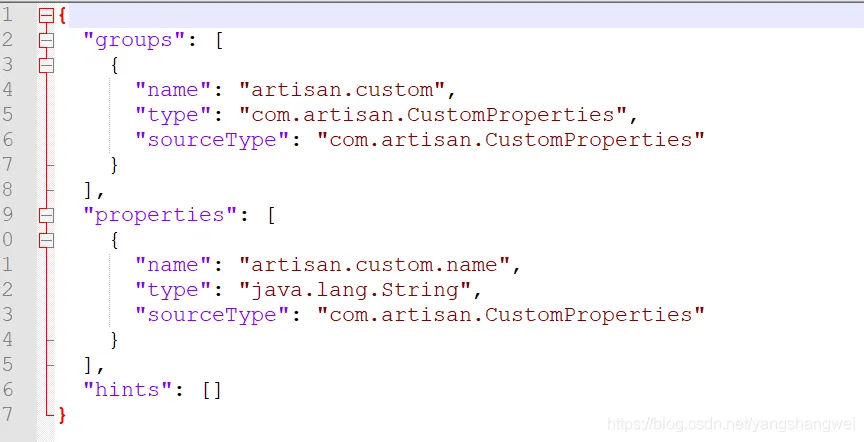
关于自动提示的jar ,引入spring-boot-configuration-processor之后, 编译之后就会在META-INF文件夹下面生成一个spring-configuration-metadata.json的文件。
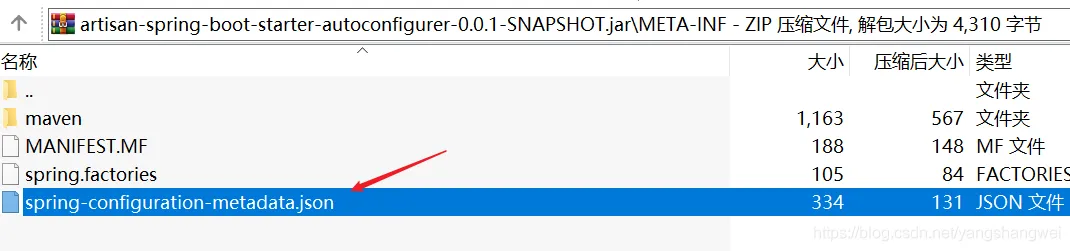
内容如下
【工程结构】
CustomProperties
package com.artisan;
import org.springframework.boot.context.properties.ConfigurationProperties;
/**
 * @author 小工匠
 * @version 1.0
 * @description:  属性配置文件
 * @date 2021/5/22 18:56
 * @mark: show me the code , change the world
 */
@ConfigurationProperties("artisan.custom")
public class CustomProperties {
    private String name;
    public String getName() {
        return name;
    }
    public void setName(String name) {
        this.name = name;
    }
}
IndexController
package com.artisan;
import org.springframework.web.bind.annotation.RequestMapping;
import org.springframework.web.bind.annotation.RestController;
/**
 * @author 小工匠
 * @version 1.0
 * @description: TODO
 * @date 2021/5/22 18:58
 * @mark: show me the code , change the world
 */
@RestController
public class IndexController {
    private CustomProperties customProperties;
    public IndexController(CustomProperties customProperties) {
        this.customProperties = customProperties;
    }
    @RequestMapping("/")
    public String index() {
        return customProperties.getName();
    }
}
CustomAutoConfiguration 自动配置类
package com.artisan;
import org.springframework.beans.factory.annotation.Autowired;
import org.springframework.boot.autoconfigure.condition.ConditionalOnProperty;
import org.springframework.boot.context.properties.EnableConfigurationProperties;
import org.springframework.context.annotation.Bean;
import org.springframework.context.annotation.Configuration;
/**
 * @author 小工匠
 * @version 1.0
 * @description: 模拟给web应用自动添加一个首页
 * @date 2021/5/22 18:55
 * @mark: show me the code , change the world
 */
@Configuration
@ConditionalOnProperty(value = "artisan.custom.name")
@EnableConfigurationProperties(CustomProperties.class)
public class CustomAutoConfiguration {
    @Autowired
    CustomProperties cus;
    @Bean
    public IndexController indexController() {
        return new IndexController(cus);
    }
}
spring.factories
在 resources 下创建文件夹 META-INF 并在 META-INF 下创建文件 spring.factories ,内容如下:
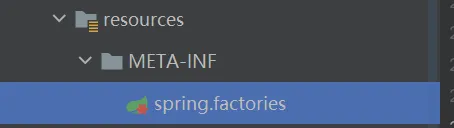
org.springframework.boot.autoconfigure.EnableAutoConfiguration=\
  com.artisan.CustomAutoConfiguration
打包发布
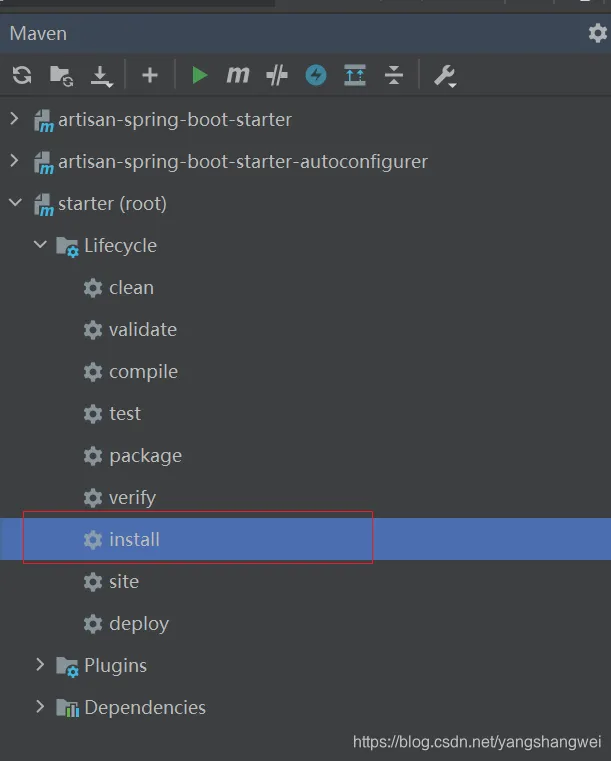
到这儿,我们的配置自定义的starter就写完了 ,我们artisan-spring-boot-starter 和 artisan-spring-boot-starter-autoconfigurer 安装成本地jar包。
引用自定义starter测试
新建个spring boot 项目 ,引用刚才的starter
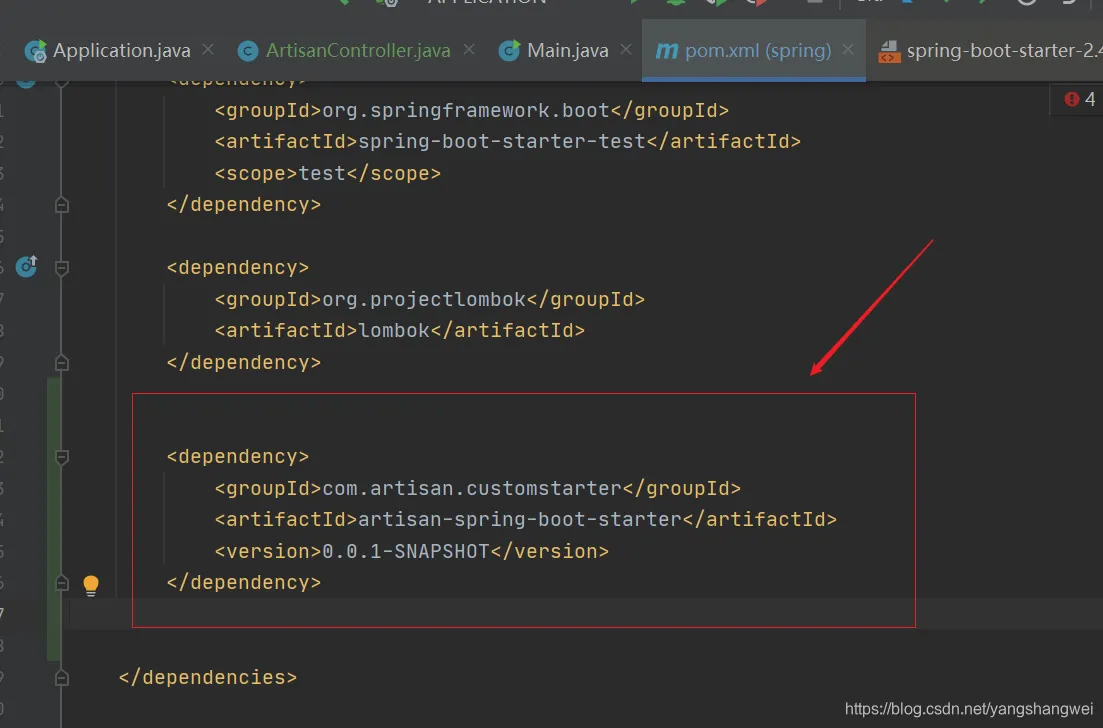
访问 http://localhost:8080/
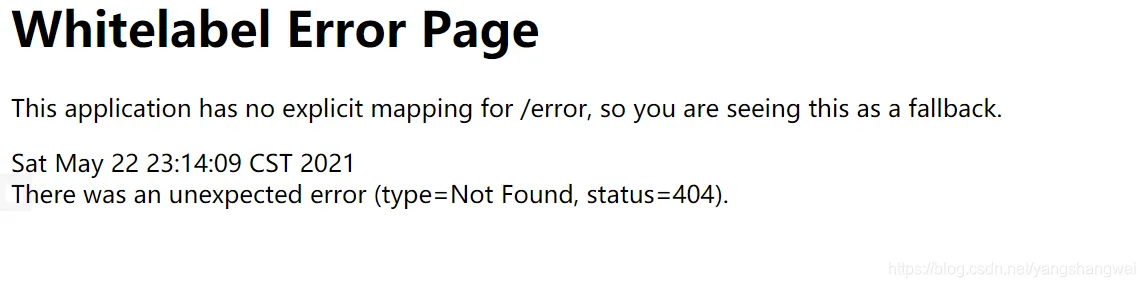
咦 ,别忘了你自定义的属性
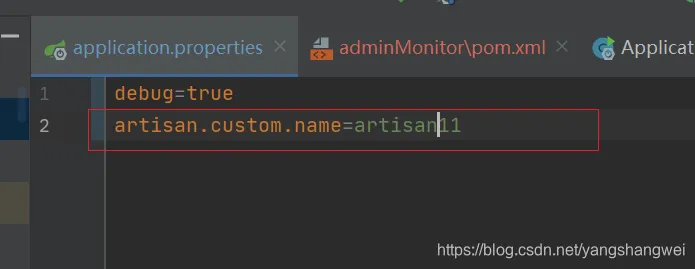
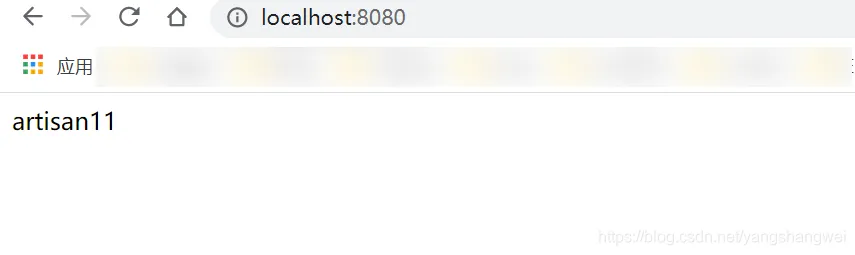
重启后,重新访问
因为我们开启了debug=true .找找我们自动装配的类看看