

Wiki
https://en.wikipedia.org/wiki/Prometheus_(software)
Prometheus 是一款基于时序数据库的开源监控告警系统.
说起 Prometheus 则不得不提 SoundCloud, 在线音乐分享的平台, 微服务架构出现了成百上千的服务,使用传统的监控系统 StatsD 和 Graphite 存在大量的局限性,于是他们在 2012 年开始着手开发一套全新的监控系统。
Prometheus 的原作者是 Matt T. Proud,他也是在 2012 年加入 SoundCloud 的, 在加入 SoundCloud 之前,Matt 一直就职于 Google,他从 Google 的集群管理器 Borg 和它的监控系统 Borgmon 中获取灵感,开发了开源的监控系统 Prometheus,和 Google 的很多项目一样,使用的编程语言是 Go。
Prometheus 作为一个微服务架构监控系统的解决方案,它和容器也脱不开关系。早在 2006 年 8 月 9 日,Eric Schmidt 在搜索引擎大会上首次提出了云计算(Cloud Computing)的概念,在之后的十几年里,云计算的发展势如破竹。
在 2013 年,Pivotal 的 Matt Stine 又提出了云原生(Cloud Native)的概念,云原生由微服务架构、DevOps 和以容器为代表的敏捷基础架构组成,帮助企业快速、持续、可靠、规模化地交付软件。
为了统一云计算接口和相关标准,2015 年 7 月,隶属于 Linux 基金会的 云原生计算基金会(CNCF,Cloud Native Computing Foundation) 应运而生。第一个加入 CNCF 的项目是 Google 的 Kubernetes,而 Prometheus 是第二个加入的(2016 年)。
—
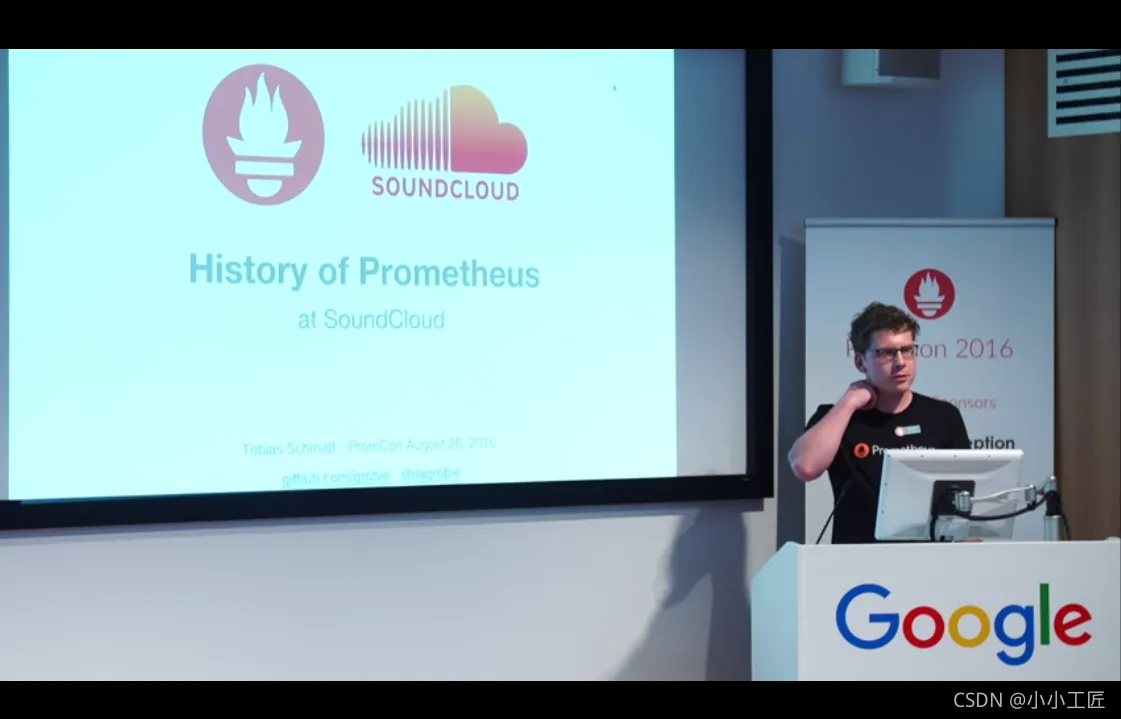
目前 Prometheus 已经广泛用于 Kubernetes 集群的监控系统中,对 Prometheus 的历史感兴趣的同学可以看看 SoundCloud 的工程师 Tobias Schmidt 在 2016 年的 PromCon 大会上的演讲:The History of Prometheus at SoundCloud 。
时序数据库 TSDB(Time Series Database)
Prometheus是监控系统,同时也是一个TSDB。 很多流行的监控系统都在使用时序数据库来保存数据, 时序数据库的特点主要有如下几个方面:
增:需要频繁的进行写操作,而且是按时间排序顺序写入
删:不需要随机删除,一般情况下会直接删除一个时间区块的所有数据
改:不需要对写入的数据进行更新
查:需要支持高并发的读操作,读操作是按时间顺序升序或降序读,数据量非常大,缓存不起作用
常见的时序数据库有以下几个
InfluxDB:https://influxdata.com/
Kdb+:http://kx.com/
Graphite:http://graphiteapp.org/
RRDtool:http://oss.oetiker.ch/rrdtool/
OpenTSDB:http://opentsdb.net/
Prometheus:https://prometheus.io/
Druid:http://druid.io/
概述
在 SoundCloud 的官方博客中可以找到一篇关于他们为什么需要新开发一个监控系统的文章 Prometheus: Monitoring at SoundCloud,在这篇文章中,他们介绍到,他们需要的监控系统必须满足下面四个特性:
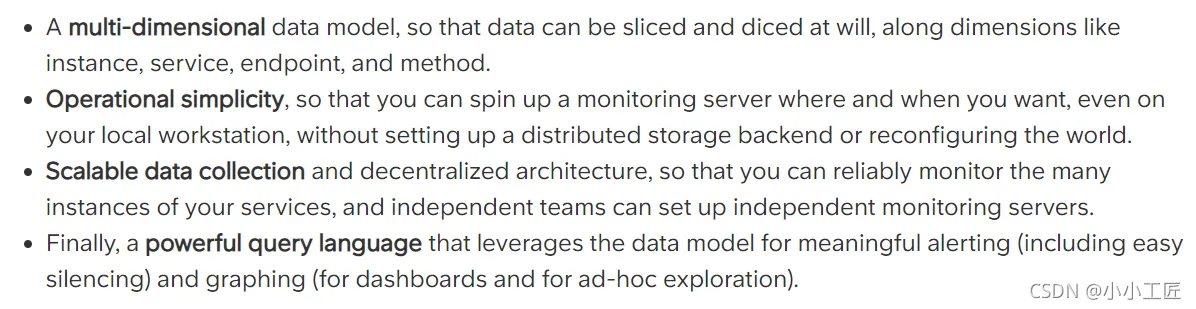
多维度数据模型
方便的部署和维护
灵活的数据采集
强大的查询语言
实际上,多维度数据模型和强大的查询语言这两个特性,正是时序数据库所要求的,所以 Prometheus 不仅仅是一个监控系统,同时也是一个时序数据库。
为什么 Prometheus 不直接使用现有的时序数据库作为后端存储呢?这是因为 SoundCloud 不仅希望他们的监控系统有着时序数据库的特点,而且还需要部署和维护非常方便。
纵观比较流行的时序数据库 要么组件太多,要么外部依赖繁重,比如:Druid 有 Historical、MiddleManager、Broker、Coordinator、Overlord、Router 一堆的组件,而且还依赖于 ZooKeeper、Deep storage(HDFS 或 S3 等),Metadata store(PostgreSQL 或 MySQL),部署和维护起来成本非常高。
而 Prometheus 采用去中心化架构,可以独立部署,不依赖于外部的分布式存储,我们可以在几分钟的时间里就可以搭建出一套监控系统。
此外,Prometheus 数据采集方式也非常灵活。要采集目标的监控数据,首先需要在目标处安装数据采集组件,这被称之为 Exporter,它会在目标处收集监控数据,并暴露出一个 HTTP 接口供 Prometheus 查询,Prometheus 通过 Pull 的方式来采集数据,这和传统的 Push 模式不同。
不过 Prometheus 也提供了一种方式来支持 Push 模式,我们可以将数据推送到 Push Gateway,Prometheus 通过 Pull 的方式从 Push Gateway 获取数据。(如果消息存在的周期很短,pull的时候可能没了,可以考虑这种方式)。
Prometheus主要是一个基于拉取的系统,但它也支持接收推送到网关的事件.
目前的 Exporter 已经可以采集绝大多数的第三方数据,比如 Docker、HAProxy、StatsD、JMX 等等,官网有一份 Exporter 的列表。
除了这四大特性,随着 Prometheus 的不断发展,开始支持越来越多的高级特性,比如:服务发现,更丰富的图表展示,使用外部存储,强大的告警规则和多样的通知方式。
下图是 Prometheus 的整体架构图

从上图可以看出,Prometheus 生态系统包含了几个关键的组件:
- Prometheus server、
- Pushgateway、
- Alertmanager、
- Web UI 等,
但是大多数组件都不是必需的,其中最核心的组件当然是 Prometheus server,它负责收集和存储指标数据,支持表达式查询,和告警的生成。接下来我们就来安装 Prometheus server。
下载&安装 Prometheus server
二进制文件的方式
https://github.com/prometheus/prometheus/releases

按需选择对应的操作系统 ,下载即可
[root@VM-0-7-centos ~]# wget https://github.com/prometheus/prometheus/releases/download/v2.30.3/prometheus-2.30.3.linux-amd64.tar.gz
--2021-10-27 09:01:05--  https://github.com/prometheus/prometheus/releases/download/v2.30.3/prometheus-2.30.3.linux-amd64.tar.gz
Resolving github.com (github.com)... 20.205.243.166
Connecting to github.com (github.com)|20.205.243.166|:443... connected.
HTTP request sent, awaiting response... 302 Found
Location: https://github-releases.githubusercontent.com/6838921/bc9e0970-09b3-4893-a66b-5fb918691a1e?X-Amz-Algorithm=AWS4-HMAC-SHA256&X-Amz-Credential=AKIAIWNJYAX4CSVEH53A%2F20211027%2Fus-east-1%2Fs3%2Faws4_request&X-Amz-Date=20211027T010105Z&X-Amz-Expires=300&X-Amz-Signature=f73ca5081eded3a65983b8424355c497076450e2d0aee2becb17b2d1244a177e&X-Amz-SignedHeaders=host&actor_id=0&key_id=0&repo_id=6838921&response-content-disposition=attachment%3B%20filename%3Dprometheus-2.30.3.linux-amd64.tar.gz&response-content-type=application%2Foctet-stream [following]
--2021-10-27 09:01:06--  https://github-releases.githubusercontent.com/6838921/bc9e0970-09b3-4893-a66b-5fb918691a1e?X-Amz-Algorithm=AWS4-HMAC-SHA256&X-Amz-Credential=AKIAIWNJYAX4CSVEH53A%2F20211027%2Fus-east-1%2Fs3%2Faws4_request&X-Amz-Date=20211027T010105Z&X-Amz-Expires=300&X-Amz-Signature=f73ca5081eded3a65983b8424355c497076450e2d0aee2becb17b2d1244a177e&X-Amz-SignedHeaders=host&actor_id=0&key_id=0&repo_id=6838921&response-content-disposition=attachment%3B%20filename%3Dprometheus-2.30.3.linux-amd64.tar.gz&response-content-type=application%2Foctet-stream
Resolving github-releases.githubusercontent.com (github-releases.githubusercontent.com)... 185.199.109.154, 185.199.108.154, 185.199.111.154, ...
Connecting to github-releases.githubusercontent.com (github-releases.githubusercontent.com)|185.199.109.154|:443... connected.
HTTP request sent, awaiting response... 200 OK
Length: 72638078 (69M) [application/octet-stream]
Saving to: ‘prometheus-2.30.3.linux-amd64.tar.gz’
100%[=================================================================================================>] 72,638,078  10.9MB/s   in 10m 53s
2021-10-27 09:12:08 (109 KB/s) - ‘prometheus-2.30.3.linux-amd64.tar.gz’ saved [72638078/72638078]
[root@VM-0-7-centos ~]# 解压下载的tar包
[root@VM-0-7-centos ~]# tar -xvzf prometheus-2.30.3.linux-amd64.tar.gz
prometheus-2.30.3.linux-amd64/
prometheus-2.30.3.linux-amd64/consoles/
prometheus-2.30.3.linux-amd64/consoles/index.html.example
prometheus-2.30.3.linux-amd64/consoles/node-cpu.html
prometheus-2.30.3.linux-amd64/consoles/node-disk.html
prometheus-2.30.3.linux-amd64/consoles/node-overview.html
prometheus-2.30.3.linux-amd64/consoles/node.html
prometheus-2.30.3.linux-amd64/consoles/prometheus-overview.html
prometheus-2.30.3.linux-amd64/consoles/prometheus.html
prometheus-2.30.3.linux-amd64/console_libraries/
prometheus-2.30.3.linux-amd64/console_libraries/menu.lib
prometheus-2.30.3.linux-amd64/console_libraries/prom.lib
prometheus-2.30.3.linux-amd64/prometheus.yml
prometheus-2.30.3.linux-amd64/LICENSE
prometheus-2.30.3.linux-amd64/NOTICE
prometheus-2.30.3.linux-amd64/prometheus
prometheus-2.30.3.linux-amd64/promtool
[root@VM-0-7-centos ~]#
【 查看版本信息 】
[root@VM-0-7-centos ~]# cd prometheus-2.30.3.linux-amd64/
[root@VM-0-7-centos prometheus-2.30.3.linux-amd64]# ll
total 185580
drwxr-xr-x 2 3434 3434      4096 Oct  6 00:39 console_libraries
drwxr-xr-x 2 3434 3434      4096 Oct  6 00:39 consoles
-rw-r--r-- 1 3434 3434     11357 Oct  6 00:39 LICENSE
-rw-r--r-- 1 3434 3434      3646 Oct  6 00:39 NOTICE
-rwxr-xr-x 1 3434 3434 100357256 Oct  6 00:14 prometheus
-rw-r--r-- 1 3434 3434       934 Oct  6 00:39 prometheus.yml
-rwxr-xr-x 1 3434 3434  89643838 Oct  6 00:17 promtool
[root@VM-0-7-centos prometheus-2.30.3.linux-amd64]# ./prometheus --version    查看版本信息
prometheus, version 2.30.3 (branch: HEAD, revision: f29caccc42557f6a8ec30ea9b3c8c089391bd5df)
  build user:       root@5cff4265f0e3
  build date:       20211005-16:10:52
  go version:       go1.17.1
  platform:         linux/amd64
[root@VM-0-7-centos prometheus-2.30.3.linux-amd64]#
【运行 Prometheus server】
前台运行哈,下面这种方式
[root@VM-0-7-centos prometheus-2.30.3.linux-amd64]# ./prometheus --config.file=prometheus.yml
level=info ts=2021-10-27T01:17:19.068Z caller=main.go:400 msg="No time or size retention was set so using the default time retention" duration=15d
level=info ts=2021-10-27T01:17:19.068Z caller=main.go:438 msg="Starting Prometheus" version="(version=2.30.3, branch=HEAD, revision=f29caccc42557f6a8ec30ea9b3c8c089391bd5df)"
level=info ts=2021-10-27T01:17:19.068Z caller=main.go:443 build_context="(go=go1.17.1, user=root@5cff4265f0e3, date=20211005-16:10:52)"
level=info ts=2021-10-27T01:17:19.068Z caller=main.go:444 host_details="(Linux 3.10.0-1160.11.1.el7.x86_64 #1 SMP Fri Dec 18 16:34:56 UTC 2020 x86_64 VM-0-7-centos (none))"
level=info ts=2021-10-27T01:17:19.068Z caller=main.go:445 fd_limits="(soft=100001, hard=100002)"
level=info ts=2021-10-27T01:17:19.068Z caller=main.go:446 vm_limits="(soft=unlimited, hard=unlimited)"
level=info ts=2021-10-27T01:17:19.071Z caller=web.go:541 component=web msg="Start listening for connections" address=0.0.0.0:9090
level=info ts=2021-10-27T01:17:19.071Z caller=main.go:822 msg="Starting TSDB ..."
level=info ts=2021-10-27T01:17:19.074Z caller=tls_config.go:191 component=web msg="TLS is disabled." http2=false
level=info ts=2021-10-27T01:17:19.075Z caller=head.go:479 component=tsdb msg="Replaying on-disk memory mappable chunks if any"
level=info ts=2021-10-27T01:17:19.075Z caller=head.go:513 component=tsdb msg="On-disk memory mappable chunks replay completed" duration=15.248µs
level=info ts=2021-10-27T01:17:19.075Z caller=head.go:519 component=tsdb msg="Replaying WAL, this may take a while"
level=info ts=2021-10-27T01:17:19.077Z caller=head.go:590 component=tsdb msg="WAL segment loaded" segment=0 maxSegment=1
level=info ts=2021-10-27T01:17:19.077Z caller=head.go:590 component=tsdb msg="WAL segment loaded" segment=1 maxSegment=1
level=info ts=2021-10-27T01:17:19.077Z caller=head.go:596 component=tsdb msg="WAL replay completed" checkpoint_replay_duration=30.976µs wal_replay_duration=2.14283ms total_replay_duration=2.213897ms
level=info ts=2021-10-27T01:17:19.078Z caller=main.go:849 fs_type=EXT4_SUPER_MAGIC
level=info ts=2021-10-27T01:17:19.078Z caller=main.go:852 msg="TSDB started"
level=info ts=2021-10-27T01:17:19.078Z caller=main.go:979 msg="Loading configuration file" filename=prometheus.yml
level=info ts=2021-10-27T01:17:19.079Z caller=main.go:1016 msg="Completed loading of configuration file" filename=prometheus.yml totalDuration=698.954µs db_storage=797ns remote_storage=3.417µs web_handler=1.953µs query_engine=699ns scrape=348.231µs scrape_sd=31.434µs notify=22.91µs notify_sd=10.579µs rules=4.76µs
level=info ts=2021-10-27T01:17:19.079Z caller=main.go:794 msg="Server is ready to receive web requests."
Docker方式

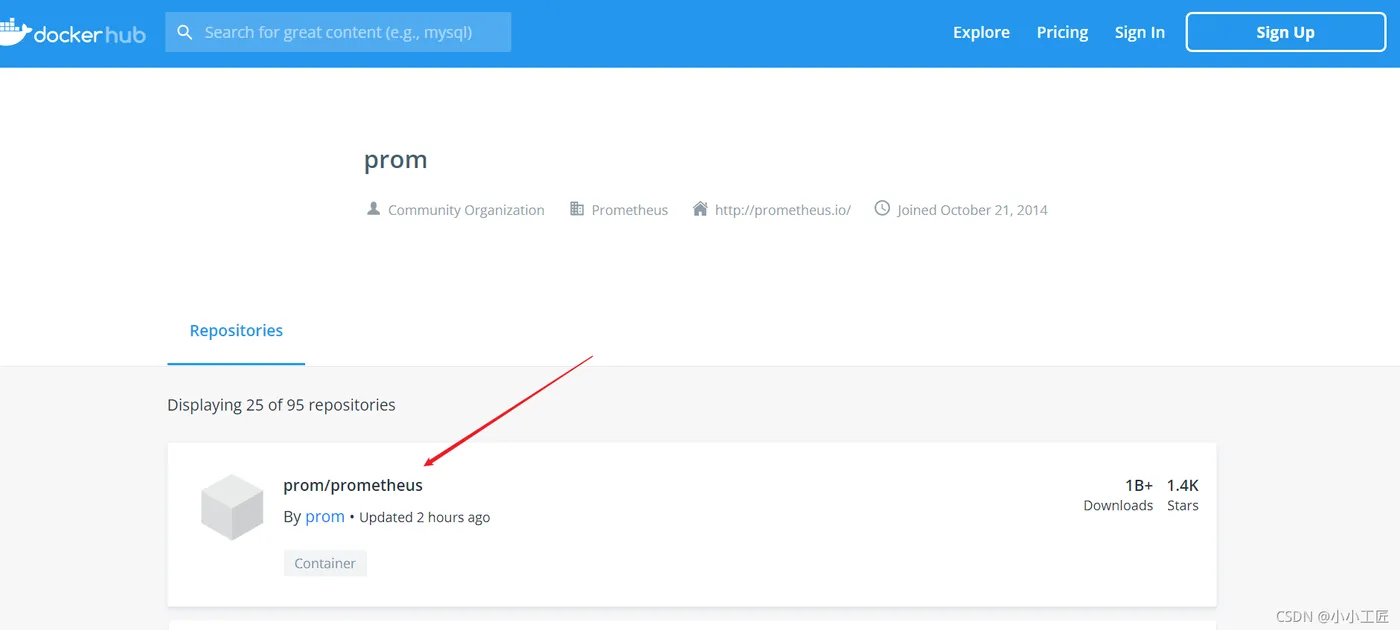
拉取镜像 启动容器
[root@VM-0-7-centos ~]# docker run -d -p 9090:9090 prom/prometheus
Unable to find image 'prom/prometheus:latest' locally
latest: Pulling from prom/prometheus
aa2a8d90b84c: Pull complete
b45d31ee2d7f: Pull complete
7579d86a00c9: Pull complete
8583d0bc7e17: Pull complete
b32caf1c5e65: Pull complete
e53f205885a2: Pull complete
6366df248f46: Pull complete
a63db3af7b6e: Pull complete
94cd9f02fa61: Pull complete
2511fa13a76c: Pull complete
50c2584d9f31: Pull complete
22749d939f03: Pull complete
Digest: sha256:e9620d250b16ffe0eb9e3eac7dd76151848424c17d577632ae9ca61d1328687e
Status: Downloaded newer image for prom/prometheus:latest
20649f85d688c26ae7c6f80e11de5d07337cfc7ffc4f9695e6803ee0f94f8a28
[root@VM-0-7-centos ~]#

查看prometheus 的配置信息
查看prometheus 的配置信息,可以使用 docker inspect 命令
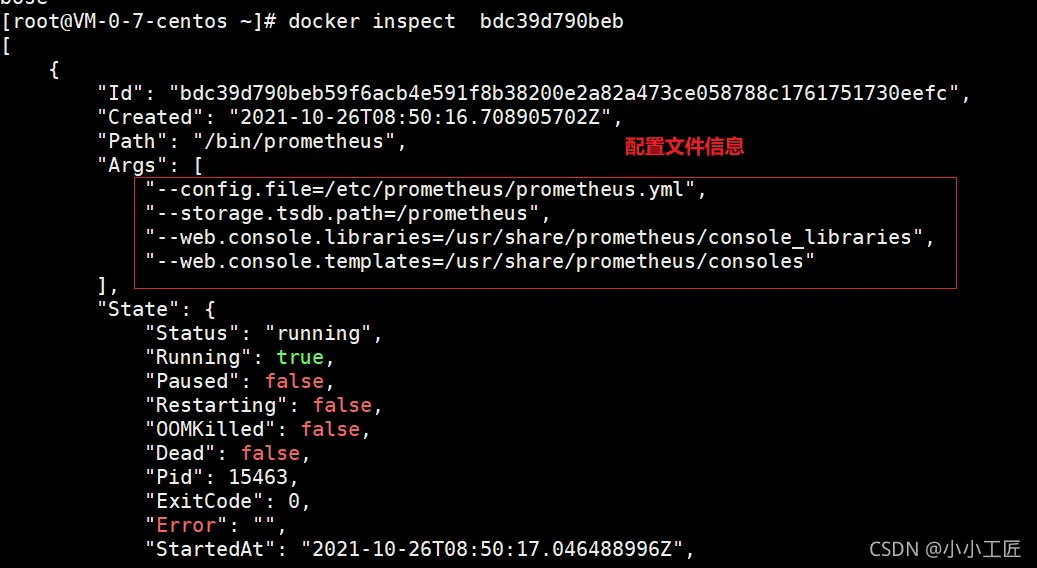
启动容器 指定配置文件的位置
通过-v 指定配置文件,将配置文件存放在宿主机上,便于管理
[root@VM-0-7-centos pm-config]# pwd
/root/pm-config
[root@VM-0-7-centos pm-config]#
[root@VM-0-7-centos pm-config]# ll prometheus.yml
-rw-r--r-- 1 root root 934 Oct 27 09:54 prometheus.yml
[root@VM-0-7-centos pm-config]# docker run -d -p 9090:9090 -v /root/pm-config/:/etc/prometheus/ prom/prometheus
通过 -v 参数将本地的配置文件挂载到 /etc/prometheus/ 位置, prometheus 在容器中默认加载的配置文件位置。
Prometheus配置文件

我们启动的时候,可以通过参数 --config.file 来指定配置文件
global 块
Prometheus 的全局配置,比如 scrape_interval 表示 Prometheus 多久抓取一次数据,evaluation_interval 表示多久检测一次告警规则;
alerting 块
Alertmanager 的配置
rule_files 块:
告警规则
scrape_config 块
这里定义了 Prometheus 要抓取的目标.
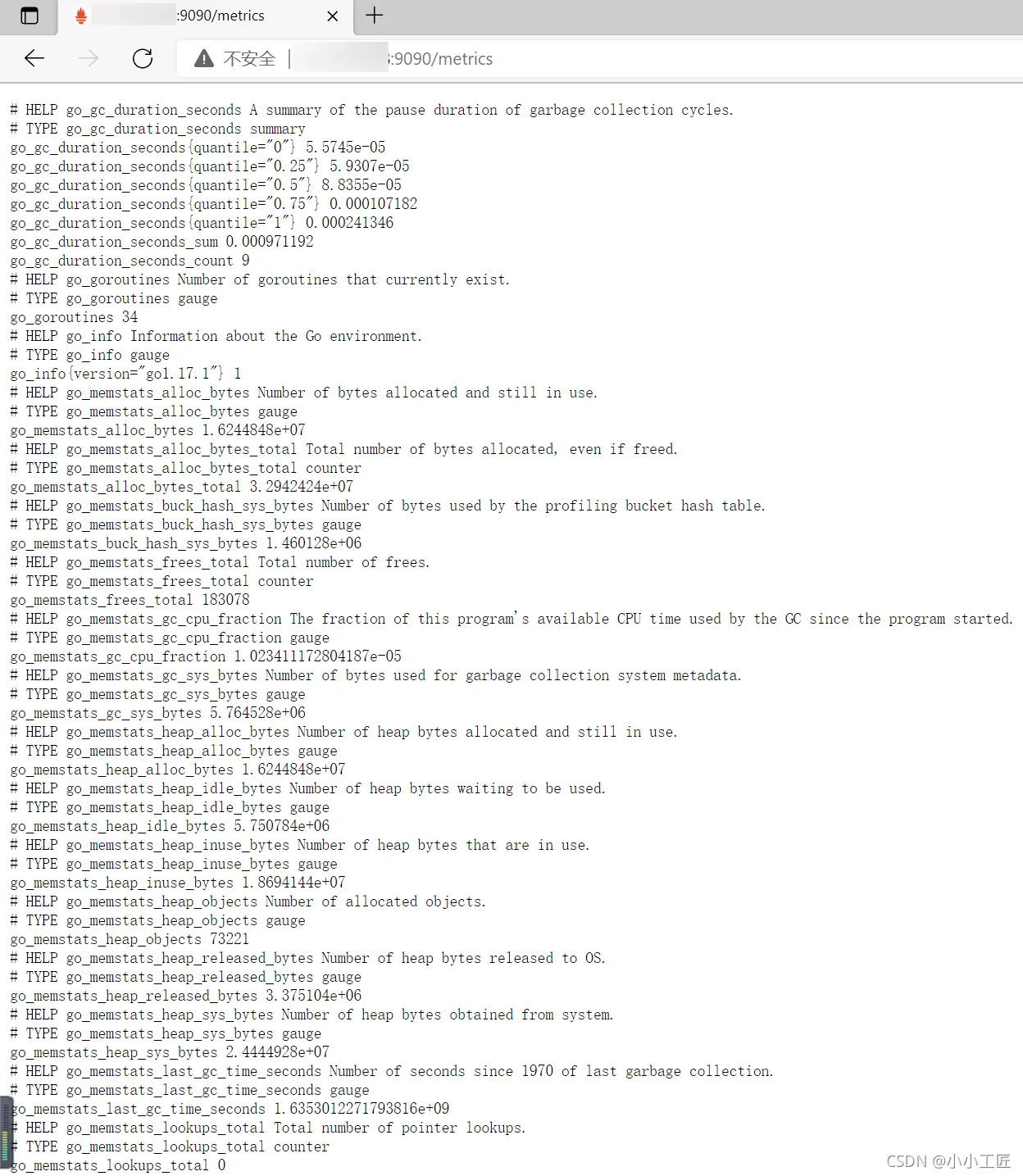
默认已经配置了一个名称为 prometheus 的 job, Prometheus 在启动的时候也会通过 HTTP 接口暴露自身的指标数据,Prometheus 自己监控自己.
可以访问 http://localhost:9090/metrics 查看 Prometheus 暴露了哪些指标;
PromQL初探
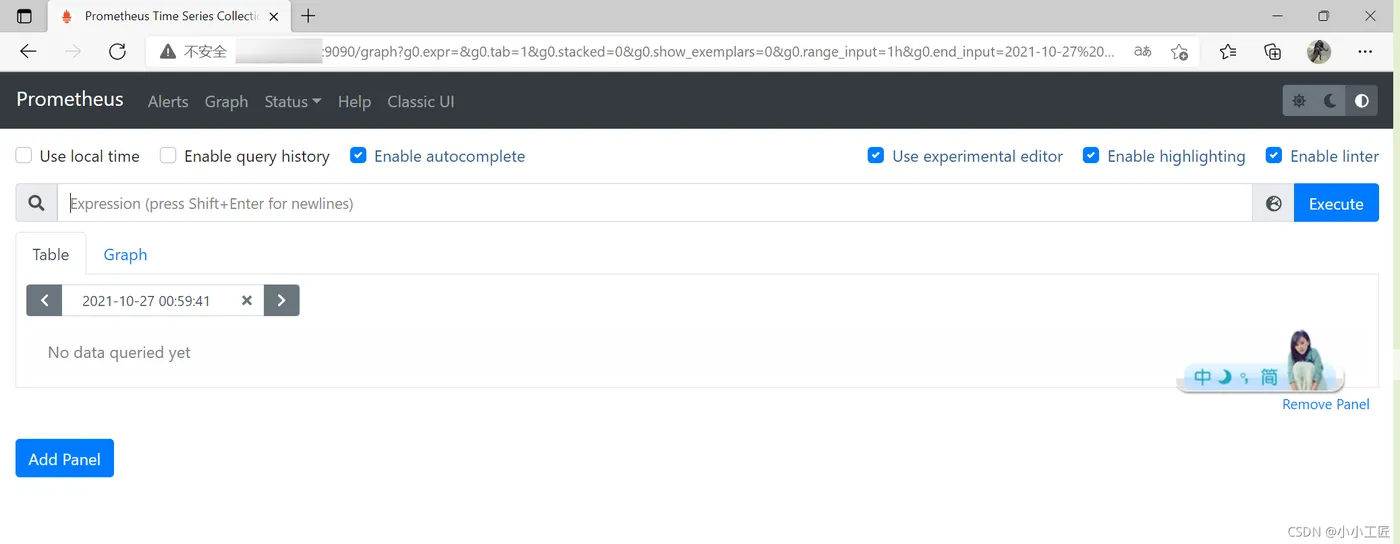
Prometheus 提供了可视化的 Web UI 方便我们操作, 访问 http://ip:9090/ 默认跳转到 Graph 页面
