日积月累,水滴石穿 😄
在实际开发中我们经常会与时间打交道,那这就会涉及到一个时间格式转换的问题。接下来会介绍几种在SpirngBoot中如何对时间格式进行转换。
准备工作
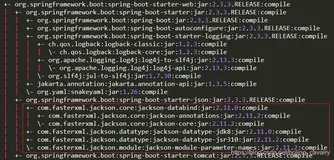
创建项目,添加依赖
<dependency>
    <groupId>org.springframework.boot</groupId>
    <artifactId>spring-boot-starter-web</artifactId>
</dependency>
创建实体类UserDTO
添加属性,get、set方法省略。
private String id;
private String username;
private Date createTime;
创建UserController
编写控制层代码
@RestController
public class UserController {
    @GetMapping("/getUser")
    public List<UserDTO> getUser() {
        List<UserDTO> userList = new ArrayList<UserDTO>();
        for (int i=1; i<=3; i++) {
            UserDTO user = new UserDTO();
            user.setCreateTime(new Date());
            user.setUsername("gongj" + i);
            user.setId("j" + i);
            userList.add(user);
        }
        return userList;
    }

}调用接口:http://localhost:8080/getUser

该结果很显然不是我们所需要的,所以我们需要进行时间格式化一下。而且还有时区问题,我当前时间是晚上 22:44。
第一种 使用注解
在需要转换的字段上增加 @JsonFormat注解,该注解是 jackson的,web 包集成了。
import com.fasterxml.jackson.annotation.JsonFormat;

private String id;
private String username;
 @JsonFormat(pattern = "yyyy-MM-dd HH:mm:ss",timezone = "GMT+8")
private Date createTime;- pattern:需要转换的时间日期的格式
- timezone:时间设置为东八区,避免时间在转换中有误差
调用接口:http://localhost:8080/getUser

完成,但是这种也有不好的地方,如果我有一百个实体中都有 Date类型,那就要在一百个实体加入注解。显得有点麻烦。
第二种 修改默认配置
所有的json生成都离不开相关的HttpMessageConvertersSpringBoot 默认使用 jackson,并对其默认做了配置。所以我们来修改一下。
全局搜索 JacksonHttpMessageConvertersConfiguration。idea快捷键:Ctrl + shift + r

该类中有个方法mappingJackson2HttpMessageConverter 就是用来处理json的。
@Bean
@ConditionalOnMissingBean(
    value = {MappingJackson2HttpMessageConverter.class},
    ignoredType = {"org.springframework.hateoas.server.mvc.TypeConstrainedMappingJackson2HttpMessageConverter", "org.springframework.data.rest.webmvc.alps.AlpsJsonHttpMessageConverter"}
)
MappingJackson2HttpMessageConverter mappingJackson2HttpMessageConverter(ObjectMapper objectMapper) {
    return new MappingJackson2HttpMessageConverter(objectMapper);
}注意该方法上有两个注解,@Bean 注解就不在介绍了。介绍一下 ConditionalOnMissingBean注解。
@ConditionalOnMissingBean :当给定的在bean不存在时,则实例化当前 Bean。
打个比喻:你入职报到,你公司看你带了电脑,就让你使用你自己的电脑,如果你没带电脑,就让你使用公司的电脑。SpringBoot 也是这样子做的,你不提供,就使用默认的。
新建MyConfig
import java.text.SimpleDateFormat;
import org.springframework.context.annotation.Bean;
import org.springframework.context.annotation.Configuration;
import com.fasterxml.jackson.databind.ObjectMapper;

@Configuration
public class MyConfig {

    @Bean
    MappingJackson2HttpMessageConverter mappingJackson2HttpMessageConverterConfiguration() {
        MappingJackson2HttpMessageConverter converter = new MappingJackson2HttpMessageConverter();
        ObjectMapper om = new ObjectMapper();
        //全局修改josn时间格式
        om.setDateFormat(new SimpleDateFormat("yyyy/MM/dd HH:mm:ss"));
        converter.setObjectMapper(om);
        return converter;
    }
}
提供了一个 MappingJackson2HttpMessageConverter的 Bean ,所以Springboot就会使用我们所提供的。
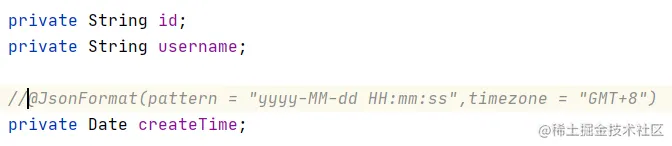
将User实体的注解注释
调用接口:http://localhost:8080/getUser

OK,这种方式也是可以的。
提供ObjectMapper
也可以提供一个 ObjectMapper,将上述提供的 MappingJackson2HttpMessageConverter进行注释掉。
import java.text.SimpleDateFormat;
import org.springframework.context.annotation.Bean;
import org.springframework.context.annotation.Configuration;
import com.fasterxml.jackson.databind.ObjectMapper;
@Bean
ObjectMapper objectMapper() {
    ObjectMapper om = new ObjectMapper();
    om.setDateFormat(new SimpleDateFormat("yyyy-MM-dd"));
    return om;
}调用接口:http://localhost:8080/getUser
注意:上述两种方法都是全局修改的哦!
第三种 配置文件修改
在 application.yml或者properties中修改默认配置
yml
spring:
  jackson:
    date-format: yyyy/MM/dd
    timezone: GMT+8
properties
spring.jackson.date-format=yyyy-MM-dd HH:mm
spring.jackson.time-zone=GMT+8- 如果第二种方式和第三种方式配置同时存在,以第二种方式为主。
- 如果三种方式都存在的时候,以实体类中注解格式为主。
- 如你对本文有疑问或本文有错误之处,欢迎评论留言指出。如觉得本文对你有所帮助,欢迎点赞和关注。