一、NTP服务器介绍
网络时间协议(Network Time Protocol,NTP)服务器,也就是日常所说的NTP服务器,用来提供同步时间服务。在生产环境中,很多人都会忽略时间问题,实际上服务器、网络设备等,特别是Linux操作系统和虚拟化平台的时间不同步会导致很多问题。那么搭建一台NTP服务器就非常重要,生产环境中的设备可以直接与NTP服务器进行时间同步,NTP服务器本身也可以访问互连的NTP服务器进行同步。NTP服务器可以是物理服务器,也可以是虚拟机。
二、安装NTP服务组件
在Linux服务器(如,CentOS、Ubuntu等操作系统)上,使用命令进行安装。
本实验以CentOS 7 Linux环境进行演示操作记录。
YUM源已更新成阿里云开源镜像站里的CentOS镜像,加速快捷访问。
[root@ntp ~]# yum clean all
Loaded plugins: fastestmirror
Cleaning repos: base extras updates
Cleaning up list of fastest mirrors
[root@ntp ~]# yum repolist
Loaded plugins: fastestmirror
Determining fastest mirrors
 * base: mirrors.aliyun.com
 * extras: mirrors.aliyun.com
 * updates: mirrors.aliyun.com
base                                                                                      | 3.6 kB  00:00:00
extras                                                                                    | 2.9 kB  00:00:00
updates                                                                                   | 2.9 kB  00:00:00
(1/4): base/7/x86_64/group_gz                                                             | 153 kB  00:00:00
(2/4): extras/7/x86_64/primary_db                                                         | 243 kB  00:00:00
(3/4): updates/7/x86_64/primary_db                                                        |  12 MB  00:00:01
(4/4): base/7/x86_64/primary_db                                                           | 6.1 MB  00:00:03
repo id                                   repo name                                                        status
base/7/x86_64                             CentOS-7 - Base - mirrors.aliyun.com                             10,072
extras/7/x86_64                           CentOS-7 - Extras - mirrors.aliyun.com                              500
updates/7/x86_64                          CentOS-7 - Updates - mirrors.aliyun.com                           2,963
repolist: 13,535
[root@ntp ~]# 执行yum install -y ntp命令,进行ntp组件安装。
[root@ntp ~]# yum install -y ntp
Loaded plugins: fastestmirror
Loading mirror speeds from cached hostfile
 * base: mirrors.aliyun.com
 * extras: mirrors.aliyun.com
 * updates: mirrors.aliyun.com
Resolving Dependencies
--> Running transaction check
---> Package ntp.x86_64 0:4.2.6p5-29.el7.centos.2 will be installed
--> Processing Dependency: ntpdate = 4.2.6p5-29.el7.centos.2 for package: ntp-4.2.6p5-29.el7.centos.2.x86_64
--> Processing Dependency: libopts.so.25()(64bit) for package: ntp-4.2.6p5-29.el7.centos.2.x86_64
--> Running transaction check
---> Package autogen-libopts.x86_64 0:5.18-5.el7 will be installed
---> Package ntpdate.x86_64 0:4.2.6p5-29.el7.centos.2 will be installed
--> Finished Dependency Resolution

Dependencies Resolved

=================================================================================================================
 Package                      Arch                Version                                Repository         Size
=================================================================================================================
Installing:
 ntp                          x86_64              4.2.6p5-29.el7.centos.2                base              549 k
Installing for dependencies:
 autogen-libopts              x86_64              5.18-5.el7                             base               66 k
 ntpdate                      x86_64              4.2.6p5-29.el7.centos.2                base               87 k

Transaction Summary
=================================================================================================================
Install  1 Package (+2 Dependent packages)

Total download size: 701 k
Installed size: 1.6 M
Downloading packages:
(1/3): autogen-libopts-5.18-5.el7.x86_64.rpm                                              |  66 kB  00:00:00
(2/3): ntpdate-4.2.6p5-29.el7.centos.2.x86_64.rpm                                         |  87 kB  00:00:00
(3/3): ntp-4.2.6p5-29.el7.centos.2.x86_64.rpm                                             | 549 kB  00:00:00
-----------------------------------------------------------------------------------------------------------------
Total                                                                            1.7 MB/s | 701 kB  00:00:00
Running transaction check
Running transaction test
Transaction test succeeded
Running transaction
  Installing : autogen-libopts-5.18-5.el7.x86_64                                                             1/3
  Installing : ntpdate-4.2.6p5-29.el7.centos.2.x86_64                                                        2/3
  Installing : ntp-4.2.6p5-29.el7.centos.2.x86_64                                                            3/3
  Verifying  : ntpdate-4.2.6p5-29.el7.centos.2.x86_64                                                        1/3
  Verifying  : ntp-4.2.6p5-29.el7.centos.2.x86_64                                                            2/3
  Verifying  : autogen-libopts-5.18-5.el7.x86_64                                                             3/3

Installed:
  ntp.x86_64 0:4.2.6p5-29.el7.centos.2

Dependency Installed:
  autogen-libopts.x86_64 0:5.18-5.el7                  ntpdate.x86_64 0:4.2.6p5-29.el7.centos.2

Complete!
[root@ntp ~]#
三、配置阿里云镜像站NTP服务
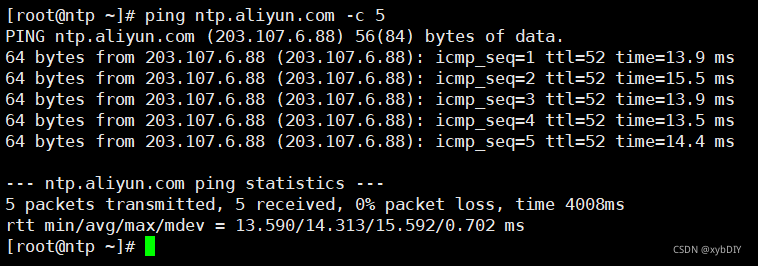
配置之前,测试服务器是否能够访问到阿里云NTP服务器。
ping ntp.aliyun.com -c 5
修改/etc/ntp.conf配置文件。
注释掉原来配置文件中的NTP服务器地址,添加阿里云NTP服务器地址。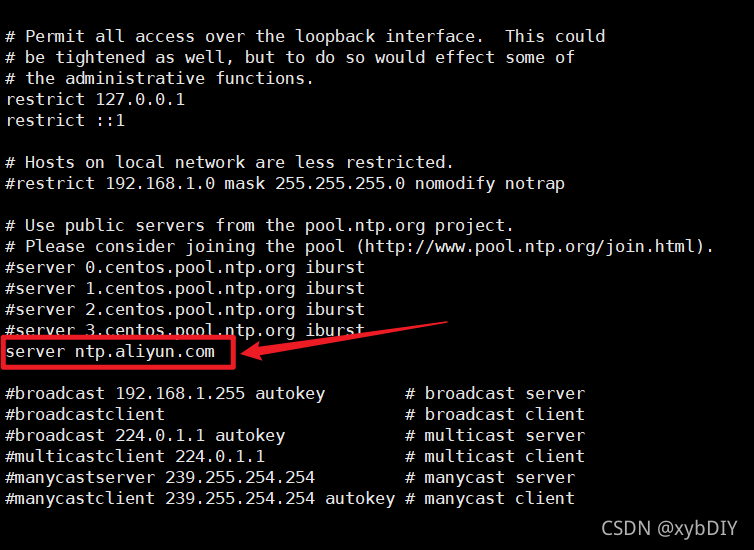
[root@ntp ~]# vi /etc/ntp.conf
[root@ntp ~]# cat /etc/ntp.conf
# For more information about this file, see the man pages
# ntp.conf(5), ntp_acc(5), ntp_auth(5), ntp_clock(5), ntp_misc(5), ntp_mon(5).

driftfile /var/lib/ntp/drift

# Permit time synchronization with our time source, but do not
# permit the source to query or modify the service on this system.
restrict default nomodify notrap nopeer noquery

# Permit all access over the loopback interface.  This could
# be tightened as well, but to do so would effect some of
# the administrative functions.
restrict 127.0.0.1
restrict ::1

# Hosts on local network are less restricted.
#restrict 192.168.1.0 mask 255.255.255.0 nomodify notrap

# Use public servers from the pool.ntp.org project.
# Please consider joining the pool (http://www.pool.ntp.org/join.html).
#server 0.centos.pool.ntp.org iburst
#server 1.centos.pool.ntp.org iburst
#server 2.centos.pool.ntp.org iburst
#server 3.centos.pool.ntp.org iburst
server ntp.aliyun.com

#broadcast 192.168.1.255 autokey    # broadcast server
#broadcastclient            # broadcast client
#broadcast 224.0.1.1 autokey        # multicast server
#multicastclient 224.0.1.1        # multicast client
#manycastserver 239.255.254.254        # manycast server
#manycastclient 239.255.254.254 autokey # manycast client

# Enable public key cryptography.
#crypto

includefile /etc/ntp/crypto/pw

# Key file containing the keys and key identifiers used when operating
# with symmetric key cryptography.
keys /etc/ntp/keys

# Specify the key identifiers which are trusted.
#trustedkey 4 8 42

# Specify the key identifier to use with the ntpdc utility.
#requestkey 8

# Specify the key identifier to use with the ntpq utility.
#controlkey 8

# Enable writing of statistics records.
#statistics clockstats cryptostats loopstats peerstats

# Disable the monitoring facility to prevent amplification attacks using ntpdc
# monlist command when default restrict does not include the noquery flag. See
# CVE-2013-5211 for more details.
# Note: Monitoring will not be disabled with the limited restriction flag.
disable monitor
[root@ntp ~]#
四、启动NTP服务
启动ntp服务
systemctl start ntpd
设置ntp服务开机自启动
systemctl enable ntpd
查看ntp服务是否正常
systemctl status ntpd
[root@ntp ~]# systemctl start ntpd
[root@ntp ~]# systemctl enable ntpd
Created symlink from /etc/systemd/system/multi-user.target.wants/ntpd.service to /usr/lib/systemd/system/ntpd.service.
[root@ntp ~]# systemctl status ntpd
● ntpd.service - Network Time Service
   Loaded: loaded (/usr/lib/systemd/system/ntpd.service; enabled; vendor preset: disabled)
   Active: active (running) since Sun 2021-11-28 19:06:34 CST; 23h left
 Main PID: 1988 (ntpd)
   CGroup: /system.slice/ntpd.service
           └─1988 /usr/sbin/ntpd -u ntp:ntp -g

Nov 28 19:06:34 ntp ntpd[1988]: Listen normally on 3 ens32 192.168.1.50 UDP 123
Nov 28 19:06:34 ntp ntpd[1988]: Listen normally on 4 lo ::1 UDP 123
Nov 28 19:06:34 ntp ntpd[1988]: Listen normally on 5 ens32 fe80::e4b:3ef:613c:8741 UDP 123
Nov 28 19:06:34 ntp ntpd[1988]: Listening on routing socket on fd #22 for interface updates
Nov 28 19:06:34 ntp ntpd[1988]: 0.0.0.0 c016 06 restart
Nov 28 19:06:34 ntp ntpd[1988]: 0.0.0.0 c012 02 freq_set kernel 0.000 PPM
Nov 28 19:06:34 ntp ntpd[1988]: 0.0.0.0 c011 01 freq_not_set
Nov 28 19:09:51 ntp ntpd[1988]: 0.0.0.0 c61c 0c clock_step -86398.982768 s
Nov 27 19:09:52 ntp ntpd[1988]: 0.0.0.0 c614 04 freq_mode
Nov 27 19:09:53 ntp ntpd[1988]: 0.0.0.0 c618 08 no_sys_peer
[root@ntp ~]#
五、查看NTP源
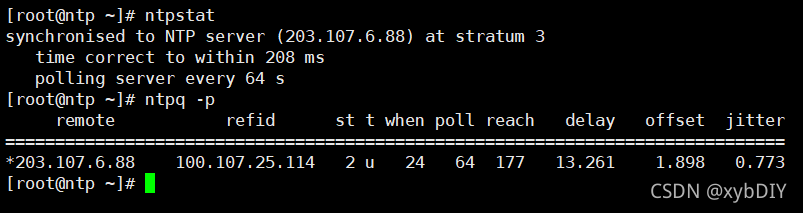
ntpq -p
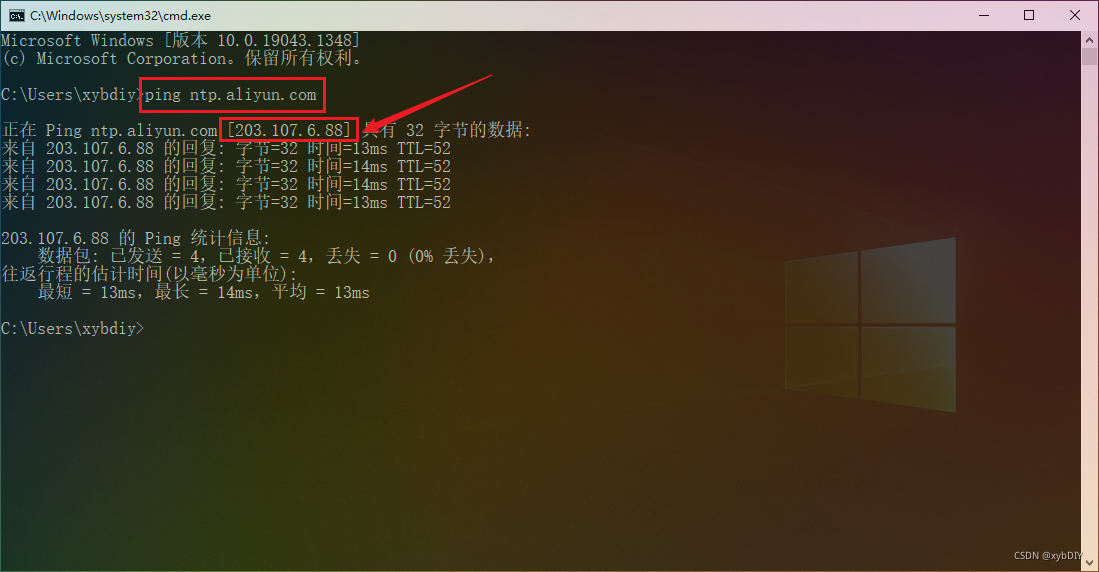
即[203.107.6.88]地址为阿里云NTP服务器的IP地址。
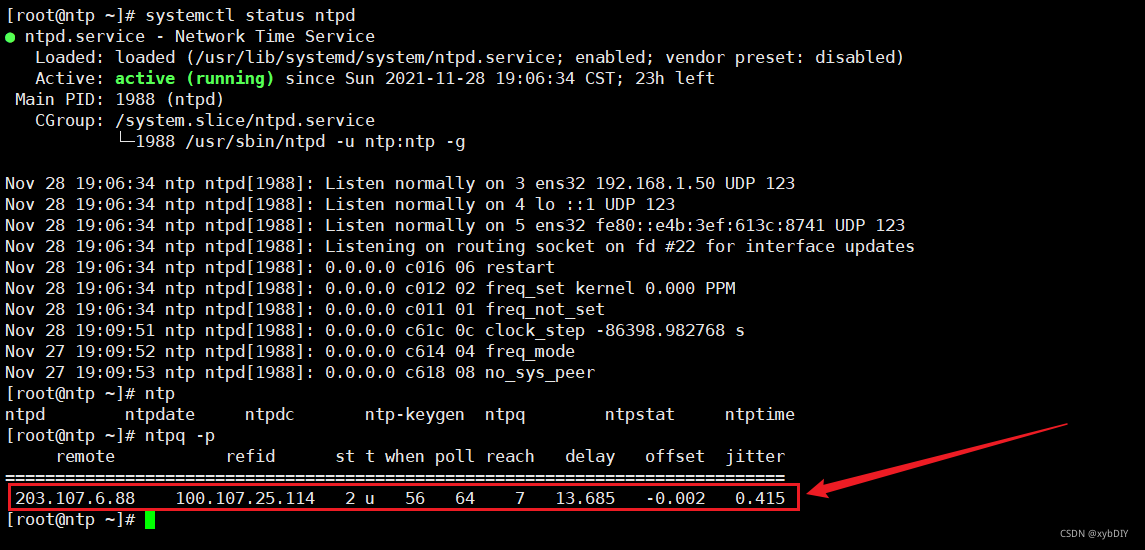
[root@ntp ~]# ntpq -p
remote refid st t when poll reach delay offset jitter==============================================================================
203.107.6.88 100.107.25.114 2 u 56 64 7 13.685 -0.002 0.415
六、查看NTP服务状态
# 输出如下内容,表示在同步中,需要耐心等待一下
[root@ntp ~]# ntpstat
unsynchronised
  time server re-starting
   polling server every 8 s

# 输出如下内容,表示同步成功
[root@ntp ~]# ntpstat
synchronised to NTP server (203.107.6.88) at stratum 3
   time correct to within 958 ms
   polling server every 64 s
七、将客户端与NTP服务器同步
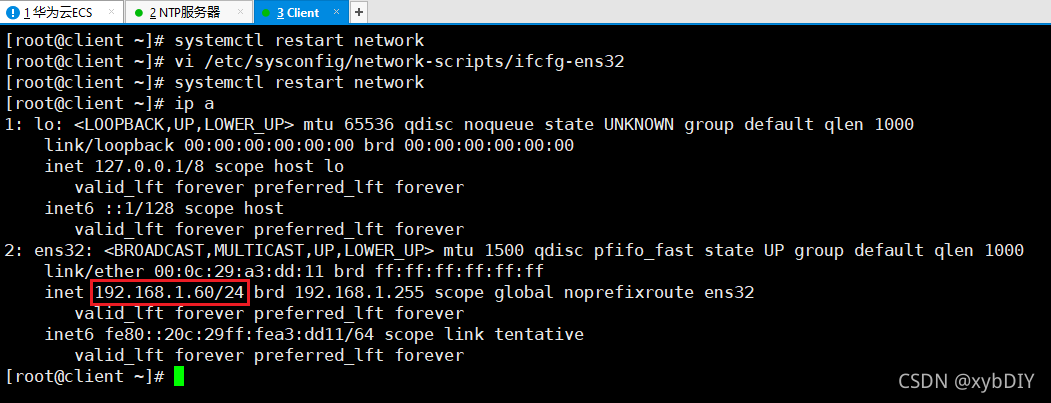
[root@client ~]# ntpdate -d 192.168.1.50
28 Nov 19:37:54 ntpdate[2880]: ntpdate 4.2.6p5@1.2349-o Tue Jun 23 15:38:19 UTC 2020 (1)
Looking for host 192.168.1.50 and service ntp
host found : 192.168.1.50
transmit(192.168.1.50)
receive(192.168.1.50)
transmit(192.168.1.50)
receive(192.168.1.50)
transmit(192.168.1.50)
receive(192.168.1.50)
transmit(192.168.1.50)
receive(192.168.1.50)
server 192.168.1.50, port 123
stratum 3, precision -25, leap 00, trust 000
refid [192.168.1.50], delay 0.02652, dispersion 0.00000
transmitted 4, in filter 4
reference time:    e54c9534.6f868aa9  Sat, Nov 27 2021 19:29:56.435
originate timestamp: e54c9719.4617ce7f  Sat, Nov 27 2021 19:38:01.273
transmit timestamp:  e54de898.b45bc870  Sun, Nov 28 2021 19:38:00.704
filter delay:  0.02658  0.02655  0.02652  0.02660
         0.00000  0.00000  0.00000  0.00000
filter offset: -86399.4 -86399.4 -86399.4 -86399.4
         0.000000 0.000000 0.000000 0.000000
delay 0.02652, dispersion 0.00000
offset -86399.431479

28 Nov 19:38:00 ntpdate[2880]: step time server 192.168.1.50 offset -86399.431479 sec
[root@client ~]#
八、将系统时间同步到硬件
[root@client ~]# hwclock -w
[root@client ~]# date
Sun Nov 28 19:39:10 CST 2021