成功解决Ubuntu下的include/darknet.h:14:14: fatal error: cuda_runtime.h: No such file or directory

简介: 成功解决Ubuntu下的include/darknet.h:14:14: fatal error: cuda_runtime.h: No such file or directory

解决问题


include/darknet.h:14:14: fatal error: cuda_runtime.h: No such file or directory

    #include "cuda_runtime.h"


解决思路


包括/ darknet。h:14:14:致命错误:cuda_runtime。h:没有这样的文件或目录

# include“cuda_runtime.h”


解决办法


显然,该问题是因为路径下不存在该文件,

T1、重新安装或下载GPU加速的cuda文件,cuda_runtime.h到指定文件夹即可,

T2、如果你使用CMake命令,可以直接

find_package(CUDA  REQUIRED)

include_directories("${CUDA_INCLUDE_DIRS}")

T3、也可以查看stackflow上的回答,按照下边的命令进行设置亦可!
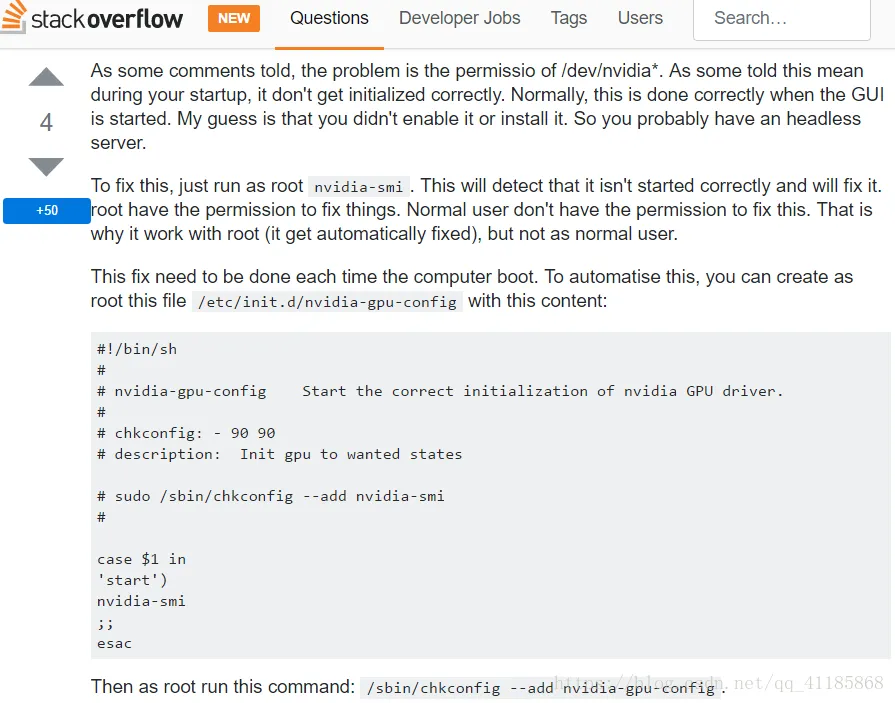
image.png


相关文章
|
Ubuntu Linux
Win10 Ubuntu子系统(内嵌ubuntu18.04)运行32bit Linux原生程序 解决Exec format error错误
448 0
|
Ubuntu
Ubuntu 1604报错cannot create temp file for here-document: No space left on device,拓展sda容量解决之
829 0
|
6月前
|
Ubuntu 编译器 计算机视觉
Ubuntu 20.04环境下无法找到#include<opencv/cv.h>文件 - 解决方案。
希望这些信息能帮助你解决遇到的问题。
363 10
|
11月前
|
Ubuntu Windows
处理ubuntu启动过程中报错error:proc_thermal_add错误的方法
了解以上方法,就像寻找鬼屋出口的吊灯,当初见“error:proc_thermal_add错误”时的恐惧不翼而飞。各位Ubuntu使用者都是勇敢的探险家,遇到的问题无非是丛林中的野兽,尝试、努力和坚持总能找到解决的办法。
296 21
|
Ubuntu 数据可视化 开发工具
【VTK】ubuntu手动编译VTK9.3 Generating qmltypes file 失败
通过以上步骤,您可以成功解决在Ubuntu上编译VTK 9.3时遇到的 `Generating qmltypes file`失败的问题。关键在于确保系统正确安装了所需的Qt库,并通过CMake配置正确的路径。编译完成后,您将拥有一个功能完备的VTK库,可以用于各种可视化任务。
373 14
|
Ubuntu 开发工具 git
Ubuntu编译ffmpeg解决错误:ERROR: avisynth/avisynth_c.h not found
通过本文的详细指导,您可以顺利地在Ubuntu系统上配置和编译FFmpeg,并解决Avisynth头文件缺失的问题。
629 27
|
Ubuntu Linux Windows
wsl重装Ubuntu遇到的一些问题( WslRegisterDistribution failed with error: 0x80041002 Error: 0x80041002 (null)、重置网络后WLAN图标消失)
|
Ubuntu
Ubuntu22.04,AOSP编译报错: libncurses.so.5: cannot open shared object file: No such file
本文描述了在Ubuntu 22.04系统上编译AOSP时遇到的`libncurses.so.5`缺失错误,并提供了通过安装相应库解决该问题的步骤。
2920 0
|
Ubuntu
问题解决:Ubuntu安装ROS依赖出现ERROR: the following packages/stacks could not have their rosdep keys resolvedt
2917 0
ubuntu16.04中ROS-Kinetic报错: not find a package configuration file provided by “gazebo_ros_control“
660 0