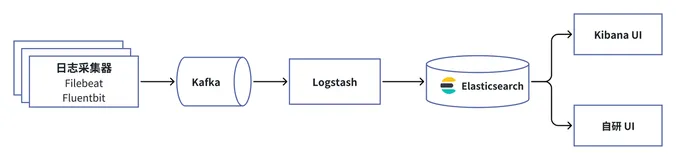
ELK实时日志分析平台(elk+kafka+metricbeat)-elasticsearch部署(五)

简介:

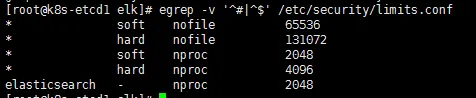
192.168.30.121,192.168.30.122,192.168.30.123上配置elasticsearch集群:

  1. 在所有主机上添加elk用户

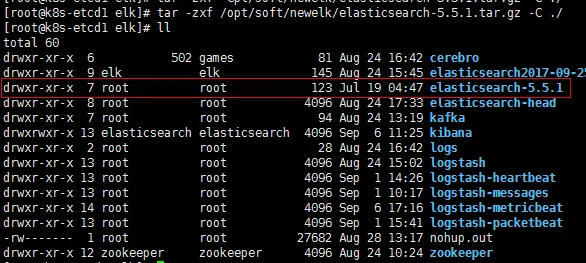
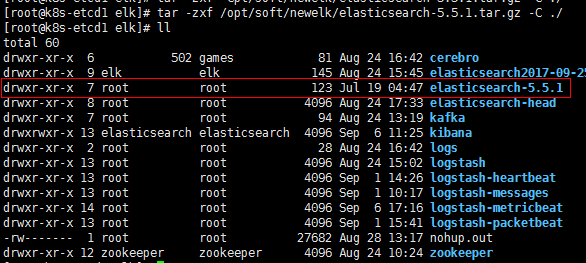
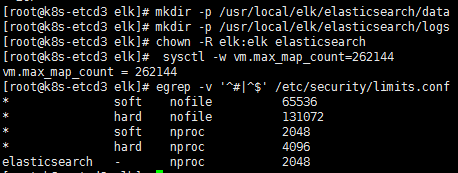
  2. 在所有主机上解压elasticsearch,并更改属主,组:

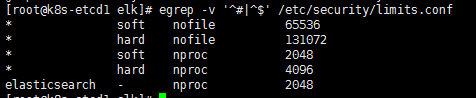
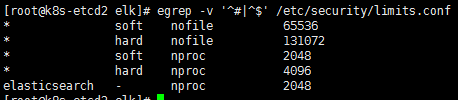
    wKioL1nJrjLj9hVsAABsNJXjSQ0844.png

    wKiom1nJrnuTHRmpAAASWIu9Lak227.png

  3. 修改192.168.30.121配置文件:

    #cat>elasticsearch/config/elasticsearch.yml<<EOF
    cluster.name: my-es
    node.name: node-1
    path.data: /usr/local/elk/elasticsearch/data
    path.logs: /usr/local/elk/elasticsearch/logs
    bootstrap.memory_lock: false
    network.host: 192.168.30.121
    http.port: 9200
    discovery.zen.ping.unicast.hosts: ["192.168.30.121", "192.168.30.122","192.168.30.123"]
    discovery.zen.minimum_master_nodes: 2
    node.master: true
    node.data: true
    EOF

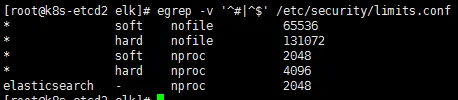
    wKioL1nJrr-RRb6AAAAY4iF4dBk204.png

    wKioL1nJrsuyFPlrAAAbCptf6nA762.png

    wKiom1nJrxPzr7t4AAAOHw9rXwA501.png

  4. 修改192.168.30.122配置:

    #cat>elasticsearch/config/elasticsearch.yml<<EOF
    cluster.name: my-es
    node.name: node-2
    path.data: /usr/local/elk/elasticsearch/data
    path.logs: /usr/local/elk/elasticsearch/logs
    bootstrap.memory_lock: false
    network.host: 192.168.30.122
    http.port: 9200
    discovery.zen.ping.unicast.hosts: ["192.168.30.121", "192.168.30.122","192.168.30.123"]
    discovery.zen.minimum_master_nodes: 2
    node.master: true
    node.data: true
    EOF

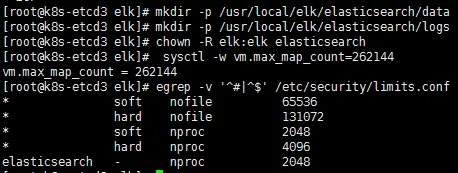
    wKioL1nJr0zzNK70AAAYBzZc-Vo857.png

    wKiom1nJr5bRJGDoAAAbGvdTXMM114.png

    wKioL1nJr2ay1qnhAAAM6YBOglg038.png

  5. 修改192.168.30.123配置:

    #cat>elasticsearch/config/elasticsearch.yml<<EOF
    cluster.name: my-es
    node.name: node-3
    path.data: /usr/local/elk/elasticsearch/data
    path.logs: /usr/local/elk/elasticsearch/logs
    bootstrap.memory_lock: false
    network.host: 192.168.30.123
    http.port: 9200
    discovery.zen.ping.unicast.hosts: ["192.168.30.121", "192.168.30.122","192.168.30.123"]
    discovery.zen.minimum_master_nodes: 2
    node.master: true
    node.data: true
    EOF

    wKiom1nJsCbQTSwEAAA48kj2I30501.png

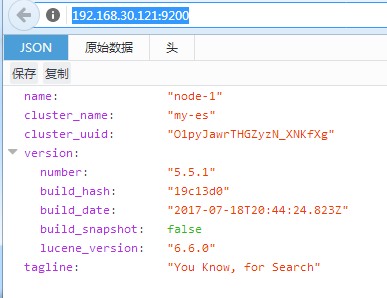
    启动:

    cd /usr/local/elk/elasticsearch/logs && nohup sudo -u elk  /usr/local/elk/elasticsearch/bin/elasticsearch &

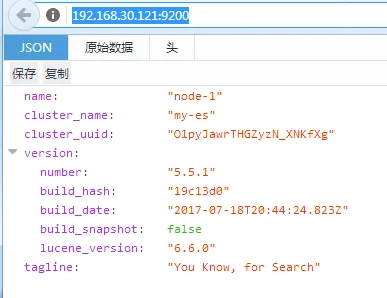
    检查:
    wKiom1nJsGmhjRG_AABLvfdfJNg138.png

  6. 安装head:

    检查依赖包:

    wKiom1nJsOKht48-AAAk6hSKqcA241.png

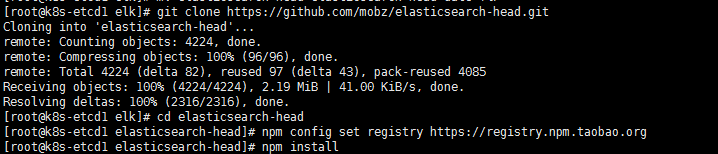
    安装:

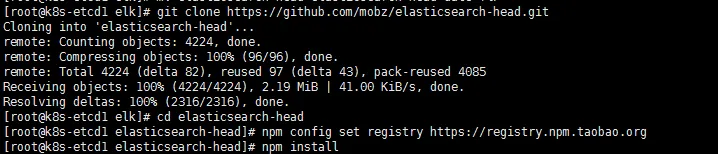
    wKioL1nJsLfT_plLAABLxHyoqdo921.png

    #git clone https://github.com/mobz/elasticsearch-head.git
    cd elasticsearch-head/
    npm config set registry https://registry.npm.taobao.org 
    npm install   #安装较慢,失败可多次执行


    修改vim Gruntfile.js
                    connect: {
                            server: {
                                    options: {
                                            hostname: "192.168.30.121",
                                            port: 9100,
                                            base: '.',
                                            keepalive: true
                                    }
                            }
                    }

            });

  7. 修改app.js:

    [root@k8s-etcd1elasticsearch-head]# vim _site/app.js

    this.base_uri =this.config.base_uri || this.prefs.get("app-base_uri") ||"http://192.168.30.121:9200";

  8. 在所有elasticsearch的配置文件追添以下两行,然后重启elasticsearch:

    http.cors.enabled: true
    http.cors.allow-origin: "*"

  9. 启动head:

    [root@k8s-etcd1 elk]# cdelasticsearch-head/ && nohup grunt server -d &

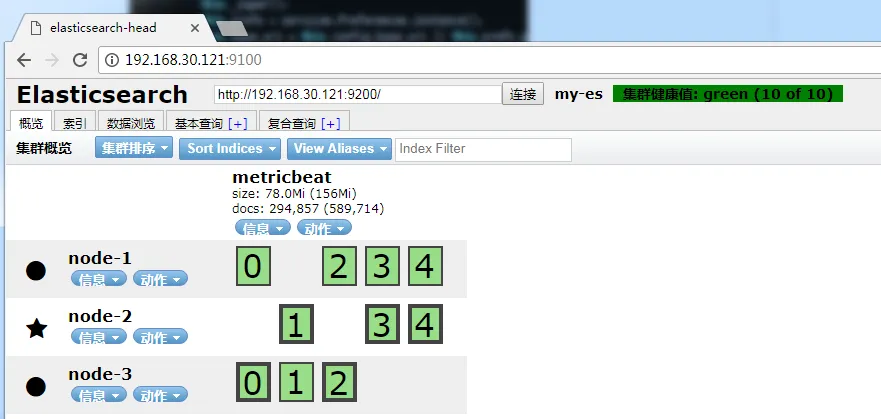
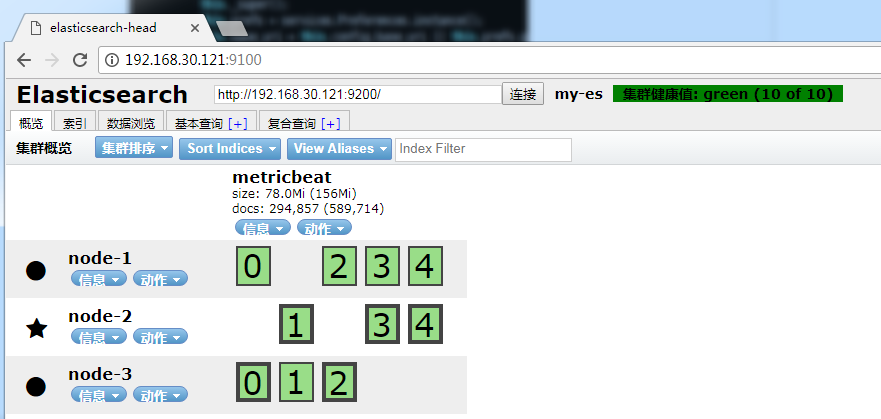
  10. 检测:

    wKioL1nJscLTX_ivAAEeRnqiLtc012.png


本文转自 zhuxtqw 51CTO博客,原文链接:http://blog.51cto.com/1054054/1968684,如需转载请自行联系原作者
相关文章
|
9月前
|
JSON Java API
(ELK)ElasticSearch8.7 搭配 SpringDataElasticSearch5.1 的使用
截至2023/7/11日,全网最全最直白的SpringDataElasticSearch5.1
496 3
|
存储 运维 监控
超越传统模型:从零开始构建高效的日志分析平台——基于Elasticsearch的实战指南
【10月更文挑战第8天】随着互联网应用和微服务架构的普及,系统产生的日志数据量日益增长。有效地收集、存储、检索和分析这些日志对于监控系统健康状态、快速定位问题以及优化性能至关重要。Elasticsearch 作为一种分布式的搜索和分析引擎,以其强大的全文检索能力和实时数据分析能力成为日志处理的理想选择。
1262 6
|
12月前
|
Ubuntu 应用服务中间件 网络安全
ELK完整部署教程
本文介绍了在Ubuntu 22.04上部署ELK(Elasticsearch、Logstash、Kibana)及Filebeat的完整步骤。内容涵盖Elasticsearch安装与安全配置、Kibana启用SSL与注册、Logstash配置输入输出,以及Filebeat采集日志并发送至Logstash或Elasticsearch的方法。适用于本地非容器环境的日志收集与可视化搭建。
|
存储 运维 监控
金融场景 PB 级大规模日志平台:中信银行信用卡中心从 Elasticsearch 到 Apache Doris 的先进实践
中信银行信用卡中心每日新增日志数据 140 亿条(80TB),全量归档日志量超 40PB,早期基于 Elasticsearch 构建的日志云平台,面临存储成本高、实时写入性能差、文本检索慢以及日志分析能力不足等问题。因此使用 Apache Doris 替换 Elasticsearch,实现资源投入降低 50%、查询速度提升 2~4 倍,同时显著提高了运维效率。
1205 3
金融场景 PB 级大规模日志平台:中信银行信用卡中心从 Elasticsearch 到 Apache Doris 的先进实践
|
存储 运维 监控
Elasticsearch Serverless 高性价比智能日志分析关键技术解读
本文解析了Elasticsearch Serverless在智能日志分析领域的关键技术、优势及应用价值。
1256 8
Elasticsearch Serverless 高性价比智能日志分析关键技术解读
ELK 圣经:Elasticsearch、Logstash、Kibana 从入门到精通
ELK是一套强大的日志管理和分析工具,广泛应用于日志监控、故障排查、业务分析等场景。本文档将详细介绍ELK的各个组件及其配置方法,帮助读者从零开始掌握ELK的使用。
|
存储 SQL 监控
|
自然语言处理 监控 数据可视化
|
存储 监控 安全
|
运维 监控 安全