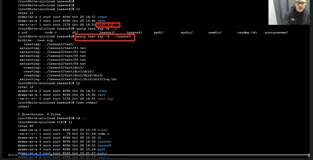
1、重定向很多数据,用echo就不方便了。我们用exec命令。
如exec 1>testout
Shell 中最多可以有9个打开的文件描述符。
2、重定向
exec 3>&1 //脚本将文件描述符3重定向到文件
exec 3<>testfile //exec使命令将文件描述符3分配给文件testfile的输入输出操作
重定向到特殊符号&-来关闭文件描述符。
列向所有文件描述符:lsof。
/dev/null
将输出同时发送到监视器和日志文件,用tee命令。
Mktemp 来创建临时文件和昨时目录。
在同一步物理介质的文件间只能创建一个硬链接。
3、函数
Function name
{
commands
}
另外一种格式:
Name(){
commands
}
函数的退出状态是函数的最后一条命令返回的退出状态。Return
函数输出
Function db
{
Read -p "Enter a value: " value
Echo $[$value * 2]
}
Result = 'db'
Echo "It's $Result"
Shell将函数作为小型脚本处理,可以像普通脚本那样给其传递参数。
默认情况下,脚本中定义的变量都是全局变量。
局部变量:local temp
数组变量和函数
Passing arrays to functions
The art of passing an array variable to a script function can be confusing. If you try to pass the array variable as a single parameter, it won’t work:
$ cat badtest3
#!/bin/bash
# trying to pass an array variable
function testit {
echo "The parameters are: $@"
thisarray=$1
echo "The received array is ${thisarray[*]}"
}
myarray=(1 2 3 4 5)
echo "The original array is: ${myarray[*]}"
testit $myarray
$ ./badtest3
The original array is: 1 2 3 4 5
The parameters are: 1
./badtest3: thisarray[*]: bad array subscript
The received array is
$
If you try using the array variable as a function parameter, the function only picks up the first value of the array variable.
To solve this problem, you must disassemble the array variable into its individual values, then use the values as function parameters. Inside the function, you can reassemble all of the parameters into a new array variable. Here’s an example of doing this:
$ cat test10
#!/bin/bash
# array variable to function test
function testit {
local newarray
newarray=(`echo "$@"`)
echo "The new array value is: ${newarray[*]}"
}
myarray=(1 2 3 4 5)
echo "The original array is ${myarray[*]}"
testit ${myarray[*]}
$ ./test10
The original array is 1 2 3 4 5
The new array value is: 1 2 3 4 5
$
The script uses the $myarray variable to hold all of the individual array values to place them all on the command line for the function. The function then rebuilds the array variable from the command line parameters. Once inside the function, the array can be used just like any other array:
$ cat test11
#!/bin/bash
# adding values in an array
function addarray {
local sum=0
local newarray
newarray=(`echo "$@"`)
for value in ${newarray[*]}
do
sum=$[ $sum + $value ]
done
echo $sum
}
myarray=(1 2 3 4 5)
echo "The original array is: ${myarray[*]}"
arg1=`echo ${myarray[*]}`
result=`addarray $arg1`
echo "The result is $result"
$ ./test11
The original array is: 1 2 3 4 5
The result is 15
$
The addarray function iterates through the array values, adding them together. You can put any number of values in the myarray array variable, and the addarray function will add them.
Returning arrays from functions
Passing an array variable from a function back to the shell script uses a similar technique. The function uses an echo statement to output the individual array values in the proper order, thenthe script must reassemble them into a new array variable:
$ cat test12
#!/bin/bash
# returning an array value
function arraydblr {
local origarray
local newarray
local elements
local i
origarray=(`echo "$@"`)
newarray=(`echo "$@"`)
elements=$[ $# - 1 ]
for (( i = 0; i <= $elements; i++ ))
{
newarray[$i]=$[ ${origarray[$i]} * 2 ]
}
echo ${newarray[*]}
}
myarray=(1 2 3 4 5)
echo "The original array is: ${myarray[*]}"
arg1=`echo ${myarray[*]}`
result=(`arraydblr $arg1`)
echo "The new array is: ${result[*]}"
$ ./test12
The original array is: 1 2 3 4 5
The new array is: 2 4 6 8 10
The script passes the array value, using the $arg1 variable to the arraydblr function. The arraydblr function reassembles the array into a new array variable, and it makes a copy for the output array variable. It then iterates through the individual array variable values, doubles each value, and places it into the copy of the array variable in the function.
The arraydblr function then uses the echo statement to output the individual values of the array variable values. The script uses the output of the arraydblr function to reassemble a new array variable with the values.
参考: