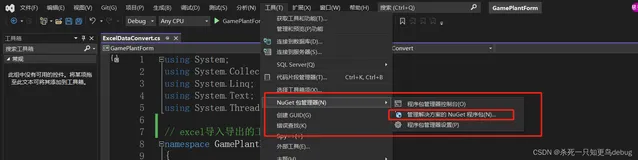
今天整了个Excel泛型导出,切出来大家看看
 using System;
using System.Collections.Generic;
using System.Linq;
using System.Text;
using System.Reflection;
namespace Utility.Util
{
public
class Ecel<T>
{
public
static
void DataBindTitleExcel(System.Web.HttpResponseBase response, List<T> list, List<
string> columnName, List<
string> propertyName,
string ExcelTitle,
string strUserMsg)
{
if (list.Count == 0)
{
response.Write(
"<script>alert('对不起,没有查询到任何记录,导出失败!')</script>");
response.End();
}
response.ContentEncoding = Encoding.GetEncoding(
"GB2312");
response.ContentType =
"application/ms-excel";
response.AppendHeader(
"Content-Disposition",
"attachment;filename=Export.xls");
int count = list.Count;
StringBuilder builder =
new StringBuilder();
builder.Append(
"<html><head>\n");
builder.Append(
"<meta http-equiv=\"Content-Language\" content=\"zh-cn\">\n");
builder.Append(
"<meta http-equiv=\"Content-Type\" content=\"text/html; charset=gb2312\">\n");
builder.Append(
"</head>\n");
builder.Append(
"<table border=1>");
if (ExcelTitle != "")
{
string str =
"<font size=4><b>" + ExcelTitle +
"</b></font>";
if (strUserMsg != "")
{
str = str +
"(" + strUserMsg +
")";
}
builder.Append(
string.Concat(
new
object[] {
"<tr><td colspan=", count,
">", str,
"</td></tr>" }));
}
builder.Append(
"<tr><td colspan=" + count +
" valign=middle height=24>");
builder.Append(
"查询时间:" + DateTime.Now.ToString(
"G") +
"</td></tr>");
builder.Append(
"<tr>\n");
for (
int i = 0; i < columnName.Count; i++)
{
builder.Append(
"<td bgcolor=#969696><b>" + columnName[i] +
"</b></td>\n");
}
Type objType =
typeof(T);
BindingFlags bf = BindingFlags.Instance | BindingFlags.NonPublic | BindingFlags.Public | BindingFlags.Static;
//反射标识
PropertyInfo[] propInfoArr = objType.GetProperties(bf);
foreach (T model
in list)
{
builder.Append(
"<tr>");
foreach (PropertyInfo propInfo
in propInfoArr)
{
foreach (
string propName
in propertyName)
{
if (
string.Compare(propInfo.Name.ToUpper(), propName.ToUpper()) == 0)
{
PropertyInfo modelProperty = model.GetType().GetProperty(propName);
if (modelProperty !=
null)
{
object objResult = modelProperty.GetValue(model,
null);
builder.Append(
"<td style='vnd.ms-excel.numberformat:@'>" + ((objResult ==
null) ?
string.Empty : objResult) +
"</td>");
}
else
{
throw
new Exception(
"Property name may be not exists!");
}
}
}
}
builder.Append(
"</tr>\n");
}
builder.Append(
"</table>\n");
response.Write(builder.ToString());
response.End();
}
}
}
using System;
using System.Collections.Generic;
using System.Linq;
using System.Text;
using System.Reflection;
namespace Utility.Util
{
public
class Ecel<T>
{
public
static
void DataBindTitleExcel(System.Web.HttpResponseBase response, List<T> list, List<
string> columnName, List<
string> propertyName,
string ExcelTitle,
string strUserMsg)
{
if (list.Count == 0)
{
response.Write(
"<script>alert('对不起,没有查询到任何记录,导出失败!')</script>");
response.End();
}
response.ContentEncoding = Encoding.GetEncoding(
"GB2312");
response.ContentType =
"application/ms-excel";
response.AppendHeader(
"Content-Disposition",
"attachment;filename=Export.xls");
int count = list.Count;
StringBuilder builder =
new StringBuilder();
builder.Append(
"<html><head>\n");
builder.Append(
"<meta http-equiv=\"Content-Language\" content=\"zh-cn\">\n");
builder.Append(
"<meta http-equiv=\"Content-Type\" content=\"text/html; charset=gb2312\">\n");
builder.Append(
"</head>\n");
builder.Append(
"<table border=1>");
if (ExcelTitle != "")
{
string str =
"<font size=4><b>" + ExcelTitle +
"</b></font>";
if (strUserMsg != "")
{
str = str +
"(" + strUserMsg +
")";
}
builder.Append(
string.Concat(
new
object[] {
"<tr><td colspan=", count,
">", str,
"</td></tr>" }));
}
builder.Append(
"<tr><td colspan=" + count +
" valign=middle height=24>");
builder.Append(
"查询时间:" + DateTime.Now.ToString(
"G") +
"</td></tr>");
builder.Append(
"<tr>\n");
for (
int i = 0; i < columnName.Count; i++)
{
builder.Append(
"<td bgcolor=#969696><b>" + columnName[i] +
"</b></td>\n");
}
Type objType =
typeof(T);
BindingFlags bf = BindingFlags.Instance | BindingFlags.NonPublic | BindingFlags.Public | BindingFlags.Static;
//反射标识
PropertyInfo[] propInfoArr = objType.GetProperties(bf);
foreach (T model
in list)
{
builder.Append(
"<tr>");
foreach (PropertyInfo propInfo
in propInfoArr)
{
foreach (
string propName
in propertyName)
{
if (
string.Compare(propInfo.Name.ToUpper(), propName.ToUpper()) == 0)
{
PropertyInfo modelProperty = model.GetType().GetProperty(propName);
if (modelProperty !=
null)
{
object objResult = modelProperty.GetValue(model,
null);
builder.Append(
"<td style='vnd.ms-excel.numberformat:@'>" + ((objResult ==
null) ?
string.Empty : objResult) +
"</td>");
}
else
{
throw
new Exception(
"Property name may be not exists!");
}
}
}
}
builder.Append(
"</tr>\n");
}
builder.Append(
"</table>\n");
response.Write(builder.ToString());
response.End();
}
}
}
看看效果,这是在MVC2中的导出
在Webforms中只要你将response换成System.Web.UI.Page page对象的Response即可。
本文转自 BruceAndLee 51CTO博客,原文链接:http://blog.51cto.com/leelei/346978,如需转载请自行联系原作者