Git管理本地代码(一)【转】

简介: 转自:http://blog.csdn.net/weihan1314/article/details/8677800 版权声明:本文为博主原创文章,未经博主允许不得转载。   目录(?)[+]   安装Git   [plain] view plain c...
 

目录(?)[+]


安装Git


[plain]  view plain  copy
 
  1. $sudo apt-get install git  
  2. $sudo apt-get install git-core  
更新Git


[plain]  view plain  copy
 
  1. $git clone git://git.kernel.org/pub/scm/git/git.git  
安装好git后在终端输入git 命令会显示git命令提示,证明git已经安装成功。


初始化代码仓库


[plain]  view plain  copy
 
  1. $mkdir android4.2  
  2. $cd android4.2  
  3. $git init  


git init 和git --bare init 的具体区别参考:http://blog.haohtml.com/archives/12265 


提示: Initialized empty Git repository in /data/Downloads/Git/android4.2/.git/证明git仓库(repository)创建成功

配置config文件(全局)


[plain]  view plain  copy
 
  1. $cd .git  
  2. $vim config  
该配置文件的原始内容为:


[plain]  view plain  copy
 
  1. [core]  
  2.         repositoryformatversion = 0  
  3.         filemode = true  
  4.         bare = false  
  5.         logallrefupdates = true  
在该配置文件中加入以下内容:


[plain]  view plain  copy
 
  1. [receive]  
  2. denyCurrentBranch = ignore  
加入该配置的目的是:允许使用git push 提交代码到服务器,否则会出现以下异常:


remote: error: refusing to update checked out branch: refs/heads/master

remote: error: By default, updating the current branch in a non-bare repository

remote: error: is denied, because it will make the index and work tree inconsistent

remote: error: with what you pushed, and will require 'git reset --hard' to match

remote: error: the work tree to HEAD.

remote: error:

remote: error: You can set 'receive.denyCurrentBranch' configuration variable to

remote: error: 'ignore' or 'warn' in the remote repository to allow pushing into

remote: error: its current branch; however, this is not recommended unless you

remote: error: arranged to update its work tree to match what you pushed in some

remote: error: other way.

remote: error:

remote: error: To squelch this message and still keep the default behaviour, set

remote: error: 'receive.denyCurrentBranch' configuration variable to 'refuse'.

To git@192.168.1.X:/var/git.server/.../web

! [remote rejected] master -> master (branch is currently checked out)

error: failed to push some refs to 'git@192.168.1.X:/var/git.server/.../web'

在代码仓库创建一个说明文档(该文档可以随便创建)


[plain]  view plain  copy
 
  1. $touch spec.txt  
备注:如果初始的代码仓库为空,git push origin master提交代码的时候会出现以下异常:


error: src refspec master does not match any.
error: failed to push some refs to '/data/Downloads/Git/android4.2/.git
因此我们需要在初始化代码仓库之后,在仓库中创建一个文件:

实例:


[plain]  view plain  copy
 
  1. $touch spec.txt  
  2. $git add spec.txt  
  3. $git commit-a -m "first commit"  
  4. $git push  
此时,基本的代码仓库已经创建完成。本地代码仓库的Git库为:/data/Downloads/Git/android4.2/.git


同步代码

创建myprojects目录,同步代码


[plain]  view plain  copy
 
  1. $mkdir Download/myprojects  
  2. $git clone /data/Downloads/Git/android4.2/.git  
修改文件
[plain]  view plain  copy
 
  1. $touch test.txt  
(备注:在这里可以编写和更改文件,本文只是讲解Git库的使用,所以只是简单的创建了一个文件)


使用git diff 和 git status 命令可以查看代码当前的状态

提交代码


[plain]  view plain  copy
 
  1. $git add test.text  
  2. $git commit -a -m "second commit"  
  3. $git push origin master  
查看log信息


[plain]  view plain  copy
 
  1. $git log  


查看代码仓库中代码是否提交成功

进入代码仓库目录,查看代码提交log


[plain]  view plain  copy
 
  1. $cd android4.2  
  2. $git log  
能够查看代码提交的log信息,但是却无法看到我们提交的代码,怎么回事呢?


如果使用了git init初始化,则远程仓库的目录下,也包含work tree,当本地仓库向远程仓库push时, 如果远程仓库正在push的分支上(如果当时不在push的分支,就没有问题), 那么push后的结果不会反应在work tree上,  也即在远程仓库的目录下对应的文件还是之前的内容。

使用以下命令即可查看提交的内容
$git reset --hard

回退到当前最新(本地最新)提交的代码信息

【作者】 张昺华
【新浪微博】 张昺华--sky
【twitter】 @sky2030_
【facebook】 张昺华 zhangbinghua
本文版权归作者和博客园共有,欢迎转载,但未经作者同意必须保留此段声明,且在文章页面明显位置给出原文连接,否则保留追究法律责任的权利.
目录
相关文章
|
开发工具 git
使用Git根据日期进行代码版本切换的方法
通过以上步骤,可以有效地根据日期进行Git代码版本的切换。这种方法在需要回溯历史版本进行bug修复或功能复查时特别有用。Git的灵活性和强大功能使其成为现代软件开发不可或缺的工具之一。
1082 103
|
IDE 网络安全 开发工具
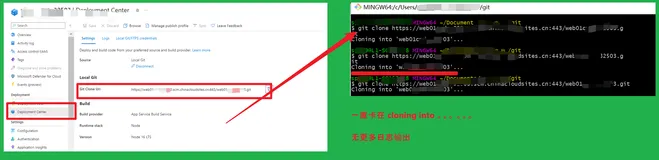
【Azure App Service】Local Git App Service的仓库代码遇见卡住不Clone代码的问题
328 1
【Azure App Service】Local Git App Service的仓库代码遇见卡住不Clone代码的问题
|
开发工具 数据安全/隐私保护 git
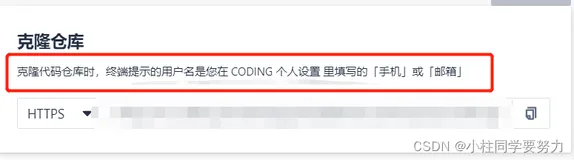
记录一次使用git工具拉取coding上代码密码账号错误的经历
这篇文章记录了作者在使用Git工具从Coding平台克隆项目时遇到的账号密码错误问题,并分享了通过清除电脑凭证中错误记录的账号密码来解决这个问题的方法。
记录一次使用git工具拉取coding上代码密码账号错误的经历
|
开发工具 git Python
通过Python脚本git pull 自动重试拉取代码
701 5
|
数据可视化 Java 测试技术
Git Flow 现代实操指南含从代码提交到 CI/CD 全流程的实用技巧与长尾关键词解析 Git Flow
本指南结合现代技术趋势,详解Git Flow工作流,涵盖GitHub Actions自动化、Conventional Commits规范、Gitmoji可视化等内容,助你实现代码到CI/CD的全流程管理,提升团队开发效率与代码质量。
998 2
|
JavaScript 前端开发 持续交付
实际工作中 Git Commit 代码提交规范是什么样的?
1339 7
|
网络安全 开发工具 git
Git仓库创建与代码上传指南
本教程介绍了将本地项目推送到远程Git仓库的完整流程,包括初始化本地仓库、添加和提交文件、创建远程仓库、关联远程地址及推送代码。同时,还提供了`.gitignore`配置、分支管理等可选步骤,并针对常见问题(如认证失败、分支不匹配、大文件处理及推送冲突)给出了解决方案。适合初学者快速上手Git版本控制。
|
Devops Shell 网络安全
git使用之如何将一套代码同时推送至github|gitee|gitcode|gitlab等多个仓库-含添加ssh-优雅草央千澈完美解决-提供整体提交代码
1015 16
git使用之如何将一套代码同时推送至github|gitee|gitcode|gitlab等多个仓库-含添加ssh-优雅草央千澈完美解决-提供整体提交代码
|
开发工具 git 索引
如何使用Git的暂存区来管理代码更改?
如何使用Git的暂存区来管理代码更改?
1682 0
|
Shell 网络安全 开发工具
git与gitee结合使用,提交代码,文件到远程仓库
本文介绍了如何将Git与Gitee结合使用来提交代码文件到远程仓库。内容涵盖了Git的安装和环境变量配置、SSH公钥的生成和配置、在Gitee上创建仓库、设置Git的全局用户信息、初始化本地仓库、添加远程仓库地址、提交文件和推送到远程仓库的步骤。此外,还提供了如何克隆远程仓库到本地的命令。
git与gitee结合使用,提交代码,文件到远程仓库