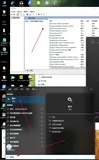
之前在32位Windows 2008下编译的asp.net应用程序部署到64位的Windows下,部署上去以后,首页还可以运行,但是该应用程序还用了oledb去访问access数据库. 结果出现了如下错误信息:
Server Error in '/' Application.
The 'Microsoft.Jet.OLEDB.4.0' provider is not registered on the local machine.
Description: An unhandled exception occurred during the execution of the current web request. Please review the stack trace for more information about the error and where it originated in the code.Exception Details: System.InvalidOperationException: The 'Microsoft.Jet.OLEDB.4.0' provider is not registered on the local machine.
Source Error:
An unhandled exception was generated during the execution of the current web request. Information regarding the origin and location of the exception can be identified using the exception stack trace below.
Stack Trace:
[InvalidOperationException: The 'Microsoft.Jet.OLEDB.4.0' provider is not registered on the local machine.]
   System.Data.OleDb.OleDbServicesWrapper.GetDataSource(OleDbConnectionString constr, DataSourceWrapper& datasrcWrapper) +1818735
   System.Data.OleDb.OleDbConnectionInternal..ctor(OleDbConnectionString constr, OleDbConnection connection) +148
   System.Data.OleDb.OleDbConnectionFactory.CreateConnection(DbConnectionOptions options, Object poolGroupProviderInfo, DbConnectionPool pool, DbConnection owningObject) +100
   System.Data.ProviderBase.DbConnectionFactory.CreateNonPooledConnection(DbConnection owningConnection, DbConnectionPoolGroup poolGroup) +45
   System.Data.ProviderBase.DbConnectionFactory.GetConnection(DbConnection owningConnection) +6264718
   System.Data.ProviderBase.DbConnectionClosed.OpenConnection(DbConnection outerConnection, DbConnectionFactory connectionFactory) +6265031
   System.Data.OleDb.OleDbConnection.Open() +47
   Microsoft.ApplicationBlocks.Data.OleDbHelper.PrepareCommand(OleDbCommand command, OleDbConnection connection, OleDbTransaction transaction, CommandType commandType, String commandText, OleDbParameter[] commandParameters) in E:\mydotnet\WorkCopy\DAAB\OleDbHelper.cs:106
   Microsoft.ApplicationBlocks.Data.OleDbHelper.ExecuteDataset(OleDbConnection connection, CommandType commandType, String commandText, OleDbParameter[] commandParameters) in E:\mydotnet\WorkCopy\DAAB\OleDbHelper.cs:486
   DataAccess.DALUserLogins.FindUserByName(OleDbConnection conn, String username) in D:\mydotnet\WorkCopy\TemplateCompile\DALUserLogins.cs:122
   TemplateCompile._Default.btnLogin_Click(Object sender, EventArgs e) in D:\mydotnet\WorkCopy\TemplateCompile\Default.aspx.cs:32
   System.Web.UI.WebControls.Button.OnClick(EventArgs e) +115
   System.Web.UI.WebControls.Button.RaisePostBackEvent(String eventArgument) +140
   System.Web.UI.Page.RaisePostBackEvent(IPostBackEventHandler sourceControl, String eventArgument) +29
   System.Web.UI.Page.ProcessRequestMain(Boolean includeStagesBeforeAsyncPoint, Boolean includeStagesAfterAsyncPoint) +2981
Version Information: Microsoft .NET Framework Version:2.0.50727.4927; ASP.NET Version:2.0.50727.4927
在网络上搜索了半天,暂时没有找到答案,然后想是不是没有装MDAC,但是已经装了Sql Server 2008的客户端,这个oledb的驱动没有可能不随Sql Server 2008的客户端安装的。还是从IIS上找原因。记得该程序是在32位操作系统上编译的,这个问题可能与32位有关,而当前系统是64位的。于是在IIS管理器里面找与32兼容有关的设置。找来找去,终于找到点眉目:
首先找到该站点所对应的应用程序池:

再找到该应用程序池的高级设置:

将”Enable 32 Bit Applications”打开。再将此应用程序池重启一下。发现上述问题就解决了。