处理IPhone屏幕的旋转是我们经常遇到的,当你做一个应用既然满足竖屏又要满足横屏,这就要求我们会处理屏幕旋转的问题!
方法一:自动布局
1.将项目中界面的四种手持方式都点上;
2.取消Use Autolayout;
3.选择界面中某个控件然后到属性工具栏中去找到AutoSizing功能,勾选对应的绝对定位的线条
4.重写可以旋转的方法
-(BOOL)shouldAutorotate
{
    return YES;
}
-(NSUInteger)supportedInterfaceOrientations
{
    return UIInterfaceOrientationMaskAll;
}
方法二:手动布局一(通过代码改view种控件的坐标)
1.重写可以旋转的方法
-(BOOL)shouldAutorotate
{
    return YES;
}
-(NSUInteger)supportedInterfaceOrientations
{
    return UIInterfaceOrientationMaskAll;
}
2.勾选上项目中支持的四种手持类型
3.取消Use Autolayout
4.代码实现:
//每当屏幕旋转的时候都会触发一个
-(void)willAnimateRotationToInterfaceOrientation:(UIInterfaceOrientation)toInterfaceOrientation duration:(NSTimeInterval)duration
{
    //如果是是横屏状态
    if(toInterfaceOrientation == UIInterfaceOrientationLandscapeLeft )
    {
        self.l1.frame = CGRectMake(20, 25, 110, 110);
        self.l2.frame = CGRectMake(162, 25, 110, 110);
        self.l3.frame = CGRectMake(304, 25, 110, 110);
        self.r1.frame = CGRectMake(20, 178, 110, 110);
        self.r2.frame = CGRectMake(162, 178, 110, 110);
        self.r3.frame = CGRectMake(304, 178, 110, 110);}
}
方法三:手动布局二(在xib中新建一个支持横屏的view通过双view切换实现)
1.在xib文件中拖一个view控件,选择Orientation属性为横屏
2.布局好界面
3.将横纵view分别在controller.h文件中创建对应的属性,命名为
@property (retain, nonatomic) IBOutlet UIView *landspaceView;
@property (retain, nonatomic) IBOutlet UIView *portatiorView;
4.代码实现宏定义实现角度转弧度
#define degreesToRadia(x) (M_PI * (x) / 180)//参数要加括号 ,尤其是参数附近特别要加括号
-(BOOL)shouldAutorotate
{
    return YES;
}
-(NSUInteger)supportedInterfaceOrientations
{
    return UIInterfaceOrientationMaskAll;
}
//每当屏幕旋转的时候都会触发一个
-(void)willAnimateRotationToInterfaceOrientation:(UIInterfaceOrientation)toInterfaceOrientation duration:(NSTimeInterval)duration
{
    //如果是是横屏状态
    if(toInterfaceOrientation == UIInterfaceOrientationLandscapeLeft )
    {
//        self.l1.frame = CGRectMake(20, 25, 110, 110);
//        self.l2.frame = CGRectMake(162, 25, 110, 110);
//        self.l3.frame = CGRectMake(304, 25, 110, 110);
//        self.r1.frame = CGRectMake(20, 178, 110, 110);
//        self.r2.frame = CGRectMake(162, 178, 110, 110);
//        self.r3.frame = CGRectMake(304, 178, 110, 110);
        self.view = self.landspaceView;
        //self.view.transform = CGAffineTransformIdentity;
        self.view.transform = CGAffineTransformMakeRotation(degreesToRadia(270));
        self.view.bounds = CGRectMake(0, 0, 480, 300);
    }
    else if(toInterfaceOrientation == UIInterfaceOrientationLandscapeRight)
    {
//        self.l1.frame = CGRectMake(37, 20, 110, 110);
//        self.l2.frame = CGRectMake(37, 162, 110, 110);
//        self.l3.frame = CGRectMake(37, 304, 110, 110);
//        self.r1.frame = CGRectMake(190, 20, 110, 110);
//        self.r2.frame = CGRectMake(190, 162, 110, 110);
//        self.r3.frame = CGRectMake(190, 304, 110, 110);
        self.view = self.landspaceView;
        //self.view.transform = CGAffineTransformIdentity;
        self.view.transform = CGAffineTransformMakeRotation(degreesToRadia(90));
        self.view.bounds = CGRectMake(0, 0, 480, 300);
    }
    else if (toInterfaceOrientation == UIInterfaceOrientationPortrait)
    {
        self.view = self.portatiorView;
        self.view.transform = CGAffineTransformIdentity;
        self.view.bounds = CGRectMake(0, 0, 320, 460);
    }
    else if(toInterfaceOrientation == UIInterfaceOrientationPortraitUpsideDown)
    {
        self.view = self.portatiorView;
        //self.view = self.landspaceView;
        //self.view.transform = CGAffineTransformIdentity;
        self.view.transform = CGAffineTransformMakeRotation(degreesToRadia(180));
        self.view.bounds = CGRectMake(0, 0, 320, 460);
    }
}
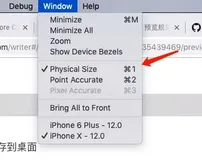
模拟屏幕旋转
commond + 方向键