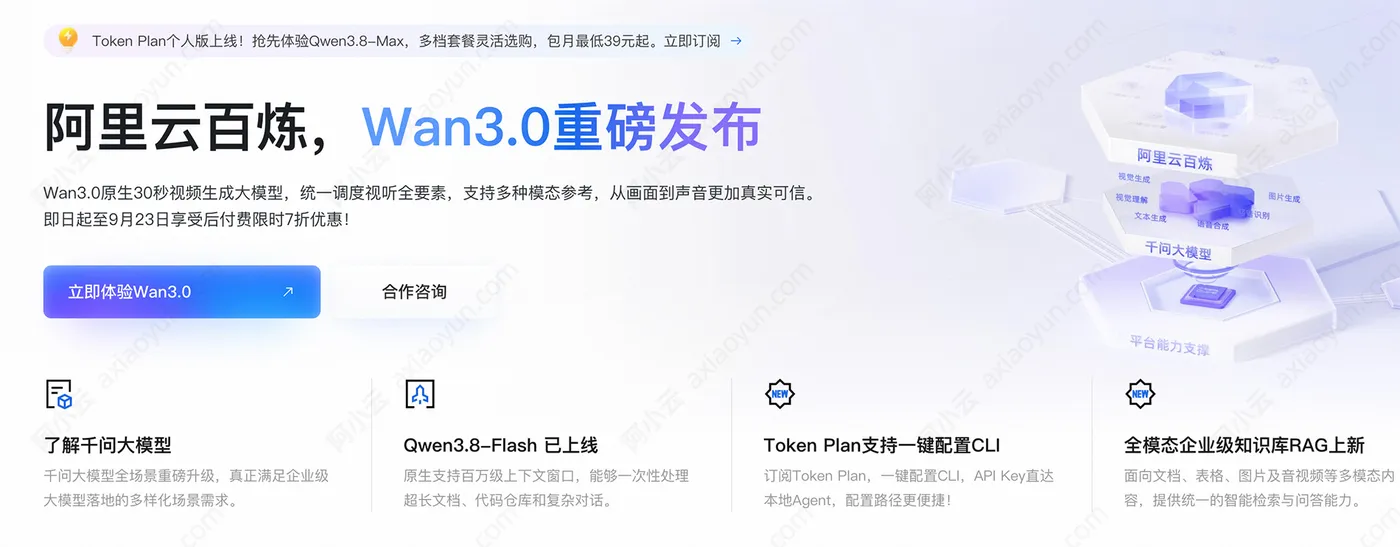
百炼是阿里云AI大模型服务平台,百炼免费提供千万Tokens,调用阿里云Token支持三种计费方式,默认是按量计费模式,根据实际使用Token量,然后乘以不同模型对应的单价,计算费用;第二种方法是通过订阅TokenPlan来抵扣Token费用,按Credits计费的;第三种方法是通过CodingPlan抵扣实际Token产生的费用,按模型调用次数计费。阿小云整理详细的阿里云百炼调用Token的三种计费方式,在阿里云CLUB中心免费领取优惠券,阿里云百炼官网:https://www.aliyun.com/product/bailian 如下图:
按量付费
默认就是按量付费的,开通阿里云百炼:https://www.aliyun.com/product/bailian 先免费领取超7000万Tokens,每个模型100万Tokens,免费额度用完之后,超出部分产生的Token按量付费支付,如下图:
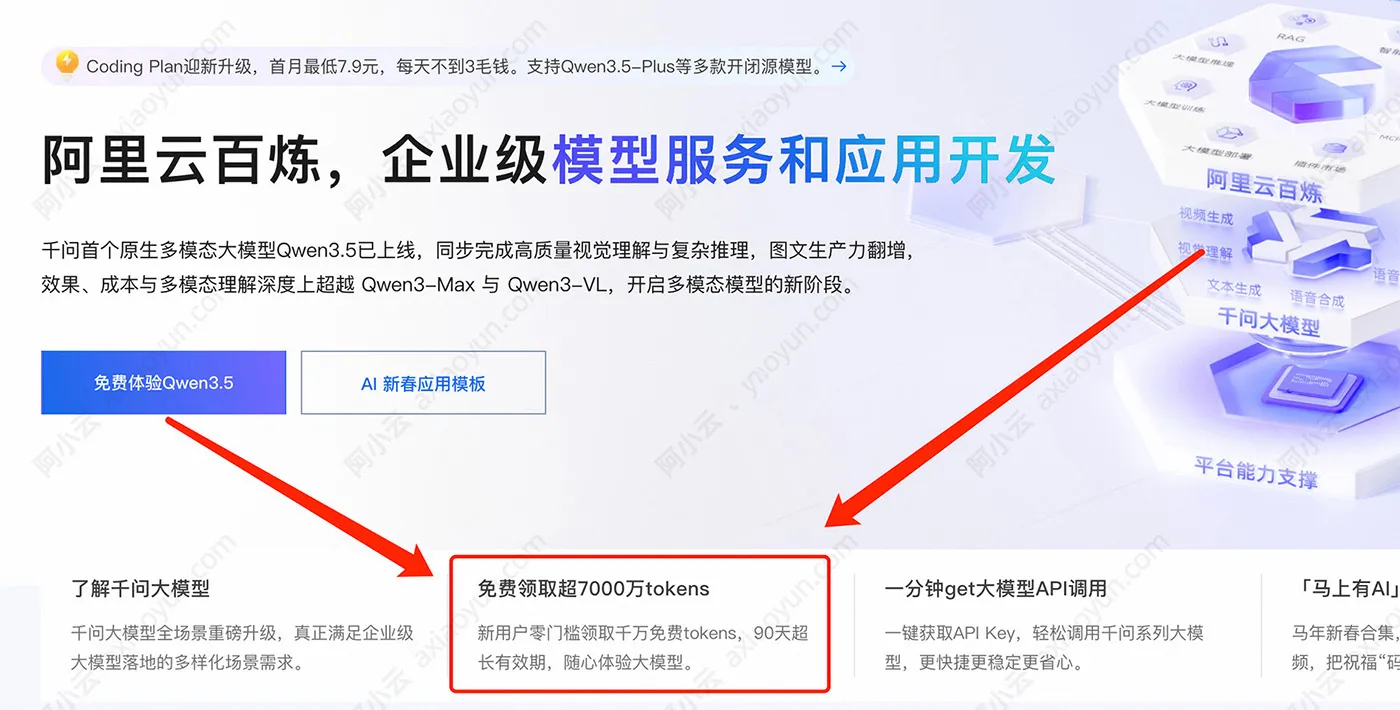
开通百炼后,获取API Key,在第三方AI工具中调用即可。AI工具包括Claude Code、Cursor、Qwen Code、Codex、Qoder、Qoder CN、OpenClaw、Cline、Cherry Studio、Chatbox、Trae、Kilo Code等,均支持接入阿里云百炼。
Token Plan
阿里云百炼TokenPlan官网:https://www.aliyun.com/benefit/scene/tokenplan 目前分为个人版和企业版,个人版39元1个月、团队版活动150元1个月,按Credits计费,如下图:
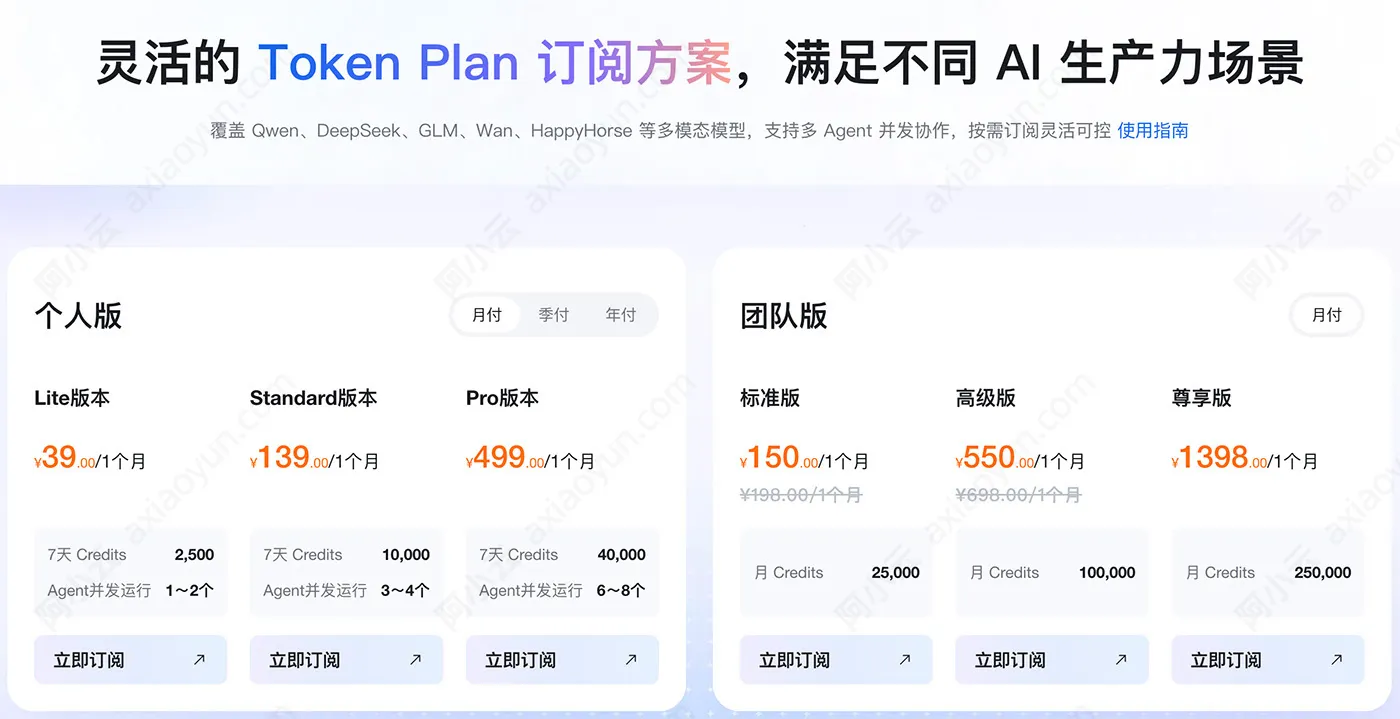
订阅TokenPlan后,获取TokenPlan配套专属 Base URL和API Key,用来接入第三方AI工具。
Coding Plan
阿里云Coding Plan官方订阅:https://common-buy.aliyun.com/coding-plan 目前Coding Plan只有Pro 高级套餐,按请求次数计费的,费用是200元1个月,并且是限量购买,每天早上9:30补货抢购,如下图:
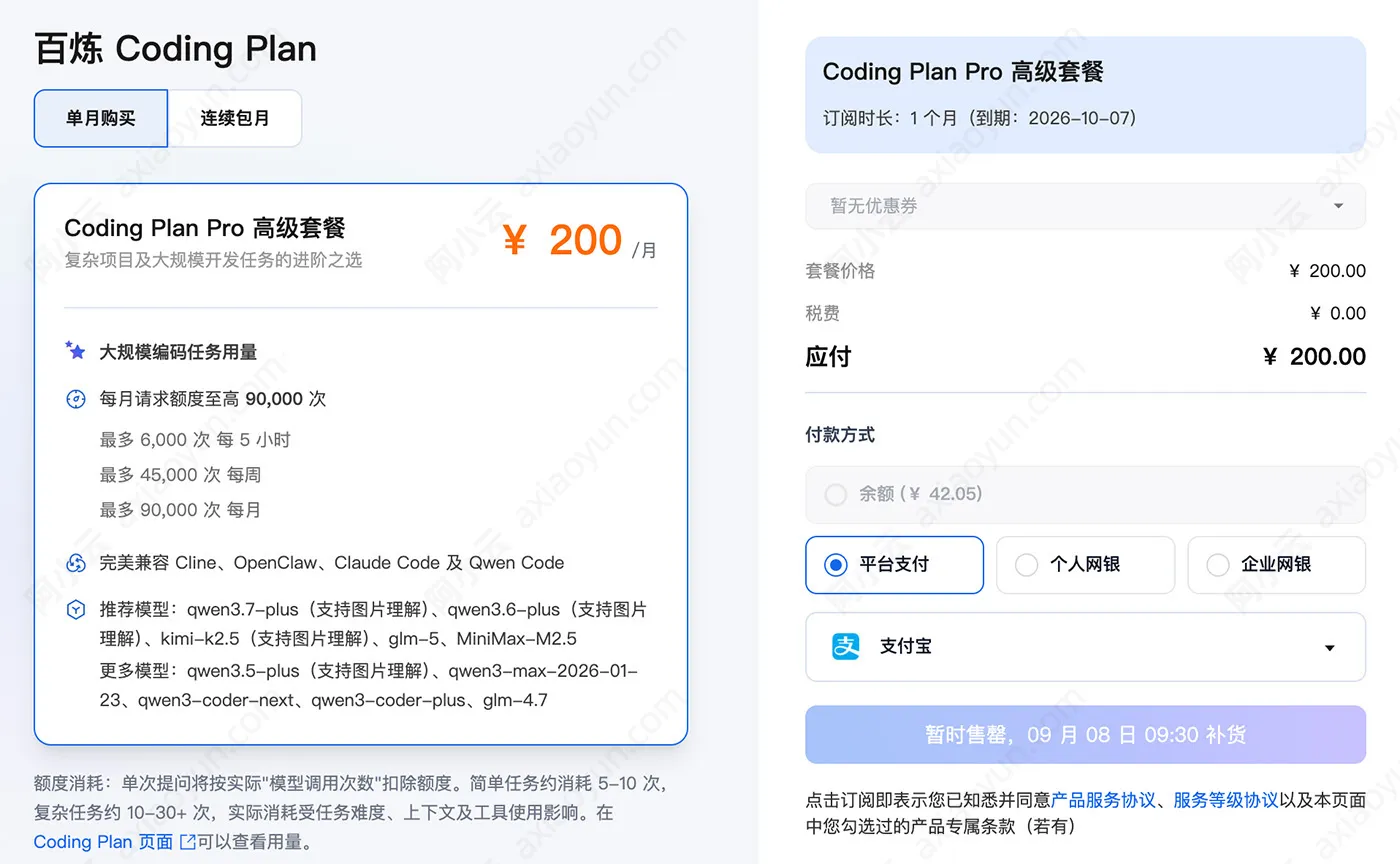
订阅后CodingPlan后,获取CodingPlan配套专属Base URL和API Key,用来接入第三方AI工具。
AI工具接入阿里云百炼教程
阿里云百炼支持多种AI工具,国外及国内主流的客户端及开发工具均支持,教程如下:
- OpenClaw:https://help.aliyun.com/zh/model-studio/openclaw
- Hermes Agent:https://help.aliyun.com/zh/model-studio/hermes-agent
- Claude Code:https://help.aliyun.com/zh/model-studio/claude-code
- OpenCode:https://help.aliyun.com/zh/model-studio/opencode
- Cursor:https://help.aliyun.com/zh/model-studio/cursor
- Codex:https://help.aliyun.com/zh/model-studio/codex
- 千问:https://help.aliyun.com/zh/model-studio/qwen-office-assistant
- Qwen Code:https://help.aliyun.com/zh/model-studio/qwen-code
- DeepSeek Harness:https://help.aliyun.com/zh/model-studio/deepseek-harness
- QwenPaw:https://help.aliyun.com/zh/model-studio/qwenpaw
- Cherry Studio:https://help.aliyun.com/zh/model-studio/cherry-studio
- Chatbox:https://help.aliyun.com/zh/model-studio/chatbox
- Cline:https://help.aliyun.com/zh/model-studio/cline
- Qoder:https://help.aliyun.com/zh/model-studio/qoder-agent
- Qoder CN(原 Lingma):https://t.aliyun.com/U/rZ01rj
- Kilo CLI:https://help.aliyun.com/zh/model-studio/kilo-cli
- Postman:https://help.aliyun.com/zh/model-studio/first-call-to-image-and-video-api
- Dify:https://help.aliyun.com/zh/model-studio/dify