阿里云服务器ECS购买创建后如何使用?首先就是云服务器的远程连接,阿小云首推阿里云自带的Workbench远程链接方法,浏览器就可以使用,不需要另外下载远程连接程序,本文阿小云以Linux云服务器为例,Workbench是阿里云提供的可在浏览器中使用的远程连接工具,可直接免密连接Linux实例,支持登录无公网IP的实例。阿里云服务器ECS官网:https://www.aliyun.com/product/ecs
通过Workbench远程连接
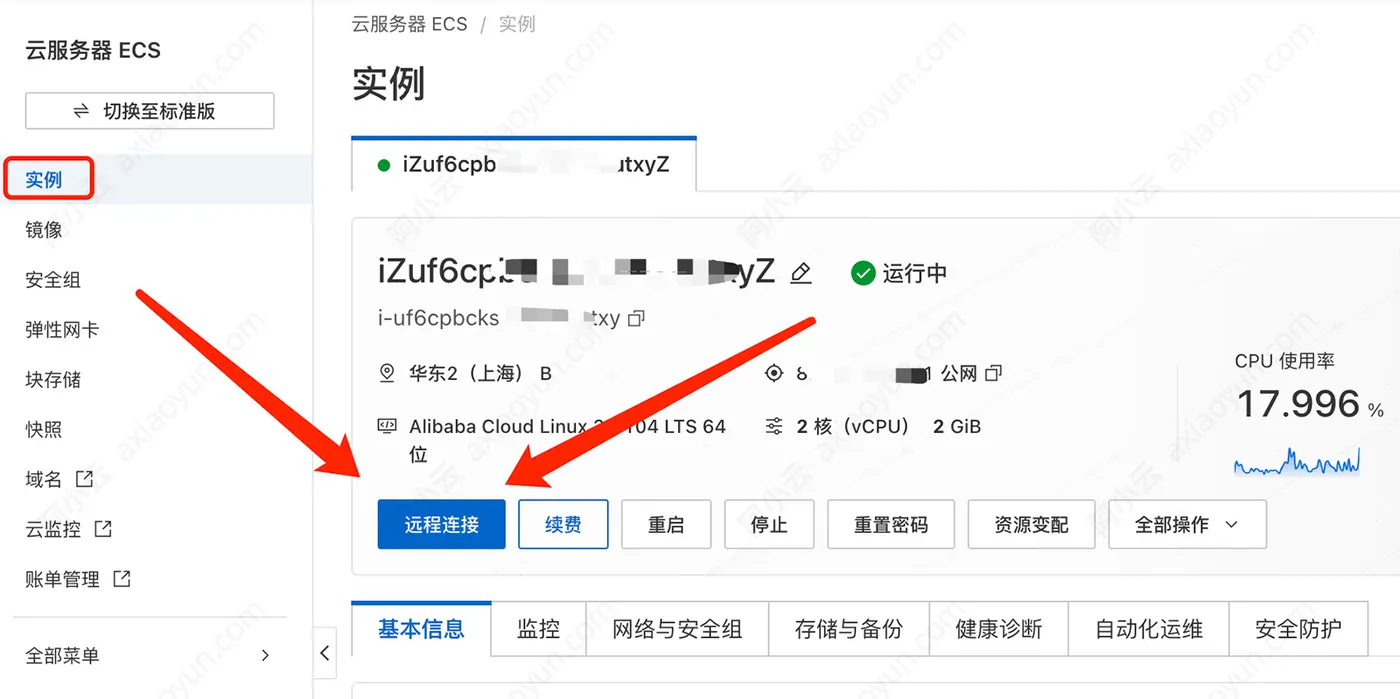
登录:云服务器ECS管理控制台,找到你的云服务器ECS实例,如果没有,可以切换下地域,找一下,然后点击远程连接,如下图:
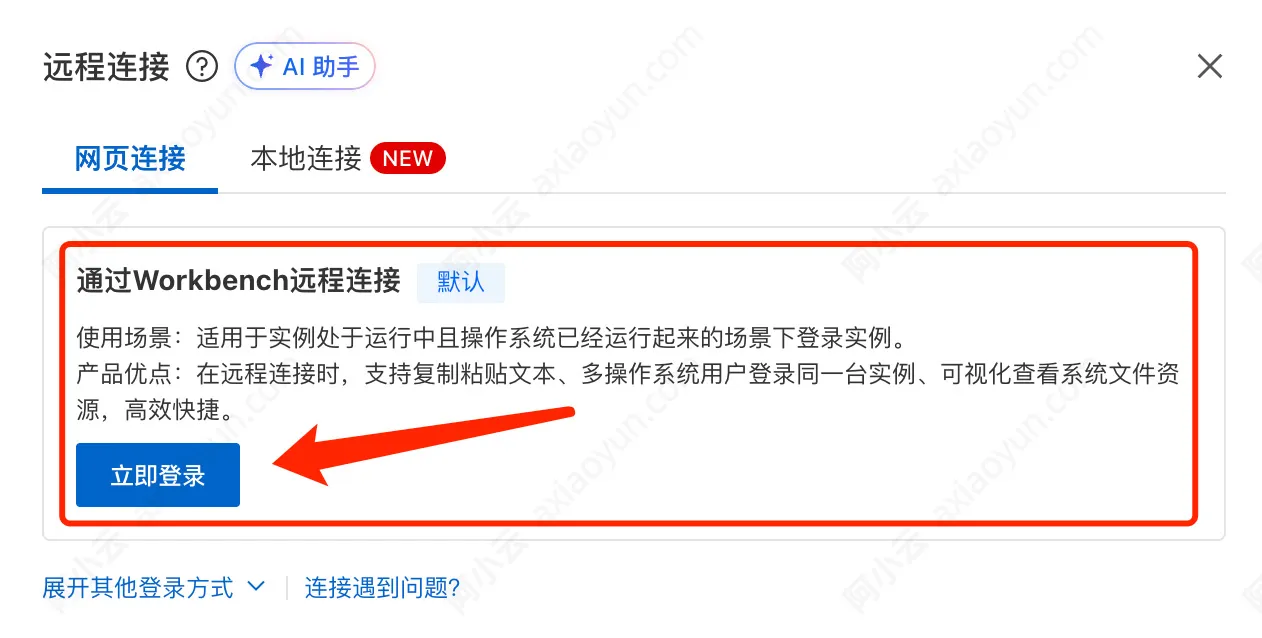
选择通过Workbench远程连接,点击【立即登录】如下图:
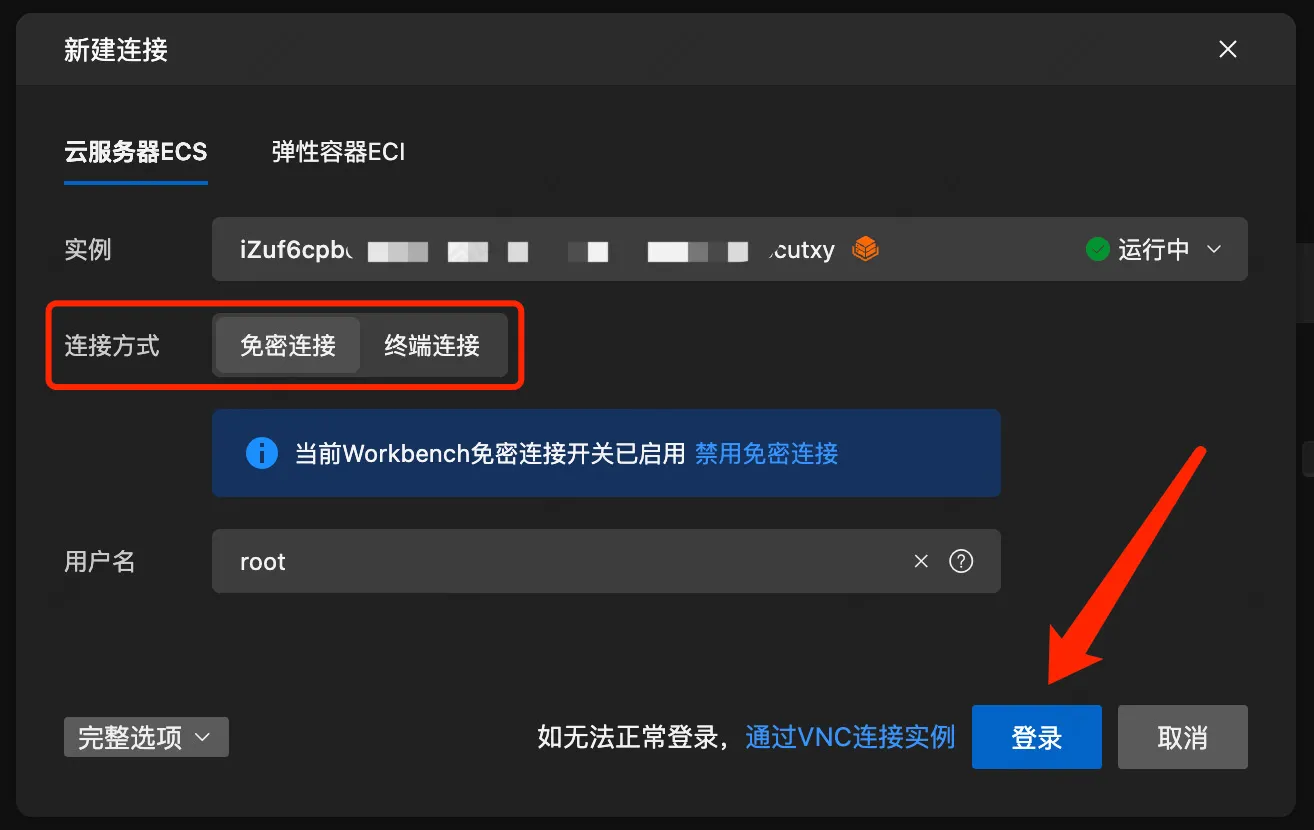
可以选择免密登录,免密登录时,默认通过会话管理方式连接,未开启会话管理则通过临时SSH密钥对方式连接。如下图,点击【登录】如下图:
实例登录成功界面如下所示:
Welcome to Alibaba Cloud Elastic Compute Service !

Updates Information Summary: available
    29 Security notice(s)
        13 Important Security notice(s)
        16 Moderate Security notice(s)
Run "dnf upgrade-minimal --security" to apply all updates.More details please refer to:
https://help.aliyun.com/document_detail/416274.html
Last login: Mon Aug 18 14:32:23 2025 from 1xxx.xxx.xxx.xxx4
[root@ixxx xxx Z ~]#
如上所示,登录成功了!
更多关于阿里云服务器ECS远程连接的方法,请参考官方文档:https://help.aliyun.com/zh/ecs/user-guide/connect-to-instance